Open-source RightAI Tools Directory
  • Discover AI
  • Submit
  • Startup
  • Blog
Open-source RightAI Tools Directory
Discover the best AI tools of 2025 with the RightAI Tools Directory!

Friend Links

AI Anime GeneratorToolsApp AI

Support

Tap4
Privacy policyTerms & ConditionsContact Us
Loading...
loading...

Course Decode

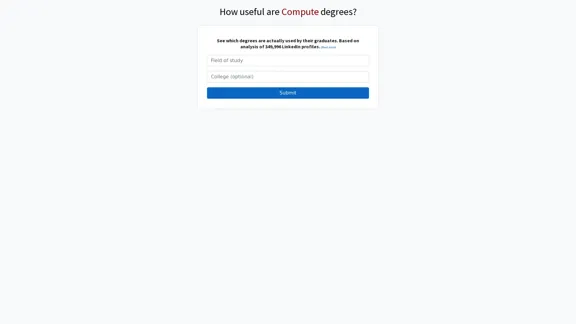
Here is the translation into English: See which degrees are actually used by their graduates. Based on analysis of 349,996 LinkedIn profiles.
Visit Website
Course Decode
Visit Website

Introduction

Course Decode is a tool that provides insights into the practical value of computer-related degrees by analyzing the career paths of graduates. It aims to help students and professionals make informed decisions about their education and career choices in the tech industry.

Feature

  • Data-driven analysis: Based on 349,996 LinkedIn profiles
  • Degree utilization insights: Shows which degrees are actually used by graduates in their careers
  • User-friendly interface: Simple submission process for queries
  • Career path visualization: Likely provides visual representation of degree usage data
  • Educational decision support: Helps users evaluate the practical value of different computer-related degrees

FAQ

What is Course Decode?

Course Decode is a tool that analyzes the practical application of computer-related degrees in graduates' careers, based on data from LinkedIn profiles.

How many profiles does Course Decode analyze?

Course Decode's analysis is based on 349,996 LinkedIn profiles.

What kind of information does Course Decode provide?

It provides insights into which degrees are actually used by graduates in their professional careers, helping users understand the practical value of different computer-related degrees.

Who can benefit from using Course Decode?

Students considering computer-related degrees, professionals looking to further their education in tech fields, and career advisors can all benefit from the insights provided by Course Decode.

Evaluation

  1. Course Decode offers a unique and data-driven approach to evaluating the practical value of computer-related degrees, which can be extremely helpful for students and professionals in the tech industry.

  2. The large sample size of 349,996 LinkedIn profiles lends credibility to the analysis, potentially providing more accurate and representative insights than anecdotal evidence or smaller studies.

  3. The tool's focus on degree utilization in actual careers addresses a critical gap in educational decision-making, helping users understand the real-world application of their studies.

  4. However, the tool's effectiveness may be limited by the accuracy and completeness of LinkedIn profile data, as well as potential biases in the user base of the professional networking platform.

  5. While Course Decode provides valuable insights, users should consider it as one of many factors in their educational and career decisions, alongside personal interests, aptitudes, and broader industry trends.

  6. The tool could potentially be improved by incorporating more diverse data sources beyond LinkedIn and providing more detailed breakdowns of career paths and industry-specific trends.

Latest Traffic Insights

  • Monthly Visits

    0

  • Bounce Rate

    0.00%

  • Pages Per Visit

    0.00

  • Time on Site(s)

    0.00

  • Global Rank

    -

  • Country Rank

    -

Recent Visits

Traffic Sources

  • Social Media:
    0.00%
  • Paid Referrals:
    0.00%
  • Email:
    0.00%
  • Referrals:
    0.00%
  • Search Engines:
    0.00%
  • Direct:
    0.00%
More Data

Related Websites

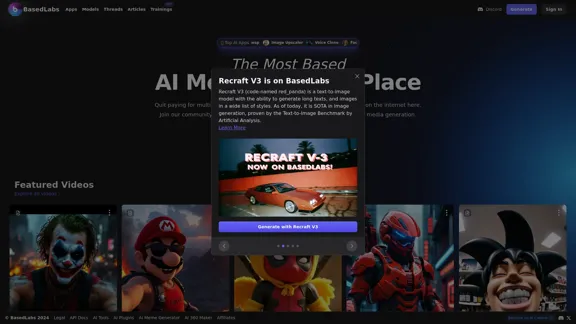
PNG Maker Online Free: Convert Text to PNG with Transparent Backgrounds
View Detail

PNG Maker Online Free: Convert Text to PNG with Transparent Backgrounds

PNG Maker Online Free: Convert Text to PNG with Transparent Backgrounds

Effortlessly create high-quality PNG images using PNG maker. Our png maker online free tool transforms text to PNG with customizable options. Ideal for web designers and content creators needing a transparent PNG maker.

121.14 K
The #1 YouTube Thumbnails Generator for Viral Videos
View Detail

The #1 YouTube Thumbnails Generator for Viral Videos

The #1 YouTube Thumbnails Generator for Viral Videos

The AI thumbnail generator used by the top YouTube content creators. Create viral thumbnails with ThumbnailPro. Ideal for YouTube thumbnails.

0
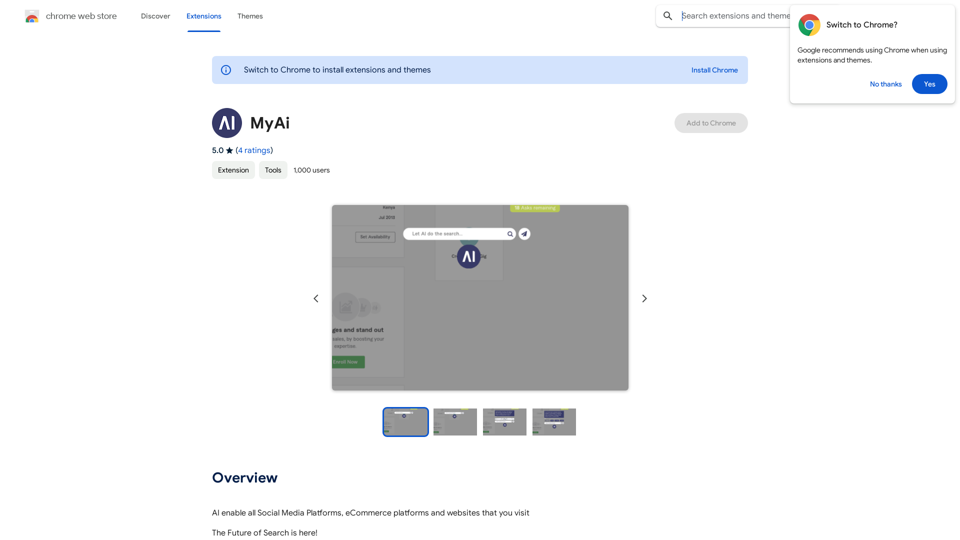
Midjourney API - Automate Midjourney AI Image Generation 

This document outlines how to use the Midjourney API to automate the generation of AI images. 

What is the Midjourney API?

The Midjourney API allows developers to programmatically interact with the powerful Midjourney AI model. This means you can generate images, control various parameters, and integrate Midjourney into your own applications and workflows.

Why Use the Midjourney API?

* Automation: Automate the creation of images for various purposes, such as marketing materials, website content, or research projects.
* Customization: Fine-tune image generation by controlling parameters like aspect ratio, style, and seed values.
* Integration: Seamlessly integrate Midjourney's capabilities into your existing tools and platforms.

Getting Started

1. Sign Up for a Midjourney Account: You'll need a Midjourney account to access the API.

2. Obtain an API Key: Once you have an account, you can generate an API key from your account settings.

3. Choose a Programming Language: The Midjourney API supports various programming languages, including Python, JavaScript, and Go.

4. Install the API Client: Install the appropriate API client library for your chosen language.

5. Start Generating Images: Use the API client to send image generation requests to the Midjourney server.

Example (Python):

```python
import midjourney

Replace with your actual API key
api_key = "YOUR_API_KEY"

Create a Midjourney client
client = midjourney.Client(api_key=api_key)

Generate an image
response = client.create_image(prompt="A cat wearing a hat", num_images=1)

Print the image URL
print(response.images[0].url)
```

Documentation and Resources

For detailed information about the Midjourney API, including available endpoints, parameters, and examples, please refer to the official documentation: [https://docs.midjourney.com/](https://docs.midjourney.com/)
View Detail

Midjourney API - Automate Midjourney AI Image Generation This document outlines how to use the Midjourney API to automate the generation of AI images. What is the Midjourney API? The Midjourney API allows developers to programmatically interact with the powerful Midjourney AI model. This means you can generate images, control various parameters, and integrate Midjourney into your own applications and workflows. Why Use the Midjourney API? * Automation: Automate the creation of images for various purposes, such as marketing materials, website content, or research projects. * Customization: Fine-tune image generation by controlling parameters like aspect ratio, style, and seed values. * Integration: Seamlessly integrate Midjourney's capabilities into your existing tools and platforms. Getting Started 1. Sign Up for a Midjourney Account: You'll need a Midjourney account to access the API. 2. Obtain an API Key: Once you have an account, you can generate an API key from your account settings. 3. Choose a Programming Language: The Midjourney API supports various programming languages, including Python, JavaScript, and Go. 4. Install the API Client: Install the appropriate API client library for your chosen language. 5. Start Generating Images: Use the API client to send image generation requests to the Midjourney server. Example (Python): ```python import midjourney Replace with your actual API key api_key = "YOUR_API_KEY" Create a Midjourney client client = midjourney.Client(api_key=api_key) Generate an image response = client.create_image(prompt="A cat wearing a hat", num_images=1) Print the image URL print(response.images[0].url) ``` Documentation and Resources For detailed information about the Midjourney API, including available endpoints, parameters, and examples, please refer to the official documentation: [https://docs.midjourney.com/](https://docs.midjourney.com/)

Midjourney API - Automate Midjourney AI Image Generation This document outlines how to use the Midjourney API to automate the generation of AI images. What is the Midjourney API? The Midjourney API allows developers to programmatically interact with the powerful Midjourney AI model. This means you can generate images, control various parameters, and integrate Midjourney into your own applications and workflows. Why Use the Midjourney API? * Automation: Automate the creation of images for various purposes, such as marketing materials, website content, or research projects. * Customization: Fine-tune image generation by controlling parameters like aspect ratio, style, and seed values. * Integration: Seamlessly integrate Midjourney's capabilities into your existing tools and platforms. Getting Started 1. Sign Up for a Midjourney Account: You'll need a Midjourney account to access the API. 2. Obtain an API Key: Once you have an account, you can generate an API key from your account settings. 3. Choose a Programming Language: The Midjourney API supports various programming languages, including Python, JavaScript, and Go. 4. Install the API Client: Install the appropriate API client library for your chosen language. 5. Start Generating Images: Use the API client to send image generation requests to the Midjourney server. Example (Python): ```python import midjourney Replace with your actual API key api_key = "YOUR_API_KEY" Create a Midjourney client client = midjourney.Client(api_key=api_key) Generate an image response = client.create_image(prompt="A cat wearing a hat", num_images=1) Print the image URL print(response.images[0].url) ``` Documentation and Resources For detailed information about the Midjourney API, including available endpoints, parameters, and examples, please refer to the official documentation: [https://docs.midjourney.com/](https://docs.midjourney.com/)

Easily integrate Midjourney AI into your apps using the Midjourney API. Start creating AI images automatically today!

0
Doodles generated by GPTConsole's AI Agent DOODLE
View Detail

Doodles generated by GPTConsole's AI Agent DOODLE

Doodles generated by GPTConsole's AI Agent DOODLE

Explore a collection of unique, AI-generated doodles. Doodle Agent provides insights into the world of creative doodles. See the future of digital art now!

0
AI Video Editor - Text to Video By Viggle
View Detail

AI Video Editor - Text to Video By Viggle

AI Video Editor - Text to Video By Viggle

Generate videos from text prompts with our Text-to-Video tool based on OpenAI Viggle.

193.90 M
Flux Image AI Generator Online Free | FluxImage.co
View Detail

Flux Image AI Generator Online Free | FluxImage.co

Flux Image AI Generator Online Free | FluxImage.co

Create captivating images and videos with Flux Image AI Generator, the state-of-the-art AI image generation tool available for free online

2.35 K
AI Product Shot - Create Beautiful Product Images with AI
View Detail

AI Product Shot - Create Beautiful Product Images with AI

AI Product Shot - Create Beautiful Product Images with AI

AI Product Shot - Create stunning and professional AI-generated product images that boost your sales. Achieve expert-level product photos using AI technology. Begin your journey for free.

1.69 K
Mimic AI
View Detail

Mimic AI

Mimic AI

Imitate your desired picture copyright-free with AI

0