Open-source RightAI Tools Directory
  • Discover AI
  • Submit
  • Startup
  • Blog
Open-source RightAI Tools Directory
Discover the best AI tools of 2025 with the RightAI Tools Directory!

Friend Links

AI Anime GeneratorToolsApp AI

Support

Tap4
Privacy policyTerms & ConditionsContact Us
Loading...
loading...

HeadGen AI

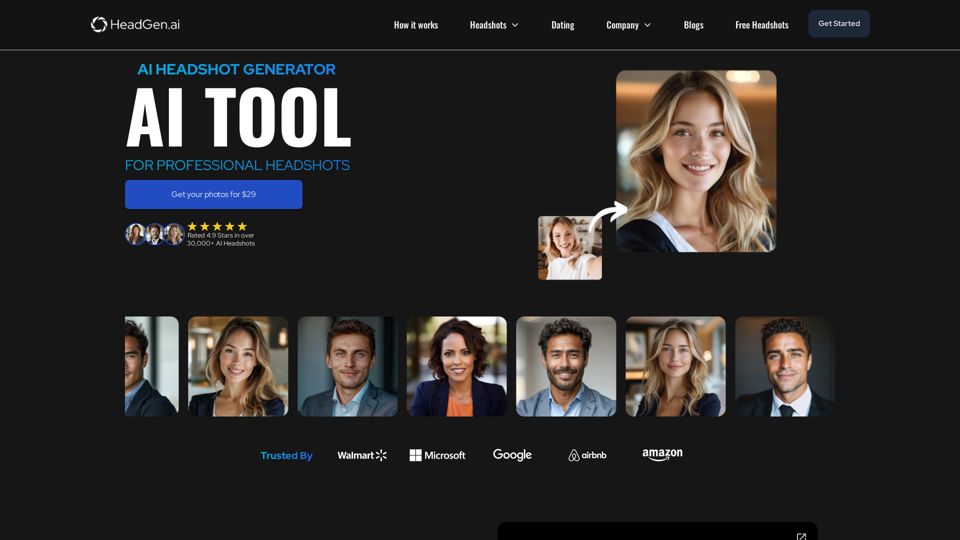
HeadGen AI is an AI-powered platform that gives you access to many different AI technologies. It can be used for a variety of things, such as creating professional headshots using AI.
Visit Website
HeadGen AI
Visit Website

Introduction

HeadGen AI is an innovative platform that leverages artificial intelligence to generate professional headshots. It offers a quick, affordable, and convenient alternative to traditional photoshoots, catering to various professional needs such as LinkedIn profiles, resumes, and team photos. The service aims to help users make a lasting first impression and boost their careers through high-quality, AI-generated images.

Feature

AI Image Generation

HeadGen AI utilizes advanced AI algorithms to transform selfies into professional headshots. The platform's engineers have developed specialized AI prompts to ensure exceptional, realistic results.

User-Friendly Process

  1. Upload a Selfie: Begin by submitting a high-quality selfie following provided guidelines.
  2. Make Payment: Complete the payment to activate the AI image generation process.
  3. Receive Professional Images: Obtain your AI-generated professional headshots within a short timeframe.

Affordable Solution

HeadGen AI offers professional images for just $29, eliminating the need for expensive and time-consuming photoshoots.

Versatile Applications

The AI-generated headshots can be used for various professional purposes:

  • LinkedIn Profile
  • Resume
  • Team Photos
  • Portfolio Websites
  • Job Portals

Quality Assurance

The platform prioritizes image quality, ensuring that the majority of generated images are suitable for professional use.

Customization Options

For branded or custom styles, users can contact [email protected]. This service is ideal for corporate events or matching brand guidelines.

Data Security

HeadGen AI prioritizes user data protection:

  • Payments are processed securely through Stripe
  • User data is encrypted and never sold to third parties

FAQ

What results can I expect from HeadGen AI?

For optimal results, upload a high-quality selfie following the provided instructions. The AI generates professional-looking headshots suitable for various professional contexts.

Are there options for custom styles or branding?

Yes, for custom styles and packages, you can email [email protected]. This service is particularly useful for corporate events or matching specific brand guidelines.

Who is behind HeadGen AI?

HeadGen AI was created by serial entrepreneurs and AI enthusiasts Ruark & Krasia Gordon. Ruark is a film director and photographer, while Krasia is a full-stack web developer.

Is there a way to get free headshots?

Yes, HeadGen AI offers free headshots for collaborations. Users can email their ideas to [email protected] or share their photos on social media platforms while tagging HeadGen AI to receive additional free images.

How does HeadGen AI handle payments and data security?

Payments are processed securely through Stripe, and HeadGen AI does not store payment details. All sensitive user data is encrypted, and the company commits to never selling user data to third parties.

Related Websites
All-in-One AI Chat Social Media Search Engine
View Detail

All-in-One AI Chat Social Media Search Engine

All-in-One AI Chat Social Media Search Engine

Search Google SGE AI, best free AI generative search engines, Gemini AI chatbots, video, image, and social media search engine all in one.

193.90 M
ChatGPT Context Menu

* Copy: Copies the selected text.
* Paste: Pastes the copied text.
* Delete: Deletes the selected text.
* Edit: Opens a text editor to modify the selected text.
* Generate: Uses ChatGPT to generate new text based on the selected context.
* Summarize: Creates a concise summary of the selected text.
* Translate: Translates the selected text into another language.
* Translate to English: Translates the selected text into English.
* Code: Attempts to identify and format the selected text as code.
* Help: Provides information about the context menu options.
View Detail

ChatGPT Context Menu * Copy: Copies the selected text. * Paste: Pastes the copied text. * Delete: Deletes the selected text. * Edit: Opens a text editor to modify the selected text. * Generate: Uses ChatGPT to generate new text based on the selected context. * Summarize: Creates a concise summary of the selected text. * Translate: Translates the selected text into another language. * Translate to English: Translates the selected text into English. * Code: Attempts to identify and format the selected text as code. * Help: Provides information about the context menu options.

ChatGPT Context Menu * Copy: Copies the selected text. * Paste: Pastes the copied text. * Delete: Deletes the selected text. * Edit: Opens a text editor to modify the selected text. * Generate: Uses ChatGPT to generate new text based on the selected context. * Summarize: Creates a concise summary of the selected text. * Translate: Translates the selected text into another language. * Translate to English: Translates the selected text into English. * Code: Attempts to identify and format the selected text as code. * Help: Provides information about the context menu options.

Please provide the text you would like to send to ChatGPT.

193.90 M
Raycast Companion
View Detail

Raycast Companion

Raycast Companion

A browser extension to provide more context to Raycast

193.90 M
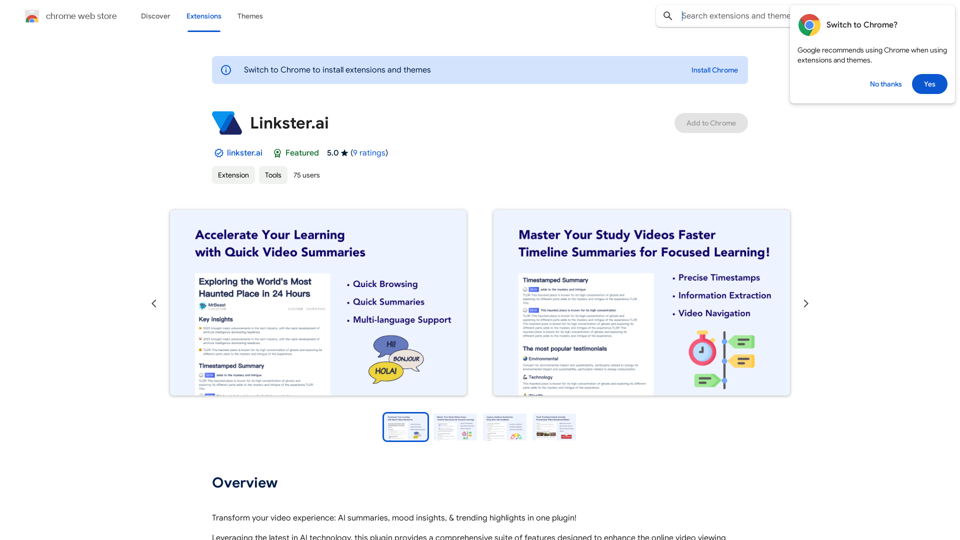
Linkster.ai
View Detail

Linkster.ai

Linkster.ai

Transform your video experience: AI summaries, mood insights, & trending highlights in one plugin!

193.90 M
2 Minute Warning - Hudl Extension
View Detail

2 Minute Warning - Hudl Extension

2 Minute Warning - Hudl Extension

Send game analyses to 2 Minute Warning directly from Hudl.

193.90 M
Midjourney SREF Codes Library for Style Reference

What are SREF Codes?

SREF codes are special text strings used in Midjourney to quickly and easily apply specific artistic styles to your image generations. 

How to Use SREF Codes:

Simply add an SREF code to your Midjourney prompt. For example:

`/imagine a majestic dragon, SREF:cyberpunk`

SREF Code Library:

This library contains a collection of SREF codes categorized by style. 

* Art Styles:
    * `photorealistic`: Creates images with high levels of realism.
    * `impressionistic`:  Captures the essence of a scene with loose brushstrokes and vibrant colors.
    * `cubist`:  Breaks down objects into geometric shapes.
    * `surrealist`:  Creates dreamlike and fantastical images.
    * `abstract`:  Focuses on form, color, and composition rather than representational imagery.

* Visual Effects:
    * `cinematic`:  Gives images a cinematic look and feel.
    * `HDR`:  Creates images with high dynamic range, resulting in greater detail and contrast.
    * `neon`:  Adds vibrant neon lights to the image.
    * `pixel art`:  Generates images in a retro pixel art style.

* Other Styles:
    * `anime`:  Creates images in the style of Japanese animation.
    * `manga`:  Similar to anime, but with a more comic book aesthetic.
    * `sketch`:  Generates images that resemble pencil sketches.
    * `watercolor`:  Creates images with the look and feel of watercolor paintings.

Note: This is just a small sample of the many SREF codes available. 

Explore and Experiment:

The best way to learn about SREF codes is to experiment with them! Try combining different codes to create unique and interesting styles.
View Detail

Midjourney SREF Codes Library for Style Reference What are SREF Codes? SREF codes are special text strings used in Midjourney to quickly and easily apply specific artistic styles to your image generations. How to Use SREF Codes: Simply add an SREF code to your Midjourney prompt. For example: `/imagine a majestic dragon, SREF:cyberpunk` SREF Code Library: This library contains a collection of SREF codes categorized by style. * Art Styles: * `photorealistic`: Creates images with high levels of realism. * `impressionistic`: Captures the essence of a scene with loose brushstrokes and vibrant colors. * `cubist`: Breaks down objects into geometric shapes. * `surrealist`: Creates dreamlike and fantastical images. * `abstract`: Focuses on form, color, and composition rather than representational imagery. * Visual Effects: * `cinematic`: Gives images a cinematic look and feel. * `HDR`: Creates images with high dynamic range, resulting in greater detail and contrast. * `neon`: Adds vibrant neon lights to the image. * `pixel art`: Generates images in a retro pixel art style. * Other Styles: * `anime`: Creates images in the style of Japanese animation. * `manga`: Similar to anime, but with a more comic book aesthetic. * `sketch`: Generates images that resemble pencil sketches. * `watercolor`: Creates images with the look and feel of watercolor paintings. Note: This is just a small sample of the many SREF codes available. Explore and Experiment: The best way to learn about SREF codes is to experiment with them! Try combining different codes to create unique and interesting styles.

Midjourney SREF Codes Library for Style Reference What are SREF Codes? SREF codes are special text strings used in Midjourney to quickly and easily apply specific artistic styles to your image generations. How to Use SREF Codes: Simply add an SREF code to your Midjourney prompt. For example: `/imagine a majestic dragon, SREF:cyberpunk` SREF Code Library: This library contains a collection of SREF codes categorized by style. * Art Styles: * `photorealistic`: Creates images with high levels of realism. * `impressionistic`: Captures the essence of a scene with loose brushstrokes and vibrant colors. * `cubist`: Breaks down objects into geometric shapes. * `surrealist`: Creates dreamlike and fantastical images. * `abstract`: Focuses on form, color, and composition rather than representational imagery. * Visual Effects: * `cinematic`: Gives images a cinematic look and feel. * `HDR`: Creates images with high dynamic range, resulting in greater detail and contrast. * `neon`: Adds vibrant neon lights to the image. * `pixel art`: Generates images in a retro pixel art style. * Other Styles: * `anime`: Creates images in the style of Japanese animation. * `manga`: Similar to anime, but with a more comic book aesthetic. * `sketch`: Generates images that resemble pencil sketches. * `watercolor`: Creates images with the look and feel of watercolor paintings. Note: This is just a small sample of the many SREF codes available. Explore and Experiment: The best way to learn about SREF codes is to experiment with them! Try combining different codes to create unique and interesting styles.

Explore a list of 177 unique Midjourney sref codes and style references to find your perfect Midjourney sref code effect.

149.96 K
SpeechGenius β€” Best Speech to Text
View Detail

SpeechGenius β€” Best Speech to Text

SpeechGenius β€” Best Speech to Text

AI-powered speech-to-text for faster, easier writing

193.90 M
Free Transcription Tool | Deepgram
View Detail

Free Transcription Tool | Deepgram

Free Transcription Tool | Deepgram

Easily convert your conversations, audio files, or YouTube videos into text for free with our advanced transcription tool.

835.16 K