Open-source RightAI Tools Directory
  • Discover AI
  • Submit
  • Startup
  • Blog
Open-source RightAI Tools Directory
Discover the best AI tools of 2025 with the RightAI Tools Directory!

Friend Links

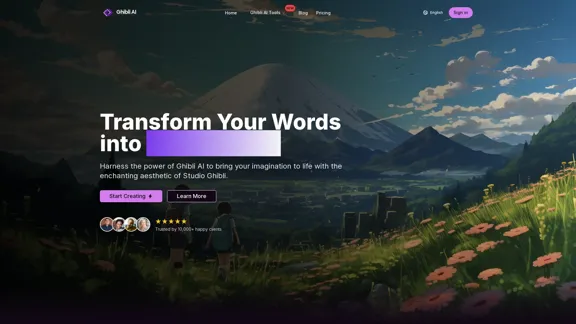
AI Anime GeneratorToolsApp AI

Support

Tap4
Privacy policyTerms & ConditionsContact Us
Loading...
loading...

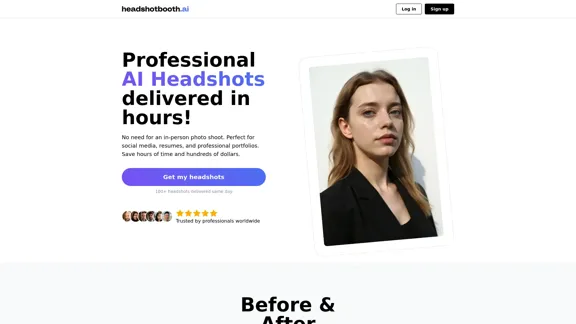
Professional AI-generated headshots

Upload a few selfies, Select your preferred styles, Receive over 100 professional headshots delivered on the same day.
Visit Website
Professional AI-generated headshots
Visit Website

Introduction

HeadshotBooth.ai is an innovative AI-powered platform that revolutionizes the process of obtaining professional headshots. By leveraging advanced artificial intelligence technology, the service allows users to generate high-quality, customizable headshots without the need for traditional photoshoots. This solution offers a time-efficient, cost-effective alternative to conventional photography services, making professional-grade portraits accessible to a wider audience.

Feature

  1. AI-Generated Headshots

    • Create professional-looking headshots using AI technology
    • Generate 100+ final shots in just a few hours
    • Customize outfits, backgrounds, and poses
  2. Customization Options

    • Choose from various backgrounds (e.g., Alley, Beach, Office, Park)
    • Select different outfits and colors (e.g., Suit, Button-down shirt, Dress)
    • Personalize headshots to match individual style and preferences
  3. Flexible Pricing Plans

    • Starter Pack: 50 headshots, 2 outfits, 2 backgrounds
    • Pro Pack: 100 headshots, 4 outfits, 4 backgrounds
    • Elite Pack: 200 headshots, 8 outfits, 8 backgrounds
  4. User-Friendly Process

    • Upload existing photos or take new selfies
    • AI photographer processes the images
    • Download favorite headshots within minutes
  5. Diverse Applications

    • Suitable for social media profiles, resumes, and professional portfolios
    • Ideal for busy professionals, actors, and job seekers
  6. Quick Turnaround

    • Results delivered in approximately 24 hours
    • Significantly faster than traditional photoshoots (2-3 days)
  7. Cost-Effective Solution

    • Starting at $25, compared to $150-$600 for traditional photoshoots
    • Offers more final shots at a fraction of the cost

How to Use?

  1. Upload at least 8 shots from the shoulder up and 1 photo from the waist up for best results.

  2. Include a variety of subtle facial expressions, angles, and backgrounds in your uploaded photos.

  3. Avoid photos with excessive makeup and absolutely no nudes.

  4. For better resemblance, provide diverse and high-quality selfies to allow the AI to capture your unique features accurately.

  5. Take advantage of the customization options to create headshots that match your personal style and professional needs.

  6. Experiment with different backgrounds and outfits to find the perfect combination for your intended use.

  7. Review all generated headshots carefully to select the ones that best represent you professionally.

FAQ

What is the quality of the photos I will receive?

Similar to a real-life photoshoot, not every photo will be the best. We provide a selection of photos to choose from, and you can expect to find a handful of headshots that you will love.

How much will the photos look like me?

The resemblance depends on the quality and variety of selfies you upload. Better and more diverse photos allow our AI to capture your unique features more accurately. While results may vary, we continually improve our models to enhance likeness.

How long does it take to receive my headshots?

The process takes approximately 24 hours because our advanced AI meticulously analyzes each of your uploaded images to generate high-quality headshots. This time ensures that every detail is finely tuned to provide you with the best possible results.

Do you have a refund policy?

Yes, we offer a 14-day money-back guarantee. If you are not satisfied with our service and have not downloaded the photos, you can request a refund within 14 days of your purchase.

Who has the rights to the photos?

You have complete ownership of your photos. We only use them to generate your headshots, exclusively for you and you alone.

Price

PlanRegular PriceDiscounted PriceFeatures
Starter Pack$40$2550 headshots, 2 outfits, 2 backgrounds
Pro Pack$60$40100 headshots, 4 outfits, 4 backgrounds
Elite Pack$80$55200 headshots, 8 outfits, 8 backgrounds
The price is for reference only, please refer to the latest official data for actual information.

Evaluation

HeadshotBooth.ai offers an innovative solution to the traditional headshot photography process, leveraging AI technology to provide accessible and affordable professional portraits. The service's strengths lie in its quick turnaround time, cost-effectiveness, and the sheer volume of customizable options it provides to users.

The platform's ability to generate a large number of headshots with various outfits and backgrounds is impressive, giving users ample choice and flexibility. The pricing structure is competitive, especially when compared to traditional photography services, making professional headshots more accessible to a wider audience.

However, the service's heavy reliance on AI technology may raise concerns about the authenticity and uniqueness of the generated images. While the platform claims to capture individual features accurately, the extent to which AI can replicate the nuanced aspects of human expression and personality remains a point of consideration.

The quality and resemblance of the final product heavily depend on the input provided by users, which could be a limitation for those who struggle to take good selfies or have limited photo options to upload. Additionally, while the service offers a wide range of customization options, it may not fully replace the personalized experience and artistic direction provided by a professional photographer.

In conclusion, HeadshotBooth.ai presents a compelling alternative to traditional headshot photography, particularly for those seeking a quick, affordable, and convenient solution. However, individuals looking for a more personalized, artistic approach or those with specific, complex requirements may still find value in traditional photography services.

Latest Traffic Insights

  • Monthly Visits

    1.05 K

  • Bounce Rate

    43.70%

  • Pages Per Visit

    1.42

  • Time on Site(s)

    34.65

  • Global Rank

    13074760

  • Country Rank

    United States 3789536

Recent Visits

Traffic Sources

  • Social Media:
    9.69%
  • Paid Referrals:
    1.36%
  • Email:
    0.19%
  • Referrals:
    12.73%
  • Search Engines:
    33.38%
  • Direct:
    41.80%
More Data

Related Websites

Image Search
View Detail

Image Search

Image Search

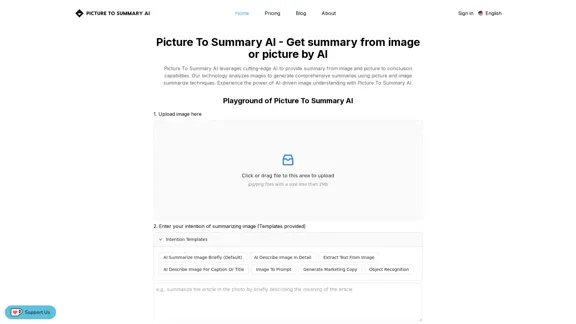
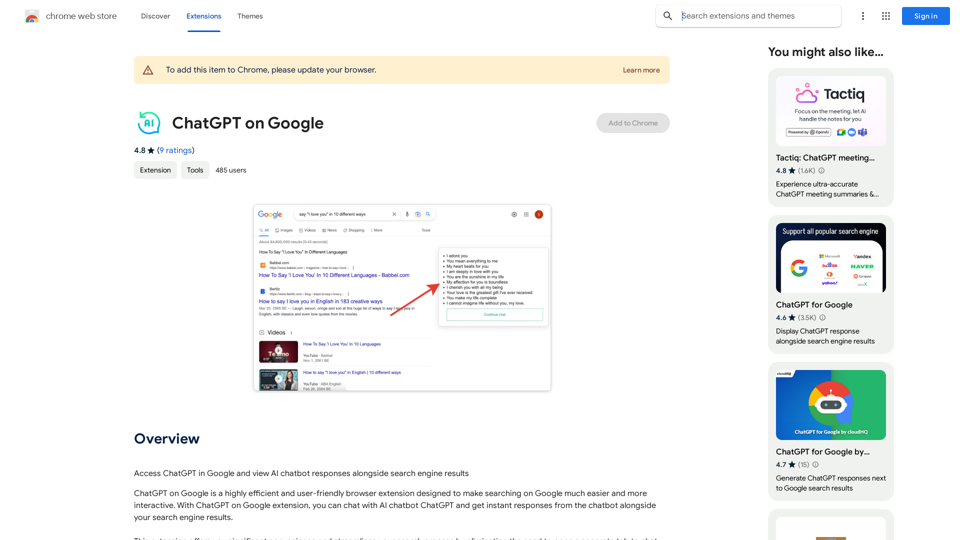
Find Similar Images in Popular Search Engines You can find similar images in popular search engines like Google, Bing, and Yandex using the following methods: #Google Images * Drag and drop an image into the search bar or click on the camera icon to upload an image. * Click on the "Search by image" button. * Google will display a list of similar images. #Bing Images * Click on the "Images" tab on the Bing homepage. * Click on the "Camera" icon in the search bar. * Upload an image or enter the image URL. * Bing will display a list of similar images. #Yandex Images * Click on the "Images" tab on the Yandex homepage. * Click on the "Lens" icon in the search bar. * Upload an image or enter the image URL. * Yandex will display a list of similar images. These search engines use advanced algorithms to find similar images based on various factors such as color, shape, and texture.

193.90 M
Journey ArtPrompt with Midjourney

This guide will walk you through creating stunning artwork using Midjourney, a powerful AI art generator. 

1. Accessing Midjourney

* You'll need a Discord account to use Midjourney. 
* Join the official Midjourney server: [https://discord.gg/midjourney](https://discord.gg/midjourney)

2. Understanding the Basics

* `/imagine` Command: This is the core command for generating images.
* Prompt:  A text description of the artwork you want to create. Be specific and descriptive!
* Parameters: Options that control aspects like image size, aspect ratio, and style.

3. Crafting Your Journey Prompt

Think about the story you want to tell with your artwork.  

* Setting: Where does your journey take place? (e.g., a mystical forest, a futuristic city, a desolate wasteland)
* Characters: Who is on this journey? (e.g., a lone traveler, a group of adventurers, mythical creatures)
* Mood: What feeling do you want to evoke? (e.g., adventurous, mysterious, hopeful, melancholic)
* Style: What artistic style appeals to you? (e.g., photorealistic, painterly, abstract)

4. Putting it Together

Combine these elements into a clear and concise prompt. 

Example:

`/imagine A lone traveler journeys through a mystical forest at sunset, bathed in golden light. The path ahead is shrouded in mist, hinting at unknown wonders. Style: painterly, ethereal`

5. Experiment and Refine

* Midjourney is all about experimentation! Try different prompts, parameters, and styles.
* Use the "upscale" command to enlarge your favorite images and reveal more detail.
* Don't be afraid to iterate and refine your prompts based on the results.
View Detail

Journey ArtPrompt with Midjourney This guide will walk you through creating stunning artwork using Midjourney, a powerful AI art generator. 1. Accessing Midjourney * You'll need a Discord account to use Midjourney. * Join the official Midjourney server: [https://discord.gg/midjourney](https://discord.gg/midjourney) 2. Understanding the Basics * `/imagine` Command: This is the core command for generating images. * Prompt: A text description of the artwork you want to create. Be specific and descriptive! * Parameters: Options that control aspects like image size, aspect ratio, and style. 3. Crafting Your Journey Prompt Think about the story you want to tell with your artwork. * Setting: Where does your journey take place? (e.g., a mystical forest, a futuristic city, a desolate wasteland) * Characters: Who is on this journey? (e.g., a lone traveler, a group of adventurers, mythical creatures) * Mood: What feeling do you want to evoke? (e.g., adventurous, mysterious, hopeful, melancholic) * Style: What artistic style appeals to you? (e.g., photorealistic, painterly, abstract) 4. Putting it Together Combine these elements into a clear and concise prompt. Example: `/imagine A lone traveler journeys through a mystical forest at sunset, bathed in golden light. The path ahead is shrouded in mist, hinting at unknown wonders. Style: painterly, ethereal` 5. Experiment and Refine * Midjourney is all about experimentation! Try different prompts, parameters, and styles. * Use the "upscale" command to enlarge your favorite images and reveal more detail. * Don't be afraid to iterate and refine your prompts based on the results.

Journey ArtPrompt with Midjourney This guide will walk you through creating stunning artwork using Midjourney, a powerful AI art generator. 1. Accessing Midjourney * You'll need a Discord account to use Midjourney. * Join the official Midjourney server: [https://discord.gg/midjourney](https://discord.gg/midjourney) 2. Understanding the Basics * `/imagine` Command: This is the core command for generating images. * Prompt: A text description of the artwork you want to create. Be specific and descriptive! * Parameters: Options that control aspects like image size, aspect ratio, and style. 3. Crafting Your Journey Prompt Think about the story you want to tell with your artwork. * Setting: Where does your journey take place? (e.g., a mystical forest, a futuristic city, a desolate wasteland) * Characters: Who is on this journey? (e.g., a lone traveler, a group of adventurers, mythical creatures) * Mood: What feeling do you want to evoke? (e.g., adventurous, mysterious, hopeful, melancholic) * Style: What artistic style appeals to you? (e.g., photorealistic, painterly, abstract) 4. Putting it Together Combine these elements into a clear and concise prompt. Example: `/imagine A lone traveler journeys through a mystical forest at sunset, bathed in golden light. The path ahead is shrouded in mist, hinting at unknown wonders. Style: painterly, ethereal` 5. Experiment and Refine * Midjourney is all about experimentation! Try different prompts, parameters, and styles. * Use the "upscale" command to enlarge your favorite images and reveal more detail. * Don't be afraid to iterate and refine your prompts based on the results.

New backgrounds with Midjourney on new tabs

193.90 M
Launch Your App in Days, Not Weeks | ShipAppFast
View Detail

Launch Your App in Days, Not Weeks | ShipAppFast

Launch Your App in Days, Not Weeks | ShipAppFast

The Swift boilerplate with all the necessary elements to bring your product to customers. From concept to production in just 5 minutes.

0
Free AI Baby Generator - See Your Future Baby's Face Instantly
View Detail

Free AI Baby Generator - See Your Future Baby's Face Instantly

Free AI Baby Generator - See Your Future Baby's Face Instantly

See your own future baby using our free AI baby face generator. Get ultra-realistic baby photo predictions in just seconds, with one click!

32.64 K
Recally - The Best Screenshot Management App for macOS
View Detail

Recally - The Best Screenshot Management App for macOS

Recally - The Best Screenshot Management App for macOS

Recally is the best app to manage your screenshots on macOS. Organize, browse, and search your screenshots with ease. Available on macOS.

0
PDNob Free AI Image Translator app with AI-OCR
View Detail

PDNob Free AI Image Translator app with AI-OCR

PDNob Free AI Image Translator app with AI-OCR

PDNob Image Translator is a powerful free image translator app that quickly extracts and translates text from images, screenshots, or scanned documents. It supports multiple languages and ensures high accuracy, making it ideal for students, professionals, and travelers.

4.18 M
Here is the translation:

Create Perfect Circles in Minecraft with Minecraft Circle Generator | minecraftcirclegenerate.cc
View Detail

Here is the translation: Create Perfect Circles in Minecraft with Minecraft Circle Generator | minecraftcirclegenerate.cc

Here is the translation: Create Perfect Circles in Minecraft with Minecraft Circle Generator | minecraftcirclegenerate.cc

Create perfect circles and ovals in Minecraft with our easy-to-use generator. Customize size and style, then download your designs!

0
Ai Workout Generator
=====================

What is an AI Workout Generator?

An AI workout generator is a tool that uses artificial intelligence to create personalized workout plans tailored to an individual's fitness goals, fitness level, and preferences.

How does it work?

The AI workout generator uses machine learning algorithms to analyze a user's input data, such as their fitness goals, fitness level, and exercise preferences. It then generates a customized workout plan that includes a series of exercises, sets, reps, and weights tailored to the user's specific needs.

Benefits of using an AI Workout Generator

* Personalized workouts: The AI workout generator creates a workout plan that is tailored to the user's specific fitness goals and fitness level.
* Time-saving: The AI workout generator saves time by eliminating the need to research and create a workout plan from scratch.
* Increased motivation: The AI workout generator provides a sense of accountability and motivation, as users are more likely to stick to a workout plan that is tailored to their specific needs.
* Improved results: The AI workout generator helps users achieve their fitness goals faster and more efficiently, as the workout plan is optimized for their specific needs.

How to use an AI Workout Generator

1. Input your data: Enter your fitness goals, fitness level, and exercise preferences into the AI workout generator.
2. Select your workout type: Choose the type of workout you want to do, such as strength training, cardio, or yoga.
3. Generate your workout plan: The AI workout generator will create a customized workout plan tailored to your specific needs.
4. Start your workout: Follow the workout plan and track your progress.

Conclusion

An AI workout generator is a powerful tool that can help individuals achieve their fitness goals faster and more efficiently. By providing personalized workout plans, the AI workout generator saves time, increases motivation, and improves results. Whether you're a beginner or an experienced athlete, an AI workout generator can help you take your fitness to the next level.
View Detail

Ai Workout Generator ===================== What is an AI Workout Generator? An AI workout generator is a tool that uses artificial intelligence to create personalized workout plans tailored to an individual's fitness goals, fitness level, and preferences. How does it work? The AI workout generator uses machine learning algorithms to analyze a user's input data, such as their fitness goals, fitness level, and exercise preferences. It then generates a customized workout plan that includes a series of exercises, sets, reps, and weights tailored to the user's specific needs. Benefits of using an AI Workout Generator * Personalized workouts: The AI workout generator creates a workout plan that is tailored to the user's specific fitness goals and fitness level. * Time-saving: The AI workout generator saves time by eliminating the need to research and create a workout plan from scratch. * Increased motivation: The AI workout generator provides a sense of accountability and motivation, as users are more likely to stick to a workout plan that is tailored to their specific needs. * Improved results: The AI workout generator helps users achieve their fitness goals faster and more efficiently, as the workout plan is optimized for their specific needs. How to use an AI Workout Generator 1. Input your data: Enter your fitness goals, fitness level, and exercise preferences into the AI workout generator. 2. Select your workout type: Choose the type of workout you want to do, such as strength training, cardio, or yoga. 3. Generate your workout plan: The AI workout generator will create a customized workout plan tailored to your specific needs. 4. Start your workout: Follow the workout plan and track your progress. Conclusion An AI workout generator is a powerful tool that can help individuals achieve their fitness goals faster and more efficiently. By providing personalized workout plans, the AI workout generator saves time, increases motivation, and improves results. Whether you're a beginner or an experienced athlete, an AI workout generator can help you take your fitness to the next level.

Ai Workout Generator ===================== What is an AI Workout Generator? An AI workout generator is a tool that uses artificial intelligence to create personalized workout plans tailored to an individual's fitness goals, fitness level, and preferences. How does it work? The AI workout generator uses machine learning algorithms to analyze a user's input data, such as their fitness goals, fitness level, and exercise preferences. It then generates a customized workout plan that includes a series of exercises, sets, reps, and weights tailored to the user's specific needs. Benefits of using an AI Workout Generator * Personalized workouts: The AI workout generator creates a workout plan that is tailored to the user's specific fitness goals and fitness level. * Time-saving: The AI workout generator saves time by eliminating the need to research and create a workout plan from scratch. * Increased motivation: The AI workout generator provides a sense of accountability and motivation, as users are more likely to stick to a workout plan that is tailored to their specific needs. * Improved results: The AI workout generator helps users achieve their fitness goals faster and more efficiently, as the workout plan is optimized for their specific needs. How to use an AI Workout Generator 1. Input your data: Enter your fitness goals, fitness level, and exercise preferences into the AI workout generator. 2. Select your workout type: Choose the type of workout you want to do, such as strength training, cardio, or yoga. 3. Generate your workout plan: The AI workout generator will create a customized workout plan tailored to your specific needs. 4. Start your workout: Follow the workout plan and track your progress. Conclusion An AI workout generator is a powerful tool that can help individuals achieve their fitness goals faster and more efficiently. By providing personalized workout plans, the AI workout generator saves time, increases motivation, and improves results. Whether you're a beginner or an experienced athlete, an AI workout generator can help you take your fitness to the next level.

AI generated workouts reviewed and Approved by American College of Sports Medicine certified Personal Trainers.

3.30 K