Open-source RightAI Tools Directory
  • Discover AI
  • Submit
  • Startup
  • Blog
Open-source RightAI Tools Directory
Discover the best AI tools of 2025 with the RightAI Tools Directory!

Friend Links

AI Anime GeneratorToolsApp AI

Support

Tap4
Privacy policyTerms & ConditionsContact Us
Loading...
loading...

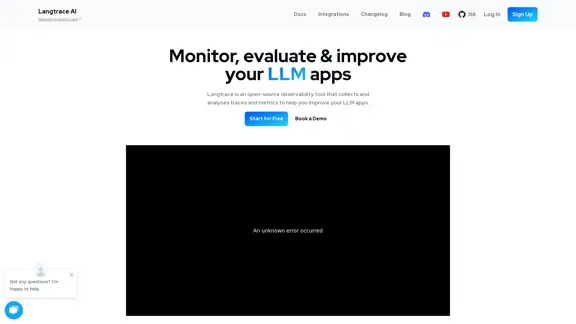
Langtrace AI

Discover Langtrace, the comprehensive tool for monitoring, evaluating, and optimizing large language models. Enhance your AI applications with real-time insights and detailed performance metrics.
Visit Website
Langtrace AI
Visit Website

Introduction

Langtrace AI is an open-source observability tool designed for monitoring, evaluating, and improving Large Language Model (LLM) applications. It offers a comprehensive suite of features to enhance the performance and security of LLM-based systems, making it an essential tool for developers and organizations working with AI language models.

Feature

Advanced Security and Compliance

  • SOC 2 Type II certified cloud platform
  • Self-hosting option for enhanced control
  • OpenTelemetry standard traces support
  • No vendor lock-in, ensuring flexibility

User-Friendly Implementation

  • Simple setup with SDK access using just 2 lines of code
  • Wide compatibility with popular LLMs, frameworks, and vector databases

Comprehensive Observability

  • End-to-end visibility into the entire ML pipeline
  • Traces and logs across framework, vectorDB, and LLM requests
  • Trace tool for monitoring requests, detecting bottlenecks, and optimizing performance

Continuous Improvement Cycle

  • Annotation feature for manual evaluation of LLM requests and dataset creation
  • Automated LLM-based evaluations
  • Built-in heuristic, statistical, and model-based evaluations

Performance Analysis Tools

  • Playground for comparing prompt performance across models
  • Metrics tracking for cost and latency at project, model, and user levels

FAQ

What makes Langtrace AI unique in the LLM observability space?

Langtrace AI stands out due to its open-source nature, advanced security features (SOC 2 Type II certification), and comprehensive toolset. It offers end-to-end observability, a feedback loop for continuous improvement, and supports self-hosting, making it a versatile and secure choice for LLM application monitoring and optimization.

How does Langtrace AI support different LLM frameworks and databases?

Langtrace AI is designed to be widely compatible with popular LLMs, frameworks, and vector databases. This broad support ensures that users can integrate Langtrace AI into their existing LLM infrastructure without significant modifications or limitations.

Can Langtrace AI help in improving LLM application performance?

Yes, Langtrace AI provides several tools for performance improvement:

  1. The Trace tool helps monitor requests and detect bottlenecks
  2. The Annotate feature allows for manual evaluation and dataset creation
  3. The Evaluate tool runs automated LLM-based evaluations
  4. The Playground enables comparison of prompt performance across models
  5. The Metrics tool tracks cost and latency at various levels

These features collectively contribute to continuous testing, enhancement, and optimization of LLM applications.

Is there a community support for Langtrace AI users?

Yes, Langtrace AI offers community support through:

  • A Discord community for user interactions and discussions
  • A GitHub repository for open-source contributions and issue tracking

These platforms provide opportunities for users to engage, seek help, and contribute to the tool's development.

Related Websites

Crossword Solver AI - Get Instant Help for Any Puzzle
View Detail

Crossword Solver AI - Get Instant Help for Any Puzzle

Crossword Solver AI - Get Instant Help for Any Puzzle

Get instant crossword help with our AI-powered solver. Enter your clue and letter count to find accurate answers quickly for any puzzle, cryptic or standard.

7.02 K
Web Scraping Tool & Free Web Crawlers | Octoparse
View Detail

Web Scraping Tool & Free Web Crawlers | Octoparse

Web Scraping Tool & Free Web Crawlers | Octoparse

Web scraping simplified. Gather information from any website in minutes using our code-free web crawler. Obtain the essential data to propel your business forward. Begin at no cost today!

309.69 K
Copilot for Microsoft 365 – Microsoft Adoption

Copilot for Microsoft 365 is a powerful AI assistant that helps you work smarter and faster across Microsoft 365 apps and services. It combines the power of large language models (LLMs) with your organization's data in the Microsoft Graph and Microsoft 365 apps to turn your words into the most powerful productivity tool on the planet.

Copilot is designed to help you:

• Unleash creativity
• Unlock productivity
• Uplevel skills

Copilot is built on Microsoft's comprehensive approach to security, compliance, and privacy. Copilot in Microsoft 365 apps and services:

• Does not use your data to train the underlying LLM
• Does not replace human ingenuity and judgment
• Is designed to keep humans in the loop

Copilot is currently available in Word, Excel, PowerPoint, Outlook, Teams, and more.

Getting Started with Copilot

To get started with Copilot, follow these steps:

1. Check availability: Ensure your organization has access to Copilot.
2. Learn the basics: Familiarize yourself with Copilot's capabilities and how to use it effectively.
3. Explore use cases: Discover how Copilot can help you in your specific role and tasks.
4. Practice and refine: Use Copilot regularly and refine your prompts for better results.
5. Share and collaborate: Collaborate with colleagues using Copilot and share best practices.

Best Practices for Using Copilot

1. Be specific in your prompts
2. Provide context for better results
3. Review and edit Copilot's output
4. Use Copilot as a starting point, not a final product
5. Experiment with different approaches
6. Stay informed about new features and updates

Copilot in Different Microsoft 365 Apps

• Word: Draft, edit, summarize, and rewrite content
• Excel: Analyze data, create formulas, and generate insights
• PowerPoint: Create presentations, design slides, and generate content
• Outlook: Compose emails, summarize threads, and manage your inbox
• Teams: Summarize meetings, generate action items, and create meeting notes

Responsible AI and Copilot

Microsoft is committed to developing AI systems responsibly. When using Copilot, keep in mind:

• AI-generated content may contain biases or inaccuracies
• Always review and verify Copilot's output
• Use your judgment and expertise alongside Copilot's suggestions
• Be aware of your organization's policies regarding AI use

Conclusion

Copilot for Microsoft 365 is a powerful tool that can significantly enhance your productivity and creativity. By understanding its capabilities, following best practices, and using it responsibly, you can make the most of this AI assistant in your daily work.
View Detail

Copilot for Microsoft 365 – Microsoft Adoption Copilot for Microsoft 365 is a powerful AI assistant that helps you work smarter and faster across Microsoft 365 apps and services. It combines the power of large language models (LLMs) with your organization's data in the Microsoft Graph and Microsoft 365 apps to turn your words into the most powerful productivity tool on the planet. Copilot is designed to help you: • Unleash creativity • Unlock productivity • Uplevel skills Copilot is built on Microsoft's comprehensive approach to security, compliance, and privacy. Copilot in Microsoft 365 apps and services: • Does not use your data to train the underlying LLM • Does not replace human ingenuity and judgment • Is designed to keep humans in the loop Copilot is currently available in Word, Excel, PowerPoint, Outlook, Teams, and more. Getting Started with Copilot To get started with Copilot, follow these steps: 1. Check availability: Ensure your organization has access to Copilot. 2. Learn the basics: Familiarize yourself with Copilot's capabilities and how to use it effectively. 3. Explore use cases: Discover how Copilot can help you in your specific role and tasks. 4. Practice and refine: Use Copilot regularly and refine your prompts for better results. 5. Share and collaborate: Collaborate with colleagues using Copilot and share best practices. Best Practices for Using Copilot 1. Be specific in your prompts 2. Provide context for better results 3. Review and edit Copilot's output 4. Use Copilot as a starting point, not a final product 5. Experiment with different approaches 6. Stay informed about new features and updates Copilot in Different Microsoft 365 Apps • Word: Draft, edit, summarize, and rewrite content • Excel: Analyze data, create formulas, and generate insights • PowerPoint: Create presentations, design slides, and generate content • Outlook: Compose emails, summarize threads, and manage your inbox • Teams: Summarize meetings, generate action items, and create meeting notes Responsible AI and Copilot Microsoft is committed to developing AI systems responsibly. When using Copilot, keep in mind: • AI-generated content may contain biases or inaccuracies • Always review and verify Copilot's output • Use your judgment and expertise alongside Copilot's suggestions • Be aware of your organization's policies regarding AI use Conclusion Copilot for Microsoft 365 is a powerful tool that can significantly enhance your productivity and creativity. By understanding its capabilities, following best practices, and using it responsibly, you can make the most of this AI assistant in your daily work.

Copilot for Microsoft 365 – Microsoft Adoption Copilot for Microsoft 365 is a powerful AI assistant that helps you work smarter and faster across Microsoft 365 apps and services. It combines the power of large language models (LLMs) with your organization's data in the Microsoft Graph and Microsoft 365 apps to turn your words into the most powerful productivity tool on the planet. Copilot is designed to help you: • Unleash creativity • Unlock productivity • Uplevel skills Copilot is built on Microsoft's comprehensive approach to security, compliance, and privacy. Copilot in Microsoft 365 apps and services: • Does not use your data to train the underlying LLM • Does not replace human ingenuity and judgment • Is designed to keep humans in the loop Copilot is currently available in Word, Excel, PowerPoint, Outlook, Teams, and more. Getting Started with Copilot To get started with Copilot, follow these steps: 1. Check availability: Ensure your organization has access to Copilot. 2. Learn the basics: Familiarize yourself with Copilot's capabilities and how to use it effectively. 3. Explore use cases: Discover how Copilot can help you in your specific role and tasks. 4. Practice and refine: Use Copilot regularly and refine your prompts for better results. 5. Share and collaborate: Collaborate with colleagues using Copilot and share best practices. Best Practices for Using Copilot 1. Be specific in your prompts 2. Provide context for better results 3. Review and edit Copilot's output 4. Use Copilot as a starting point, not a final product 5. Experiment with different approaches 6. Stay informed about new features and updates Copilot in Different Microsoft 365 Apps • Word: Draft, edit, summarize, and rewrite content • Excel: Analyze data, create formulas, and generate insights • PowerPoint: Create presentations, design slides, and generate content • Outlook: Compose emails, summarize threads, and manage your inbox • Teams: Summarize meetings, generate action items, and create meeting notes Responsible AI and Copilot Microsoft is committed to developing AI systems responsibly. When using Copilot, keep in mind: • AI-generated content may contain biases or inaccuracies • Always review and verify Copilot's output • Use your judgment and expertise alongside Copilot's suggestions • Be aware of your organization's policies regarding AI use Conclusion Copilot for Microsoft 365 is a powerful tool that can significantly enhance your productivity and creativity. By understanding its capabilities, following best practices, and using it responsibly, you can make the most of this AI assistant in your daily work.

Microsoft Copilot combines the power of large language models (LLMs) with your organization's data to turn your words into one of the most powerful productivity tools on the planet.

608.60 K
Tell a story
View Detail

Tell a story

Tell a story

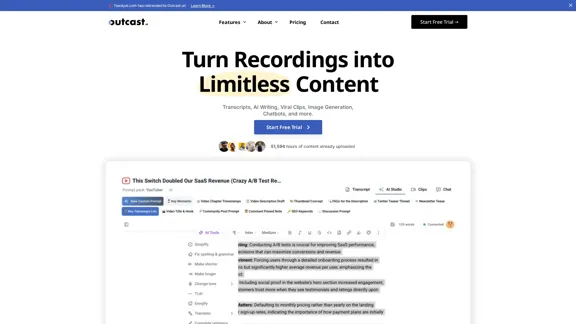
the first voice-to-AI content solution

627
BrightEdge - Enterprise SEO Platform | Content Marketing Solution
View Detail

BrightEdge - Enterprise SEO Platform | Content Marketing Solution

BrightEdge - Enterprise SEO Platform | Content Marketing Solution

BrightEdge is the premier SEO solution and content performance marketing platform, assisting over 1,700 clients in increasing their organic traffic. Headquartered in San Mateo, CA, BrightEdge has offices in New York, Seattle, Chicago, Cleveland, Tokyo, Sydney, and London. Get in touch with us for an SEO demonstration today.

167.78 K
BestAiApp
View Detail

BestAiApp

BestAiApp

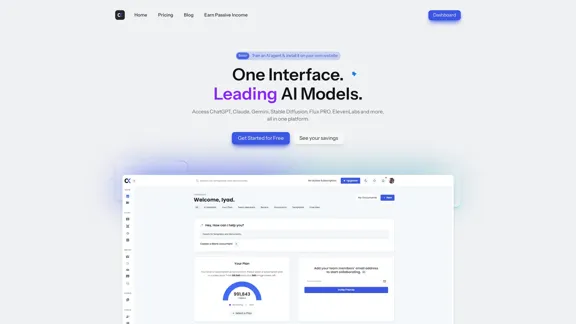
All in one AI super app,get the benefits of all the best AI products in one place, for one price

0
HeroUI Chat
View Detail

HeroUI Chat

HeroUI Chat

Generate beautiful apps regardless of your design experience; AI turns your ideas into reality.

58.75 K
AI assistant and enterprise search for teams | Findr
View Detail

AI assistant and enterprise search for teams | Findr

AI assistant and enterprise search for teams | Findr

AI assistant to search and chat with information, documents, and insights from multiple apps. Get answers to all your questions with AI search.

12.47 K