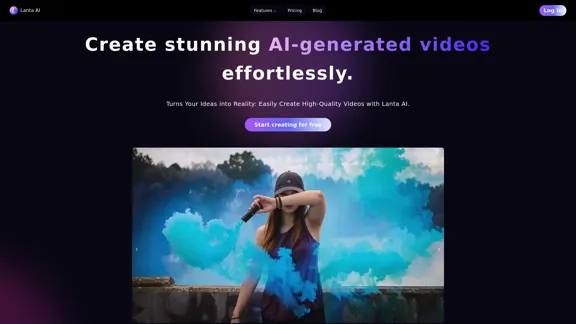
Lanta AI is a powerful text-to-video generator that allows users to create stunning AI-generated videos effortlessly. By transforming simple text or image prompts into high-quality videos, Lanta AI makes video creation accessible to everyone. It leverages advanced technologies like CogVideoX and Mochi 1 to bring ideas to life.
Lanta AI - Text to Video Generator: Powered by CogVideoX & Mochi 1
Transform texts into stunning AI creations with Lanta AI. Powered by advanced technologies like CogVideoX and Mochi 1, our AI Video Generator redefines video editing and animation. Perfect for creators, marketers, and innovators seeking effortless text-to-video transformation.
Introduction
Feature
-
AI Video Generator
Lanta AI utilizes advanced technologies to convert text or image prompts into visually appealing videos. This feature simplifies the video creation process, making it user-friendly.
-
AI Makeup
Users can explore various beauty styles with intelligent makeup filters, allowing them to virtually try on different looks and find their perfect personalized makeup.
-
Multiple Technology Integration
The platform integrates various technologies, including CogVideoX and Mochi 1, to enhance video quality and creativity.
-
User-Friendly Interface
Lanta AI provides an intuitive interface that makes it easy for users to create videos without prior experience in video editing.
-
Free Trial
Users can start creating videos for free, allowing them to explore the features before committing to a paid plan.
How to Use?
- Visit the Lanta AI website and create an account.
- Choose whether to start with a text prompt or an image.
- Input your desired text or upload an image to generate a video.
- Explore the AI Makeup feature to try on different beauty styles.
- Review and edit your video as needed before finalizing it.
FAQ
What is Lanta AI?
Lanta AI is an AI-powered tool that allows users to create high-quality videos from text or image prompts effortlessly.
How does Lanta AI work?
Users input a text description or upload an image, and Lanta AI processes this information to generate a unique video using advanced AI technologies.
Can I use the videos created by Lanta AI for commercial purposes?
Yes, the videos generated by Lanta AI can be used for various purposes, including commercial projects, depending on the licensing terms.
What technologies does Lanta AI use?
Lanta AI utilizes technologies such as CogVideoX and Mochi 1 to enhance video generation and quality.
Is there a free trial available?
Yes, Lanta AI offers a free trial, allowing users to create videos without any initial cost.
Price
| Plan | Price |
|---|---|
| Free Plan | $0/month |
| Basic Plan | $9.99/month |
| Standard Plan | $19.99/month |
| Professional Plan | $49.99/month |
The price is for reference only, please refer to the latest official data for actual information.
Evaluation
- Lanta AI effectively simplifies the video creation process, making it accessible for users with varying levels of experience.
- The integration of advanced technologies enhances the quality of the generated videos, providing a professional touch.
- The AI Makeup feature adds a unique aspect, allowing users to experiment with beauty styles, which can be appealing for content creators.
- However, the platform may benefit from additional customization options for video editing to cater to more advanced users.
- Overall, Lanta AI is a valuable tool for those looking to create engaging videos quickly, but it may not fully meet the needs of professional video editors seeking extensive control over their projects.
Related Websites

Wan 2.1: The Leading Model for AI Video Generation
Wan 2.1: The Leading Model for AI Video GenerationWan is an AI creative platform from Alibaba. It aims to reduce the barriers to creative work using artificial intelligence, providing features such as text-to-image, image-to-image, text-to-video, image-to-video, and image editing.
3.94 M
AI Image To Video Generator Online | Make Your Images Come To Life
AI Image To Video Generator Online | Make Your Images Come To LifeFrustrated with lifeless images? AI Image To Video brings them to life! Our AI transforms your images into stunning, moving videos. Upload, relax, and watch your images become engaging, shareable stories in seconds. Captivate your audience with AI-powered video magic!
383
AI Video Face Swap - Free Online Face Swapping Tool
AI Video Face Swap - Free Online Face Swapping ToolSwap faces in videos with AI-powered precision. Our free online video face swap tool offers fast, secure, and high-quality results. No downloads needed!
334.26 K
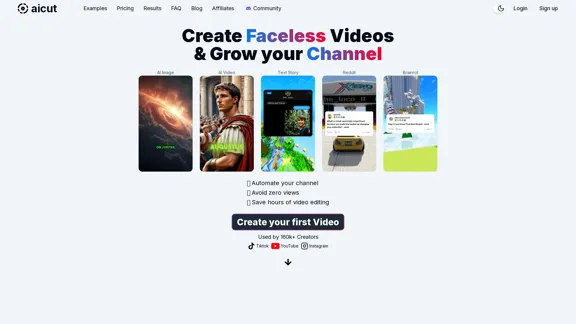
Create short AI videos that expand your faceless channel.
Create short AI videos that expand your faceless channel.Create short AI videos that expand your faceless channel.
264.02 K
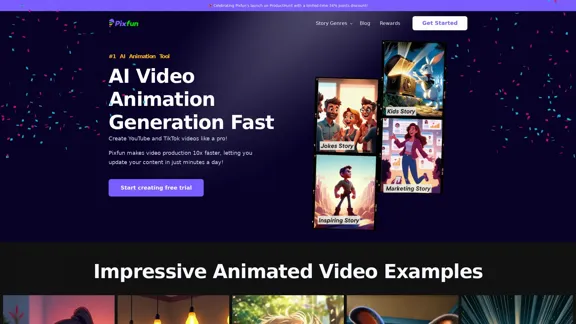
Pixfun – Fast AI Video Animation Generation for TikTok and Facebook
Pixfun – Fast AI Video Animation Generation for TikTok and Facebook33
Ghibli Video AI - Experience the Studio Ghibli Filter
Ghibli Video AI - Experience the Studio Ghibli FilterTransform photos into AI Ghibli videos with the AI Ghibli video generator! Our Studio Ghibli filter adds magical animations - no skills needed. Try Ghibli.AI now!
50
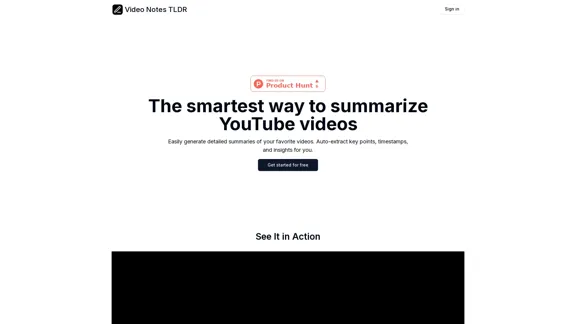
Video Notes TLDR: AI-Powered YouTube Video Note Generator
Video Notes TLDR: AI-Powered YouTube Video Note GeneratorSimplify your YouTube experience with Video Notes TLDR, an AI tool that creates brief, insightful notes from any video. Ideal for students, professionals, and content creators who want to save time and highlight key points.
767