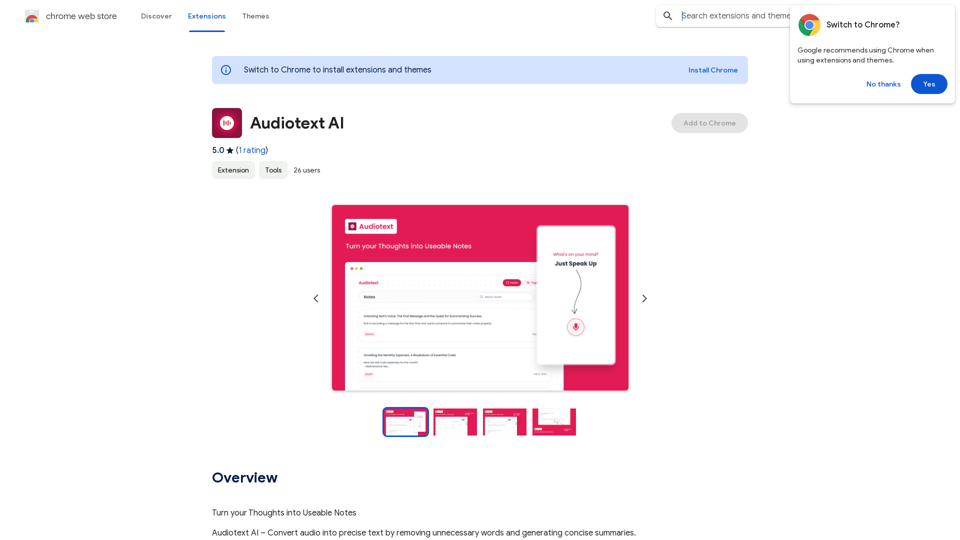
Audiotext AI 是一款創新工具,可將口語轉化為簡潔、結構良好的文字。它會移除不必要的填充詞,並以各種風格生成摘要。使用者可以自然地說話,並選擇他們喜歡的轉錄風格,使其成為將想法轉換為可用筆記的高效解決方案。
語音文字 AI
將您的想法轉化為實用的筆記
介紹
功能
語音轉文字
Audiotext AI 準確地將口語轉換為文字,包括自然的語音模式和填充詞。使用者可以正常說話,AI 將處理和精煉內容。
可自訂的轉錄風格
使用者可以從各種轉錄風格中選擇,包括簡短摘要、長摘要、要點、被動語態和主動語態。這種靈活性允許根據特定需求定制輸出。
AI 驅動的重寫
只需點擊一下,Audiotext AI 就可以根據所選風格智能地重寫筆記,提高清晰度和連貫性。
輕鬆分享
使用者可以通過切換開關快速分享他們的筆記,為網絡和社交媒體分享生成唯一鏈接。
多種使用場景
Audiotext AI 支持各種應用,包括:
- 記筆記
- 內容創作
- 學生講座錄音
- 個人日記
- 訪談轉錄
- 會議記錄提取
隱私保護
用戶隱私是優先考慮的,不會將數據用於訓練目的。使用者可以隨時刪除他們的帳戶,移除所有相關數據。
每日免費使用
使用者可以每天免費使用 GPT-4o 文檔閱讀和 Dalle 的圖像生成,為各種任務提供一系列 AI 驅動的工具。
常見問題
如何使用 Audiotext AI?
- 自然地說話,包括填充詞和停頓。
- 選擇您想要的轉錄風格(例如,簡短摘要、要點、主動語態)。
- 點擊"轉錄"以生成您的文本。
使用 Audiotext AI 進行內容創作有什麼好處?
Audiotext AI 通過允許博客作者、作家和 YouTuber 口述他們的想法、故事或腳本,並高效地將其轉錄,簡化了內容創作過程。
學生如何從 Audiotext AI 中受益?
學生可以錄製講座,將其轉換為文字,按自己的節奏複習,突出重要點,並創建全面的學習指南。
Audiotext AI 有訂閱選項嗎?
是的,如果每天 20 次免費的 GPT-4o 對話不夠用,使用者可以訂閱價格合理的產品以增加使用量。
Audiotext AI 如何處理用戶隱私?
Audiotext AI 優先考慮用戶隱私。您的數據不會用於訓練目的,您可以隨時刪除您的帳戶,移除所有相關數據。
相關網站


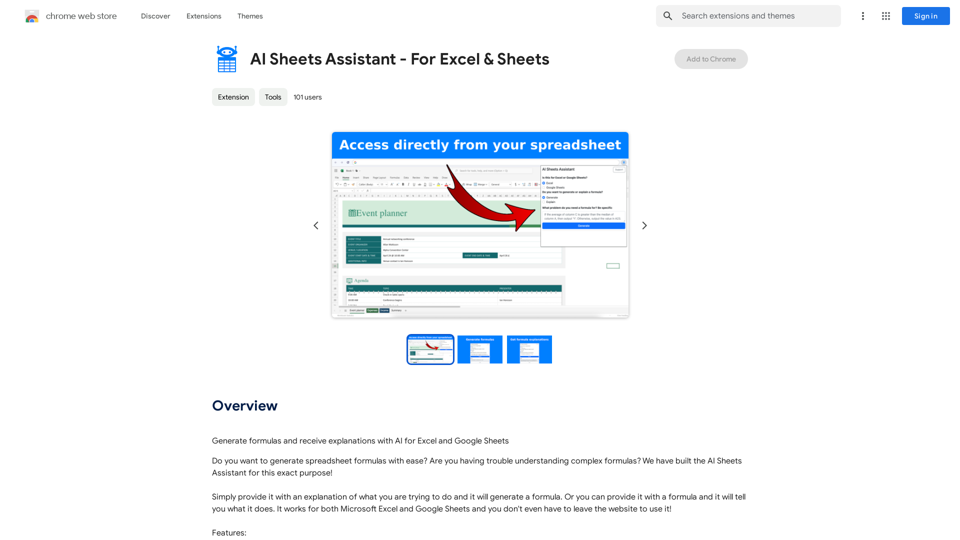
使用 AI 生成的公式和說明,適用於 Excel 和 Google Sheets 使用 AI 生成的公式和說明,可以讓您更輕鬆地處理數據,並提高工作效率。 以下是您可以在 Excel 和 Google Sheets 中使用的一些 AI 生成的公式和說明: 1. 計算總和: ```excel =SUM(A1:A10) ``` 說明: 這個公式會計算 A1 到 A10 範圍內的所有數字的總和。 2. 計算平均值: ```excel =AVERAGE(B1:B5) ``` 說明: 這個公式會計算 B1 到 B5 範圍內的數字的平均值。 3. 查找最大值: ```excel =MAX(C1:C8) ``` 說明: 這個公式會查找 C1 到 C8 範圍內的最大值。 4. 查找最小值: ```excel =MIN(D1:D12) ``` 說明: 這個公式會查找 D1 到 D12 範圍內的最小值。 5. 條件求和: ```excel =SUMIF(E1:E10,">10",F1:F10) ``` 說明: 這個公式會計算 E1 到 E10 範圍內所有大於 10 的值對應的 F1 到 F10 範圍內的數字總和。 6. IF 公式: ```excel =IF(G1>10,"大於10","小於或等於10") ``` 說明: 這個公式會根據 G1 的值返回不同的結果。如果 G1 大於 10,則返回 "大於10",否則返回 "小於或等於10"。 7. VLOOKUP 公式: ```excel =VLOOKUP(H1,I1:J10,2,FALSE) ``` 說明: 這個公式會在 I1:J10 範圍內查找與 H1 相匹配的值,並返回第二列的值。 8. COUNTIF 公式: ```excel =COUNTIF(K1:K20,"=Apple") ``` 說明: 這個公式會計算 K1 到 K20 範圍內有多少個值等於 "Apple"。 9. TEXT 公式: ```excel =TEXT(L1,"yyyy-mm-dd") ``` 說明: 這個公式會將 L1 中的日期格式化為 "yyyy-mm-dd" 格式。 10. NOW 公式: ```excel =NOW() ``` 說明: 這個公式會返回當前日期和時間。 這些只是一些簡單的例子,AI 可以生成更多複雜的公式和說明。 您可以根據您的需求使用這些公式,並探索更多 AI 的功能。
193.90 M