Open-source RightAI Tools Directory
  • Discover AI
  • Submit
  • Startup
  • Blog
Open-source RightAI Tools Directory
Discover the best AI tools of 2025 with the RightAI Tools Directory!

Friend Links

AI Anime GeneratorToolsApp AI

Support

Tap4
Privacy policyTerms & ConditionsContact Us
Loading...
loading...

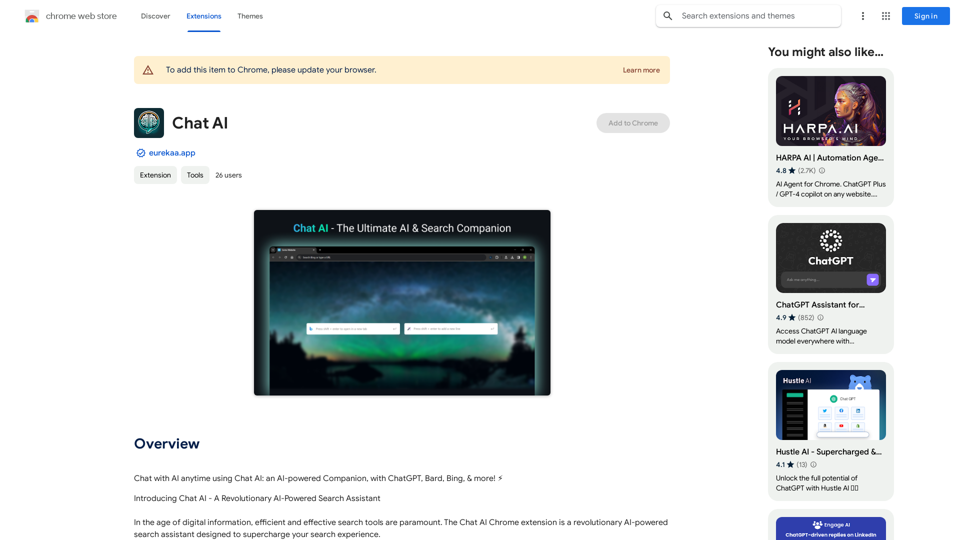
Chat AI

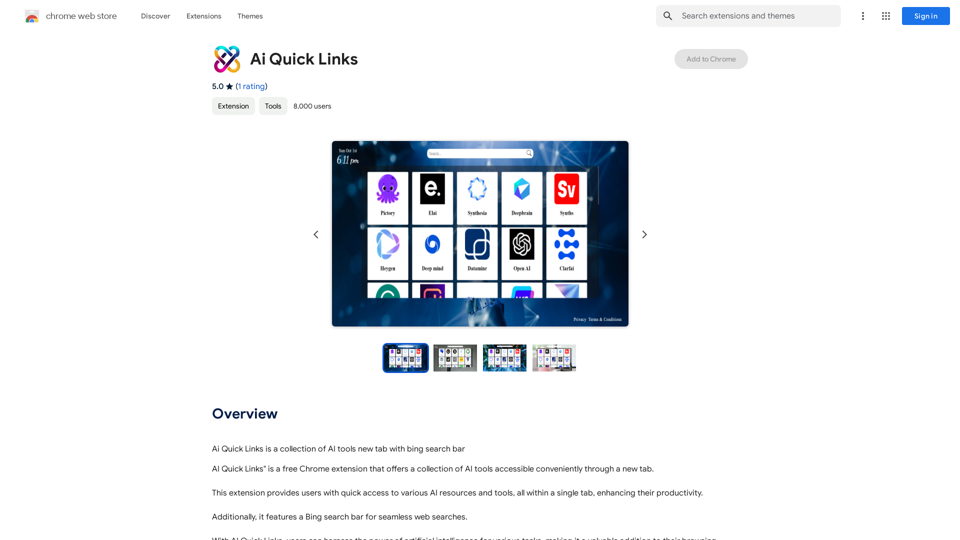
Talk to AI whenever you want with Chat AI: an AI-powered friend, featuring ChatGPT, Bard, Bing, and more! ⚡
Visit Website
Chat AI
Visit Website

Introduction

Chat AI is an AI-powered search assistant that enhances your search experience by integrating powerful tools like GPT-4 powered Bing, ChatGPT, and Bard. This comprehensive AI and Search Companion streamlines online searches and improves user satisfaction by catering to specific needs and intents.

Feature

Dual Search Bar Capability

Chat AI offers a unique dual search bar feature, allowing users to choose the most appropriate solution for their query based on specific needs, context, and use cases.

Holistic View with Multiple Outputs

The assistant generates multiple outputs from various sources simultaneously, enabling users to compare different results, gain diverse perspectives, and achieve a more comprehensive understanding of their search topic.

Deep Browser Integration for Quick Actions

Chat AI seamlessly integrates with your browser, allowing users to perform quick actions via the right-click menu, simplifying processes and saving time.

Context-Switching Prevention

By displaying outputs in a quick-access side panel interface, Chat AI eliminates the need to open new tab pages, maintaining user focus and workflow continuity.

Free Basic Features

Chat AI offers its basic features at no cost, with the option to upgrade to a paid subscription for advanced functionalities.

FAQ

Is Chat AI free to use?

Yes, Chat AI is a free extension with basic features available at no cost. Advanced features are accessible through a paid subscription.

What are the advanced features of Chat AI?

Chat AI's advanced features include:

  • Holistic view with multiple outputs
  • Deep browser integration for quick actions
  • Context-switching prevention

How do I install Chat AI?

To install Chat AI, simply click the "Add to Chrome" button on the Chrome Web Store page.

Related Websites
Open ChatGPT in a New Tab

You can open ChatGPT in a new tab by following these steps:

#Method 1: Using the Browser's Context Menu

1. Right-click on the ChatGPT link or button.
2. Select "Open in new tab" or "Open link in new tab" from the context menu.

#Method 2: Using the Keyboard Shortcut

1. Press `Ctrl + Click` (Windows/Linux) or `Cmd + Click` (Mac) on the ChatGPT link or button.

#Method 3: Using the Browser's Toolbar

1. Click on the ChatGPT link or button while holding down the `Ctrl` key (Windows/Linux) or `Cmd` key (Mac).
2. Release the key after the new tab is opened.

By following these methods, you can easily open ChatGPT in a new tab and start chatting without leaving your current page.
View Detail

Open ChatGPT in a New Tab You can open ChatGPT in a new tab by following these steps: #Method 1: Using the Browser's Context Menu 1. Right-click on the ChatGPT link or button. 2. Select "Open in new tab" or "Open link in new tab" from the context menu. #Method 2: Using the Keyboard Shortcut 1. Press `Ctrl + Click` (Windows/Linux) or `Cmd + Click` (Mac) on the ChatGPT link or button. #Method 3: Using the Browser's Toolbar 1. Click on the ChatGPT link or button while holding down the `Ctrl` key (Windows/Linux) or `Cmd` key (Mac). 2. Release the key after the new tab is opened. By following these methods, you can easily open ChatGPT in a new tab and start chatting without leaving your current page.

Open ChatGPT in a New Tab You can open ChatGPT in a new tab by following these steps: #Method 1: Using the Browser's Context Menu 1. Right-click on the ChatGPT link or button. 2. Select "Open in new tab" or "Open link in new tab" from the context menu. #Method 2: Using the Keyboard Shortcut 1. Press `Ctrl + Click` (Windows/Linux) or `Cmd + Click` (Mac) on the ChatGPT link or button. #Method 3: Using the Browser's Toolbar 1. Click on the ChatGPT link or button while holding down the `Ctrl` key (Windows/Linux) or `Cmd` key (Mac). 2. Release the key after the new tab is opened. By following these methods, you can easily open ChatGPT in a new tab and start chatting without leaving your current page.

New Tab with Quick ChatGPT Access

193.90 M
GPT-ChatDIY
View Detail

GPT-ChatDIY

GPT-ChatDIY

Use this extension to easily access ChatGPT and solve your questions or generate text.

193.90 M
GPTx
View Detail

GPTx

GPTx

ChatGPT-powered Chrome Extension, Enhances Browsing and Productivity.

193.90 M
PixCleaner
View Detail

PixCleaner

PixCleaner

Remove the background from an image using pixcleaner background remover. Remove the background from any image online URL, simply...

193.90 M
404: This page could not be found.
View Detail

404: This page could not be found.

404: This page could not be found.

NSFW AI Characters | Erotic Roleplay | AI Sexting This platform offers a range of NSFW (Not Safe for Work) AI characters designed for erotic roleplay and AI sexting. These characters are programmed to engage in explicit conversations and roleplay scenarios, providing a unique and immersive experience for users. How it Works Our AI characters are trained on a vast dataset of erotic content, allowing them to understand and respond to a wide range of prompts and scenarios. Users can interact with the characters through text-based conversations, guiding the direction of the roleplay or sexting experience. Features * Customizable Characters: Choose from a diverse range of characters, each with their own unique personality, appearance, and preferences. * Realistic Responses: Our AI technology ensures that character responses are realistic and engaging, creating a truly immersive experience. * Explicit Content: Our characters are designed to engage in explicit conversations and roleplay scenarios, catering to a variety of tastes and preferences. * Anonymous and Secure: Our platform ensures user anonymity and security, providing a safe and discreet environment for users to explore their desires. Benefits * Discreet and Anonymous: Our platform provides a secure and anonymous environment for users to engage in erotic roleplay and sexting. * Exploration and Expression: Our AI characters allow users to explore their desires and express themselves in a safe and controlled environment. * Improved Communication: Engaging with our AI characters can help users improve their communication skills and build confidence in their relationships. Get Started Ready to explore the world of NSFW AI characters? Sign up now and discover a new level of erotic roleplay and sexting experience.

86.75 K
Lymia Discover
View Detail

Lymia Discover

Lymia Discover

Lymia Discover helps users easily find new talents and leads on LinkedIn using artificial intelligence.

193.90 M
Intelligent Text Generator. Try it for Free
View Detail

Intelligent Text Generator. Try it for Free

Intelligent Text Generator. Try it for Free

The High-Quality AI Text Generator. Writes texts with artificial intelligence for articles, essays, ecommerce, social media, blogs, and much more 🤖

38.49 K
Distribution
View Detail

Distribution

Distribution

Become a content creator in seconds

8.60 K