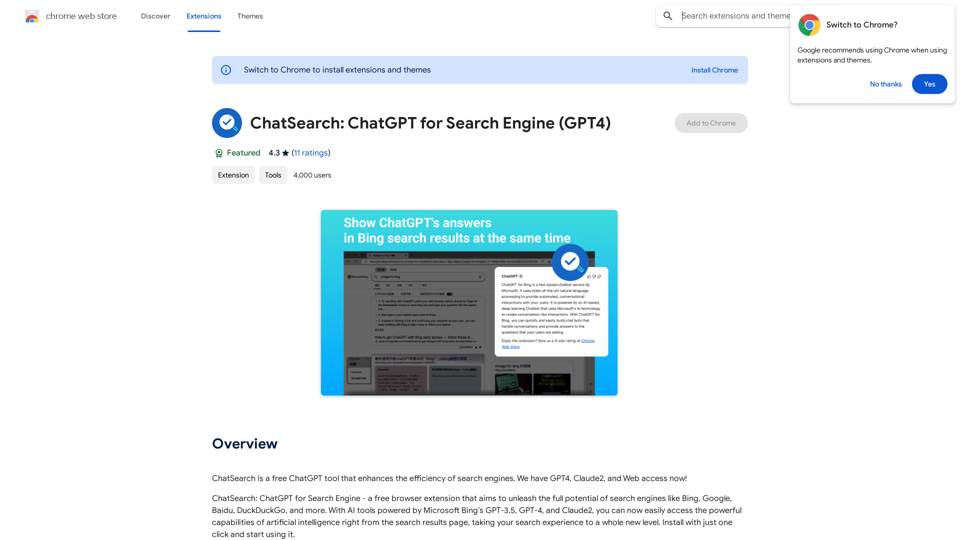
ChatSearch 是一個免費的 ChatGPT 工具,透過將 AI 驅動的答案直接整合到搜尋結果中,提高搜尋引擎的效率。它利用 Microsoft Bing 的 GPT-3.5、GPT-4 和 Claude2 模型,為用戶提供先進的人工智能功能,將搜尋體驗提升到新的高度。
ChatSearch:ChatGPT 搜尋引擎 (GPT4)
ChatSearch 是一個免費的 ChatGPT 工具,可以提高搜尋引擎的效率。我們現在有 GPT4、Claude2 和網頁存取!
介紹
功能
增強搜尋結果
將 ChatGPT 的答案整合到任何搜尋引擎中,提高搜尋結果的質量和相關性。
免費且無限制的使用
無需任何費用、限制或帳戶註冊即可使用。
即時 AI 互動
用戶可以通過點擊搜尋結果中的插件按鈕,立即開始與 ChatGPT 聊天。
擴展模型支援
除了 GPT-3.5,ChatSearch 還提供 GPT-4 和 Claude2 的使用,提高信息的準確性和多樣性。
高級內容摘要
利用 ChatGPT 或 Claude2 強大的摘要功能,高效分析網頁內容。
改善網路連接
通過提供實時、準確的網路信息,消除信息差距。
用戶友好界面
使用 ChatSearch 的簡單三步驟:
- 選擇 API 類型(推薦使用開發者 API)
- 在各種引擎上搜尋問題
- 查看 ChatGPT 生成的答案或直接開始聊天
常見問題
ChatSearch 真的免費嗎?
是的,ChatSearch 完全免費使用,沒有隱藏費用或註冊要求。
ChatSearch 與 ChatGPT 的關係是什麼?
ChatSearch 是基於 ChatGPT 模型開發的 AI 工具,利用其強大的功能來增強搜尋體驗。
ChatSearch 支援哪些 AI 模型?
ChatSearch 目前支援 GPT-3.5、GPT-4 和 Claude2 模型,並計劃在未來整合更多大型語言模型。
相關網站
使用 AI 製作 Google 日曆事件 -- ChatGPT 步驟一:開啟 Google 日曆。 步驟二:點選「建立事件」。 步驟三:在「事件名稱」欄位輸入「ChatGPT 事件」。 步驟四:在「描述」欄位輸入以下內容: ``` 請使用 ChatGPT 協助我完成以下任務: [在此輸入您希望 ChatGPT 協助完成的任務] ``` 步驟五:設定事件的時間和地點。 步驟六:點選「儲存」。 提示: * 您可以在「描述」欄位中詳細說明您希望 ChatGPT 協助完成的任務。 * 事件開始時,Google 日曆會提醒您,並開啟一個新的 Google 搜尋標籤頁,讓您可以開始與 ChatGPT 對話。
193.90 M