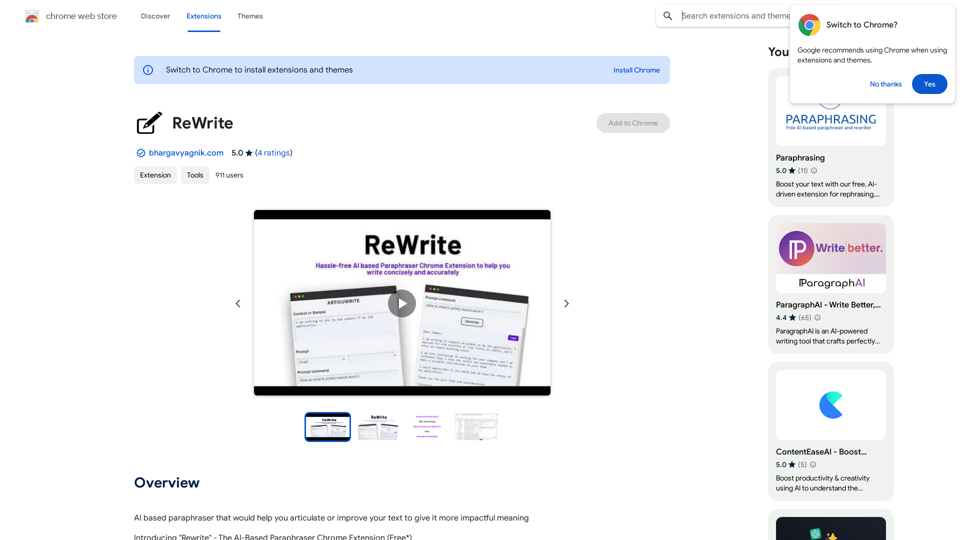
Rewrite 是一個使用先進人工智能來增強書面溝通的 Chrome 擴展程序。它提供人工智能驅動的改寫、改進表達以及上下文感知建議,以幫助用戶更有效地表達他們的想法。該擴展程序旨在高效、節省時間,並無縫集成到 Chrome 瀏覽器中,使其在需要時隨時可用。Rewrite 可免費使用,在 Cohere Trial API 上每分鐘使用限制為 5 次請求。
Rewrite 使用尖端人工智能技術來建議替代措辭和結構,提供多種選擇來增強您文本的含義和影響力。
該擴展程序提供有用的建議來改進句子,幫助用戶克服寫作障礙,清晰自信地表達想法。
Rewrite 考慮您文本的上下文,確保建議與您的預期含義一致,讓您對書面表達有更大的控制權。
使用 Rewrite 簡化文本改進過程,與手動重寫相比,在更短的時間內達到精煉的結果。
Rewrite 順暢地集成到您的 Chrome 瀏覽器中,只需點擊一下即可使用其強大功能,確保流暢高效的寫作體驗。
每個用戶都可以免費使用 Rewrite 的人工智能改寫功能,在 Cohere Trial API 上每分鐘限制 5 次請求。
Rewrite 為您的文本賦予有影響力的含義和清晰度,幫助您吸引讀者並留下持久印象。它釋放了您書面溝通的潛力。
Rewrite 可免費使用,在 Cohere Trial API 上每分鐘限制 5 次請求。
```markdown ChatGPT Chat History You: Export chat history from ChatGPT website to normal format as Markdown, which can be opened via typora exactly. ChatGPT: ```markdown ChatGPT Chat History You: Export chat history from ChatGPT website to normal format as Markdown, which can be opened via typora exactly. ChatGPT: I can help you with that! Unfortunately, there's no direct way to export your chat history from the ChatGPT website in a format that's perfectly compatible with Typora. The website doesn't offer a dedicated download feature for chat logs. However, you can manually copy and paste your conversation into a Markdown file. Here's how: 1. Go to the ChatGPT website and log in to your account. 2. Navigate to the conversation you want to export. 3. Select all the text in the conversation window. 4. Copy the selected text (Ctrl+C or Cmd+C). 5. Open a new Markdown file in Typora. 6. Paste the copied text into the Typora file (Ctrl+V or Cmd+V). Keep in mind that this method might not preserve all formatting elements perfectly, especially if your conversation includes special characters or code blocks. ```