Open-source RightAI Tools Directory
  • Discover AI
  • Submit
  • Startup
  • Blog
Open-source RightAI Tools Directory
Discover the best AI tools of 2025 with the RightAI Tools Directory!

Friend Links

AI Anime GeneratorToolsApp AI

Support

Tap4
Privacy policyTerms & ConditionsContact Us
Loading...
loading...

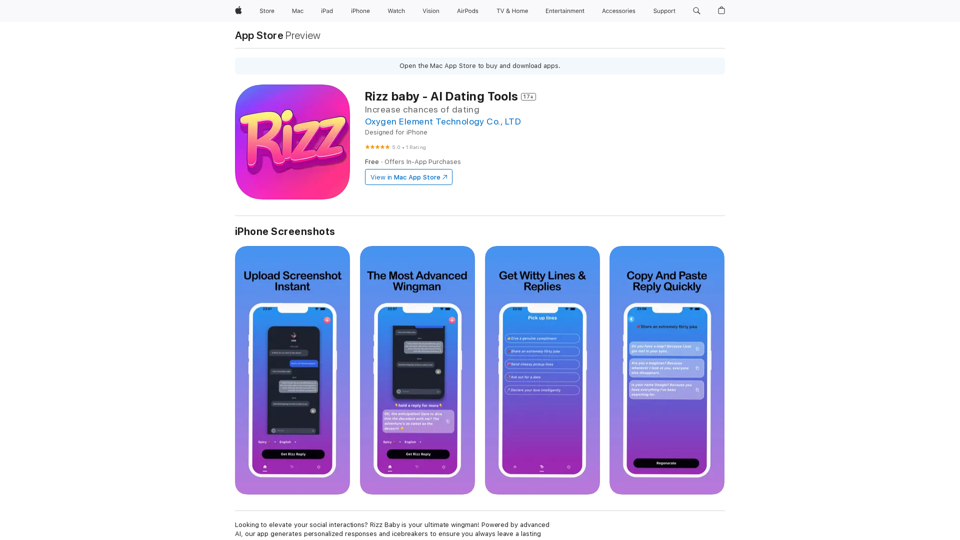
Rizz Baby - AI Dating Tools on the App Store

Want to take your social interactions to the next level? Rizz Baby is your perfect partner! Powered by cutting-edge AI, our app creates customized responses and icebreakers that will help you shine in any social situation.
Visit Website
Rizz Baby - AI Dating Tools on the App Store
Visit Website

Introduction

Rizz Baby is an AI-powered dating tool designed to enhance users' social interactions. It generates personalized responses and icebreakers, analyzing communication styles to provide tailored suggestions. This innovative app aims to boost users' confidence and success in the dating world by offering smart, context-aware conversation assistance.

Feature

Screenshot to Response

Upload screenshots of social app conversations and receive perfect, context-appropriate replies generated by AI.

Icebreaker Generator

Create engaging and creative opening lines to start conversations effectively and stand out from other users.

Personalized Conversations

Adapt to each user's unique communication style, providing responses that authentically reflect their personality.

User-Friendly Interface

Easy-to-use design allows quick uploading of profiles, bios, or conversation screenshots for instant, tailored responses.

Platform Availability

Currently available exclusively for iPhone users, with free download option.

Flexible Pricing Options

PlanPrice
Monthly$12.99
Yearly$44.99
Lifetime$69.99

FAQ

Is Rizz Baby available for Android?

No, Rizz Baby is currently only available for iPhone.

Can I use Rizz Baby for free?

Yes, the app offers a free version with in-app purchases for premium features.

How do I cancel my premium subscription?

You can cancel your subscription through the app's settings or by contacting the developer directly.

How can I get support or ask questions?

For assistance or inquiries, contact the support team at [email protected]. Visit the website for more information on terms and privacy policy.

Latest Traffic Insights

  • Monthly Visits

    124.77 M

  • Bounce Rate

    74.15%

  • Pages Per Visit

    1.56

  • Time on Site(s)

    46.64

  • Global Rank

    -

  • Country Rank

    -

Recent Visits

Traffic Sources

  • Social Media:
    2.88%
  • Paid Referrals:
    2.50%
  • Email:
    0.18%
  • Referrals:
    19.65%
  • Search Engines:
    29.02%
  • Direct:
    45.78%
More Data

Related Websites

Blenny - AI Vision Co-Pilot Powered by GPT-4V
View Detail

Blenny - AI Vision Co-Pilot Powered by GPT-4V

Blenny - AI Vision Co-Pilot Powered by GPT-4V

Screenshot any part of a webpage, and Blenny will instantly help you summarize, translate, apply custom agents, and do more.

193.90 M
TellMe | The Simple AI
View Detail

TellMe | The Simple AI

TellMe | The Simple AI

TellMe is the simplest AI assistant for Vision Pro. Unleash the power of AI with TellMe, the most intuitive and versatile assistant for your digital life.

2.48 K
AI Voice Over for YouTube 

This is a guide to using AI voice over for your YouTube videos. 

Why Use AI Voice Over?

* Cost-Effective: AI voice over is much cheaper than hiring a professional voice actor.
* Time-Saving: You can generate voice over quickly and easily, without needing to schedule recording sessions.
* Variety of Voices: Choose from a wide range of AI voices, including male, female, and even robotic voices.
* Accessibility: Make your videos accessible to viewers who are deaf or hard of hearing by adding captions generated by AI.

How to Use AI Voice Over

1. Choose a Platform: There are many different platforms that offer AI voice over services, such as:
    * Google Cloud Text-to-Speech
    * Amazon Polly
    * Microsoft Azure Text to Speech
    * Murf.ai
    * NaturalReader
2. Write Your Script:  Write a clear and concise script for your video.
3. Upload Your Script:  Upload your script to the chosen platform.
4. Select a Voice: Choose the voice that best suits your video.
5. Adjust Settings:  Adjust settings such as speed, pitch, and volume.
6. Generate Voice Over:  Click the "Generate" button to create your voice over.
7. Download and Edit: Download the generated voice over file and edit it as needed.
8. Add to Your Video:  Add the voice over to your YouTube video.

Tips for Using AI Voice Over

* Use Natural Language:  Write your script as if you were speaking naturally.
* Vary Your Tone:  Use different tones of voice to keep your viewers engaged.
* Add Pauses:  Include pauses in your script to allow viewers to process information.
* Proofread Carefully:  Always proofread your script before generating the voice over.
* Experiment:  Try different voices, settings, and styles to find what works best for you.
View Detail

AI Voice Over for YouTube This is a guide to using AI voice over for your YouTube videos. Why Use AI Voice Over? * Cost-Effective: AI voice over is much cheaper than hiring a professional voice actor. * Time-Saving: You can generate voice over quickly and easily, without needing to schedule recording sessions. * Variety of Voices: Choose from a wide range of AI voices, including male, female, and even robotic voices. * Accessibility: Make your videos accessible to viewers who are deaf or hard of hearing by adding captions generated by AI. How to Use AI Voice Over 1. Choose a Platform: There are many different platforms that offer AI voice over services, such as: * Google Cloud Text-to-Speech * Amazon Polly * Microsoft Azure Text to Speech * Murf.ai * NaturalReader 2. Write Your Script: Write a clear and concise script for your video. 3. Upload Your Script: Upload your script to the chosen platform. 4. Select a Voice: Choose the voice that best suits your video. 5. Adjust Settings: Adjust settings such as speed, pitch, and volume. 6. Generate Voice Over: Click the "Generate" button to create your voice over. 7. Download and Edit: Download the generated voice over file and edit it as needed. 8. Add to Your Video: Add the voice over to your YouTube video. Tips for Using AI Voice Over * Use Natural Language: Write your script as if you were speaking naturally. * Vary Your Tone: Use different tones of voice to keep your viewers engaged. * Add Pauses: Include pauses in your script to allow viewers to process information. * Proofread Carefully: Always proofread your script before generating the voice over. * Experiment: Try different voices, settings, and styles to find what works best for you.

AI Voice Over for YouTube This is a guide to using AI voice over for your YouTube videos. Why Use AI Voice Over? * Cost-Effective: AI voice over is much cheaper than hiring a professional voice actor. * Time-Saving: You can generate voice over quickly and easily, without needing to schedule recording sessions. * Variety of Voices: Choose from a wide range of AI voices, including male, female, and even robotic voices. * Accessibility: Make your videos accessible to viewers who are deaf or hard of hearing by adding captions generated by AI. How to Use AI Voice Over 1. Choose a Platform: There are many different platforms that offer AI voice over services, such as: * Google Cloud Text-to-Speech * Amazon Polly * Microsoft Azure Text to Speech * Murf.ai * NaturalReader 2. Write Your Script: Write a clear and concise script for your video. 3. Upload Your Script: Upload your script to the chosen platform. 4. Select a Voice: Choose the voice that best suits your video. 5. Adjust Settings: Adjust settings such as speed, pitch, and volume. 6. Generate Voice Over: Click the "Generate" button to create your voice over. 7. Download and Edit: Download the generated voice over file and edit it as needed. 8. Add to Your Video: Add the voice over to your YouTube video. Tips for Using AI Voice Over * Use Natural Language: Write your script as if you were speaking naturally. * Vary Your Tone: Use different tones of voice to keep your viewers engaged. * Add Pauses: Include pauses in your script to allow viewers to process information. * Proofread Carefully: Always proofread your script before generating the voice over. * Experiment: Try different voices, settings, and styles to find what works best for you.

Watch foreign language YouTube videos in your own language.

193.90 M
Clueify - 数据驱动设计
View Detail

Clueify - 数据驱动设计

Clueify - 数据驱动设计

Get instant visual analysis of websites to perform conversion rate optimization or competitor analysis.

193.90 M
AI Board (GPT Support)
View Detail

AI Board (GPT Support)

AI Board (GPT Support)

This is a service that uses the general ChatGPT API with enhanced security for corporate use.

193.90 M
Hello Seller
View Detail

Hello Seller

Hello Seller

Earn more with OpenInfoSeller. Find SPP for your products and maximize your profits with the OiSeller extension...

193.90 M
Hadana: Your AI Travel Planner
View Detail

Hadana: Your AI Travel Planner

Hadana: Your AI Travel Planner

An AI-powered travel companion that crafts personalized travel plans based on your preferences.

593.63 K
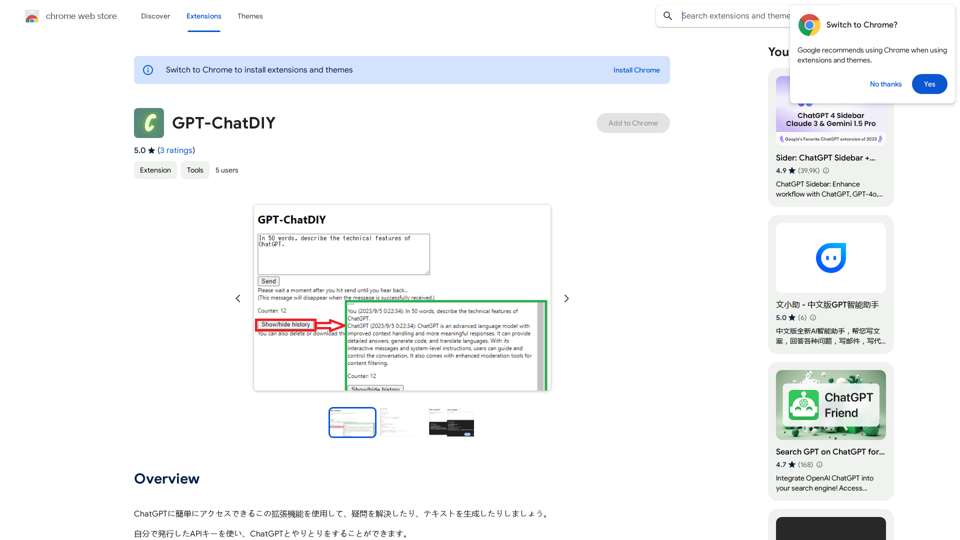
GPT-ChatDIY
View Detail

GPT-ChatDIY

GPT-ChatDIY

Use this extension to easily access ChatGPT and solve your questions or generate text.

193.90 M