Open-source RightAI Tools Directory
  • Discover AI
  • Submit
  • Startup
  • Blog
Open-source RightAI Tools Directory
Discover the best AI tools of 2025 with the RightAI Tools Directory!

Friend Links

AI Anime GeneratorToolsApp AI

Support

Tap4
Privacy policyTerms & ConditionsContact Us
Loading...
loading...

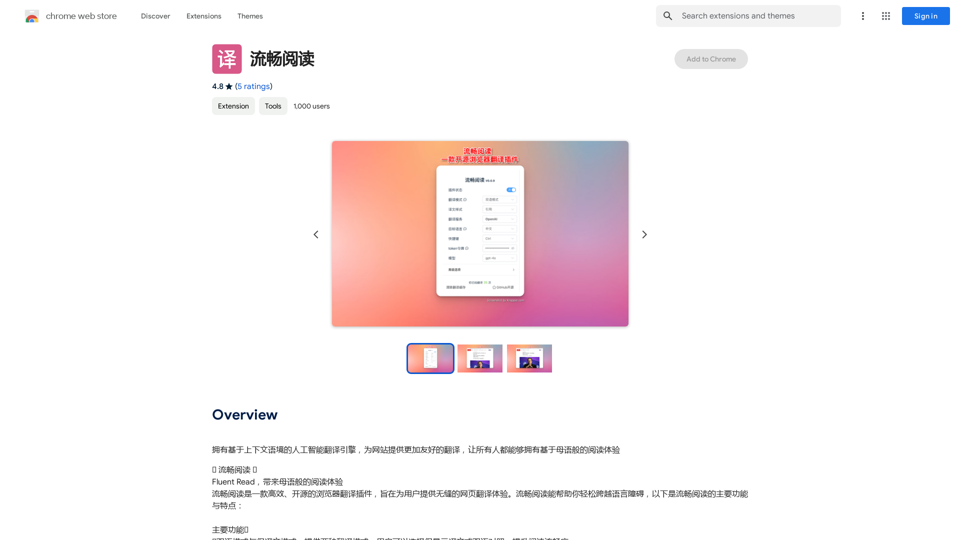
Read smoothly.

An AI translation engine that understands context will provide a more user-friendly translation for websites, allowing everyone to have a reading experience in their native language.
Visit Website
Read smoothly.
Visit Website

Introduction

Fluent Read is an open-source browser translation plugin designed to provide a seamless web page translation experience. It offers efficient translation methods, dual language modes, and customizable settings to help users overcome language barriers and enjoy a native-like reading experience across the web.

Feature

🌐 Dual Language and Translation Modes

  • Dual language mode: Display both original and translated text
  • Translation mode: Show only the translated text
  • Enhances reading experience by offering flexibility in content display

🖱️ Multiple Translation Methods

  • Quick translation: Hover and use shortcut keys (Ctrl, Alt, Shift, or Backtick)
  • Mouse translation: Double-click, long-press, or single-click mouse wheel
  • Drag-and-drop translation: Hold shortcut key and select text
  • Touch translation: Support for various multi-finger gestures

🆓 Free and Open-Source

  • Licensed under GPL-3.0
  • Source code available on GitHub
  • No subscription or payment required

⚙️ Customizable Settings

  • Adjust translation settings to personal preferences
  • Customize shortcut keys for optimal user experience

🌍 Browser Compatibility

  • Primarily designed for Chrome
  • Manual installation possible for other browsers

FAQ

Is Fluent Read a paid plugin?

No, Fluent Read is completely free to use.

Can I customize the translation settings?

Yes, you can customize both the translation settings and shortcut keys to suit your needs.

Is Fluent Read compatible with all browsers?

Fluent Read is primarily designed for Chrome, but it can be used with other browsers through manual installation of the plugin.

How can I get the most out of Fluent Read?

Try experimenting with the dual language mode and different translation methods to find the setup that works best for you. If you encounter any issues or have suggestions, visit the developer's support site for assistance.

Latest Traffic Insights

  • Monthly Visits

    193.90 M

  • Bounce Rate

    56.27%

  • Pages Per Visit

    2.71

  • Time on Site(s)

    115.91

  • Global Rank

    -

  • Country Rank

    -

Recent Visits

Traffic Sources

  • Social Media:
    0.48%
  • Paid Referrals:
    0.55%
  • Email:
    0.15%
  • Referrals:
    12.81%
  • Search Engines:
    16.21%
  • Direct:
    69.81%
More Data

Related Websites

PixCleaner
View Detail

PixCleaner

PixCleaner

Remove the background from an image using pixcleaner background remover. Remove the background from any image online URL, simply...

193.90 M
Bilibili Recommendation Assistant
View Detail

Bilibili Recommendation Assistant

Bilibili Recommendation Assistant

Use machine learning algorithms to recommend similar B站 Up主 to find related videos, your B站 exploration assistant.

193.90 M
AI Voiceover for Video Creators 

Elevate Your Videos with Realistic AI Voices

Tired of bland, monotone narration? 

Want to add a professional touch to your videos without breaking the bank?

Introducing AI voiceover, the game-changer for video creators!

Benefits of Using AI Voiceover:

* High-Quality, Natural-Sounding Voices: Choose from a wide range of realistic AI voices, each with unique tones and styles.
* Cost-Effective: Say goodbye to expensive voice actors and studios. AI voiceover is affordable and accessible to everyone.
* Time-Saving: Generate voiceovers quickly and easily, freeing up your time to focus on other aspects of your video production.
* Multilingual Support: Reach a global audience by translating your voiceovers into multiple languages.
* Customizable Options: Adjust voice pitch, speed, and emphasis to perfectly match your video's tone and style.

Perfect for:

* YouTube Videos
* Explainer Videos
* Corporate Videos
* E-Learning Content
* Podcasts
* And More!

Get Started Today!

Try our AI voiceover tool and experience the difference.
View Detail

AI Voiceover for Video Creators Elevate Your Videos with Realistic AI Voices Tired of bland, monotone narration? Want to add a professional touch to your videos without breaking the bank? Introducing AI voiceover, the game-changer for video creators! Benefits of Using AI Voiceover: * High-Quality, Natural-Sounding Voices: Choose from a wide range of realistic AI voices, each with unique tones and styles. * Cost-Effective: Say goodbye to expensive voice actors and studios. AI voiceover is affordable and accessible to everyone. * Time-Saving: Generate voiceovers quickly and easily, freeing up your time to focus on other aspects of your video production. * Multilingual Support: Reach a global audience by translating your voiceovers into multiple languages. * Customizable Options: Adjust voice pitch, speed, and emphasis to perfectly match your video's tone and style. Perfect for: * YouTube Videos * Explainer Videos * Corporate Videos * E-Learning Content * Podcasts * And More! Get Started Today! Try our AI voiceover tool and experience the difference.

AI Voiceover for Video Creators Elevate Your Videos with Realistic AI Voices Tired of bland, monotone narration? Want to add a professional touch to your videos without breaking the bank? Introducing AI voiceover, the game-changer for video creators! Benefits of Using AI Voiceover: * High-Quality, Natural-Sounding Voices: Choose from a wide range of realistic AI voices, each with unique tones and styles. * Cost-Effective: Say goodbye to expensive voice actors and studios. AI voiceover is affordable and accessible to everyone. * Time-Saving: Generate voiceovers quickly and easily, freeing up your time to focus on other aspects of your video production. * Multilingual Support: Reach a global audience by translating your voiceovers into multiple languages. * Customizable Options: Adjust voice pitch, speed, and emphasis to perfectly match your video's tone and style. Perfect for: * YouTube Videos * Explainer Videos * Corporate Videos * E-Learning Content * Podcasts * And More! Get Started Today! Try our AI voiceover tool and experience the difference.

Use state-of-the-art text-to-speech AI to make your text sound like a real person speaking.

193.90 M
Job Tracker
View Detail

Job Tracker

Job Tracker

Save, track, and manage all your job applications in one place. Build your professional network and get hired.

193.90 M
Open AI Chat GPT For Email
View Detail

Open AI Chat GPT For Email

Open AI Chat GPT For Email

Email Completion Suggestions ============================= Powered by OpenAI, this feature provides intelligent suggestions to complete your emails, saving you time and effort. How it Works --------------- 1. Start Writing: Begin composing your email as you normally would. 2. AI Takes Over: Our AI engine, powered by OpenAI, kicks in and analyzes the context of your email. 3. Suggestions Appear: Relevant and contextual suggestions will appear, helping you complete your email quickly and efficiently. Benefits ------------ * Save Time: Get suggestions in real-time, reducing the time spent on writing emails. * Improve Quality: Enhance the clarity and coherence of your emails with AI-driven suggestions. * Boost Productivity: Focus on more important tasks while our AI handles the email completion. Get Started -------------- Try our email completion suggestions today and experience the power of AI-driven productivity!

193.90 M
Get ChatGPT for Free with Google

You can now access ChatGPT, a powerful language model, for free with Google. Here's how:

Method 1: Google Colab

* Open Google Colab ([colab.research.google.com](http://colab.research.google.com))
* Create a new notebook
* Install the `transformers` library by running `!pip install transformers`
* Import the `transformers` library and load the ChatGPT model using `from transformers import AutoModelForCausalLM, AutoTokenizer; model = AutoModelForCausalLM.from_pretrained('chatgpt'); tokenizer = AutoTokenizer.from_pretrained('chatgpt')`
* Use the model to generate text using `input_text = "Your input here"; inputs = tokenizer.encode_plus(input_text, return_tensors='pt', max_length=1024, padding='max_length', truncation=True); output = model(inputs['input_ids'], attention_mask=inputs['attention_mask']); print(tokenizer.decode(output.logits[0], skip_special_tokens=True))`

Method 2: Google Apps Script

* Open Google Apps Script ([script.google.com](http://script.google.com))
* Create a new project
* Install the `transformers` library by running `npm install transformers`
* Import the `transformers` library and load the ChatGPT model using `const { AutoModelForCausalLM, AutoTokenizer } = require('transformers'); const model = new AutoModelForCausalLM('chatgpt'); const tokenizer = new AutoTokenizer('chatgpt');`
* Use the model to generate text using `const inputText = "Your input here"; const inputs = tokenizer.encodePlus(inputText, { return_tensors: 'pt', max_length: 1024, padding: 'max_length', truncation: true }); const output = model(inputs.inputIds, inputs.attentionMask); console.log(tokenizer.decode(output.logits[0], { skipSpecialTokens: true }));`

Note: These methods require some technical knowledge and may have limitations compared to the original ChatGPT model.
View Detail

Get ChatGPT for Free with Google You can now access ChatGPT, a powerful language model, for free with Google. Here's how: Method 1: Google Colab * Open Google Colab ([colab.research.google.com](http://colab.research.google.com)) * Create a new notebook * Install the `transformers` library by running `!pip install transformers` * Import the `transformers` library and load the ChatGPT model using `from transformers import AutoModelForCausalLM, AutoTokenizer; model = AutoModelForCausalLM.from_pretrained('chatgpt'); tokenizer = AutoTokenizer.from_pretrained('chatgpt')` * Use the model to generate text using `input_text = "Your input here"; inputs = tokenizer.encode_plus(input_text, return_tensors='pt', max_length=1024, padding='max_length', truncation=True); output = model(inputs['input_ids'], attention_mask=inputs['attention_mask']); print(tokenizer.decode(output.logits[0], skip_special_tokens=True))` Method 2: Google Apps Script * Open Google Apps Script ([script.google.com](http://script.google.com)) * Create a new project * Install the `transformers` library by running `npm install transformers` * Import the `transformers` library and load the ChatGPT model using `const { AutoModelForCausalLM, AutoTokenizer } = require('transformers'); const model = new AutoModelForCausalLM('chatgpt'); const tokenizer = new AutoTokenizer('chatgpt');` * Use the model to generate text using `const inputText = "Your input here"; const inputs = tokenizer.encodePlus(inputText, { return_tensors: 'pt', max_length: 1024, padding: 'max_length', truncation: true }); const output = model(inputs.inputIds, inputs.attentionMask); console.log(tokenizer.decode(output.logits[0], { skipSpecialTokens: true }));` Note: These methods require some technical knowledge and may have limitations compared to the original ChatGPT model.

Get ChatGPT for Free with Google You can now access ChatGPT, a powerful language model, for free with Google. Here's how: Method 1: Google Colab * Open Google Colab ([colab.research.google.com](http://colab.research.google.com)) * Create a new notebook * Install the `transformers` library by running `!pip install transformers` * Import the `transformers` library and load the ChatGPT model using `from transformers import AutoModelForCausalLM, AutoTokenizer; model = AutoModelForCausalLM.from_pretrained('chatgpt'); tokenizer = AutoTokenizer.from_pretrained('chatgpt')` * Use the model to generate text using `input_text = "Your input here"; inputs = tokenizer.encode_plus(input_text, return_tensors='pt', max_length=1024, padding='max_length', truncation=True); output = model(inputs['input_ids'], attention_mask=inputs['attention_mask']); print(tokenizer.decode(output.logits[0], skip_special_tokens=True))` Method 2: Google Apps Script * Open Google Apps Script ([script.google.com](http://script.google.com)) * Create a new project * Install the `transformers` library by running `npm install transformers` * Import the `transformers` library and load the ChatGPT model using `const { AutoModelForCausalLM, AutoTokenizer } = require('transformers'); const model = new AutoModelForCausalLM('chatgpt'); const tokenizer = new AutoTokenizer('chatgpt');` * Use the model to generate text using `const inputText = "Your input here"; const inputs = tokenizer.encodePlus(inputText, { return_tensors: 'pt', max_length: 1024, padding: 'max_length', truncation: true }); const output = model(inputs.inputIds, inputs.attentionMask); console.log(tokenizer.decode(output.logits[0], { skipSpecialTokens: true }));` Note: These methods require some technical knowledge and may have limitations compared to the original ChatGPT model.

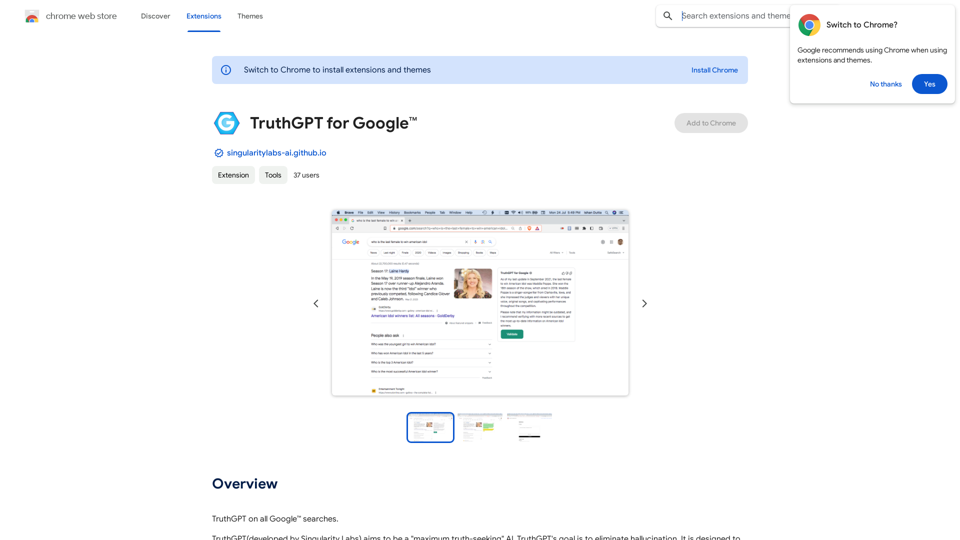
How to Add ChatGPT to All Google Searches ===================================================== Step 1: Create a Custom Search Engine -------------------------------------- * Go to the [Google Custom Search Engine](https://cse.google.com/) website and sign in with your Google account. * Click on the "New Search Engine" button. * Fill in the required information, such as the name and description of your search engine. * Click on the "Create" button. Step 2: Add ChatGPT to the Search Engine ----------------------------------------- * In the "Setup" tab, click on the "Add" button next to "Sites to search". * Enter the following URL: `https://chat.openai.com/` * Click on the "Add" button. Step 3: Configure the Search Engine -------------------------------------- * In the "Setup" tab, click on the "Edit" button next to "Search engine keywords". * Add the following keywords: `ChatGPT` * Click on the "Save" button. Step 4: Get the Search Engine Code ------------------------------------- * In the "Setup" tab, click on the "Get code" button. * Copy the HTML code provided. Step 5: Add the Search Engine to Your Browser ------------------------------------------------ * Open your browser and go to the "Settings" or "Options" page. * Look for the "Search engine" or "Default search engine" option. * Click on the "Add" or "Manage search engines" button. * Paste the HTML code you copied earlier. * Click on the "Add" or "Save" button. You're Done! =============== Now, whenever you search on Google, ChatGPT will be included in the search results. You can also use the custom search engine URL provided by Google to search directly.

193.90 M
PromptFolder - ChatGPT Prompt Manager
View Detail

PromptFolder - ChatGPT Prompt Manager

PromptFolder - ChatGPT Prompt Manager

Save, share, and discover prompts for ChatGPT, Midjourney, and other AI tools.

193.90 M
At a Glance
View Detail

At a Glance

At a Glance

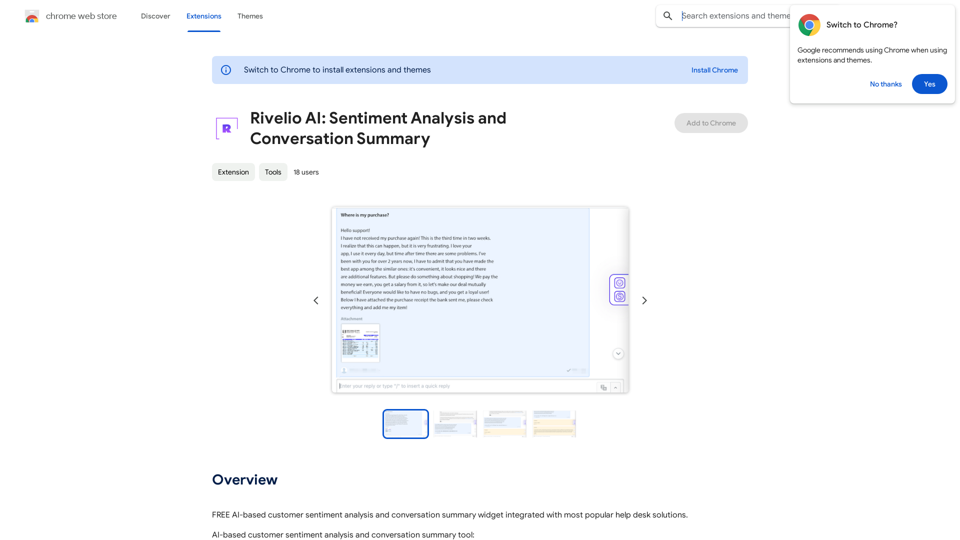
Use an AI like ChatGPT to condense and translate articles into short, ready-to-publish paragraphs directly on the webpage.

193.90 M