Open-source RightAI Tools Directory
  • Discover AI
  • Submit
  • Startup
  • Blog
Open-source RightAI Tools Directory
Discover the best AI tools of 2025 with the RightAI Tools Directory!

Friend Links

AI Anime GeneratorToolsApp AI

Support

Tap4
Privacy policyTerms & ConditionsContact Us
Loading...
loading...

AIDU

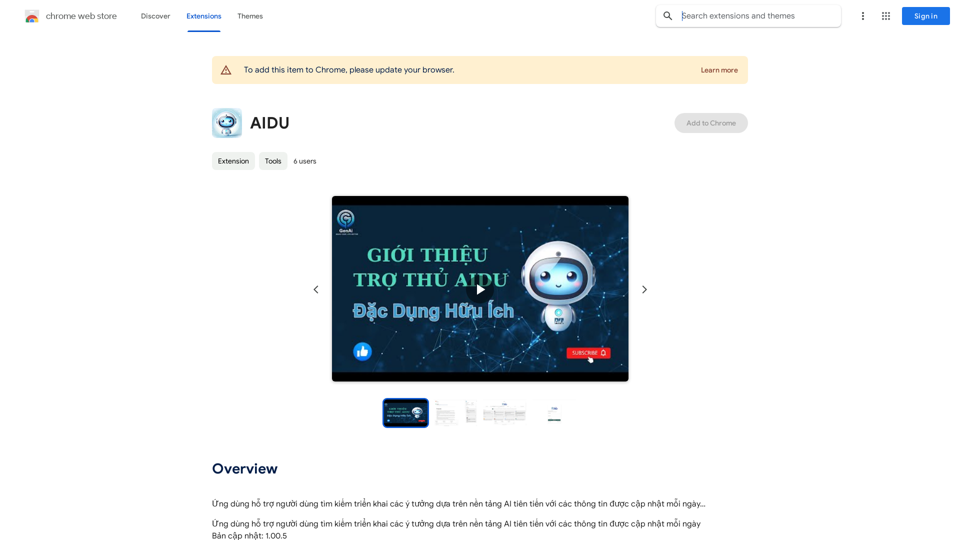
This application helps users find and implement ideas based on advanced AI platforms with daily updated information...
Visit Website
AIDU
Visit Website

Introduction

AIDU is a Chrome extension that leverages AI technology to help users discover and implement innovative ideas. It provides access to various AI tools, including ChatGPT, GPT-4o, and Dalle3, to enhance workflow efficiency and productivity. AIDU offers a vast array of AI models and categories, making it an ideal platform for exploring and utilizing AI tools in various aspects of work, study, and daily life.

Feature

Extensive AI Technology Access

  • Over 1000 AI models available
  • 200+ categories of AI tools
  • Includes popular AI platforms like ChatGPT, GPT-4o, and Dalle3

User-Friendly Interface

  • Easy discovery and utilization of AI tools
  • Streamlined workflow for increased productivity

Community-Driven Platform

  • Users can submit their own AI tools for free
  • Fosters innovation and collaboration in the AI community

Free Usage and Subscription Benefits

  • 20 free GPT-4o uses per day for every user
  • Subscription option for extended access and additional benefits

Image Generation Capability

  • Dalle3's text-to-image generation feature
  • Seamless integration with GPT-4o for creative projects

Vast GPT Model Library

  • Nearly 200,000 GPT models available
  • Wide variety of applications without requiring ChatGPT Plus subscription

Privacy Protection

  • User data not used for training purposes
  • Option to delete account and remove all associated data

FAQ

How do I use AIDU?

Every user can utilize GPT-4o for free up to 20 times a day on AIDU. Subscribing to AIDU grants additional benefits and extended access beyond the free usage limits.

Can I generate images using AIDU?

Yes, with Dalle3's text-to-image generation capability, users can create images, sharing credits with GPT-4o for a seamless creative experience.

How many GPTs are available on AIDU?

AIDU offers nearly 200,000 GPT models for a wide variety of applications in work, study, and everyday life. Users can freely use these GPTs without the need for a ChatGPT Plus subscription.

How can I maximize my use of AIDU's AI services?

By leveraging the daily free uses of GPT-4o document reading, and Dalle's image generation, users can explore a vast range of AI-powered tools to support various tasks.

Will my information be used for training data?

We highly value user privacy, and your data will not be used for any training purposes. If needed, you can delete your account at any time, and all your data will be removed as well.

When would I need an AIDU subscription?

If the 20 free GPT-4o conversations per day do not meet your needs and you heavily rely on GPT-4o, we invite you to subscribe to our affordable products for extended access and benefits.

Latest Traffic Insights

  • Monthly Visits

    193.90 M

  • Bounce Rate

    56.27%

  • Pages Per Visit

    2.71

  • Time on Site(s)

    115.91

  • Global Rank

    -

  • Country Rank

    -

Recent Visits

Traffic Sources

  • Social Media:
    0.48%
  • Paid Referrals:
    0.55%
  • Email:
    0.15%
  • Referrals:
    12.81%
  • Search Engines:
    16.21%
  • Direct:
    69.81%
More Data

Related Websites

TraceMail Extension
View Detail

TraceMail Extension

TraceMail Extension

Track your emails in real-time with TraceMail and get instant notifications when someone opens them.

193.90 M
ScribeMD - AI Medical Scribe
View Detail

ScribeMD - AI Medical Scribe

ScribeMD - AI Medical Scribe

A Chrome extension powered by artificial intelligence, designed for healthcare professionals to make note-taking easier and more efficient.

193.90 M
PixCleaner
View Detail

PixCleaner

PixCleaner

Remove the background from an image using pixcleaner background remover. Remove the background from any image online URL, simply...

193.90 M
Essence - Read Smarter
View Detail

Essence - Read Smarter

Essence - Read Smarter

Brilliant summaries in a single click. Well written AI summaries in both text and audio. Summarize articles in any language.

193.90 M
Get ChatGPT for Free with Google

You can now access ChatGPT, a powerful language model, for free with Google. Here's how:

Method 1: Google Colab

* Open Google Colab ([colab.research.google.com](http://colab.research.google.com))
* Create a new notebook
* Install the `transformers` library by running `!pip install transformers`
* Import the `transformers` library and load the ChatGPT model using `from transformers import AutoModelForCausalLM, AutoTokenizer; model = AutoModelForCausalLM.from_pretrained('chatgpt'); tokenizer = AutoTokenizer.from_pretrained('chatgpt')`
* Use the model to generate text using `input_text = "Your input here"; inputs = tokenizer.encode_plus(input_text, return_tensors='pt', max_length=1024, padding='max_length', truncation=True); output = model(inputs['input_ids'], attention_mask=inputs['attention_mask']); print(tokenizer.decode(output.logits[0], skip_special_tokens=True))`

Method 2: Google Apps Script

* Open Google Apps Script ([script.google.com](http://script.google.com))
* Create a new project
* Install the `transformers` library by running `npm install transformers`
* Import the `transformers` library and load the ChatGPT model using `const { AutoModelForCausalLM, AutoTokenizer } = require('transformers'); const model = new AutoModelForCausalLM('chatgpt'); const tokenizer = new AutoTokenizer('chatgpt');`
* Use the model to generate text using `const inputText = "Your input here"; const inputs = tokenizer.encodePlus(inputText, { return_tensors: 'pt', max_length: 1024, padding: 'max_length', truncation: true }); const output = model(inputs.inputIds, inputs.attentionMask); console.log(tokenizer.decode(output.logits[0], { skipSpecialTokens: true }));`

Note: These methods require some technical knowledge and may have limitations compared to the original ChatGPT model.
View Detail

Get ChatGPT for Free with Google You can now access ChatGPT, a powerful language model, for free with Google. Here's how: Method 1: Google Colab * Open Google Colab ([colab.research.google.com](http://colab.research.google.com)) * Create a new notebook * Install the `transformers` library by running `!pip install transformers` * Import the `transformers` library and load the ChatGPT model using `from transformers import AutoModelForCausalLM, AutoTokenizer; model = AutoModelForCausalLM.from_pretrained('chatgpt'); tokenizer = AutoTokenizer.from_pretrained('chatgpt')` * Use the model to generate text using `input_text = "Your input here"; inputs = tokenizer.encode_plus(input_text, return_tensors='pt', max_length=1024, padding='max_length', truncation=True); output = model(inputs['input_ids'], attention_mask=inputs['attention_mask']); print(tokenizer.decode(output.logits[0], skip_special_tokens=True))` Method 2: Google Apps Script * Open Google Apps Script ([script.google.com](http://script.google.com)) * Create a new project * Install the `transformers` library by running `npm install transformers` * Import the `transformers` library and load the ChatGPT model using `const { AutoModelForCausalLM, AutoTokenizer } = require('transformers'); const model = new AutoModelForCausalLM('chatgpt'); const tokenizer = new AutoTokenizer('chatgpt');` * Use the model to generate text using `const inputText = "Your input here"; const inputs = tokenizer.encodePlus(inputText, { return_tensors: 'pt', max_length: 1024, padding: 'max_length', truncation: true }); const output = model(inputs.inputIds, inputs.attentionMask); console.log(tokenizer.decode(output.logits[0], { skipSpecialTokens: true }));` Note: These methods require some technical knowledge and may have limitations compared to the original ChatGPT model.

Get ChatGPT for Free with Google You can now access ChatGPT, a powerful language model, for free with Google. Here's how: Method 1: Google Colab * Open Google Colab ([colab.research.google.com](http://colab.research.google.com)) * Create a new notebook * Install the `transformers` library by running `!pip install transformers` * Import the `transformers` library and load the ChatGPT model using `from transformers import AutoModelForCausalLM, AutoTokenizer; model = AutoModelForCausalLM.from_pretrained('chatgpt'); tokenizer = AutoTokenizer.from_pretrained('chatgpt')` * Use the model to generate text using `input_text = "Your input here"; inputs = tokenizer.encode_plus(input_text, return_tensors='pt', max_length=1024, padding='max_length', truncation=True); output = model(inputs['input_ids'], attention_mask=inputs['attention_mask']); print(tokenizer.decode(output.logits[0], skip_special_tokens=True))` Method 2: Google Apps Script * Open Google Apps Script ([script.google.com](http://script.google.com)) * Create a new project * Install the `transformers` library by running `npm install transformers` * Import the `transformers` library and load the ChatGPT model using `const { AutoModelForCausalLM, AutoTokenizer } = require('transformers'); const model = new AutoModelForCausalLM('chatgpt'); const tokenizer = new AutoTokenizer('chatgpt');` * Use the model to generate text using `const inputText = "Your input here"; const inputs = tokenizer.encodePlus(inputText, { return_tensors: 'pt', max_length: 1024, padding: 'max_length', truncation: true }); const output = model(inputs.inputIds, inputs.attentionMask); console.log(tokenizer.decode(output.logits[0], { skipSpecialTokens: true }));` Note: These methods require some technical knowledge and may have limitations compared to the original ChatGPT model.

How to Add ChatGPT to All Google Searches ===================================================== Step 1: Create a Custom Search Engine -------------------------------------- * Go to the [Google Custom Search Engine](https://cse.google.com/) website and sign in with your Google account. * Click on the "New Search Engine" button. * Fill in the required information, such as the name and description of your search engine. * Click on the "Create" button. Step 2: Add ChatGPT to the Search Engine ----------------------------------------- * In the "Setup" tab, click on the "Add" button next to "Sites to search". * Enter the following URL: `https://chat.openai.com/` * Click on the "Add" button. Step 3: Configure the Search Engine -------------------------------------- * In the "Setup" tab, click on the "Edit" button next to "Search engine keywords". * Add the following keywords: `ChatGPT` * Click on the "Save" button. Step 4: Get the Search Engine Code ------------------------------------- * In the "Setup" tab, click on the "Get code" button. * Copy the HTML code provided. Step 5: Add the Search Engine to Your Browser ------------------------------------------------ * Open your browser and go to the "Settings" or "Options" page. * Look for the "Search engine" or "Default search engine" option. * Click on the "Add" or "Manage search engines" button. * Paste the HTML code you copied earlier. * Click on the "Add" or "Save" button. You're Done! =============== Now, whenever you search on Google, ChatGPT will be included in the search results. You can also use the custom search engine URL provided by Google to search directly.

193.90 M
Exchange - Image Converter & Background Remover
View Detail

Exchange - Image Converter & Background Remover

Exchange - Image Converter & Background Remover

Image Converter & Background Remover

193.90 M
FisherAI - Your Best Summary Copilot, Supporting ChatGPT & Gemini
View Detail

FisherAI - Your Best Summary Copilot, Supporting ChatGPT & Gemini

FisherAI - Your Best Summary Copilot, Supporting ChatGPT & Gemini

Your Best AI Summary Assistant

193.90 M
Homeworkify.im: The GPT-4o Powered Homeworkify Alternative
View Detail

Homeworkify.im: The GPT-4o Powered Homeworkify Alternative

Homeworkify.im: The GPT-4o Powered Homeworkify Alternative

Discover Homeworkify.im, the top homeworkify alternative offering free online AI-powered solutions. Upload text, images, or files for accurate and instant homework help across all subjects.

10.90 K