Open-source RightAI Tools Directory
  • Discover AI
  • Submit
  • Startup
  • Blog
Open-source RightAI Tools Directory
Discover the best AI tools of 2025 with the RightAI Tools Directory!

Friend Links

AI Anime GeneratorToolsApp AI

Support

Tap4
Privacy policyTerms & ConditionsContact Us
Loading...
loading...

ChatGPT Assistant - MyBrainOnAI

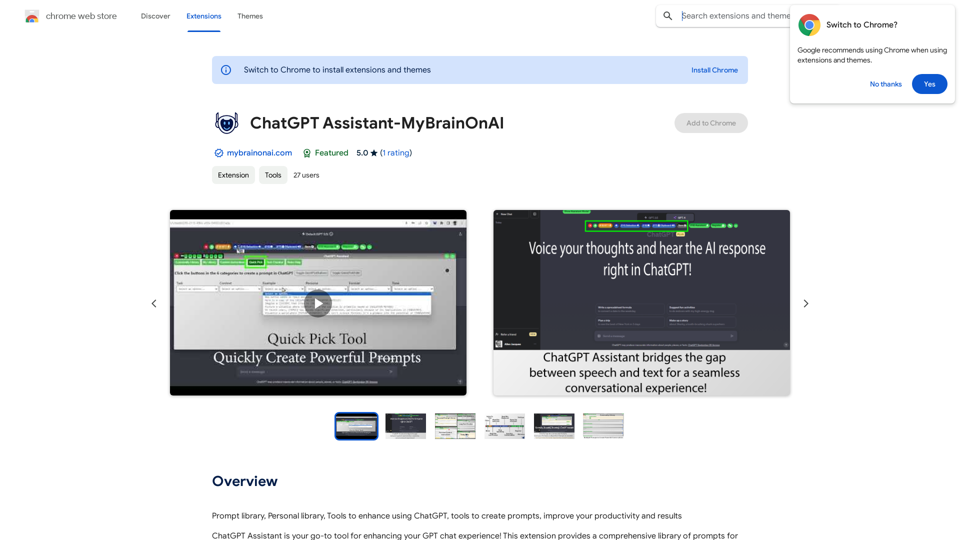
Prompt Library Personal Library Tools to enhance using ChatGPT Tools to create prompts Improve your productivity and results
Visit Website
ChatGPT Assistant - MyBrainOnAI
Visit Website

Introduction

ChatGPT Assistant is an AI-driven platform that enhances the GPT chat experience by providing access to a wide range of AI technologies. It offers features for text generation, image understanding, and prompt management. The platform allows users to utilize a comprehensive library of prompts, create personal prompt collections, and streamline interactions with ChatGPT.

Feature

Community Library of Prompts

Users can select specific niches, categories, sub-categories, and titles for personalized interactions with ChatGPT.

Speech-to-Text Functionality

Enables users to dictate prompts, converting speech into text for hands-free interaction.

Custom Instructions Library

Provides a platform for creating and managing custom instructions for specific conversation threads or tasks.

Personal Library of Prompts

A personalized space for creating, storing, and collecting prompts, including direct collection from websites.

Quick Pick Tool with 6-Part Selection

An advanced prompt creation tool considering task, context, example, persona, format, and tone for robust and relevant prompts.

Text Chunker

Breaks down extensive documents into smaller, manageable chunks compatible with GPT-3 or GPT-4's limitations.

Save Conversation Threads

Allows users to save entire conversation threads to a text file for future reference.

Reader

Enhances the reading experience within ChatGPT with user-friendly interfaces and functionalities.

RoboHelp

An embedded help system guiding users through the extension's features and functionalities.

Web Prompt Collection

Enables users to gather prompts from websites directly into their personal library.

Link to MyBrainOnAI.com

Provides direct access to comprehensive information about AI and ChatGPT.

FAQ

What is ChatGPT Assistant?

ChatGPT Assistant is an AI-driven platform that provides access to various AI technologies for text generation and image understanding, enhancing the GPT chat experience.

What are the main features of ChatGPT Assistant?

The main features include:

  • Community Library of Prompts
  • Speech-to-Text Functionality
  • Custom Instructions Library
  • Personal Library of Prompts
  • Quick Pick Tool with 6-Part Selection
  • Text Chunker
  • Save Conversation Threads
  • Reader
  • RoboHelp
  • Web Prompt Collection

How do I use ChatGPT Assistant?

Users can utilize ChatGPT Assistant for free up to 20 times a day. Subscribing to the platform grants additional benefits and extended access beyond the free usage limits.

What is the pricing of ChatGPT Assistant?

The pricing information for ChatGPT Assistant is not specified in the provided text.

Related Websites
PandasAI - Conversational Data Analysis
View Detail

PandasAI - Conversational Data Analysis

PandasAI - Conversational Data Analysis

PandasAI is a Python library that integrates generative artificial intelligence capabilities into pandas, making dataframes conversational.

44.27 K
Get MailMaestro
View Detail

Get MailMaestro

Get MailMaestro

Enhance your email productivity with MailMaestro. Enjoy AI-assisted email summaries, unique style personalization, and top-quality drafts. Check our features today!

222.20 K
AI Detector for Text and Images - Winston AI
View Detail

AI Detector for Text and Images - Winston AI

AI Detector for Text and Images - Winston AI

Winston AI is the most trusted AI detector to help identify AI-generated content and AI images.

193.90 M
Free Transcription Tool | Deepgram
View Detail

Free Transcription Tool | Deepgram

Free Transcription Tool | Deepgram

Easily convert your conversations, audio files, or YouTube videos into text for free with our advanced transcription tool.

835.16 K
ChatFlow: ChatGPT Prompt Populator
View Detail

ChatFlow: ChatGPT Prompt Populator

ChatFlow: ChatGPT Prompt Populator

ChatFlow for ChatGPT makes it easy to manage your prompts, so you can have more efficient and enjoyable conversations.

193.90 M
⚡️ Invertigo: Read More, Read Faster
View Detail

⚡️ Invertigo: Read More, Read Faster

⚡️ Invertigo: Read More, Read Faster

Read smarter, retain more. Go beyond skimming: Supercharge your web reading.

193.90 M
Open ChatGPT in a New Tab

You can open ChatGPT in a new tab by following these steps:

#Method 1: Using the Browser's Context Menu

1. Right-click on the ChatGPT link or button.
2. Select "Open in new tab" or "Open link in new tab" from the context menu.

#Method 2: Using the Keyboard Shortcut

1. Press `Ctrl + Click` (Windows/Linux) or `Cmd + Click` (Mac) on the ChatGPT link or button.

#Method 3: Using the Browser's Toolbar

1. Click on the ChatGPT link or button while holding down the `Ctrl` key (Windows/Linux) or `Cmd` key (Mac).
2. Release the key after the new tab is opened.

By following these methods, you can easily open ChatGPT in a new tab and start chatting without leaving your current page.
View Detail

Open ChatGPT in a New Tab You can open ChatGPT in a new tab by following these steps: #Method 1: Using the Browser's Context Menu 1. Right-click on the ChatGPT link or button. 2. Select "Open in new tab" or "Open link in new tab" from the context menu. #Method 2: Using the Keyboard Shortcut 1. Press `Ctrl + Click` (Windows/Linux) or `Cmd + Click` (Mac) on the ChatGPT link or button. #Method 3: Using the Browser's Toolbar 1. Click on the ChatGPT link or button while holding down the `Ctrl` key (Windows/Linux) or `Cmd` key (Mac). 2. Release the key after the new tab is opened. By following these methods, you can easily open ChatGPT in a new tab and start chatting without leaving your current page.

Open ChatGPT in a New Tab You can open ChatGPT in a new tab by following these steps: #Method 1: Using the Browser's Context Menu 1. Right-click on the ChatGPT link or button. 2. Select "Open in new tab" or "Open link in new tab" from the context menu. #Method 2: Using the Keyboard Shortcut 1. Press `Ctrl + Click` (Windows/Linux) or `Cmd + Click` (Mac) on the ChatGPT link or button. #Method 3: Using the Browser's Toolbar 1. Click on the ChatGPT link or button while holding down the `Ctrl` key (Windows/Linux) or `Cmd` key (Mac). 2. Release the key after the new tab is opened. By following these methods, you can easily open ChatGPT in a new tab and start chatting without leaving your current page.

New Tab with Quick ChatGPT Access

193.90 M
CozyEQ
View Detail

CozyEQ

CozyEQ

CozyEQ automatically adjusts the volume of media, preventing loud noises and creating a comfortable listening experience for users.

193.90 M