Open-source RightAI Tools Directory
  • Discover AI
  • Submit
  • Startup
  • Blog
Open-source RightAI Tools Directory
Discover the best AI tools of 2025 with the RightAI Tools Directory!

Friend Links

AI Anime GeneratorToolsApp AI

Support

Tap4
Privacy policyTerms & ConditionsContact Us
Loading...
loading...

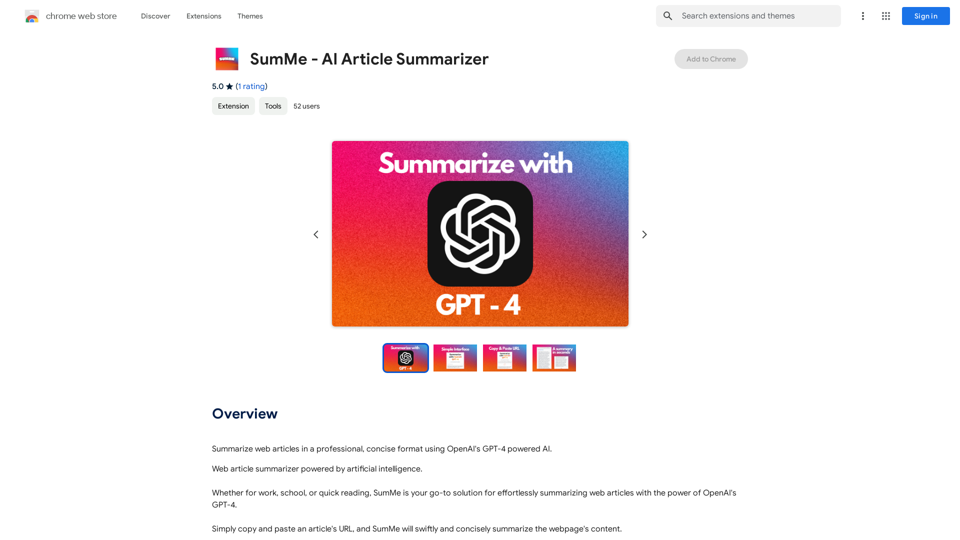
SumMe - AI Article Summarizer

I can do that! Just paste the web article text here, and I'll generate a professional and concise summary using OpenAI's powerful GPT-4 model.
Visit Website
SumMe - AI Article Summarizer
Visit Website

Introduction

SumMe is an AI-powered article summarizer that utilizes OpenAI's GPT-4 technology to provide concise and professional summaries of web articles. This tool is designed to simplify the process of extracting key information from lengthy content, making it invaluable for work, academic pursuits, or quick reading. SumMe offers a one-click solution for summarizing web articles, delivering results within seconds and completely free of charge.

Feature

AI-Powered Summarization

SumMe leverages OpenAI's GPT-4 technology to generate high-quality, professional summaries of web articles.

One-Click Functionality

Users can summarize web articles with a single click, streamlining the process of information extraction.

Rapid Results

SumMe provides summaries within seconds, allowing for quick access to essential information.

Professional Formatting

Summaries are presented in a concise and professional format, enhancing readability and comprehension.

Easy Copying

With one click, users can copy both the summary and source information to their clipboard.

Cost-Free Service

SumMe is entirely free to use, with no advertisements or subscription fees.

Versatile Application

The tool can summarize various content types, including web articles, YouTube videos, and PDFs.

FAQ

Is SumMe free to use?

Yes, SumMe is completely free with no ads or subscription fees. Users can utilize the service as much as they want without incurring any costs.

How does SumMe function?

SumMe employs OpenAI's GPT-4 to analyze and summarize web articles, producing professional and concise summaries.

Can SumMe be used for commercial purposes?

Yes, SumMe is available for both personal and commercial use at no cost.

What types of content can SumMe summarize?

SumMe can summarize web articles, YouTube videos, and PDFs, making it a versatile tool for various content types.

Latest Traffic Insights

  • Monthly Visits

    193.90 M

  • Bounce Rate

    56.27%

  • Pages Per Visit

    2.71

  • Time on Site(s)

    115.91

  • Global Rank

    -

  • Country Rank

    -

Recent Visits

Traffic Sources

  • Social Media:
    0.48%
  • Paid Referrals:
    0.55%
  • Email:
    0.15%
  • Referrals:
    12.81%
  • Search Engines:
    16.21%
  • Direct:
    69.81%
More Data

Related Websites

Article Summary with ChatGPT and Take Notes

This is a guide on how to use ChatGPT to summarize articles and take notes effectively. 

Step 1:  Provide ChatGPT with the Article

Copy and paste the full text of the article into the ChatGPT interface. 

Step 2:  Craft Your Prompt

Tell ChatGPT what you want it to do. Here are some examples:

* Summarize: "Please summarize this article in 200 words."
* Key Points: "What are the main points of this article?"
* Bullet Points: "Summarize the key findings of this article in bullet points."
* Notes: "Take notes on this article, focusing on the author's arguments and supporting evidence."

Step 3:  Review and Refine

ChatGPT will generate a summary, key points, bullet points, or notes based on your prompt. 

* Read carefully: Make sure the output accurately reflects the article's content.
* Edit as needed:  You can ask ChatGPT to rephrase sections or provide more detail.
* Add your own insights:  Don't just copy ChatGPT's output. Use it as a starting point and add your own thoughts, questions, and connections.

Tips for Effective Use:

* Be specific: The more specific your prompt, the better the output will be.
* Experiment with different prompts: Try various phrasing to see what works best.
* Use ChatGPT as a tool:  It's a powerful aid, but it's not a replacement for critical reading and thinking.
View Detail

Article Summary with ChatGPT and Take Notes This is a guide on how to use ChatGPT to summarize articles and take notes effectively. Step 1: Provide ChatGPT with the Article Copy and paste the full text of the article into the ChatGPT interface. Step 2: Craft Your Prompt Tell ChatGPT what you want it to do. Here are some examples: * Summarize: "Please summarize this article in 200 words." * Key Points: "What are the main points of this article?" * Bullet Points: "Summarize the key findings of this article in bullet points." * Notes: "Take notes on this article, focusing on the author's arguments and supporting evidence." Step 3: Review and Refine ChatGPT will generate a summary, key points, bullet points, or notes based on your prompt. * Read carefully: Make sure the output accurately reflects the article's content. * Edit as needed: You can ask ChatGPT to rephrase sections or provide more detail. * Add your own insights: Don't just copy ChatGPT's output. Use it as a starting point and add your own thoughts, questions, and connections. Tips for Effective Use: * Be specific: The more specific your prompt, the better the output will be. * Experiment with different prompts: Try various phrasing to see what works best. * Use ChatGPT as a tool: It's a powerful aid, but it's not a replacement for critical reading and thinking.

Article Summary with ChatGPT and Take Notes This is a guide on how to use ChatGPT to summarize articles and take notes effectively. Step 1: Provide ChatGPT with the Article Copy and paste the full text of the article into the ChatGPT interface. Step 2: Craft Your Prompt Tell ChatGPT what you want it to do. Here are some examples: * Summarize: "Please summarize this article in 200 words." * Key Points: "What are the main points of this article?" * Bullet Points: "Summarize the key findings of this article in bullet points." * Notes: "Take notes on this article, focusing on the author's arguments and supporting evidence." Step 3: Review and Refine ChatGPT will generate a summary, key points, bullet points, or notes based on your prompt. * Read carefully: Make sure the output accurately reflects the article's content. * Edit as needed: You can ask ChatGPT to rephrase sections or provide more detail. * Add your own insights: Don't just copy ChatGPT's output. Use it as a starting point and add your own thoughts, questions, and connections. Tips for Effective Use: * Be specific: The more specific your prompt, the better the output will be. * Experiment with different prompts: Try various phrasing to see what works best. * Use ChatGPT as a tool: It's a powerful aid, but it's not a replacement for critical reading and thinking.

I can do that! Please provide me with the URL of the webpage or article you'd like me to summarize. I'll do my best to create a concise and easy-to-understand summary for you.

193.90 M
AI Paragraph Generator
View Detail

AI Paragraph Generator

AI Paragraph Generator

AI Paragraph Generator is a powerful tool that transforms your ideas into well-structured and engaging paragraphs. Artificial Intelligence Paragraph Generator meets all your content needs, from blogs to academic papers, with our tool ensuring originality, relevance and professionalism in every use case.

0
WebWise ChatGPT English (USA)
View Detail

WebWise ChatGPT English (USA)

WebWise ChatGPT English (USA)

ChatGPT's power in Chrome: Seamlessly integrated, engage from the toolbar to search results.

193.90 M
ReText
View Detail

ReText

ReText

An AI-powered text processing tool to fix and simplify your text, making your texting experience as easy as possible.

193.90 M
AI Photo Caption - Text Generator on the App Store
View Detail

AI Photo Caption - Text Generator on the App Store

AI Photo Caption - Text Generator on the App Store

Welcome to PhotoCaption AI – where your photos speak a thousand words in multiple languages! Do you often find yourself struggling to come up with the perfect caption for your amazing photos?

654.73 K
FisherAI - Your Best Summary Copilot, Supporting ChatGPT & Gemini
View Detail

FisherAI - Your Best Summary Copilot, Supporting ChatGPT & Gemini

FisherAI - Your Best Summary Copilot, Supporting ChatGPT & Gemini

Your Best AI Summary Assistant

193.90 M
GPT Assistant Mexico

This AI-powered assistant is designed to provide helpful and informative responses to your queries, with a focus on Mexico-related topics. Whether you need information on Mexican culture, history, travel, or daily life, this assistant is here to assist you.

Features:

* Answering questions: Get accurate and reliable information on a wide range of topics, from Mexican history to cultural traditions.
* Providing recommendations: Looking for the best places to visit, eat, or stay in Mexico? This assistant has got you covered.
* Language translation: Need help translating Spanish to English or vice versa? This assistant is happy to assist.
* Conversation: Engage in natural-sounding conversations, just like you would with a local.

Benefits:

* Convenience: Get instant answers to your questions, 24/7.
* Accuracy: Rely on trustworthy information, verified by experts.
* Personalization: Receive tailored recommendations based on your preferences.
* Language support: Communicate effortlessly, without language barriers.

How to use:

1. Ask a question: Type your query, and the assistant will respond with a helpful answer.
2. Provide context: Share more information about your question, and the assistant will give you a more accurate response.
3. Start a conversation: Engage in a natural conversation, and the assistant will respond accordingly.

Get started today!
View Detail

GPT Assistant Mexico This AI-powered assistant is designed to provide helpful and informative responses to your queries, with a focus on Mexico-related topics. Whether you need information on Mexican culture, history, travel, or daily life, this assistant is here to assist you. Features: * Answering questions: Get accurate and reliable information on a wide range of topics, from Mexican history to cultural traditions. * Providing recommendations: Looking for the best places to visit, eat, or stay in Mexico? This assistant has got you covered. * Language translation: Need help translating Spanish to English or vice versa? This assistant is happy to assist. * Conversation: Engage in natural-sounding conversations, just like you would with a local. Benefits: * Convenience: Get instant answers to your questions, 24/7. * Accuracy: Rely on trustworthy information, verified by experts. * Personalization: Receive tailored recommendations based on your preferences. * Language support: Communicate effortlessly, without language barriers. How to use: 1. Ask a question: Type your query, and the assistant will respond with a helpful answer. 2. Provide context: Share more information about your question, and the assistant will give you a more accurate response. 3. Start a conversation: Engage in a natural conversation, and the assistant will respond accordingly. Get started today!

GPT Assistant Mexico This AI-powered assistant is designed to provide helpful and informative responses to your queries, with a focus on Mexico-related topics. Whether you need information on Mexican culture, history, travel, or daily life, this assistant is here to assist you. Features: * Answering questions: Get accurate and reliable information on a wide range of topics, from Mexican history to cultural traditions. * Providing recommendations: Looking for the best places to visit, eat, or stay in Mexico? This assistant has got you covered. * Language translation: Need help translating Spanish to English or vice versa? This assistant is happy to assist. * Conversation: Engage in natural-sounding conversations, just like you would with a local. Benefits: * Convenience: Get instant answers to your questions, 24/7. * Accuracy: Rely on trustworthy information, verified by experts. * Personalization: Receive tailored recommendations based on your preferences. * Language support: Communicate effortlessly, without language barriers. How to use: 1. Ask a question: Type your query, and the assistant will respond with a helpful answer. 2. Provide context: Share more information about your question, and the assistant will give you a more accurate response. 3. Start a conversation: Engage in a natural conversation, and the assistant will respond accordingly. Get started today!

Free add-on, no ads, fast for ChatGPT in the Mexican community with highlighted links.

193.90 M
Latercut - Ship Shorts 10x Faster
View Detail

Latercut - Ship Shorts 10x Faster

Latercut - Ship Shorts 10x Faster

Faceless Video Tool for Social Media

0