Open-source RightAI Tools Directory
  • Discover AI
  • Submit
  • Startup
  • Blog
Open-source RightAI Tools Directory
Discover the best AI tools of 2025 with the RightAI Tools Directory!

Friend Links

AI Anime GeneratorToolsApp AI

Support

Tap4
Privacy policyTerms & ConditionsContact Us
Loading...
loading...

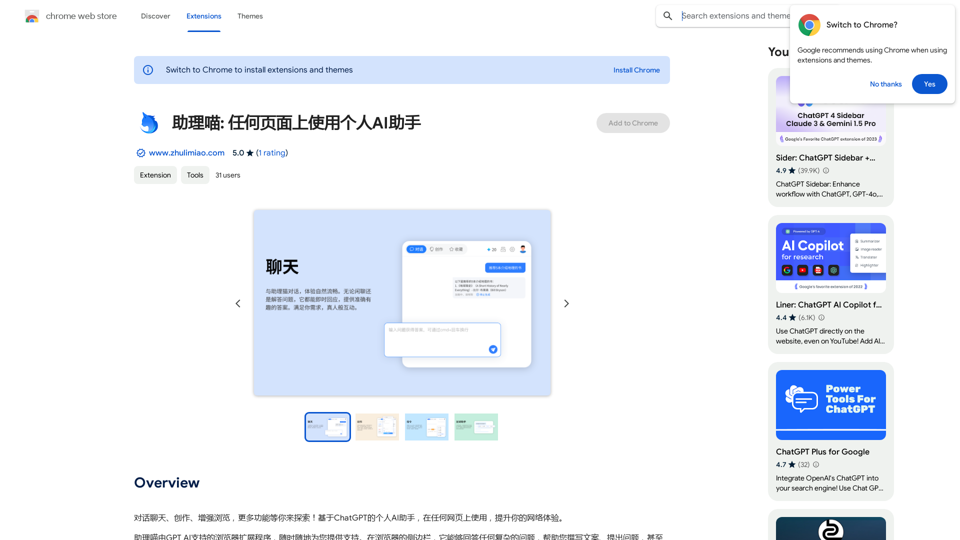
Assistant Meow: Any page using a personal AI assistant

Chat, create, and enhance your browsing experience - there's more to discover! This personal AI assistant, powered by ChatGPT, works on any webpage to boost your online experience.
Visit Website
Assistant Meow: Any page using a personal AI assistant
Visit Website

Introduction

Assistant Miao is an AI-powered browser extension that enhances your browsing experience by providing a personal AI assistant on any webpage. Leveraging ChatGPT's capabilities, it offers features such as answering complex questions, assisting with writing tasks, and generating code. This versatile tool is designed to boost productivity and simplify various online activities.

Feature

Easy-to-Use Browser Extension

Assistant Miao supports all browsers and web pages, allowing users to increase their work efficiency anytime and anywhere.

AI-Powered Writing Assistance

Utilize Assistant Miao's AI capabilities to effortlessly create various types of content, including articles, novels, and academic papers.

Quick Information Search

Find relevant information quickly and easily, streamlining your research process.

Convenient Text Commands

Seamlessly translate, explain, or summarize any text on a webpage with simple commands.

Language Learning Support

Offers real-time translation of multiple languages, dictionary lookup, and grammar checking to facilitate language learning.

Code Generation and Programming Support

Generate professional code and access core industry knowledge with just one click, making it an invaluable tool for programmers.

Multiple Template Tools

Includes various template tools with prompts for different scenarios, simplifying operations and improving efficiency.

Flexible Login Options

Supports mobile phone and verification code login, ensuring convenient and fast access without device restrictions.

FAQ

How do I start using Assistant Miao?

To begin using Assistant Miao:

  1. Visit the official website to download and install the browser extension.
  2. Press Cmd+B (Mac) or Ctrl+B (Windows) to summon Assistant Miao and start chatting.
  3. Select any text on a webpage for Assistant Miao to explain, translate, or rewrite.
  4. Explore and utilize all of Assistant Miao's features.

Is Assistant Miao free to use?

Yes, Assistant Miao is a free browser extension with no subscription fees required.

What are the main features of Assistant Miao?

Assistant Miao offers:

  • AI-powered writing assistance
  • Quick information search
  • Text translation and summarization
  • Language learning support
  • Code generation
  • Multiple template tools
  • Flexible login options

Can Assistant Miao work on any webpage?

Yes, Assistant Miao supports all browsers and web pages, allowing you to enhance your productivity across various online platforms.

Latest Traffic Insights

  • Monthly Visits

    193.90 M

  • Bounce Rate

    56.27%

  • Pages Per Visit

    2.71

  • Time on Site(s)

    115.91

  • Global Rank

    -

  • Country Rank

    -

Recent Visits

Traffic Sources

  • Social Media:
    0.48%
  • Paid Referrals:
    0.55%
  • Email:
    0.15%
  • Referrals:
    12.81%
  • Search Engines:
    16.21%
  • Direct:
    69.81%
More Data

Related Websites

Free AI YouTube Title Generator: Boost Your Views
View Detail

Free AI YouTube Title Generator: Boost Your Views

Free AI YouTube Title Generator: Boost Your Views

Free AI YouTube Title Generator to Get More Clicks. Perfect for Creators Needing Catchy Titles! Improve SEO & Engage More Viewers.

193.90 M
Explore GPT-4 for Free Online: OpenAI's Cutting-Edge Multimodal AI Platform
View Detail

Explore GPT-4 for Free Online: OpenAI's Cutting-Edge Multimodal AI Platform

Explore GPT-4 for Free Online: OpenAI's Cutting-Edge Multimodal AI Platform

Explore the future of AI with GPT-4o, OpenAI's groundbreaking multimodal platform that interprets and generates text, visuals, and audio. Experience unparalleled speed, cost efficiency, and accessibility in AI technology. Dive into GPT-4o's capabilities and learn how it can revolutionize your interaction with AI. Perfect for tech enthusiasts, developers, and businesses aiming to enhance operational efficiency and engagement.

1.33 K
ChatGPT Sorcerer
View Detail

ChatGPT Sorcerer

ChatGPT Sorcerer

Improve your web browsing experience with ChatGPT Wizard: quickly answer quizzes, ask ChatGPT questions, and do much more.

193.90 M
TextFlip: ChatGPT Rewriter, AI Humanizer, Chat PDF and Summarizer
View Detail

TextFlip: ChatGPT Rewriter, AI Humanizer, Chat PDF and Summarizer

TextFlip: ChatGPT Rewriter, AI Humanizer, Chat PDF and Summarizer

Powerful Chrome extension offering text rewriting, making it sound more natural, PDF processing, and summarization features.

193.90 M
Adot AI: ChatGPT-powered Web3 Search Engine
View Detail

Adot AI: ChatGPT-powered Web3 Search Engine

Adot AI: ChatGPT-powered Web3 Search Engine

Explore the Web3 space with Adot AI, the AI search tool tailored by keywords.

193.90 M
Free ChatGPT Omni (GPT4o) | gptomni.ai
View Detail

Free ChatGPT Omni (GPT4o) | gptomni.ai

Free ChatGPT Omni (GPT4o) | gptomni.ai

Free ChatGPT Omni: gptomni.ai offers a free, easy-to-use, web-based chat interface for conversations with the GPT4o AI model.

1.25 K
Revam Product Sniper Extension
View Detail

Revam Product Sniper Extension

Revam Product Sniper Extension

Revam Product Sniper Extension

193.90 M
Searching for ChatGPT Plugins

Searching for ChatGPT plugins can be an exciting experience, as it allows you to explore and discover new features and functionalities to enhance your conversational AI model. Here are some ways to search for ChatGPT plugins:

Official Plugin Directory

The official ChatGPT plugin directory is a great place to start your search. This directory provides a curated list of plugins that are compatible with ChatGPT, along with their descriptions, features, and installation instructions.

GitHub and Open-Source Repositories

GitHub and other open-source repositories are treasure troves for ChatGPT plugins. You can search for plugins using keywords like "ChatGPT plugin" or "conversational AI plugin" to find relevant repositories. You can also explore popular open-source repositories like the ChatGPT community repository.

Plugin Marketplaces

Some plugin marketplaces, like the ChatGPT Marketplace, offer a wide range of plugins for ChatGPT. These marketplaces often provide user reviews, ratings, and descriptions to help you make informed decisions.

Forums and Communities

ChatGPT forums and communities are great places to ask for plugin recommendations or search for plugins. You can ask other users about their favorite plugins or search for threads related to specific plugin categories.

Search Engines

Finally, you can use search engines like Google to search for ChatGPT plugins. Use specific keywords like "ChatGPT plugin for [specific feature]" or "best ChatGPT plugins" to get relevant results.

Remember to always evaluate the plugins you find based on their compatibility, features, and user reviews before installing them. Happy searching!
View Detail

Searching for ChatGPT Plugins Searching for ChatGPT plugins can be an exciting experience, as it allows you to explore and discover new features and functionalities to enhance your conversational AI model. Here are some ways to search for ChatGPT plugins: Official Plugin Directory The official ChatGPT plugin directory is a great place to start your search. This directory provides a curated list of plugins that are compatible with ChatGPT, along with their descriptions, features, and installation instructions. GitHub and Open-Source Repositories GitHub and other open-source repositories are treasure troves for ChatGPT plugins. You can search for plugins using keywords like "ChatGPT plugin" or "conversational AI plugin" to find relevant repositories. You can also explore popular open-source repositories like the ChatGPT community repository. Plugin Marketplaces Some plugin marketplaces, like the ChatGPT Marketplace, offer a wide range of plugins for ChatGPT. These marketplaces often provide user reviews, ratings, and descriptions to help you make informed decisions. Forums and Communities ChatGPT forums and communities are great places to ask for plugin recommendations or search for plugins. You can ask other users about their favorite plugins or search for threads related to specific plugin categories. Search Engines Finally, you can use search engines like Google to search for ChatGPT plugins. Use specific keywords like "ChatGPT plugin for [specific feature]" or "best ChatGPT plugins" to get relevant results. Remember to always evaluate the plugins you find based on their compatibility, features, and user reviews before installing them. Happy searching!

Searching for ChatGPT Plugins Searching for ChatGPT plugins can be an exciting experience, as it allows you to explore and discover new features and functionalities to enhance your conversational AI model. Here are some ways to search for ChatGPT plugins: Official Plugin Directory The official ChatGPT plugin directory is a great place to start your search. This directory provides a curated list of plugins that are compatible with ChatGPT, along with their descriptions, features, and installation instructions. GitHub and Open-Source Repositories GitHub and other open-source repositories are treasure troves for ChatGPT plugins. You can search for plugins using keywords like "ChatGPT plugin" or "conversational AI plugin" to find relevant repositories. You can also explore popular open-source repositories like the ChatGPT community repository. Plugin Marketplaces Some plugin marketplaces, like the ChatGPT Marketplace, offer a wide range of plugins for ChatGPT. These marketplaces often provide user reviews, ratings, and descriptions to help you make informed decisions. Forums and Communities ChatGPT forums and communities are great places to ask for plugin recommendations or search for plugins. You can ask other users about their favorite plugins or search for threads related to specific plugin categories. Search Engines Finally, you can use search engines like Google to search for ChatGPT plugins. Use specific keywords like "ChatGPT plugin for [specific feature]" or "best ChatGPT plugins" to get relevant results. Remember to always evaluate the plugins you find based on their compatibility, features, and user reviews before installing them. Happy searching!

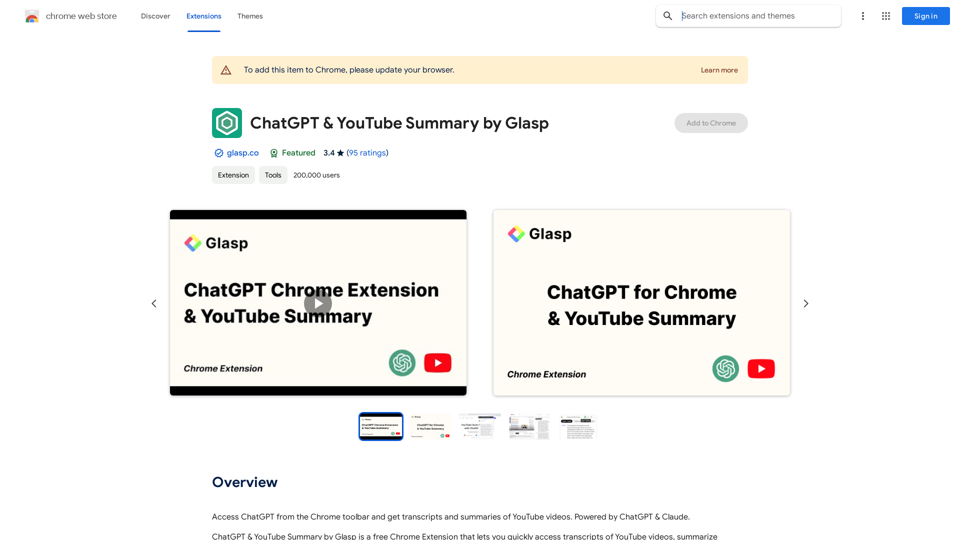
Here are some of the best, top, and popular ChatGPT plugins: 1. WebChat: A plugin that allows users to interact with ChatGPT through a web interface. 2. ChatGPT Writer: A plugin that helps users generate high-quality content, such as articles, stories, and emails, using ChatGPT's language generation capabilities. 3. ChatGPT Code Interpreter: A plugin that enables users to write code in various programming languages and have ChatGPT interpret and execute it. 4. ChatGPT Conversational AI: A plugin that allows users to create conversational AI models using ChatGPT's language understanding capabilities. 5. ChatGPT Language Translator: A plugin that enables users to translate text from one language to another using ChatGPT's language translation capabilities. 6. ChatGPT Summarizer: A plugin that helps users summarize long pieces of text, such as articles or documents, into concise summaries using ChatGPT's text summarization capabilities. 7. ChatGPT Q&A: A plugin that enables users to ask questions and receive answers from ChatGPT on a wide range of topics. 8. ChatGPT Creative Writing: A plugin that helps users generate creative writing, such as poetry, stories, and dialogues, using ChatGPT's language generation capabilities. 9. ChatGPT Dialogue System: A plugin that enables users to create conversational dialogue systems using ChatGPT's language understanding capabilities. 10. ChatGPT Sentiment Analyzer: A plugin that helps users analyze the sentiment of text, such as determining whether a piece of text is positive, negative, or neutral, using ChatGPT's sentiment analysis capabilities.

193.90 M