Open-source RightAI Tools Directory
  • Discover AI
  • Submit
  • Startup
  • Blog
Open-source RightAI Tools Directory
Discover the best AI tools of 2025 with the RightAI Tools Directory!

Friend Links

AI Anime GeneratorToolsApp AI

Support

Tap4
Privacy policyTerms & ConditionsContact Us
Loading...
loading...

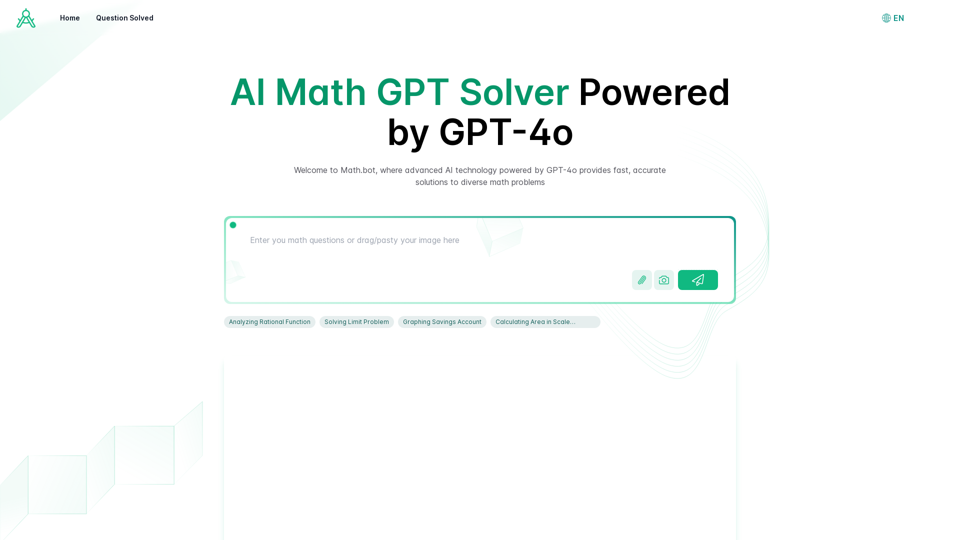
AI Math GPT Solver Powered by GPT-4: Free Online | Math Bot

Unlock math solutions instantly with our free AI-powered Math Solver. Get step-by-step guidance on equations, word problems, and more, anytime, anywhere with GPT-4o technology
Visit Website
AI Math GPT Solver Powered by GPT-4: Free Online | Math Bot
Visit Website

Introduction

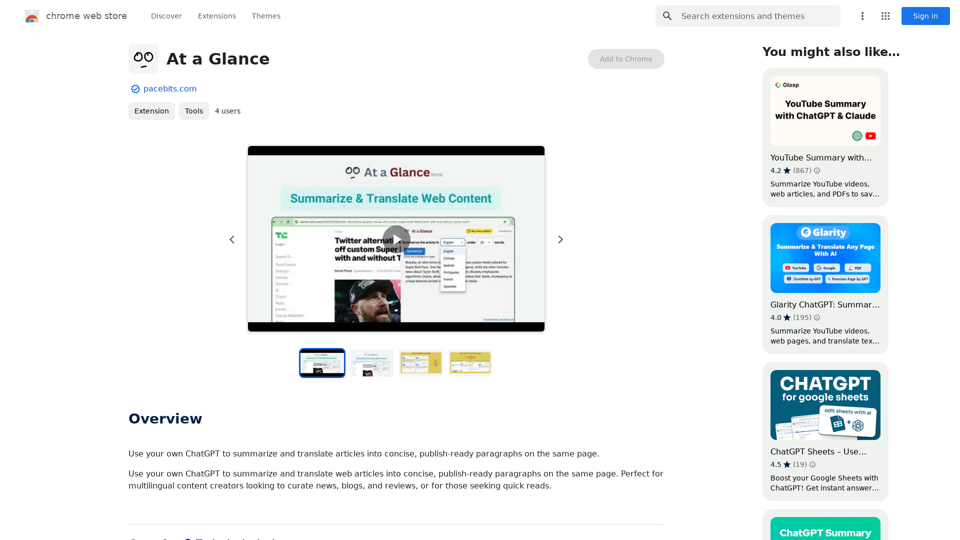
AI Math GPT Solver is a free online platform that leverages advanced AI technology to provide quick and accurate solutions for various mathematical problems. Powered by GPT-4o, this user-friendly service covers a wide range of mathematical subjects, including algebra, calculus, and geometry. It is accessible through both web and mobile applications, making it a versatile tool for students, educators, and math enthusiasts alike.

Feature

Free Online GPT-4o Math Solver

AI Math GPT Solver offers a comprehensive solution for mathematical problems across various subjects, including algebra, calculus, and geometry, all powered by the advanced GPT-4o AI technology.

Step-by-Step Guidance

The platform provides detailed, step-by-step explanations for solving equations and word problems, enhancing understanding of the underlying methodologies.

Photo Math Solver

Users can upload images of handwritten or printed math problems for instant solutions, streamlining the problem-solving process.

Interactive ChatGPT Math Solver

An engaging, dynamic problem-solving experience is offered through the interactive ChatGPT math solver feature.

Unlimited Free Usage

The platform is free to use with no daily limit on the number of math problems that can be solved.

Multi-Platform Accessibility

AI Math GPT Solver is available via web and mobile apps, ensuring convenient access across different devices.

FAQ

What types of math problems can AI Math GPT Solver handle?

AI Math GPT Solver can handle a wide range of mathematical problems, including those in algebra, calculus, and geometry.

Is AI Math GPT Solver really free to use?

Yes, AI Math GPT Solver is free to use, with no limits on the number of math problems you can solve each day.

How accurate are the solutions provided by AI Math GPT Solver?

The solutions provided are highly accurate, thanks to the advanced GPT-4o AI technology powering the platform.

Can I use AI Math GPT Solver on my mobile device?

Yes, AI Math GPT Solver is accessible via both web and mobile applications for convenient use on various devices.

How does the photo math solver work?

The photo math solver allows you to upload an image of a handwritten or printed math problem, which the AI then processes to provide an immediate solution.

How does AI Math GPT Solver help with math word problems?

AI Math GPT Solver provides step-by-step guidance for solving word problems, helping users understand the methodology behind each solution.

Is there a subscription option for additional benefits?

While the platform is free to use, there is an option to subscribe for additional benefits and extended access beyond the free usage limits.

Related Websites
Math Sniper
View Detail

Math Sniper

Math Sniper

Master math effortlessly! Step-by-step solutions for arithmetic, algebra, trigonometry, and geometry. Instant Snap & Ask, rich materials, diverse practice. Simplify math with Math Sniper – where precision meets simplicity!

0
Yes or No Tarot
View Detail

Yes or No Tarot

Yes or No Tarot

Yes or No Tarot offers quick answers to your everyday questions. Just ask, draw a card, and get a simple yes, no, or maybe to help guide your choices.

0
Essay Writer Applicant
View Detail

Essay Writer Applicant

Essay Writer Applicant

An extension to bid on jobs from essay writers that is easy to use.

193.90 M
GPT Search Navigator
View Detail

GPT Search Navigator

GPT Search Navigator

Get instant, relevant answers to all your Google searches!

193.90 M
HTML Recorder
View Detail

HTML Recorder

HTML Recorder

The easiest way to turn any website into plain text to create your own custom GPTs!

193.90 M
Semaj AI
View Detail

Semaj AI

Semaj AI

Quiz Generation Made Easy! ============================= With just one click, you can generate a quiz on any topic you want! Whether you're a teacher, student, or just a curious learner, this feature is perfect for you. How it Works --------------- 1. Choose Your Topic: Select the topic you want to generate a quiz on. It can be anything from history to science, literature to music, or even pop culture! 2. Click the Button: Simply click the "Generate Quiz" button, and our AI-powered algorithm will do the rest. 3. Get Your Quiz: In an instant, you'll receive a comprehensive quiz with multiple-choice questions, true/false questions, and short-answer questions. Features ------------ * Customizable: You can adjust the difficulty level, question type, and even add your own questions to make the quiz more personalized. * Instant Feedback: Get instant feedback on your answers, so you can track your progress and identify areas for improvement. * Shareable: Share your quiz with friends, classmates, or even on social media to spark a fun competition! Try it Out! -------------- Click the "Generate Quiz" button below to get started! [Generate Quiz Button] Happy quizzing!

0
Chat-GPT PDF

What is Chat-GPT PDF?

Chat-GPT PDF is a tool that allows users to generate PDF files from Chat-GPT conversations. This innovative tool enables users to save and share their conversations in a more organized and visually appealing format.

How does Chat-GPT PDF work?

The process is simple and straightforward. Here's a step-by-step guide:

1. Copy the conversation: Copy the entire conversation from the Chat-GPT platform.
2. Paste the conversation: Paste the copied conversation into the Chat-GPT PDF tool.
3. Customize the layout: Customize the layout, font, and design of the PDF file according to your preferences.
4. Generate the PDF: Click the "Generate PDF" button to create a downloadable PDF file.

Features of Chat-GPT PDF

Chat-GPT PDF offers several features that make it an essential tool for users:

* Customizable layout: Customize the layout, font, and design of the PDF file to suit your needs.
* Easy sharing: Share the PDF file with others via email, social media, or messaging apps.
* Offline access: Access your conversations offline, even without an internet connection.
* Organization: Organize your conversations in a neat and tidy format, making it easier to review and reference.

Benefits of Chat-GPT PDF

The benefits of using Chat-GPT PDF are numerous:

* Improved productivity: Save time and increase productivity by having all your conversations in one place.
* Enhanced collaboration: Collaborate with others more effectively by sharing conversations in a clear and concise format.
* Better organization: Keep your conversations organized, making it easier to review and reference them later.

Conclusion

Chat-GPT PDF is a game-changer for anyone who uses Chat-GPT regularly. With its ease of use, customization options, and benefits, it's an essential tool for anyone looking to get the most out of their conversations.
View Detail

Chat-GPT PDF What is Chat-GPT PDF? Chat-GPT PDF is a tool that allows users to generate PDF files from Chat-GPT conversations. This innovative tool enables users to save and share their conversations in a more organized and visually appealing format. How does Chat-GPT PDF work? The process is simple and straightforward. Here's a step-by-step guide: 1. Copy the conversation: Copy the entire conversation from the Chat-GPT platform. 2. Paste the conversation: Paste the copied conversation into the Chat-GPT PDF tool. 3. Customize the layout: Customize the layout, font, and design of the PDF file according to your preferences. 4. Generate the PDF: Click the "Generate PDF" button to create a downloadable PDF file. Features of Chat-GPT PDF Chat-GPT PDF offers several features that make it an essential tool for users: * Customizable layout: Customize the layout, font, and design of the PDF file to suit your needs. * Easy sharing: Share the PDF file with others via email, social media, or messaging apps. * Offline access: Access your conversations offline, even without an internet connection. * Organization: Organize your conversations in a neat and tidy format, making it easier to review and reference. Benefits of Chat-GPT PDF The benefits of using Chat-GPT PDF are numerous: * Improved productivity: Save time and increase productivity by having all your conversations in one place. * Enhanced collaboration: Collaborate with others more effectively by sharing conversations in a clear and concise format. * Better organization: Keep your conversations organized, making it easier to review and reference them later. Conclusion Chat-GPT PDF is a game-changer for anyone who uses Chat-GPT regularly. With its ease of use, customization options, and benefits, it's an essential tool for anyone looking to get the most out of their conversations.

Chat-GPT PDF What is Chat-GPT PDF? Chat-GPT PDF is a tool that allows users to generate PDF files from Chat-GPT conversations. This innovative tool enables users to save and share their conversations in a more organized and visually appealing format. How does Chat-GPT PDF work? The process is simple and straightforward. Here's a step-by-step guide: 1. Copy the conversation: Copy the entire conversation from the Chat-GPT platform. 2. Paste the conversation: Paste the copied conversation into the Chat-GPT PDF tool. 3. Customize the layout: Customize the layout, font, and design of the PDF file according to your preferences. 4. Generate the PDF: Click the "Generate PDF" button to create a downloadable PDF file. Features of Chat-GPT PDF Chat-GPT PDF offers several features that make it an essential tool for users: * Customizable layout: Customize the layout, font, and design of the PDF file to suit your needs. * Easy sharing: Share the PDF file with others via email, social media, or messaging apps. * Offline access: Access your conversations offline, even without an internet connection. * Organization: Organize your conversations in a neat and tidy format, making it easier to review and reference. Benefits of Chat-GPT PDF The benefits of using Chat-GPT PDF are numerous: * Improved productivity: Save time and increase productivity by having all your conversations in one place. * Enhanced collaboration: Collaborate with others more effectively by sharing conversations in a clear and concise format. * Better organization: Keep your conversations organized, making it easier to review and reference them later. Conclusion Chat-GPT PDF is a game-changer for anyone who uses Chat-GPT regularly. With its ease of use, customization options, and benefits, it's an essential tool for anyone looking to get the most out of their conversations.

Exporting Chat History to PDF You can export your chat history with Chat-GPT to a PDF file using the following methods: #Method 1: Browser Print Function 1. Open your chat conversation with Chat-GPT in a web browser. 2. Press `Ctrl + P` (Windows) or `Cmd + P` (Mac) to open the print dialog box. 3. Select "Save as PDF" as the printer destination. 4. Choose a location to save the PDF file and set the file name. 5. Click "Save" to export the chat history to a PDF file. #Method 2: Online PDF Conversion Tools 1. Copy the entire chat conversation by pressing `Ctrl + A` (Windows) or `Cmd + A` (Mac) and then `Ctrl + C` (Windows) or `Cmd + C` (Mac). 2. Go to an online PDF conversion tool, such as SmallPDF or Convertio. 3. Paste the chat conversation into the conversion tool's text box. 4. Select the PDF format and click "Convert" to generate the PDF file. 5. Download the PDF file to your computer. #Method 3: Browser Extensions 1. Install a browser extension, such as Print Friendly & PDF or FireShot, that allows you to save web pages as PDF files. 2. Open your chat conversation with Chat-GPT in a web browser. 3. Click the browser extension's icon in the toolbar. 4. Select the "Save as PDF" option and choose a location to save the file. 5. Click "Save" to export the chat history to a PDF file. By following these methods, you can easily export your chat history with Chat-GPT to a PDF file for future reference or sharing.

193.90 M
Lymia Discover
View Detail

Lymia Discover

Lymia Discover

Lymia Discover helps users easily find new talents and leads on LinkedIn using artificial intelligence.

193.90 M