Open-source RightAI Tools Directory
  • Discover AI
  • Submit
  • Startup
  • Blog
Open-source RightAI Tools Directory
Discover the best AI tools of 2025 with the RightAI Tools Directory!

Friend Links

AI Anime GeneratorToolsApp AI

Support

Tap4
Privacy policyTerms & ConditionsContact Us
Loading...
loading...

Tech Tool Decode - New Age Content Services LLP

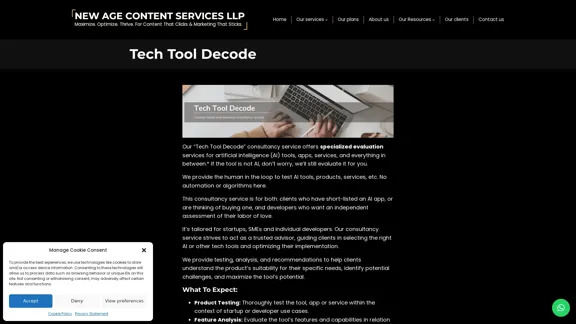
Our "Tech Tool Decode" consultancy service offers specialized evaluation services for artificial intelligence (AI) tools, apps, services, and everything in between.* If the tool is not AI, don't worry, we'll still evaluate it for you. We provide the human in the loop to test AI tools, products, services, etc. No automation or algorithms here. This
Visit Website
Tech Tool Decode - New Age Content Services LLP
Visit Website

Introduction

Tech Tool Decode is a specialized consultancy service offered by New Age Content Services LLP. It provides human-driven evaluation services for AI tools, apps, services, and other tech products. The service aims to assist clients in understanding, selecting, and optimizing various technology tools for their specific needs, focusing on startups, SMEs, and individual developers.

Feature

Comprehensive Evaluation Process

Tech Tool Decode offers a thorough evaluation process that includes:

  • Product testing within relevant use cases
  • Feature analysis in relation to client requirements
  • UI assessment with improvement suggestions
  • Performance measurement (efficiency, accuracy, scalability)
  • Market positioning analysis
  • Due diligence on development, technology, and potential risks

Detailed Reporting and Consultation

The service provides:

  • In-depth reports outlining strengths, weaknesses, opportunities, and recommendations
  • Expert consultation based on evaluation findings
  • Market insights and analysis for startups and developers

Human-Driven Approach

  • No automation or algorithms used in the assessment process
  • Human-in-the-loop testing for AI and tech tools
  • Tailored evaluations for specific client needs

Affordable Pricing

  • Described as "EXTREMELY AFFORDABLE"
  • Flexible plans to accommodate different budgets and evaluation needs

Target Audience

Tech Tool Decode caters to:

  • Startups
  • SMEs
  • Department heads
  • Tech decision-makers
  • Freelancers and independent contractors
  • Non-profit organizations
  • Educational institutions

FAQ

What types of products does Tech Tool Decode evaluate?

Tech Tool Decode evaluates AI tools, apps, services, and other tech products. However, it does not evaluate LLMs, AI models, or architectures.

Is the evaluation provided by Tech Tool Decode definitive or expert?

No, the assessments are subjective and do not constitute a definitive or expert evaluation. Clients are encouraged to conduct additional independent research.

What liability does New Age Content Services LLP assume for the evaluations?

The company disclaims liability for any actions taken based on their assessments. Clients agree to indemnify and hold the company harmless from any claims or damages arising from the use of the service.

How should AI tool developers view the Tech Tool Decode service?

AI tool developers should consider the service as supplementary feedback and not a substitute for rigorous product development processes. The assessments focus on potential user experiences rather than comprehensive technical evaluations.

Latest Traffic Insights

  • Monthly Visits

    0

  • Bounce Rate

    0.00%

  • Pages Per Visit

    0.00

  • Time on Site(s)

    0.00

  • Global Rank

    -

  • Country Rank

    -

Recent Visits

Traffic Sources

  • Social Media:
    0.00%
  • Paid Referrals:
    0.00%
  • Email:
    0.00%
  • Referrals:
    0.00%
  • Search Engines:
    0.00%
  • Direct:
    0.00%
More Data

Related Websites

Flowith - AI for Deep Work
View Detail

Flowith - AI for Deep Work

Flowith - AI for Deep Work

Surpassing traditional chat-based tools, Flowith streamlines tasks on a multi-thread interface powered by a most advanced agent framework. The intuitive canvas and smart framework boost productivity, helping users stay in the flow.

13.71 K
Copilot for Microsoft 365 – Microsoft Adoption

Copilot for Microsoft 365 is a powerful AI assistant that helps you work smarter and faster across Microsoft 365 apps and services. It combines the power of large language models (LLMs) with your organization's data in the Microsoft Graph and Microsoft 365 apps to turn your words into the most powerful productivity tool on the planet.

Copilot is designed to help you:

β€’ Unleash creativity
β€’ Unlock productivity
β€’ Uplevel skills

Copilot is built on Microsoft's comprehensive approach to security, compliance, and privacy. Copilot in Microsoft 365 apps and services:

β€’ Does not use your data to train the underlying LLM
β€’ Does not replace human ingenuity and judgment
β€’ Is designed to keep humans in the loop

Copilot is currently available in Word, Excel, PowerPoint, Outlook, Teams, and more.

Getting Started with Copilot

To get started with Copilot, follow these steps:

1. Check availability: Ensure your organization has access to Copilot.
2. Learn the basics: Familiarize yourself with Copilot's capabilities and how to use it effectively.
3. Explore use cases: Discover how Copilot can help you in your specific role and tasks.
4. Practice and refine: Use Copilot regularly and refine your prompts for better results.
5. Share and collaborate: Collaborate with colleagues using Copilot and share best practices.

Best Practices for Using Copilot

1. Be specific in your prompts
2. Provide context for better results
3. Review and edit Copilot's output
4. Use Copilot as a starting point, not a final product
5. Experiment with different approaches
6. Stay informed about new features and updates

Copilot in Different Microsoft 365 Apps

β€’ Word: Draft, edit, summarize, and rewrite content
β€’ Excel: Analyze data, create formulas, and generate insights
β€’ PowerPoint: Create presentations, design slides, and generate content
β€’ Outlook: Compose emails, summarize threads, and manage your inbox
β€’ Teams: Summarize meetings, generate action items, and create meeting notes

Responsible AI and Copilot

Microsoft is committed to developing AI systems responsibly. When using Copilot, keep in mind:

β€’ AI-generated content may contain biases or inaccuracies
β€’ Always review and verify Copilot's output
β€’ Use your judgment and expertise alongside Copilot's suggestions
β€’ Be aware of your organization's policies regarding AI use

Conclusion

Copilot for Microsoft 365 is a powerful tool that can significantly enhance your productivity and creativity. By understanding its capabilities, following best practices, and using it responsibly, you can make the most of this AI assistant in your daily work.
View Detail

Copilot for Microsoft 365 – Microsoft Adoption Copilot for Microsoft 365 is a powerful AI assistant that helps you work smarter and faster across Microsoft 365 apps and services. It combines the power of large language models (LLMs) with your organization's data in the Microsoft Graph and Microsoft 365 apps to turn your words into the most powerful productivity tool on the planet. Copilot is designed to help you: β€’ Unleash creativity β€’ Unlock productivity β€’ Uplevel skills Copilot is built on Microsoft's comprehensive approach to security, compliance, and privacy. Copilot in Microsoft 365 apps and services: β€’ Does not use your data to train the underlying LLM β€’ Does not replace human ingenuity and judgment β€’ Is designed to keep humans in the loop Copilot is currently available in Word, Excel, PowerPoint, Outlook, Teams, and more. Getting Started with Copilot To get started with Copilot, follow these steps: 1. Check availability: Ensure your organization has access to Copilot. 2. Learn the basics: Familiarize yourself with Copilot's capabilities and how to use it effectively. 3. Explore use cases: Discover how Copilot can help you in your specific role and tasks. 4. Practice and refine: Use Copilot regularly and refine your prompts for better results. 5. Share and collaborate: Collaborate with colleagues using Copilot and share best practices. Best Practices for Using Copilot 1. Be specific in your prompts 2. Provide context for better results 3. Review and edit Copilot's output 4. Use Copilot as a starting point, not a final product 5. Experiment with different approaches 6. Stay informed about new features and updates Copilot in Different Microsoft 365 Apps β€’ Word: Draft, edit, summarize, and rewrite content β€’ Excel: Analyze data, create formulas, and generate insights β€’ PowerPoint: Create presentations, design slides, and generate content β€’ Outlook: Compose emails, summarize threads, and manage your inbox β€’ Teams: Summarize meetings, generate action items, and create meeting notes Responsible AI and Copilot Microsoft is committed to developing AI systems responsibly. When using Copilot, keep in mind: β€’ AI-generated content may contain biases or inaccuracies β€’ Always review and verify Copilot's output β€’ Use your judgment and expertise alongside Copilot's suggestions β€’ Be aware of your organization's policies regarding AI use Conclusion Copilot for Microsoft 365 is a powerful tool that can significantly enhance your productivity and creativity. By understanding its capabilities, following best practices, and using it responsibly, you can make the most of this AI assistant in your daily work.

Copilot for Microsoft 365 – Microsoft Adoption Copilot for Microsoft 365 is a powerful AI assistant that helps you work smarter and faster across Microsoft 365 apps and services. It combines the power of large language models (LLMs) with your organization's data in the Microsoft Graph and Microsoft 365 apps to turn your words into the most powerful productivity tool on the planet. Copilot is designed to help you: β€’ Unleash creativity β€’ Unlock productivity β€’ Uplevel skills Copilot is built on Microsoft's comprehensive approach to security, compliance, and privacy. Copilot in Microsoft 365 apps and services: β€’ Does not use your data to train the underlying LLM β€’ Does not replace human ingenuity and judgment β€’ Is designed to keep humans in the loop Copilot is currently available in Word, Excel, PowerPoint, Outlook, Teams, and more. Getting Started with Copilot To get started with Copilot, follow these steps: 1. Check availability: Ensure your organization has access to Copilot. 2. Learn the basics: Familiarize yourself with Copilot's capabilities and how to use it effectively. 3. Explore use cases: Discover how Copilot can help you in your specific role and tasks. 4. Practice and refine: Use Copilot regularly and refine your prompts for better results. 5. Share and collaborate: Collaborate with colleagues using Copilot and share best practices. Best Practices for Using Copilot 1. Be specific in your prompts 2. Provide context for better results 3. Review and edit Copilot's output 4. Use Copilot as a starting point, not a final product 5. Experiment with different approaches 6. Stay informed about new features and updates Copilot in Different Microsoft 365 Apps β€’ Word: Draft, edit, summarize, and rewrite content β€’ Excel: Analyze data, create formulas, and generate insights β€’ PowerPoint: Create presentations, design slides, and generate content β€’ Outlook: Compose emails, summarize threads, and manage your inbox β€’ Teams: Summarize meetings, generate action items, and create meeting notes Responsible AI and Copilot Microsoft is committed to developing AI systems responsibly. When using Copilot, keep in mind: β€’ AI-generated content may contain biases or inaccuracies β€’ Always review and verify Copilot's output β€’ Use your judgment and expertise alongside Copilot's suggestions β€’ Be aware of your organization's policies regarding AI use Conclusion Copilot for Microsoft 365 is a powerful tool that can significantly enhance your productivity and creativity. By understanding its capabilities, following best practices, and using it responsibly, you can make the most of this AI assistant in your daily work.

Microsoft Copilot combines the power of large language models (LLMs) with your organization's data to turn your words into one of the most powerful productivity tools on the planet.

608.60 K
Crossword Solver AI - Get Instant Help for Any Puzzle
View Detail

Crossword Solver AI - Get Instant Help for Any Puzzle

Crossword Solver AI - Get Instant Help for Any Puzzle

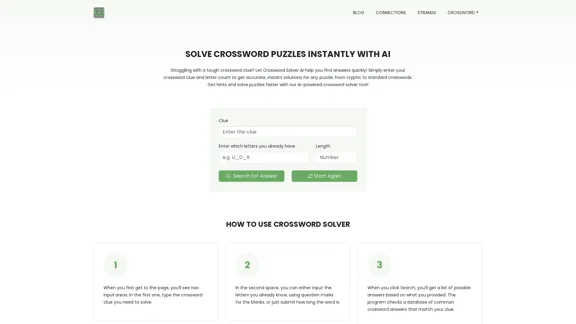
Get instant crossword help with our AI-powered solver. Enter your clue and letter count to find accurate answers quickly for any puzzle, cryptic or standard.

7.02 K
Anara | A Reliable Research Platform
View Detail

Anara | A Reliable Research Platform

Anara | A Reliable Research Platform

Automate your research workflows with Anara's AI. Build a research library, verify sources, and collaborate with your team. Trusted by researchers worldwide.

1.40 M
Gigasheet - Big Data Analytics That's Spreadsheet Easy.
View Detail

Gigasheet - Big Data Analytics That's Spreadsheet Easy.

Gigasheet - Big Data Analytics That's Spreadsheet Easy.

Our powerful, no-code platform is designed for big data analysis, enabling anyone to effortlessly explore and analyze vast datasets via a user-friendly, spreadsheet-like interface. Gigasheet supports a wide variety of data sources from CSV, XLSX, and JSON to popular CRMs, data warehouses, and cloud data stores.

127.47 K
OdysseyGPT – Comprehend Your Documents
View Detail

OdysseyGPT – Comprehend Your Documents

OdysseyGPT – Comprehend Your Documents

OdysseyGPT reads and genuinely understands your documents, allowing you to search, summarize, and extract insights instantly.

0
TheB.AI
View Detail

TheB.AI

TheB.AI

Your All-In-One AI Platform Access to a diverse range of cutting-edge models, spanning from advanced language models to powerful image models, and beyond.

73.63 K
The AI Spreadsheet Everyone Has Been Anticipating
View Detail

The AI Spreadsheet Everyone Has Been Anticipating

The AI Spreadsheet Everyone Has Been Anticipating

Ever feel like you spend more time managing spreadsheets than actually using them to get things done? Bricks AI spreadsheet does the work for you. No more formulas. No more hours of data cleanup β€” just answers. And best of all, it's free to use.

705.85 K