Open-source RightAI Tools Directory
  • Discover AI
  • Submit
  • Startup
  • Blog
Open-source RightAI Tools Directory
Discover the best AI tools of 2025 with the RightAI Tools Directory!

Friend Links

AI Anime GeneratorToolsApp AI

Support

Tap4
Privacy policyTerms & ConditionsContact Us
Loading...
loading...

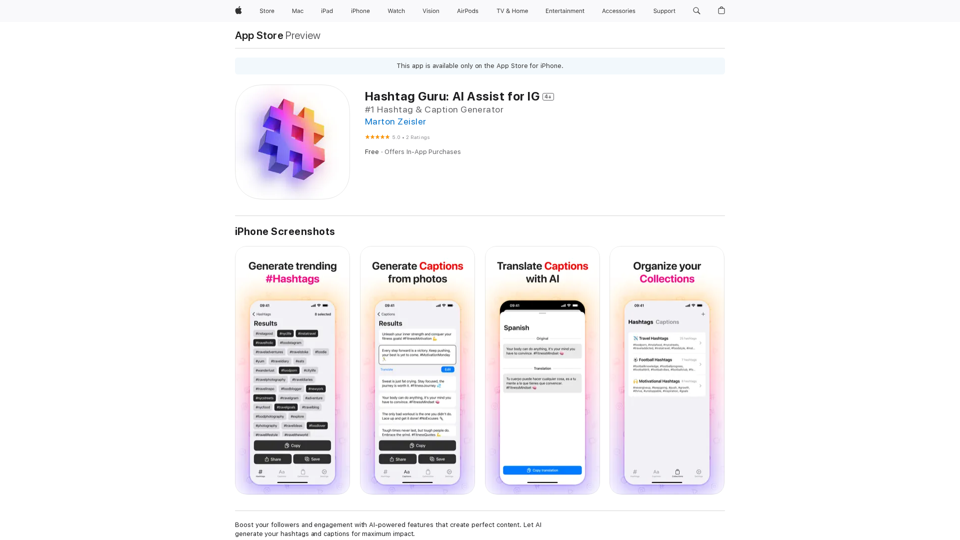
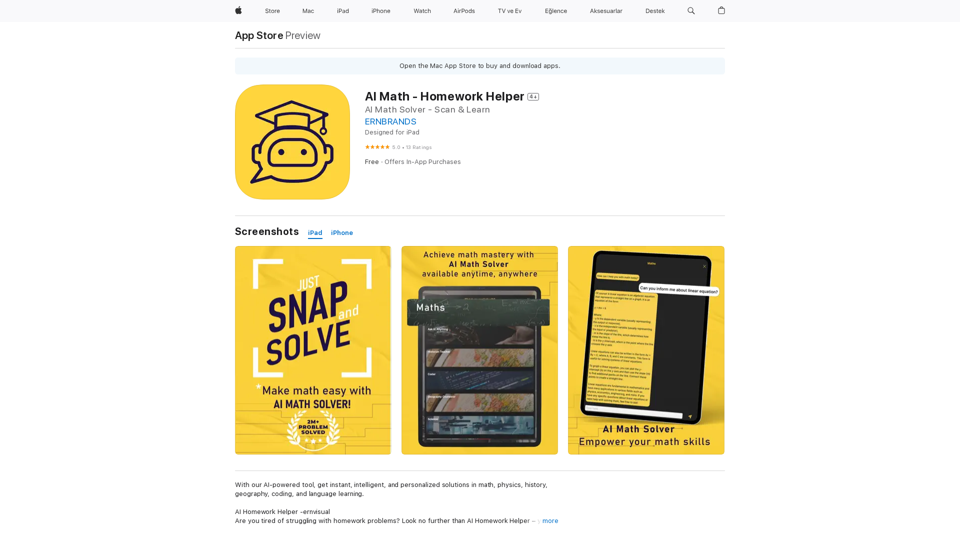
AI Math - Homework Helper on the App Store

AI Homework Helper -ernvisual Are you tired of struggling with homework problems? Look no further than AI Homework Helper – your all-in-one academic assistant.
Visit Website
AI Math - Homework Helper on the App Store
Visit Website

Introduction

AI Math - Homework Helper is an innovative AI-powered educational tool designed to assist students with various subjects. It offers instant, intelligent, and personalized solutions for math, physics, history, geography, coding, and language learning. The app's advanced scanning technology allows users to quickly capture problems from textbooks, worksheets, or handwritten notes, providing step-by-step solutions and explanations.

Feature

Effortless Problem Scanning

AI Math - Homework Helper eliminates manual entry by allowing users to simply snap a photo of any problem using the app's advanced scanning technology.

Instant Problem-Solving

The app provides immediate, step-by-step solutions to even the most challenging problems, making learning more efficient and engaging.

Comprehensive Subject Coverage

AI Math - Homework Helper offers assistance in a wide range of subjects, including:

  • Math
  • Physics
  • History
  • Geography
  • Coding
  • Grammar
  • Science
  • Language learning

Essay Assistant

The app includes an Essay Assistant feature to help students with their writing assignments.

User-Friendly Interface

With a simple download and account creation process, users can quickly access the app's features and start solving their homework problems.

Free Access with Optional Upgrades

AI Math - Homework Helper is free to download and use, with optional in-app purchases available to unlock additional features.

FAQ

Is AI Math - Homework Helper free to use?

Yes, the app is free to download and use. There are optional in-app purchases available to unlock additional features.

What subjects does AI Math - Homework Helper cover?

The app covers a wide range of subjects, including:

  • Math
  • Physics
  • History
  • Geography
  • Coding
  • Grammar
  • Science
  • Language learning

How do I use AI Math - Homework Helper?

To use AI Math - Homework Helper:

  1. Download the app and create an account
  2. Scan your homework problems using the app's advanced scanning technology
  3. Receive step-by-step solutions and explanations
  4. Utilize the app's comprehensive features to assist with your homework

Related Websites
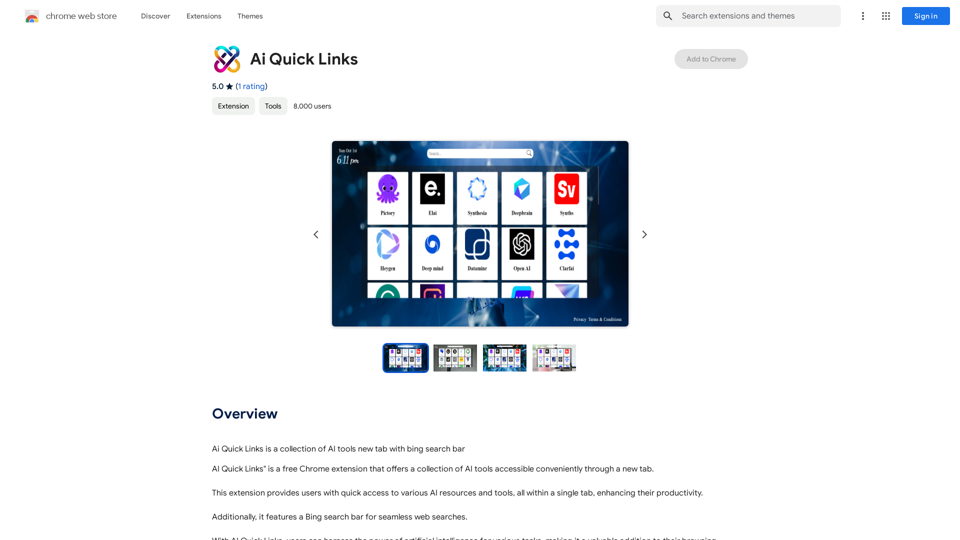
AiTab New Tab with ChatGPT
View Detail

AiTab New Tab with ChatGPT

AiTab New Tab with ChatGPT

AiTab new tab page, integrates AI capabilities such as AI Chat, drawing, translation, and integrated ChatGPT components

193.90 M
Copilot for Tinder & Bumble

Tired of swiping endlessly? Let Copilot handle your dating app game!

* Craft irresistible bios:  Copilot helps you write witty and engaging bios that highlight your best qualities.
* Spark conversations:  Struggling to come up with opening lines? Copilot suggests clever and personalized messages to break the ice.
* Navigate tricky situations:  Copilot offers advice and guidance on handling awkward moments or difficult conversations.
* Boost your matches:  With Copilot's help, you'll stand out from the crowd and attract more matches.
* Save time and energy:  Let Copilot do the heavy lifting so you can focus on enjoying the dating experience. 


Start swiping smarter, not harder. Get Copilot today!
View Detail

Copilot for Tinder & Bumble Tired of swiping endlessly? Let Copilot handle your dating app game! * Craft irresistible bios: Copilot helps you write witty and engaging bios that highlight your best qualities. * Spark conversations: Struggling to come up with opening lines? Copilot suggests clever and personalized messages to break the ice. * Navigate tricky situations: Copilot offers advice and guidance on handling awkward moments or difficult conversations. * Boost your matches: With Copilot's help, you'll stand out from the crowd and attract more matches. * Save time and energy: Let Copilot do the heavy lifting so you can focus on enjoying the dating experience. Start swiping smarter, not harder. Get Copilot today!

Copilot for Tinder & Bumble Tired of swiping endlessly? Let Copilot handle your dating app game! * Craft irresistible bios: Copilot helps you write witty and engaging bios that highlight your best qualities. * Spark conversations: Struggling to come up with opening lines? Copilot suggests clever and personalized messages to break the ice. * Navigate tricky situations: Copilot offers advice and guidance on handling awkward moments or difficult conversations. * Boost your matches: With Copilot's help, you'll stand out from the crowd and attract more matches. * Save time and energy: Let Copilot do the heavy lifting so you can focus on enjoying the dating experience. Start swiping smarter, not harder. Get Copilot today!

Have meaningful conversations and go on more dates with the help of a collection of AI tools.

193.90 M
OptiMalt
View Detail

OptiMalt

OptiMalt

Turn your Malt profile into a lead-generating machine by optimizing it.

193.90 M
What is a Prompster?

A Prompster is a person who assists a speaker, actor, or presenter by providing them with lines or cues, usually in a subtle and discreet manner, during a performance, presentation, or speech.
View Detail

What is a Prompster? A Prompster is a person who assists a speaker, actor, or presenter by providing them with lines or cues, usually in a subtle and discreet manner, during a performance, presentation, or speech.

What is a Prompster? A Prompster is a person who assists a speaker, actor, or presenter by providing them with lines or cues, usually in a subtle and discreet manner, during a performance, presentation, or speech.

Slash Commands for ChatGPT and Bard ===================================== Introduction Slash commands are a convenient way to interact with ChatGPT and Bard, allowing you to perform various tasks and actions within the chat interface. This guide provides an overview of the available slash commands for both ChatGPT and Bard. ChatGPT Slash Commands #General Commands * `/help`: Displays a list of available slash commands and their descriptions. * `/reset`: Resets the conversation, clearing all previous messages and context. #Conversation Management * `/start`: Starts a new conversation, allowing you to begin a fresh topic or task. * `/stop`: Ends the current conversation, stopping any ongoing tasks or topics. #Language and Tone * `/lang <language_code>`: Sets the language for the conversation (e.g., `/lang en` for English). * `/tone <tone>`: Adjusts the tone of the responses (e.g., `/tone formal` for formal tone). #Task Management * `/task <task_name>`: Creates a new task or topic for the conversation (e.g., `/task math problem`). * `/done`: Marks the current task as completed. #Information and Resources * `/define <word>`: Provides the definition of a word or phrase. * `/wiki <topic>`: Displays information about a topic from Wikipedia. Bard Slash Commands #General Commands * `/help`: Displays a list of available slash commands and their descriptions. * `/reset`: Resets the conversation, clearing all previous messages and context. #Conversation Management * `/start`: Starts a new conversation, allowing you to begin a fresh topic or task. * `/stop`: Ends the current conversation, stopping any ongoing tasks or topics. #Language and Tone * `/lang <language_code>`: Sets the language for the conversation (e.g., `/lang en` for English). * `/tone <tone>`: Adjusts the tone of the responses (e.g., `/tone formal` for formal tone). #Task Management * `/task <task_name>`: Creates a new task or topic for the conversation (e.g., `/task math problem`). * `/done`: Marks the current task as completed. #Information and Resources * `/define <word>`: Provides the definition of a word or phrase. * `/wiki <topic>`: Displays information about a topic from Wikipedia. * `/news <topic>`: Displays news articles related to a specific topic. Conclusion Slash commands provide a convenient way to interact with ChatGPT and Bard, allowing you to manage conversations, adjust language and tone, and access various resources. By mastering these commands, you can optimize your experience and get the most out of your interactions with these AI models.

193.90 M
TransHono: All-in-One Translation
View Detail

TransHono: All-in-One Translation

TransHono: All-in-One Translation

A concise, efficient, and visually appealing translation extension for Chrome.

193.90 M
Universal Listening Comprehension - Speech-to-Text, Bilingual Subtitle Translation
View Detail

Universal Listening Comprehension - Speech-to-Text, Bilingual Subtitle Translation

Universal Listening Comprehension - Speech-to-Text, Bilingual Subtitle Translation

Alibaba's free large model application, real-time speech recognition, AI subtitle translation, and intelligent summarization. Essential for online courses, chasing dramas, and online meetings. Record, transcribe, translate, and summarize online courses and meetings from any web page.

193.90 M
AI Sheets Assistant - For Excel & Sheets
View Detail

AI Sheets Assistant - For Excel & Sheets

AI Sheets Assistant - For Excel & Sheets

Generate Formulas and Receive Explanations with AI for Excel and Google Sheets This is a powerful tool that can help you with your spreadsheet work! Here's how it works: 1. You describe what you want to achieve. Be as specific as possible. For example, instead of saying "I need a formula to calculate the total," say "I need a formula to calculate the total of sales in column B." 2. The AI will generate a formula for you. It will also provide an explanation of how the formula works. 3. You can copy and paste the formula into your spreadsheet. Here are some examples: * "I need a formula to find the average of the numbers in cells A1 to A10." * Formula: `=AVERAGE(A1:A10)` * Explanation: The `AVERAGE` function calculates the average of a range of cells. In this case, it will calculate the average of the numbers in cells A1 through A10. * "I need a formula to count the number of cells that contain the word 'apple' in column C." * Formula: `=COUNTIF(C:C,"apple")` * Explanation: The `COUNTIF` function counts the number of cells in a range that meet a certain criteria. In this case, it will count the number of cells in column C that contain the word "apple". * "I need a formula to find the largest number in column D." * Formula: `=MAX(D:D)` * Explanation: The `MAX` function returns the largest number in a range of cells. In this case, it will return the largest number in column D. Let me know what you'd like to calculate, and I'll do my best to help!

193.90 M
Easy Comments-GPT
View Detail

Easy Comments-GPT

Easy Comments-GPT

Better ways to comment and make it easier on LinkedIn

193.90 M