Open-source RightAI Tools Directory
  • Discover AI
  • Submit
  • Startup
  • Blog
Open-source RightAI Tools Directory
Discover the best AI tools of 2025 with the RightAI Tools Directory!

Friend Links

AI Anime GeneratorToolsApp AI

Support

Tap4
Privacy policyTerms & ConditionsContact Us
Loading...
loading...

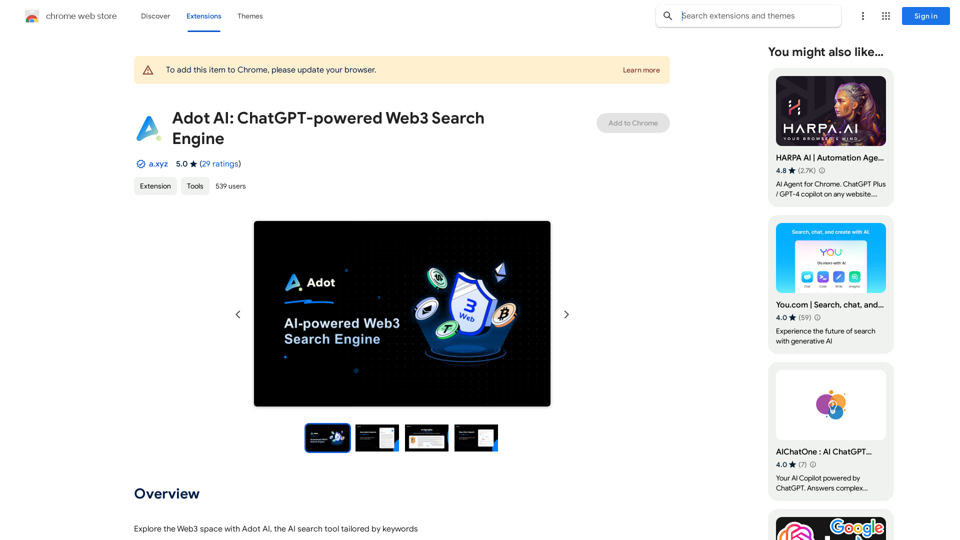
Adot AI: ChatGPT-powered Web3 Search Engine

Explore the Web3 space with Adot AI, the AI search tool tailored by keywords.
Visit Website
Adot AI: ChatGPT-powered Web3 Search Engine
Visit Website

Introduction

Adot AI is a ChatGPT-powered Web3 search engine that integrates seamlessly with Google Chrome. It enhances browsing experiences by providing smart keyword-driven insights and transforming the way users explore the Web3 space. This innovative tool adapts to user needs, making it more than just a search engine but a comprehensive Web3 explorer.

Feature

AI Search Highlights

Adot AI implements innovative AI search highlights that identify and emphasize critical Web3 terms directly on web pages. This feature simplifies blockchain navigation, allowing users to hover over highlighted terms and prompt a "Search with Adot AI" option for a single-click deep dive into Web3 concepts.

User-Defined Language Selection

The latest update introduces multi-language support, allowing users to choose their preferred language for searching and browsing. Adot AI now supports 10 languages:

Supported Languages
Simplified Chinese
Traditional Chinese
English
Russian
Hindi
Bahasa Indonesia
German
Spanish
Japanese
Korean

Real-Time Search Results

Adot AI provides precise, real-time search results tailored for various Web3 stakeholders, including cryptocurrency enthusiasts, blockchain creators, and security experts. This feature ensures users have access to the most up-to-date and relevant information in the rapidly evolving Web3 space.

FAQ

What is Adot AI?

Adot AI is a ChatGPT-powered Web3 search engine that integrates with Google Chrome, offering smart keyword-driven insights and transforming the browsing experience for Web3 exploration.

How do I use Adot AI?

To use Adot AI, simply install the Chrome extension and start exploring the Web3 space. With a single click, Adot AI provides a popup filled with rich analyses of Web3 concepts, effortlessly equipping users with vital knowledge.

Is Adot AI free to use?

Yes, Adot AI is a free extension that can be used without any subscription or payment, making it accessible to all users interested in exploring the Web3 space.

Latest Traffic Insights

  • Monthly Visits

    193.90 M

  • Bounce Rate

    56.27%

  • Pages Per Visit

    2.71

  • Time on Site(s)

    115.91

  • Global Rank

    -

  • Country Rank

    -

Recent Visits

Traffic Sources

  • Social Media:
    0.48%
  • Paid Referrals:
    0.55%
  • Email:
    0.15%
  • Referrals:
    12.81%
  • Search Engines:
    16.21%
  • Direct:
    69.81%
More Data

Related Websites

Midjourney SREF Codes Library for Style Reference

What are SREF Codes?

SREF codes are special text strings used in Midjourney to quickly and easily apply specific artistic styles to your image generations. 

How to Use SREF Codes:

Simply add an SREF code to your Midjourney prompt. For example:

`/imagine a majestic dragon, SREF:cyberpunk`

SREF Code Library:

This library contains a collection of SREF codes categorized by style. 

* Art Styles:
    * `photorealistic`: Creates images with high levels of realism.
    * `impressionistic`:  Captures the essence of a scene with loose brushstrokes and vibrant colors.
    * `cubist`:  Breaks down objects into geometric shapes.
    * `surrealist`:  Creates dreamlike and fantastical images.
    * `abstract`:  Focuses on form, color, and composition rather than representational imagery.

* Visual Effects:
    * `cinematic`:  Gives images a cinematic look and feel.
    * `HDR`:  Creates images with high dynamic range, resulting in greater detail and contrast.
    * `neon`:  Adds vibrant neon lights to the image.
    * `pixel art`:  Generates images in a retro pixel art style.

* Other Styles:
    * `anime`:  Creates images in the style of Japanese animation.
    * `manga`:  Similar to anime, but with a more comic book aesthetic.
    * `sketch`:  Generates images that resemble pencil sketches.
    * `watercolor`:  Creates images with the look and feel of watercolor paintings.

Note: This is just a small sample of the many SREF codes available. 

Explore and Experiment:

The best way to learn about SREF codes is to experiment with them! Try combining different codes to create unique and interesting styles.
View Detail

Midjourney SREF Codes Library for Style Reference What are SREF Codes? SREF codes are special text strings used in Midjourney to quickly and easily apply specific artistic styles to your image generations. How to Use SREF Codes: Simply add an SREF code to your Midjourney prompt. For example: `/imagine a majestic dragon, SREF:cyberpunk` SREF Code Library: This library contains a collection of SREF codes categorized by style. * Art Styles: * `photorealistic`: Creates images with high levels of realism. * `impressionistic`: Captures the essence of a scene with loose brushstrokes and vibrant colors. * `cubist`: Breaks down objects into geometric shapes. * `surrealist`: Creates dreamlike and fantastical images. * `abstract`: Focuses on form, color, and composition rather than representational imagery. * Visual Effects: * `cinematic`: Gives images a cinematic look and feel. * `HDR`: Creates images with high dynamic range, resulting in greater detail and contrast. * `neon`: Adds vibrant neon lights to the image. * `pixel art`: Generates images in a retro pixel art style. * Other Styles: * `anime`: Creates images in the style of Japanese animation. * `manga`: Similar to anime, but with a more comic book aesthetic. * `sketch`: Generates images that resemble pencil sketches. * `watercolor`: Creates images with the look and feel of watercolor paintings. Note: This is just a small sample of the many SREF codes available. Explore and Experiment: The best way to learn about SREF codes is to experiment with them! Try combining different codes to create unique and interesting styles.

Midjourney SREF Codes Library for Style Reference What are SREF Codes? SREF codes are special text strings used in Midjourney to quickly and easily apply specific artistic styles to your image generations. How to Use SREF Codes: Simply add an SREF code to your Midjourney prompt. For example: `/imagine a majestic dragon, SREF:cyberpunk` SREF Code Library: This library contains a collection of SREF codes categorized by style. * Art Styles: * `photorealistic`: Creates images with high levels of realism. * `impressionistic`: Captures the essence of a scene with loose brushstrokes and vibrant colors. * `cubist`: Breaks down objects into geometric shapes. * `surrealist`: Creates dreamlike and fantastical images. * `abstract`: Focuses on form, color, and composition rather than representational imagery. * Visual Effects: * `cinematic`: Gives images a cinematic look and feel. * `HDR`: Creates images with high dynamic range, resulting in greater detail and contrast. * `neon`: Adds vibrant neon lights to the image. * `pixel art`: Generates images in a retro pixel art style. * Other Styles: * `anime`: Creates images in the style of Japanese animation. * `manga`: Similar to anime, but with a more comic book aesthetic. * `sketch`: Generates images that resemble pencil sketches. * `watercolor`: Creates images with the look and feel of watercolor paintings. Note: This is just a small sample of the many SREF codes available. Explore and Experiment: The best way to learn about SREF codes is to experiment with them! Try combining different codes to create unique and interesting styles.

Explore a list of 177 unique Midjourney sref codes and style references to find your perfect Midjourney sref code effect.

149.96 K
AnkAI
View Detail

AnkAI

AnkAI

AnkAI is the best tool for easily turning PDFs into Anki flash cards, making your studying process faster and simpler.

0
ProductLocker - AI Powered Amazon FBA Tool
View Detail

ProductLocker - AI Powered Amazon FBA Tool

ProductLocker - AI Powered Amazon FBA Tool

Revolutionize Your Amazon FBA Arbitrage Product Research with AI-Driven Real-time Data!

193.90 M
AI Presentation Generator | GenPPT.com
View Detail

AI Presentation Generator | GenPPT.com

AI Presentation Generator | GenPPT.com

Generate beautiful presentations in minutes with GenPPT. Choose from a variety of themes and let GenPPT's PowerPoint presentation AI do the rest.

41.71 K
Voice, dim.
View Detail

Voice, dim.

Voice, dim.

Control the brightness of your lights with your voice.

193.90 M
AI Paragraph Generator – Quickly generate paragraphs on any topic with our state-of-the-art AI Paragraph Generator
View Detail

AI Paragraph Generator – Quickly generate paragraphs on any topic with our state-of-the-art AI Paragraph Generator

AI Paragraph Generator – Quickly generate paragraphs on any topic with our state-of-the-art AI Paragraph Generator

AI Paragraph Generator – Quickly generate paragraphs on any topic with our state-of-the-art AI Paragraph Generator

0
MagicMax - Job Application Copilot
View Detail

MagicMax - Job Application Copilot

MagicMax - Job Application Copilot

Automate your job applications with our 1-Click Autofill Solution. Just upload your resume. Powered by ChatGPT-4.

193.90 M
Moodle GPT Quiz Solver
View Detail

Moodle GPT Quiz Solver

Moodle GPT Quiz Solver

A Chrome extension that helps you find answers for Moodle quizzes by using the ChatGPT API. Press Shift + S to show or hide the answers.

193.90 M