Open-source RightAI Tools Directory
  • Discover AI
  • Submit
  • Startup
  • Blog
Open-source RightAI Tools Directory
Discover the best AI tools of 2025 with the RightAI Tools Directory!

Friend Links

AI Anime GeneratorToolsApp AI

Support

Tap4
Privacy policyTerms & ConditionsContact Us
Loading...
loading...

ChatYY

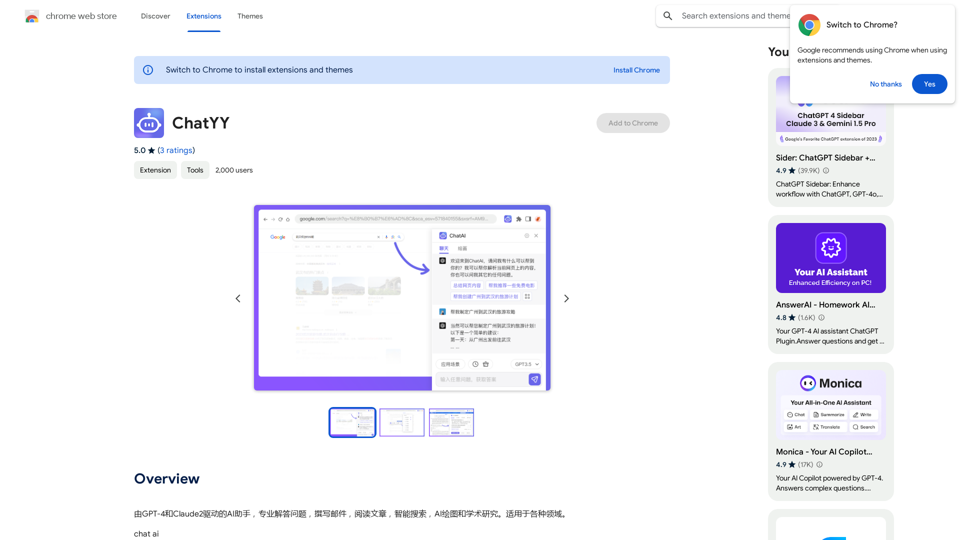
Driven by GPT-4 and Claude2, this AI assistant is capable of professionally answering questions, composing emails, reading articles, conducting intelligent searches, creating AI-generated graphics, and assisting with academic research. It is applicable to various fields.
Visit Website
ChatYY
Visit Website

Introduction

ChatYY is an AI-driven platform offering a comprehensive suite of AI technologies for diverse applications. It caters to users seeking assistance in text generation, image understanding, and academic research. The platform's capabilities extend to writing high-quality articles, creating AI-generated images, and summarizing YouTube videos, making it a versatile tool for various needs.

Feature

Instant Answering

ChatYY provides immediate responses to user queries, covering a wide range of topics and general inquiries.

Advanced Search

The platform offers a sophisticated search function that scans multiple websites and platforms, delivering relevant results efficiently.

Real-time Browsing

Users can browse various websites and platforms directly within the ChatYY plugin, streamlining information access.

Writing Assistant

ChatYY includes a robust writing tool featuring grammar and spell check, sentence structure analysis, and other writing enhancement capabilities.

Image Generation

The platform integrates AI image generation technologies, including Midjourney, Stable Diffusion, and Dall-E, allowing users to create unique AI-generated images.

User-Friendly Interface

ChatYY boasts a simple and intuitive interface, ensuring easy access to its features with minimal clicks.

Flexible Pricing Options

The platform offers various pricing tiers, including a free version with basic features and paid plans with additional benefits.

FAQ

What is ChatYY?

ChatYY is an AI-powered platform that provides access to a wide range of AI technologies for text generation, image understanding, and academic research. It assists users in writing articles, creating AI-generated images, and summarizing YouTube videos.

What are the main features of ChatYY?

ChatYY's main features include:

  • Instant answering
  • Advanced search
  • Real-time browsing
  • Writing assistant
  • Image generation

How do I use ChatYY?

ChatYY is designed for ease of use with a simple, intuitive interface. Users can access features with just a few clicks, including:

  • Asking questions for instant answers
  • Searching for information across various platforms
  • Browsing websites within the ChatYY plugin
  • Utilizing the writing assistant to improve writing
  • Creating AI-generated images

What are the pricing options for ChatYY?

ChatYY offers multiple pricing options:

  • A free version with basic features
  • Several paid plans with additional features and benefits

What are some helpful tips for using ChatYY?

To maximize your ChatYY experience:

  • Utilize the instant answering feature for quick information
  • Leverage the advanced search for comprehensive results
  • Use real-time browsing for efficient information access
  • Experiment with the writing assistant to enhance your writing
  • Explore the image generation feature for creative projects

Latest Traffic Insights

  • Monthly Visits

    193.90 M

  • Bounce Rate

    56.27%

  • Pages Per Visit

    2.71

  • Time on Site(s)

    115.91

  • Global Rank

    -

  • Country Rank

    -

Recent Visits

Traffic Sources

  • Social Media:
    0.48%
  • Paid Referrals:
    0.55%
  • Email:
    0.15%
  • Referrals:
    12.81%
  • Search Engines:
    16.21%
  • Direct:
    69.81%
More Data

Related Websites

wikibit
View Detail

wikibit

wikibit

Global Blockchain Regulatory Inquiry

193.90 M
AIScraper

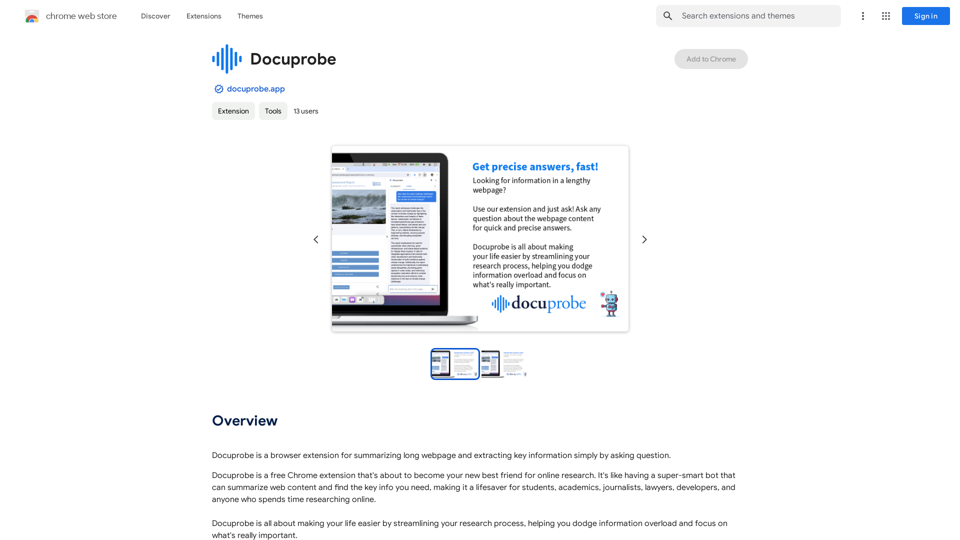
This is a Python library for scraping data from websites that use the Amazon Interactive Search (AIS) API. 

Features:

* Easy to use: Simply provide a search query and the library will return a list of product results.
* Flexible: You can customize your scraping by specifying filters, such as price range, brand, and category.
* Efficient: The library uses asynchronous requests to speed up the scraping process.
* Reliable: The library is designed to handle rate limits and other website restrictions.

Installation:

```bash
pip install aiscraper
```

Usage:

```python
from aiscraper import AIScraper

Create an instance of the AIScraper class
scraper = AIScraper()

Perform a search for "laptops"
results = scraper.search("laptops")

Print the product titles
for result in results:
    print(result["title"])
```

Documentation:

https://github.com/aiscraper/aiscraper
View Detail

AIScraper This is a Python library for scraping data from websites that use the Amazon Interactive Search (AIS) API. Features: * Easy to use: Simply provide a search query and the library will return a list of product results. * Flexible: You can customize your scraping by specifying filters, such as price range, brand, and category. * Efficient: The library uses asynchronous requests to speed up the scraping process. * Reliable: The library is designed to handle rate limits and other website restrictions. Installation: ```bash pip install aiscraper ``` Usage: ```python from aiscraper import AIScraper Create an instance of the AIScraper class scraper = AIScraper() Perform a search for "laptops" results = scraper.search("laptops") Print the product titles for result in results: print(result["title"]) ``` Documentation: https://github.com/aiscraper/aiscraper

AIScraper This is a Python library for scraping data from websites that use the Amazon Interactive Search (AIS) API. Features: * Easy to use: Simply provide a search query and the library will return a list of product results. * Flexible: You can customize your scraping by specifying filters, such as price range, brand, and category. * Efficient: The library uses asynchronous requests to speed up the scraping process. * Reliable: The library is designed to handle rate limits and other website restrictions. Installation: ```bash pip install aiscraper ``` Usage: ```python from aiscraper import AIScraper Create an instance of the AIScraper class scraper = AIScraper() Perform a search for "laptops" results = scraper.search("laptops") Print the product titles for result in results: print(result["title"]) ``` Documentation: https://github.com/aiscraper/aiscraper

Web scraper, powered by AI! Collect structured data from web pages in just a few clicks! What's new 🔹Simplified data collection…

193.90 M
IntegraBot - Advanced Agents with AI and Automations
View Detail

IntegraBot - Advanced Agents with AI and Automations

IntegraBot - Advanced Agents with AI and Automations

Create an AI chatbot from your knowledge base and add it to your website or interact with it through our API.

357
Andi: AI-Powered Search
View Detail

Andi: AI-Powered Search

Andi: AI-Powered Search

Open your browser to a smarter, safer, and more beautiful internet.

193.90 M
Thrive as a Freelancer
View Detail

Thrive as a Freelancer

Thrive as a Freelancer

Your all-in-one solution for maximizing efficiency and income

0
Intelligent Web Translation - Automatic Translation, Bilingual Comparison, AI Dialogue
View Detail

Intelligent Web Translation - Automatic Translation, Bilingual Comparison, AI Dialogue

Intelligent Web Translation - Automatic Translation, Bilingual Comparison, AI Dialogue

Supports 20+ foreign languages/national languages, one-key rapid translation, supports bilingual comparison, automatic translation, AI summary, and phrase translation.

193.90 M
Twillot - X/Twitter Copilot
View Detail

Twillot - X/Twitter Copilot

Twillot - X/Twitter Copilot

Organize your Twitter bookmarks and make your Twitter experience smoother.

193.90 M
AI Voice Over for YouTube 

This is a guide to using AI voice over for your YouTube videos. 

Why Use AI Voice Over?

* Cost-Effective: AI voice over is much cheaper than hiring a professional voice actor.
* Time-Saving: You can generate voice over quickly and easily, without needing to schedule recording sessions.
* Variety of Voices: Choose from a wide range of AI voices, including male, female, and even robotic voices.
* Accessibility: Make your videos accessible to viewers who are deaf or hard of hearing by adding captions generated by AI.

How to Use AI Voice Over

1. Choose a Platform: There are many different platforms that offer AI voice over services, such as:
    * Google Cloud Text-to-Speech
    * Amazon Polly
    * Microsoft Azure Text to Speech
    * Murf.ai
    * NaturalReader
2. Write Your Script:  Write a clear and concise script for your video.
3. Upload Your Script:  Upload your script to the chosen platform.
4. Select a Voice: Choose the voice that best suits your video.
5. Adjust Settings:  Adjust settings such as speed, pitch, and volume.
6. Generate Voice Over:  Click the "Generate" button to create your voice over.
7. Download and Edit: Download the generated voice over file and edit it as needed.
8. Add to Your Video:  Add the voice over to your YouTube video.

Tips for Using AI Voice Over

* Use Natural Language:  Write your script as if you were speaking naturally.
* Vary Your Tone:  Use different tones of voice to keep your viewers engaged.
* Add Pauses:  Include pauses in your script to allow viewers to process information.
* Proofread Carefully:  Always proofread your script before generating the voice over.
* Experiment:  Try different voices, settings, and styles to find what works best for you.
View Detail

AI Voice Over for YouTube This is a guide to using AI voice over for your YouTube videos. Why Use AI Voice Over? * Cost-Effective: AI voice over is much cheaper than hiring a professional voice actor. * Time-Saving: You can generate voice over quickly and easily, without needing to schedule recording sessions. * Variety of Voices: Choose from a wide range of AI voices, including male, female, and even robotic voices. * Accessibility: Make your videos accessible to viewers who are deaf or hard of hearing by adding captions generated by AI. How to Use AI Voice Over 1. Choose a Platform: There are many different platforms that offer AI voice over services, such as: * Google Cloud Text-to-Speech * Amazon Polly * Microsoft Azure Text to Speech * Murf.ai * NaturalReader 2. Write Your Script: Write a clear and concise script for your video. 3. Upload Your Script: Upload your script to the chosen platform. 4. Select a Voice: Choose the voice that best suits your video. 5. Adjust Settings: Adjust settings such as speed, pitch, and volume. 6. Generate Voice Over: Click the "Generate" button to create your voice over. 7. Download and Edit: Download the generated voice over file and edit it as needed. 8. Add to Your Video: Add the voice over to your YouTube video. Tips for Using AI Voice Over * Use Natural Language: Write your script as if you were speaking naturally. * Vary Your Tone: Use different tones of voice to keep your viewers engaged. * Add Pauses: Include pauses in your script to allow viewers to process information. * Proofread Carefully: Always proofread your script before generating the voice over. * Experiment: Try different voices, settings, and styles to find what works best for you.

AI Voice Over for YouTube This is a guide to using AI voice over for your YouTube videos. Why Use AI Voice Over? * Cost-Effective: AI voice over is much cheaper than hiring a professional voice actor. * Time-Saving: You can generate voice over quickly and easily, without needing to schedule recording sessions. * Variety of Voices: Choose from a wide range of AI voices, including male, female, and even robotic voices. * Accessibility: Make your videos accessible to viewers who are deaf or hard of hearing by adding captions generated by AI. How to Use AI Voice Over 1. Choose a Platform: There are many different platforms that offer AI voice over services, such as: * Google Cloud Text-to-Speech * Amazon Polly * Microsoft Azure Text to Speech * Murf.ai * NaturalReader 2. Write Your Script: Write a clear and concise script for your video. 3. Upload Your Script: Upload your script to the chosen platform. 4. Select a Voice: Choose the voice that best suits your video. 5. Adjust Settings: Adjust settings such as speed, pitch, and volume. 6. Generate Voice Over: Click the "Generate" button to create your voice over. 7. Download and Edit: Download the generated voice over file and edit it as needed. 8. Add to Your Video: Add the voice over to your YouTube video. Tips for Using AI Voice Over * Use Natural Language: Write your script as if you were speaking naturally. * Vary Your Tone: Use different tones of voice to keep your viewers engaged. * Add Pauses: Include pauses in your script to allow viewers to process information. * Proofread Carefully: Always proofread your script before generating the voice over. * Experiment: Try different voices, settings, and styles to find what works best for you.

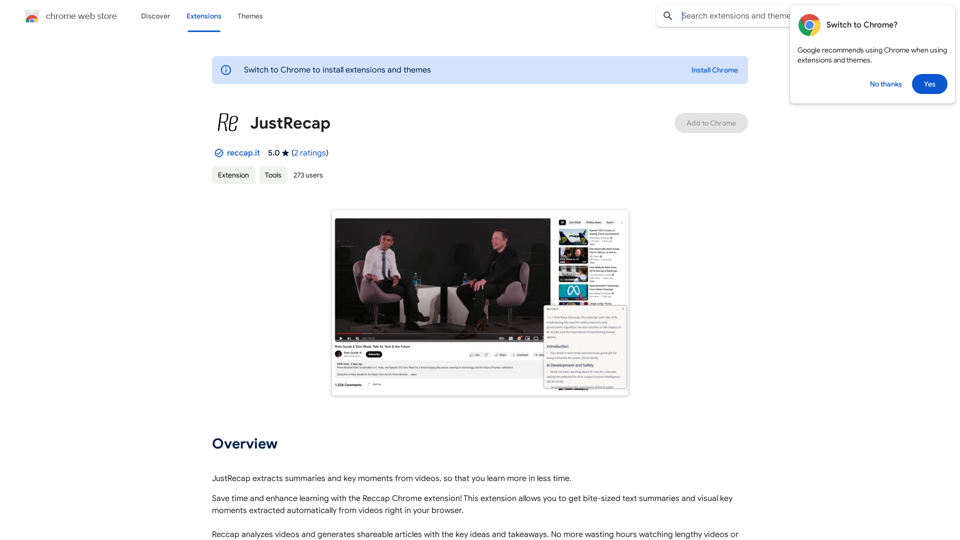
Watch foreign language YouTube videos in your own language.

193.90 M