Open-source RightAI Tools Directory
  • Discover AI
  • Submit
  • Startup
  • Blog
Open-source RightAI Tools Directory
Discover the best AI tools of 2025 with the RightAI Tools Directory!

Friend Links

AI Anime GeneratorToolsApp AI

Support

Tap4
Privacy policyTerms & ConditionsContact Us
Loading...
loading...

PicTranslate - Translate Any Image Text

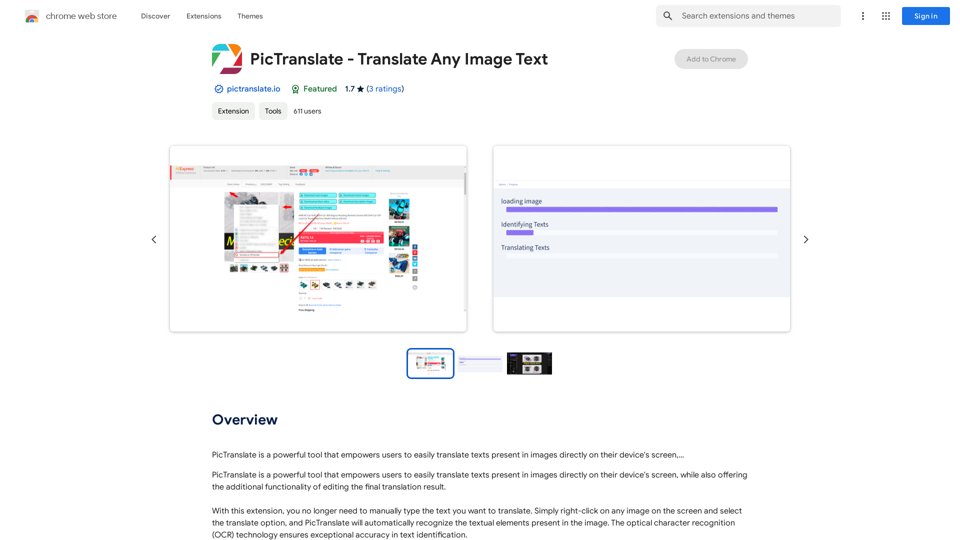
PicTranslate is a powerful tool that empowers users to easily translate texts present in images directly on their device's screen,…
Visit Website
PicTranslate - Translate Any Image Text
Visit Website

Introduction

PicTranslate is a powerful tool that enables users to translate text within images directly on their device's screen. It combines optical character recognition (OCR) technology with translation capabilities, allowing users to easily translate text from images without manual typing. The tool also offers editing features for refining translations and works across various applications and websites.

Feature

On-screen Image Translation

PicTranslate allows users to translate text from screen images quickly and efficiently. Simply right-click on any image and select the translate option to initiate the process.

Optical Character Recognition (OCR)

The tool employs accurate and reliable OCR technology to identify text within images, ensuring high-quality text recognition.

Automatic Translation

After recognizing the text, PicTranslate provides an initial automatic translation, streamlining the translation process.

Customized Editing

Users can make adjustments, corrections, and improvements to the translated text, ensuring accuracy and context-appropriate translations.

Automatic Saving

Changes made to translations are automatically saved, allowing users to access previous versions of their work.

Universal Compatibility

PicTranslate works across various applications and online sites, providing a versatile translation solution.

Free and Paid Options

The tool offers a free version with limited features and a paid subscription with additional benefits and extended access.

FAQ

Is PicTranslate free to use?

Yes, PicTranslate offers a free version with limited features. Subscribing to the platform grants additional benefits and extended access beyond the free usage limits.

How accurate is PicTranslate's OCR technology?

PicTranslate's OCR technology is highly accurate and reliable, ensuring exceptional text identification in images.

Can I edit the translated text?

Yes, PicTranslate offers a customized editing feature, allowing you to make adjustments, corrections, and improvements to the translated text.

Is my data safe with PicTranslate?

Yes, PicTranslate handles your data with care and ensures that it is not being sold to third parties, outside of the approved use cases.

Latest Traffic Insights

  • Monthly Visits

    193.90 M

  • Bounce Rate

    56.27%

  • Pages Per Visit

    2.71

  • Time on Site(s)

    115.91

  • Global Rank

    -

  • Country Rank

    -

Recent Visits

Traffic Sources

  • Social Media:
    0.48%
  • Paid Referrals:
    0.55%
  • Email:
    0.15%
  • Referrals:
    12.81%
  • Search Engines:
    16.21%
  • Direct:
    69.81%
More Data

Related Websites

UMLGenius
View Detail

UMLGenius

UMLGenius

A Chrome extension for generating UML diagrams

193.90 M
TableSherpa: Web to Sheets Exporter
View Detail

TableSherpa: Web to Sheets Exporter

TableSherpa: Web to Sheets Exporter

Export tables from websites to Google Sheets with one click.

193.90 M
Copilot - Stop scrolling down to search pages
View Detail

Copilot - Stop scrolling down to search pages

Copilot - Stop scrolling down to search pages

This extension stops users from accidentally scrolling down to the search page when using Bing AI Copilot.

193.90 M
What are we eating today?
View Detail

What are we eating today?

What are we eating today?

An extension that suggests recipes using the ingredients you have in your pantry.

193.90 M
QueryKitty: Bring ChatGPT Context to Any Website
View Detail

QueryKitty: Bring ChatGPT Context to Any Website

QueryKitty: Bring ChatGPT Context to Any Website

Unlock the Power of ChatGPT Prompts on Any Website Are you tired of switching between multiple tabs to find the perfect prompt for your ChatGPT conversations? Imagine having the power to generate prompts on any website, at any time, with just a few clicks. #Introducing the ChatGPT Prompt Extension Our innovative browser extension brings the magic of ChatGPT prompts directly to your fingertips. With this game-changing tool, you can: * Generate prompts on any webpage: Highlight a sentence, phrase, or paragraph, and our AI will suggest relevant prompts to spark insightful conversations. * Explore new topics and ideas: Get instant access to a vast library of prompts, carefully curated to inspire creativity and foster meaningful discussions. * Enhance your research and learning: Use our prompts to delve deeper into topics, uncover new perspectives, and gain a deeper understanding of complex subjects. #How it Works 1. Install the extension: Add our browser extension to your favorite browser. 2. Highlight and generate: Highlight any text on a webpage, and our AI will suggest relevant prompts. 3. Explore and refine: Browse through the suggested prompts, refine them to your liking, and start conversing with ChatGPT. #Unlock the Full Potential of ChatGPT Don't let the limitations of traditional prompt searching hold you back. With our ChatGPT Prompt Extension, you'll unlock a world of possibilities, including: * Faster research and learning: Get instant access to relevant prompts, saving you time and effort. * Improved conversation quality: Engage in more meaningful and insightful conversations with ChatGPT. * Enhanced creativity and productivity: Spark new ideas and explore fresh perspectives with our AI-generated prompts. #Try it Today! Install our ChatGPT Prompt Extension now and discover the power of AI-driven prompts on any website.

193.90 M
Please provide me with the text you'd like me to summarize and translate. I'm ready! 😊
View Detail

Please provide me with the text you'd like me to summarize and translate. I'm ready! 😊

Please provide me with the text you'd like me to summarize and translate. I'm ready! 😊

I can help you with that! Just paste the web page URL here, and I'll use Claude's powerful abilities to: * Summarize the main points of the page in clear, concise language. * Translate the entire page into English for you. Let me know if you have a page you'd like me to work on!

193.90 M
ChatDOC: PDF AI Reading Assistant
View Detail

ChatDOC: PDF AI Reading Assistant

ChatDOC: PDF AI Reading Assistant

Chat with any PDFs, get an AI-generated summary, table interpretation, data analysis, formula explanation, and any details within seconds.

193.90 M
Discord Translator
View Detail

Discord Translator

Discord Translator

Translate Messages in Discord ============================= What is the "Translate" feature in Discord? The "Translate" feature in Discord allows users to translate messages in real-time, making it easier for people who speak different languages to communicate with each other. How to use the "Translate" feature in Discord? #1. Enable the "Translate" feature To enable the "Translate" feature, you need to go to the "User Settings" and click on the "Language" tab. Then, toggle the switch next to "Translator" to the "On" position. #2. Set your preferred language After enabling the "Translate" feature, you need to set your preferred language. You can do this by clicking on the "Language" dropdown menu and selecting your preferred language from the list. #3. Translate messages Once you've set your preferred language, you can start translating messages. To translate a message, simply hover over the message and click on the "Translate" button that appears. #4. View translated messages After clicking the "Translate" button, the message will be translated into your preferred language. You can view the translated message below the original message. Benefits of the "Translate" feature in Discord The "Translate" feature in Discord has several benefits, including: * Improved communication: The "Translate" feature helps to break down language barriers, making it easier for people who speak different languages to communicate with each other. * Increased accessibility: The "Translate" feature makes Discord more accessible to people who may not speak the dominant language of a server or community. * Enhanced collaboration: The "Translate" feature enables people to collaborate more effectively, even if they speak different languages.

193.90 M