Open-source RightAI Tools Directory
  • Discover AI
  • Submit
  • Startup
  • Blog
Open-source RightAI Tools Directory
Discover the best AI tools of 2025 with the RightAI Tools Directory!

Friend Links

AI Anime GeneratorToolsApp AI

Support

Tap4
Privacy policyTerms & ConditionsContact Us
Loading...
loading...

YT Hacks

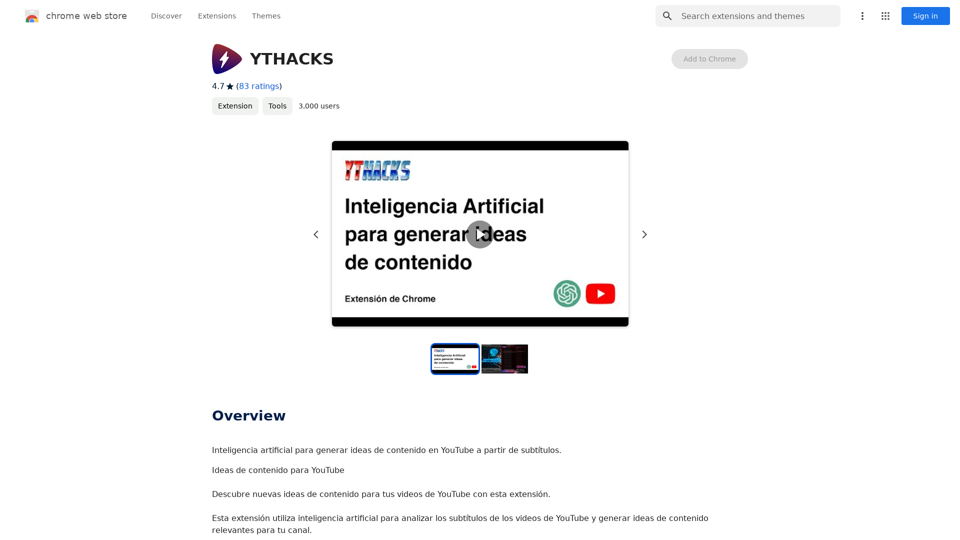
Artificial Intelligence for Generating YouTube Content Ideas from Subtitles.
Visit Website
YT Hacks
Visit Website

Introduction

YTHACKS is an AI-driven platform that revolutionizes YouTube content creation by analyzing video subtitles and generating innovative content ideas. This tool is designed to assist content creators in expanding their channel's repertoire and engaging their audience with fresh, relevant content. YTHACKS leverages advanced AI technologies to support multiple languages and offer a range of features that cater to various content niches.

Feature

Subtitle Analysis and Idea Generation

YTHACKS uses AI to analyze YouTube video subtitles and generate relevant content ideas for your channel. This feature helps creators overcome creative blocks and discover new content opportunities.

Multi-Language Support

The platform supports multiple languages, making it accessible to a global audience of content creators.

Browser Extension Integration

YTHACKS offers a convenient browser extension that allows users to:

  1. Install the extension
  2. Navigate to a YouTube video with subtitles
  3. Click the extension button to generate ideas

AI-Powered Tools

Users can leverage various AI technologies, including:

  • GPT-4o for document reading (20 free uses per day)
  • Dalle's image generation

Privacy Protection

YTHACKS prioritizes user privacy:

  • User data is not used for training purposes
  • Users can delete their account and all associated data at any time

Subscription Options

While YTHACKS offers free usage, it also provides affordable subscription plans for users who require more extensive access to GPT-4o conversations.

FAQ

How does YTHACKS generate ideas for YouTube content?

YTHACKS utilizes artificial intelligence to analyze YouTube video subtitles and generate relevant content ideas tailored to your channel's niche.

Can I use YTHACKS for free?

Yes, YTHACKS offers free usage with limited daily access to its AI-powered tools. For more extensive use, affordable subscription plans are available.

How do I get started with YTHACKS?

To begin using YTHACKS:

  1. Install the browser extension
  2. Navigate to a YouTube video with subtitles
  3. Click the extension button to generate content ideas

What types of content ideas can YTHACKS generate?

YTHACKS can generate ideas for various niches, including:

  • Cooking channels: recipes, cooking tips, special occasion dishes
  • Technology channels: product reviews, software tutorials, money-saving tips
  • Travel channels: destination guides, travel tips, vlogs

How can I maximize my use of YTHACKS?

To get the most out of YTHACKS:

  • Utilize the daily free uses of GPT-4o and Dalle's image generation
  • Experiment with different AI-powered tools to find what works best for your content
  • Be open to trying new content formats and ideas suggested by the platform

Related Websites
FLUX Canny - Advanced AI Tool for Image Generation with Edge Guidance
View Detail

FLUX Canny - Advanced AI Tool for Image Generation with Edge Guidance

FLUX Canny - Advanced AI Tool for Image Generation with Edge Guidance

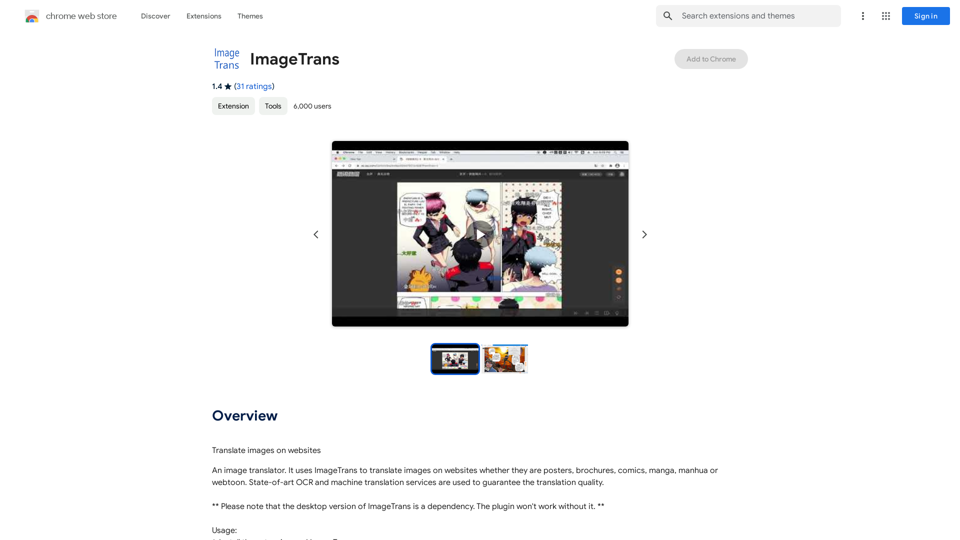
FLUX Canny - A professional edge-guided AI image generation tool. Transform sketches into stunning artwork with precise structural control.

0
Taobao Image Search
View Detail

Taobao Image Search

Taobao Image Search

Market Price, Taobao Image Search, Lowest Price, Purchasing Agent

193.90 M
ScreenRedact on the Mac App Store

#Description
ScreenRedact is a powerful and easy-to-use screenshot editing tool that allows you to quickly and easily remove sensitive information from your screenshots. With its intuitive interface and advanced features, ScreenRedact is the perfect solution for anyone who needs to share screenshots online or with others.

#Features
* Easy to use: ScreenRedact's intuitive interface makes it easy to get started, even if you're not tech-savvy.
* Advanced editing tools: ScreenRedact offers a range of advanced editing tools, including blur, pixelate, and redact, to help you remove sensitive information from your screenshots.
* Customizable: ScreenRedact allows you to customize the appearance of your redactions, including the color, opacity, and style.
* Support for multiple file formats: ScreenRedact supports a range of file formats, including JPEG, PNG, and TIFF.
* Share easily: ScreenRedact makes it easy to share your edited screenshots with others, either by saving them to your computer or sharing them directly to social media or email.

#What's New
* Improved performance: ScreenRedact is now faster and more efficient, making it easier to edit your screenshots.
* New editing tools: ScreenRedact now includes new editing tools, including a magic wand and a lasso tool, to make it even easier to remove sensitive information from your screenshots.
* Enhanced customization options: ScreenRedact now offers even more customization options, including the ability to change the color and opacity of your redactions.

#Ratings and Reviews
* 4.5/5 stars: ScreenRedact has an average rating of 4.5 out of 5 stars on the Mac App Store.
* "Easy to use and effective": One reviewer praised ScreenRedact's ease of use and effectiveness, saying "I was able to quickly and easily remove sensitive information from my screenshots."
* "A must-have for anyone who shares screenshots online": Another reviewer called ScreenRedact "a must-have for anyone who shares screenshots online," citing its ease of use and advanced features.
View Detail

ScreenRedact on the Mac App Store #Description ScreenRedact is a powerful and easy-to-use screenshot editing tool that allows you to quickly and easily remove sensitive information from your screenshots. With its intuitive interface and advanced features, ScreenRedact is the perfect solution for anyone who needs to share screenshots online or with others. #Features * Easy to use: ScreenRedact's intuitive interface makes it easy to get started, even if you're not tech-savvy. * Advanced editing tools: ScreenRedact offers a range of advanced editing tools, including blur, pixelate, and redact, to help you remove sensitive information from your screenshots. * Customizable: ScreenRedact allows you to customize the appearance of your redactions, including the color, opacity, and style. * Support for multiple file formats: ScreenRedact supports a range of file formats, including JPEG, PNG, and TIFF. * Share easily: ScreenRedact makes it easy to share your edited screenshots with others, either by saving them to your computer or sharing them directly to social media or email. #What's New * Improved performance: ScreenRedact is now faster and more efficient, making it easier to edit your screenshots. * New editing tools: ScreenRedact now includes new editing tools, including a magic wand and a lasso tool, to make it even easier to remove sensitive information from your screenshots. * Enhanced customization options: ScreenRedact now offers even more customization options, including the ability to change the color and opacity of your redactions. #Ratings and Reviews * 4.5/5 stars: ScreenRedact has an average rating of 4.5 out of 5 stars on the Mac App Store. * "Easy to use and effective": One reviewer praised ScreenRedact's ease of use and effectiveness, saying "I was able to quickly and easily remove sensitive information from my screenshots." * "A must-have for anyone who shares screenshots online": Another reviewer called ScreenRedact "a must-have for anyone who shares screenshots online," citing its ease of use and advanced features.

ScreenRedact on the Mac App Store #Description ScreenRedact is a powerful and easy-to-use screenshot editing tool that allows you to quickly and easily remove sensitive information from your screenshots. With its intuitive interface and advanced features, ScreenRedact is the perfect solution for anyone who needs to share screenshots online or with others. #Features * Easy to use: ScreenRedact's intuitive interface makes it easy to get started, even if you're not tech-savvy. * Advanced editing tools: ScreenRedact offers a range of advanced editing tools, including blur, pixelate, and redact, to help you remove sensitive information from your screenshots. * Customizable: ScreenRedact allows you to customize the appearance of your redactions, including the color, opacity, and style. * Support for multiple file formats: ScreenRedact supports a range of file formats, including JPEG, PNG, and TIFF. * Share easily: ScreenRedact makes it easy to share your edited screenshots with others, either by saving them to your computer or sharing them directly to social media or email. #What's New * Improved performance: ScreenRedact is now faster and more efficient, making it easier to edit your screenshots. * New editing tools: ScreenRedact now includes new editing tools, including a magic wand and a lasso tool, to make it even easier to remove sensitive information from your screenshots. * Enhanced customization options: ScreenRedact now offers even more customization options, including the ability to change the color and opacity of your redactions. #Ratings and Reviews * 4.5/5 stars: ScreenRedact has an average rating of 4.5 out of 5 stars on the Mac App Store. * "Easy to use and effective": One reviewer praised ScreenRedact's ease of use and effectiveness, saying "I was able to quickly and easily remove sensitive information from my screenshots." * "A must-have for anyone who shares screenshots online": Another reviewer called ScreenRedact "a must-have for anyone who shares screenshots online," citing its ease of use and advanced features.

ScreenRedact allows you to remove sensitive text from an image by utilizing Apple's on-device machine learning model, which identifies text within an image and enables you to redact it with ease.

124.77 M
Enhance Image Quality up to 10x and 12K with AI | Improve Image
View Detail

Enhance Image Quality up to 10x and 12K with AI | Improve Image

Enhance Image Quality up to 10x and 12K with AI | Improve Image

Here is the English translation: With AI, enlarge images up to 10 times and 12K resolution in seconds, to improve image quality and make your images sharper and more realistic | Enhance Image

29.48 K
Home of AI Stock Images
View Detail

Home of AI Stock Images

Home of AI Stock Images

Your source for high-quality AI-generated stock images. Browse our curated collection of royalty-free images, both free and premium. Sell AI art and earn a 90% commission.

0
TubeX: Your YouTube AI Copilot (Free Tool)
View Detail

TubeX: Your YouTube AI Copilot (Free Tool)

TubeX: Your YouTube AI Copilot (Free Tool)

Integrate the power of Gemini AI and Google Translate into your YouTube, making it a great tool for learning foreign languages

193.90 M
Toggle Terminal โ€“ Bring data to life with natural language
View Detail

Toggle Terminal โ€“ Bring data to life with natural language

Toggle Terminal โ€“ Bring data to life with natural language

Bid farewell to outdated terminals and cumbersome, antiquated interfaces. Our institutional-grade analytical tools spring into action, ready to serve you, simply by asking questions in everyday language.

0
Raw Photo Editor | Buy Raw Photo Editing Software Online - ON1
View Detail

Raw Photo Editor | Buy Raw Photo Editing Software Online - ON1

Raw Photo Editor | Buy Raw Photo Editing Software Online - ON1

Unlock your creativity with the ultimate raw photo editing software. ON1 Photo RAW makes raw photo editing effortless with the help of AI. Edit, organize, and process your photos while maintaining the highest image quality. Purchase or subscribe to Photo RAW raw editing software from ON1 now!

550.51 K