Open-source RightAI Tools Directory
  • Discover AI
  • Submit
  • Startup
  • Blog
Open-source RightAI Tools Directory
Discover the best AI tools of 2025 with the RightAI Tools Directory!

Friend Links

AI Anime GeneratorToolsApp AI

Support

Tap4
Privacy policyTerms & ConditionsContact Us
Loading...
loading...

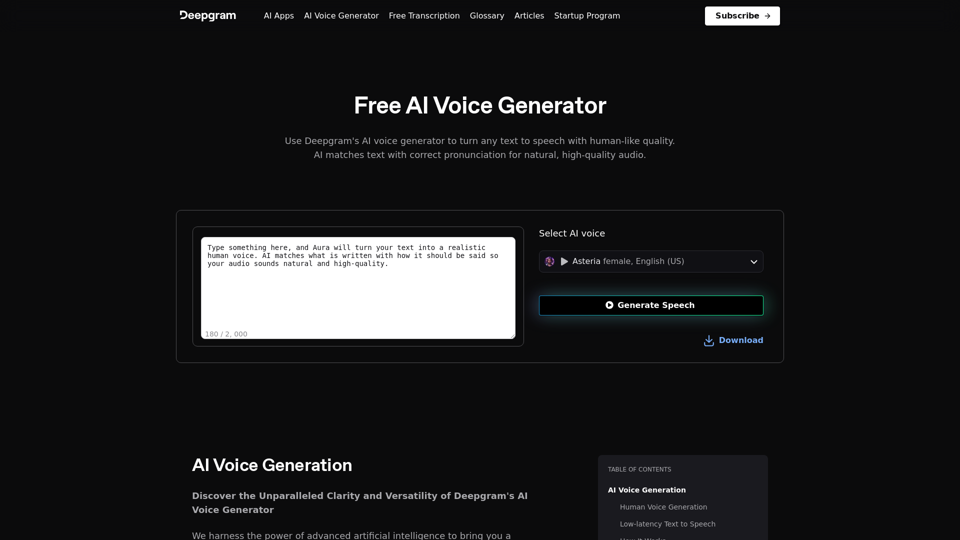
AI Voice Generator & Text to Speech | Deepgram Transform written text into natural-sounding speech with our AI voice generator and text-to-speech technology.

Unlock the potential of Deepgram's AI Voice Generator. Experience natural-sounding text to speech for all your projects.
Visit Website
AI Voice Generator & Text to Speech | Deepgram

Transform written text into natural-sounding speech with our AI voice generator and text-to-speech technology.
Visit Website

Introduction

Deepgram AI Voice Generator is an advanced AI-driven platform that offers state-of-the-art voice generation capabilities. It provides a vast library of voices across different genders, ages, and accents, enabling users to find the perfect voice for their projects. The platform is designed to meet various audio creation needs, from e-learning and marketing to audiobooks and accessibility enhancement.

Feature

Human Voice Generation

Deepgram's AI voice generator produces voices that are indistinguishable from real human speech, ensuring high-quality and natural-sounding output.

Low-latency Text to Speech

The platform boasts one of the fastest voice generation capabilities in the market, producing high-quality voices in a matter of seconds.

Customizable Voice Generation

Users can choose from a diverse library of high-quality, natural-sounding AI voices and generate voiceovers quickly and easily.

Easy-to-Use Interface

The platform offers a simple three-step process:

  1. Choose your voice from the library
  2. Enter your text and generate the voiceover
  3. Download the audio file

Versatile Use Cases

Deepgram AI Voice Generator caters to various industries and applications:

Use CaseDescription
E-LearningCreate engaging educational materials
MarketingEnhance advertising with attention-grabbing voiceovers
Audiobooks & PodcastsEfficiently produce audio content
AccessibilityMake content more accessible for all users

FAQ

Will my information be used for your training data?

No, Deepgram highly values user privacy, and your data will not be used for any training purposes.

Can I delete my account?

Yes, you can delete your account at any time, and all your data will be removed as well.

Related Websites
Bing Chatbot
View Detail

Bing Chatbot

Bing Chatbot

Powered by GPT-4, Bing Chatbot changes the way you explore and search the internet!

193.90 M
BNNGPT - Discover the Impossible.
View Detail

BNNGPT - Discover the Impossible.

BNNGPT - Discover the Impossible.

Real-time, accurate responses driven by cutting-edge AI. Enjoy an elegant, visually appealing interface. Experience the future of search with BNNGPT.

0
Bing AI Anywhere - GPT 4

Bing AI Anywhere is a cutting-edge technology that integrates the power of artificial intelligence into various aspects of our daily lives. With the latest GPT-4 model, this innovative platform is poised to revolutionize the way we interact, work, and live.

What is GPT-4?

GPT-4 is the fourth generation of the Generative Pre-trained Transformer (GPT) model, a type of artificial intelligence language model developed by OpenAI. This advanced language model is trained on a massive dataset of text from the internet and can generate human-like language, making it an ideal tool for a wide range of applications.

Key Features of Bing AI Anywhere with GPT-4

* Conversational AI: Engage in natural-sounding conversations with Bing AI Anywhere, which can understand and respond to voice or text inputs.
* Contextual Understanding: GPT-4's advanced language model enables Bing AI Anywhere to comprehend context, nuances, and subtleties of language, making interactions more human-like.
* Multitasking: This technology can handle multiple tasks simultaneously, making it an efficient and productive tool for various industries and applications.
* Personalization: Bing AI Anywhere with GPT-4 can learn and adapt to individual preferences, providing a tailored experience for each user.

Potential Applications of Bing AI Anywhere with GPT-4

* Virtual Assistants: Integrate Bing AI Anywhere into virtual assistants to create more conversational and helpful AI-powered companions.
* Customer Service: Implement this technology in customer service platforms to provide 24/7 support and improve customer satisfaction.
* Healthcare: Utilize Bing AI Anywhere with GPT-4 to develop AI-powered chatbots that can assist with medical inquiries, appointments, and more.
* Education: Create interactive and engaging educational tools that can provide personalized learning experiences for students.

The Future of AI with Bing AI Anywhere and GPT-4

As Bing AI Anywhere continues to evolve with the power of GPT-4, we can expect to see even more innovative applications and use cases emerge. This technology has the potential to transform industries, revolutionize the way we work and live, and bring us closer to a future where humans and AI collaborate seamlessly.
View Detail

Bing AI Anywhere - GPT 4 Bing AI Anywhere is a cutting-edge technology that integrates the power of artificial intelligence into various aspects of our daily lives. With the latest GPT-4 model, this innovative platform is poised to revolutionize the way we interact, work, and live. What is GPT-4? GPT-4 is the fourth generation of the Generative Pre-trained Transformer (GPT) model, a type of artificial intelligence language model developed by OpenAI. This advanced language model is trained on a massive dataset of text from the internet and can generate human-like language, making it an ideal tool for a wide range of applications. Key Features of Bing AI Anywhere with GPT-4 * Conversational AI: Engage in natural-sounding conversations with Bing AI Anywhere, which can understand and respond to voice or text inputs. * Contextual Understanding: GPT-4's advanced language model enables Bing AI Anywhere to comprehend context, nuances, and subtleties of language, making interactions more human-like. * Multitasking: This technology can handle multiple tasks simultaneously, making it an efficient and productive tool for various industries and applications. * Personalization: Bing AI Anywhere with GPT-4 can learn and adapt to individual preferences, providing a tailored experience for each user. Potential Applications of Bing AI Anywhere with GPT-4 * Virtual Assistants: Integrate Bing AI Anywhere into virtual assistants to create more conversational and helpful AI-powered companions. * Customer Service: Implement this technology in customer service platforms to provide 24/7 support and improve customer satisfaction. * Healthcare: Utilize Bing AI Anywhere with GPT-4 to develop AI-powered chatbots that can assist with medical inquiries, appointments, and more. * Education: Create interactive and engaging educational tools that can provide personalized learning experiences for students. The Future of AI with Bing AI Anywhere and GPT-4 As Bing AI Anywhere continues to evolve with the power of GPT-4, we can expect to see even more innovative applications and use cases emerge. This technology has the potential to transform industries, revolutionize the way we work and live, and bring us closer to a future where humans and AI collaborate seamlessly.

Bing AI Anywhere - GPT 4 Bing AI Anywhere is a cutting-edge technology that integrates the power of artificial intelligence into various aspects of our daily lives. With the latest GPT-4 model, this innovative platform is poised to revolutionize the way we interact, work, and live. What is GPT-4? GPT-4 is the fourth generation of the Generative Pre-trained Transformer (GPT) model, a type of artificial intelligence language model developed by OpenAI. This advanced language model is trained on a massive dataset of text from the internet and can generate human-like language, making it an ideal tool for a wide range of applications. Key Features of Bing AI Anywhere with GPT-4 * Conversational AI: Engage in natural-sounding conversations with Bing AI Anywhere, which can understand and respond to voice or text inputs. * Contextual Understanding: GPT-4's advanced language model enables Bing AI Anywhere to comprehend context, nuances, and subtleties of language, making interactions more human-like. * Multitasking: This technology can handle multiple tasks simultaneously, making it an efficient and productive tool for various industries and applications. * Personalization: Bing AI Anywhere with GPT-4 can learn and adapt to individual preferences, providing a tailored experience for each user. Potential Applications of Bing AI Anywhere with GPT-4 * Virtual Assistants: Integrate Bing AI Anywhere into virtual assistants to create more conversational and helpful AI-powered companions. * Customer Service: Implement this technology in customer service platforms to provide 24/7 support and improve customer satisfaction. * Healthcare: Utilize Bing AI Anywhere with GPT-4 to develop AI-powered chatbots that can assist with medical inquiries, appointments, and more. * Education: Create interactive and engaging educational tools that can provide personalized learning experiences for students. The Future of AI with Bing AI Anywhere and GPT-4 As Bing AI Anywhere continues to evolve with the power of GPT-4, we can expect to see even more innovative applications and use cases emerge. This technology has the potential to transform industries, revolutionize the way we work and live, and bring us closer to a future where humans and AI collaborate seamlessly.

This extension helps you use Bing AI on Chrome with a popup and website.

193.90 M
Token Counter for ChatGPT 

This tool helps you count the number of tokens in your text input.

How to Use:

1. Paste your text into the input box.
2. Click the "Count Tokens" button.
3. The number of tokens will be displayed below the input box.

What is a Token?

A token is the basic unit of text that ChatGPT processes. 

It can be a word, part of a word, or a punctuation mark.


Example:

Input Text: Hello, world!

Token Count: 4
View Detail

Token Counter for ChatGPT This tool helps you count the number of tokens in your text input. How to Use: 1. Paste your text into the input box. 2. Click the "Count Tokens" button. 3. The number of tokens will be displayed below the input box. What is a Token? A token is the basic unit of text that ChatGPT processes. It can be a word, part of a word, or a punctuation mark. Example: Input Text: Hello, world! Token Count: 4

Token Counter for ChatGPT This tool helps you count the number of tokens in your text input. How to Use: 1. Paste your text into the input box. 2. Click the "Count Tokens" button. 3. The number of tokens will be displayed below the input box. What is a Token? A token is the basic unit of text that ChatGPT processes. It can be a word, part of a word, or a punctuation mark. Example: Input Text: Hello, world! Token Count: 4

110

193.90 M
Claude to Notion

This is a guide on how to connect Claude, an AI assistant, with Notion, a note-taking and workspace app. 

Why connect Claude and Notion?

* Boost your productivity: Use Claude to generate content, summarize information, and automate tasks directly within Notion.
* Enhance your research: Ask Claude questions about your Notion notes and get insightful answers.
* Unlock new creative possibilities: Leverage Claude's generative capabilities to brainstorm ideas, write stories, or compose emails within your Notion workspace.

How to connect Claude and Notion:

1. API Keys: Obtain an API key for both Claude and Notion. 
2. Integration Tool: Explore integration tools like Zapier or Integromat to connect Claude and Notion. These platforms allow you to create workflows that trigger actions in one app based on events in the other.
3. Custom Development: For advanced users, you can develop your own custom integration using the Claude and Notion APIs. This gives you the most flexibility but requires coding knowledge.

Example Use Cases:

* Meeting Summarization: After a meeting, paste the transcript into Notion and use Claude to generate a concise summary.
* Content Creation:  Use Claude to write blog posts, articles, or social media captions directly within your Notion pages.
* Idea Generation: Brainstorm new ideas for projects or tasks by prompting Claude with specific questions within your Notion workspace.


Remember to review the documentation and terms of service for both Claude and Notion to ensure proper usage and security.
View Detail

Claude to Notion This is a guide on how to connect Claude, an AI assistant, with Notion, a note-taking and workspace app. Why connect Claude and Notion? * Boost your productivity: Use Claude to generate content, summarize information, and automate tasks directly within Notion. * Enhance your research: Ask Claude questions about your Notion notes and get insightful answers. * Unlock new creative possibilities: Leverage Claude's generative capabilities to brainstorm ideas, write stories, or compose emails within your Notion workspace. How to connect Claude and Notion: 1. API Keys: Obtain an API key for both Claude and Notion. 2. Integration Tool: Explore integration tools like Zapier or Integromat to connect Claude and Notion. These platforms allow you to create workflows that trigger actions in one app based on events in the other. 3. Custom Development: For advanced users, you can develop your own custom integration using the Claude and Notion APIs. This gives you the most flexibility but requires coding knowledge. Example Use Cases: * Meeting Summarization: After a meeting, paste the transcript into Notion and use Claude to generate a concise summary. * Content Creation: Use Claude to write blog posts, articles, or social media captions directly within your Notion pages. * Idea Generation: Brainstorm new ideas for projects or tasks by prompting Claude with specific questions within your Notion workspace. Remember to review the documentation and terms of service for both Claude and Notion to ensure proper usage and security.

Claude to Notion This is a guide on how to connect Claude, an AI assistant, with Notion, a note-taking and workspace app. Why connect Claude and Notion? * Boost your productivity: Use Claude to generate content, summarize information, and automate tasks directly within Notion. * Enhance your research: Ask Claude questions about your Notion notes and get insightful answers. * Unlock new creative possibilities: Leverage Claude's generative capabilities to brainstorm ideas, write stories, or compose emails within your Notion workspace. How to connect Claude and Notion: 1. API Keys: Obtain an API key for both Claude and Notion. 2. Integration Tool: Explore integration tools like Zapier or Integromat to connect Claude and Notion. These platforms allow you to create workflows that trigger actions in one app based on events in the other. 3. Custom Development: For advanced users, you can develop your own custom integration using the Claude and Notion APIs. This gives you the most flexibility but requires coding knowledge. Example Use Cases: * Meeting Summarization: After a meeting, paste the transcript into Notion and use Claude to generate a concise summary. * Content Creation: Use Claude to write blog posts, articles, or social media captions directly within your Notion pages. * Idea Generation: Brainstorm new ideas for projects or tasks by prompting Claude with specific questions within your Notion workspace. Remember to review the documentation and terms of service for both Claude and Notion to ensure proper usage and security.

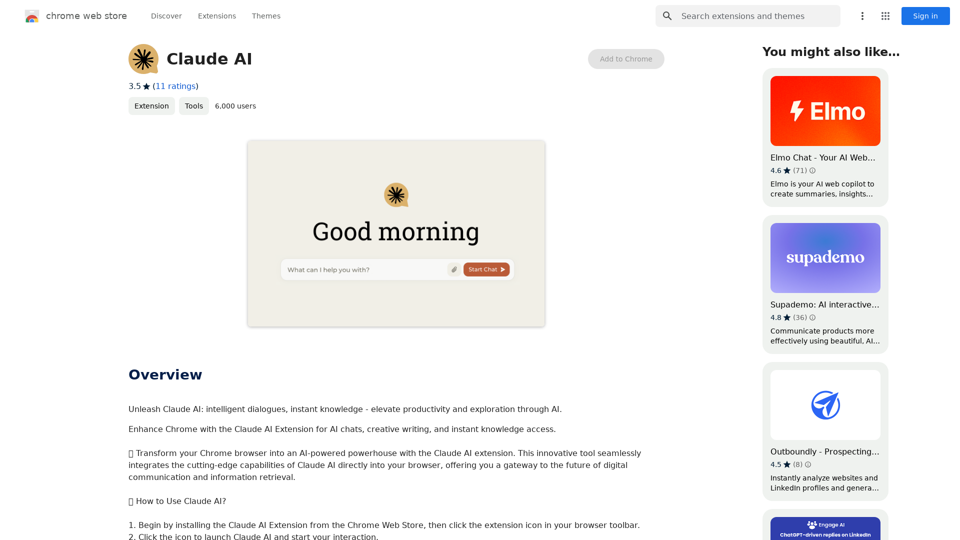
Save Claude conversations to Notion with one click. Export Claude conversations.

193.90 M
Insync Browser Co-Pilot (Beta)
View Detail

Insync Browser Co-Pilot (Beta)

Insync Browser Co-Pilot (Beta)

Navigate the web smarter with Insyncai Co-Pilot: Your AI-powered assistant for quick summaries and finding information on any webpage!

193.90 M
WiseGPT
View Detail

WiseGPT

WiseGPT

Autocomplete and personal prompts for ChatGPT.

193.90 M
Semaj AI
View Detail

Semaj AI

Semaj AI

Quiz Generation Made Easy! ============================= With just one click, you can generate a quiz on any topic you want! Whether you're a teacher, student, or just a curious learner, this feature is perfect for you. How it Works --------------- 1. Choose Your Topic: Select the topic you want to generate a quiz on. It can be anything from history to science, literature to music, or even pop culture! 2. Click the Button: Simply click the "Generate Quiz" button, and our AI-powered algorithm will do the rest. 3. Get Your Quiz: In an instant, you'll receive a comprehensive quiz with multiple-choice questions, true/false questions, and short-answer questions. Features ------------ * Customizable: You can adjust the difficulty level, question type, and even add your own questions to make the quiz more personalized. * Instant Feedback: Get instant feedback on your answers, so you can track your progress and identify areas for improvement. * Shareable: Share your quiz with friends, classmates, or even on social media to spark a fun competition! Try it Out! -------------- Click the "Generate Quiz" button below to get started! [Generate Quiz Button] Happy quizzing!

0