Open-source RightAI Tools Directory
  • Discover AI
  • Submit
  • Startup
  • Blog
Open-source RightAI Tools Directory
Discover the best AI tools of 2025 with the RightAI Tools Directory!

Friend Links

AI Anime GeneratorToolsApp AI

Support

Tap4
Privacy policyTerms & ConditionsContact Us
Loading...
loading...

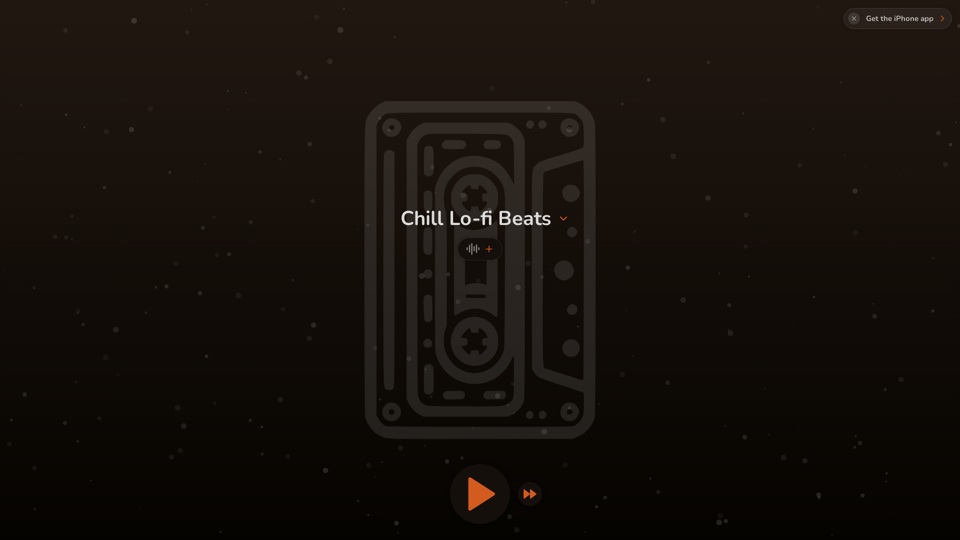
FlowTunes - Music for Focus

FlowTunes - Enhance your focus with curated music playlists designed to boost your productivity.
Visit Website
FlowTunes - Music for Focus
Visit Website

Introduction

FlowTunes is an innovative music platform designed to enhance focus and concentration through a curated selection of lo-fi beats and chill music. It offers a vast library of tracks, providing the perfect soundtrack for productivity and mental clarity. With customizable playlists, an ad-free experience, and offline access, FlowTunes caters to various user needs and preferences.

Feature

Wide Range of Genres

FlowTunes boasts a diverse collection of lo-fi beats, chillhop, and ambient music, ensuring there's something for every taste and mood.

Customizable Playlists

Users can create personalized playlists tailored to their specific mood, activity, or focus requirements, enhancing their listening experience.

Ad-Free Experience

FlowTunes provides an uninterrupted, ad-free environment, allowing users to fully immerse themselves in the music without distractions.

Offline Access

The FlowTunes app enables users to download tracks for offline listening, making it ideal for focusing on-the-go or in areas with limited internet connectivity.

User-Friendly Interface

With its easy-to-use design, users can quickly browse tracks, create playlists, and search for specific genres, moods, or activities to find the perfect music for their needs.

Flexible Pricing Options

FlowTunes offers both a free version with limited access and a premium subscription that unlocks the full library and additional features, catering to different user preferences and budgets.

FAQ

What types of music does FlowTunes offer?

FlowTunes provides a wide range of genres, including lo-fi beats, chillhop, and ambient music, catering to various tastes and preferences for focus and relaxation.

Can I use FlowTunes for free?

Yes, FlowTunes offers a free version with limited access to tracks. There's also a premium subscription available for full access to the library and additional features.

Is FlowTunes available on multiple platforms?

FlowTunes is available as a mobile app for both iPhone and Android devices, making it accessible across multiple platforms.

Can I download tracks for offline listening?

Yes, the FlowTunes app allows users to download tracks for offline listening, perfect for focusing on-the-go or in areas with limited internet access.

How can I optimize my FlowTunes experience?

To get the most out of FlowTunes:

  1. Experiment with different genres to find what works best for your focus needs
  2. Create specific playlists for different tasks or activities
  3. Use FlowTunes for relaxation and stress relief in addition to focus and productivity

Latest Traffic Insights

  • Monthly Visits

    27.51 K

  • Bounce Rate

    71.43%

  • Pages Per Visit

    2.90

  • Time on Site(s)

    147.06

  • Global Rank

    942715

  • Country Rank

    United States 423959

Recent Visits

Traffic Sources

  • Social Media:
    5.71%
  • Paid Referrals:
    1.25%
  • Email:
    0.12%
  • Referrals:
    5.77%
  • Search Engines:
    15.45%
  • Direct:
    71.69%
More Data

Related Websites

GPT Stats 

* Parameters: 175 Billion
* Trainers: 
    * Dataset:  Massive dataset of text and code
    * Method: Supervised fine-tuning 
* Capabilities:
    * Text Generation
    * Text Summarization
    * Language Translation
    * Code Generation
    * Question Answering
    * Dialogue Generation
* Limitations:
    * Can sometimes generate incorrect or biased information
    * Lacks real-world knowledge and common sense
    * Can be fooled by adversarial examples
View Detail

GPT Stats * Parameters: 175 Billion * Trainers: * Dataset: Massive dataset of text and code * Method: Supervised fine-tuning * Capabilities: * Text Generation * Text Summarization * Language Translation * Code Generation * Question Answering * Dialogue Generation * Limitations: * Can sometimes generate incorrect or biased information * Lacks real-world knowledge and common sense * Can be fooled by adversarial examples

GPT Stats * Parameters: 175 Billion * Trainers: * Dataset: Massive dataset of text and code * Method: Supervised fine-tuning * Capabilities: * Text Generation * Text Summarization * Language Translation * Code Generation * Question Answering * Dialogue Generation * Limitations: * Can sometimes generate incorrect or biased information * Lacks real-world knowledge and common sense * Can be fooled by adversarial examples

Search for conversations with GPT and other content.

193.90 M
Everything about AI | aicrunch.io
View Detail

Everything about AI | aicrunch.io

Everything about AI | aicrunch.io

Everything about the world of AI | Latest AI tools, news, guides, market insights on aicrunch.io

0
TaggingBox
View Detail

TaggingBox

TaggingBox

A new way to manage your knowledge! Just like sticking a sticker on an important note, we recommend the best tags for your information.

193.90 M
Link to lingo
View Detail

Link to lingo

Link to lingo

Translate words as you read, with support for multiple AI assistants. Save words, add notes, and improve your language skills while you read.

193.90 M
ChatGPT Snippet Saver

This is a simple tool to save snippets from your ChatGPT conversations. 

How to Use:

1.  Copy the text snippet you want to save from your ChatGPT conversation.
2.  Paste the text into the input box below.
3.  Click the "Save Snippet" button.

Your snippet will be saved to your local storage. You can access your saved snippets later by clicking the "View Saved Snippets" button.
View Detail

ChatGPT Snippet Saver This is a simple tool to save snippets from your ChatGPT conversations. How to Use: 1. Copy the text snippet you want to save from your ChatGPT conversation. 2. Paste the text into the input box below. 3. Click the "Save Snippet" button. Your snippet will be saved to your local storage. You can access your saved snippets later by clicking the "View Saved Snippets" button.

ChatGPT Snippet Saver This is a simple tool to save snippets from your ChatGPT conversations. How to Use: 1. Copy the text snippet you want to save from your ChatGPT conversation. 2. Paste the text into the input box below. 3. Click the "Save Snippet" button. Your snippet will be saved to your local storage. You can access your saved snippets later by clicking the "View Saved Snippets" button.

GPT Snippet Saver - Save Your Favorite ChatGPT Conversations Revolutionize how you gather and organize information from ChatGPT! - Effortlessly capture and store your most valuable ChatGPT interactions. - Organize your saved conversations by topic, date, or any custom tag. - Easily search and retrieve specific snippets from your saved history. - Share your favorite ChatGPT insights with others. - Never lose track of a brilliant idea or helpful response again.

193.90 M
PageSage
View Detail

PageSage

PageSage

AI Webpage Answer Finder

193.90 M
Z list
View Detail

Z list

Z list

Z lister is a powerful AI tool for real estate agents!

193.90 M
Hints Playbook AI

This playbook provides guidance on how to effectively use hints to improve the performance of AI models.

Understanding Hints

Hints are additional pieces of information provided to an AI model to guide its output. They can take various forms, such as:

* Textual prompts: Direct instructions or suggestions.
* Examples: Demonstrating the desired output format or style.
* Constraints: Specifying limitations or boundaries for the response.

Types of Hints

* Zero-shot: Hints are provided without any examples.
* Few-shot: A small number of examples are given to illustrate the desired output.
* Fine-tuning: Hints are incorporated into the training data to adjust the model's behavior.

Best Practices for Using Hints

* Be specific: Clearly articulate what you want the AI to do.
* Provide context: Give the model enough background information to understand the task.
* Use examples: Demonstrate the desired output format or style.
* Iterate and refine: Experiment with different types and formats of hints to find what works best.
* Evaluate results: Assess the quality of the AI's output and adjust hints accordingly.
View Detail

Hints Playbook AI This playbook provides guidance on how to effectively use hints to improve the performance of AI models. Understanding Hints Hints are additional pieces of information provided to an AI model to guide its output. They can take various forms, such as: * Textual prompts: Direct instructions or suggestions. * Examples: Demonstrating the desired output format or style. * Constraints: Specifying limitations or boundaries for the response. Types of Hints * Zero-shot: Hints are provided without any examples. * Few-shot: A small number of examples are given to illustrate the desired output. * Fine-tuning: Hints are incorporated into the training data to adjust the model's behavior. Best Practices for Using Hints * Be specific: Clearly articulate what you want the AI to do. * Provide context: Give the model enough background information to understand the task. * Use examples: Demonstrate the desired output format or style. * Iterate and refine: Experiment with different types and formats of hints to find what works best. * Evaluate results: Assess the quality of the AI's output and adjust hints accordingly.

Hints Playbook AI This playbook provides guidance on how to effectively use hints to improve the performance of AI models. Understanding Hints Hints are additional pieces of information provided to an AI model to guide its output. They can take various forms, such as: * Textual prompts: Direct instructions or suggestions. * Examples: Demonstrating the desired output format or style. * Constraints: Specifying limitations or boundaries for the response. Types of Hints * Zero-shot: Hints are provided without any examples. * Few-shot: A small number of examples are given to illustrate the desired output. * Fine-tuning: Hints are incorporated into the training data to adjust the model's behavior. Best Practices for Using Hints * Be specific: Clearly articulate what you want the AI to do. * Provide context: Give the model enough background information to understand the task. * Use examples: Demonstrate the desired output format or style. * Iterate and refine: Experiment with different types and formats of hints to find what works best. * Evaluate results: Assess the quality of the AI's output and adjust hints accordingly.

Hints automatically updates CRM fields from video calls. Keep your CRM up-to-date.

193.90 M