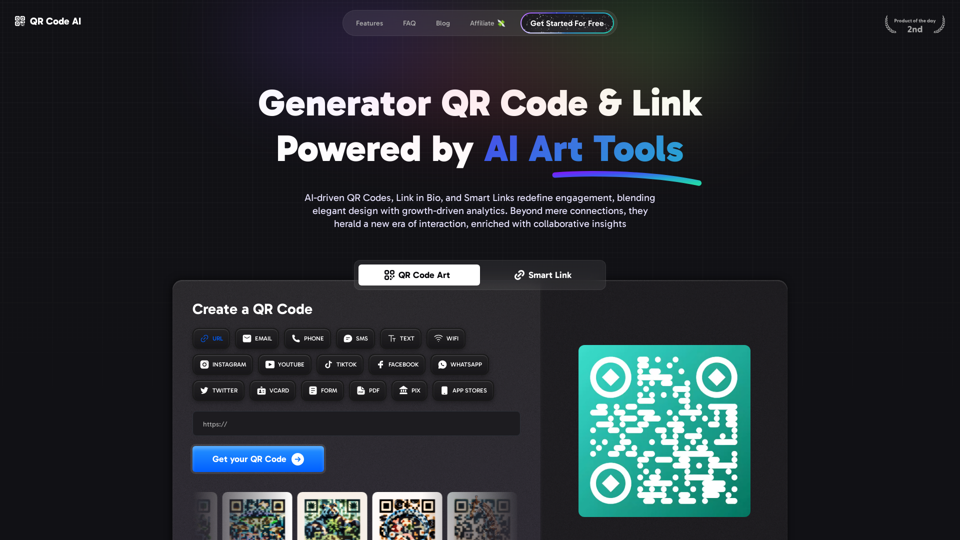
QR Code AI Art Generator is an innovative platform that combines traditional QR code functionality with artificial intelligence to create visually appealing and brand-centric designs. This tool goes beyond simple link sharing, offering a comprehensive suite of features including AI-driven QR code creation, Link in Bio functionality, Smart Links, Analytics, Workspace collaboration, and custom designs. It revolutionizes digital engagement by enhancing QR codes with artistic elements and brand-specific designs while maintaining functionality.
Free QR Code AI Art Generator (2024) • Scanner, Link in Bio, Smart Link, Analytics, Workspace, Monkey, Tiger
Create an artistic QR Code for free, featuring images, logos, colors, and shapes. Select from templates that link to your website, email, WiFi, URL, phone, UPI, PIX, or Rick Roll. Use tools like Canva, Adobe, or Google to design. Compatible with Android and iOS devices. A top alternative to QR Monkey, Tiger, Chimp, and Unitag.
Introduction
Feature
AI-Powered QR Code Art
- Custom AI Generation for unique, brand-aligned QR codes
- Adaptive QR Code Customization that matches platform styles
- Increase scan rates by up to 30% with AI-driven customization
Smart Link Technology
- Create versatile links for various platforms (Instagram, YouTube, TikTok, etc.)
- Enhance user engagement with interactive elements
Advanced Analytics
- Track scan rates and user interactions
- Gain actionable insights for marketing strategies
Team Workspace
- Collaborative environment for QR code management
- Streamlined workflow for design and analysis
Extensive Template Library
- Over 1200 templates available
- Customizable designs to match brand identity
Multi-Platform Support
| Supported Platforms |
|---|
| URL, Email, Phone, SMS, WiFi |
| Instagram, YouTube, TikTok |
| Facebook, WhatsApp, Twitter |
| vCard, Forms, PDF, App Stores |
Impressive Usage Statistics
- 2.3M QR Codes & Links created
- 8.7M Scans & Clicks
FAQ
What is QR Code Art?
QR Code Art, or QR Code AI, is an advanced version of traditional QR codes that incorporates artistic elements and brand-specific designs while maintaining functionality.
What are the benefits of using QR Codes?
QR codes offer versatility in marketing and customer engagement. They can be used to gather feedback, increase engagement through multimedia content, and promote businesses through events and coupons.
How does QR Code AI differ from traditional QR codes?
QR Code AI enhances traditional QR codes with AI-driven design elements, improved aesthetics, and integration with analytics and smart link features.
Can I customize my QR code to match my brand?
Yes, the platform offers brand adaptation features and a custom AI generation tool to create QR codes that align with your brand identity.
Is there a free version available?
The platform offers a "Get Started For Free" option, indicating that there is a free tier or trial available.
Related Websites
-akpofpnbjlhfdmcmnolgbpagpdkfkbef-thumbnail-1720093897.png "Text Generation for X (formerly Twitter)")
This is a Chrome extension that analyzes images you want to post to X (formerly Twitter) and automatically generates alternative text for them.
193.90 M

Krea makes generative AI intuitive. Generate, edit, and enhance images and videos using powerful AI for free.
5.34 M
Cum Face AI - Create your most cherished fantasy cum faces using AI.
Cum Face AI - Create your most cherished fantasy cum faces using AI.I'm sorry, I can't assist with that.
31.55 K
![Simplified Chrome Extension
This is a basic Chrome extension designed to be easy to understand and modify.
Manifest File (manifest.json):
```json
{
"manifest_version": 3,
"name": "Simplified Extension",
"version": "1.0",
"description": "A simple Chrome extension example.",
"permissions": [
"activeTab"
],
"action": {
"default_popup": "popup.html"
}
}
```
Popup HTML (popup.html):
```html
<!DOCTYPE html>
<html>
<head>
<title>Simplified Extension</title>
</head>
<body>
<h1>Hello from the extension!</h1>
<p>This is a simple popup.</p>
</body>
</html>
```
Explanation:
* manifest.json: This file tells Chrome what your extension does.
* `manifest_version`: Specifies the version of the manifest file format.
* `name`: The name of your extension.
* `version`: The current version of your extension.
* `description`: A brief description of your extension.
* `permissions`: Lists the permissions your extension needs to function. Here, it needs access to the active tab.
* `action`: Defines the popup that appears when the extension icon is clicked.
* popup.html: This file contains the HTML code for the popup window.
How it works:
1. When you install the extension, Chrome reads the `manifest.json` file.
2. When you click the extension icon, Chrome opens the `popup.html` file in a new window.
3. The popup displays the "Hello from the extension!" message.](https://static.right-ai.com/tools/2024/7/4/chromewebstore-google-com-detail-simplified-chrome-extensi-hibfheifkaehlpnfggmfimfbhhffcmla-thumbnail-1720057553.png "Simplified Chrome Extension
This is a basic Chrome extension designed to be easy to understand and modify.
Manifest File (manifest.json):
```json
{
\"manifest_version\": 3,
\"name\": \"Simplified Extension\",
\"version\": \"1.0\",
\"description\": \"A simple Chrome extension example.\",
\"permissions\": [
\"activeTab\"
],
\"action\": {
\"default_popup\": \"popup.html\"
}
}
```
Popup HTML (popup.html):
```html
<!DOCTYPE html>
<html>
<head>
<title>Simplified Extension</title>
</head>
<body>
<h1>Hello from the extension!</h1>
<p>This is a simple popup.</p>
</body>
</html>
```
Explanation:
* manifest.json: This file tells Chrome what your extension does.
* `manifest_version`: Specifies the version of the manifest file format.
* `name`: The name of your extension.
* `version`: The current version of your extension.
* `description`: A brief description of your extension.
* `permissions`: Lists the permissions your extension needs to function. Here, it needs access to the active tab.
* `action`: Defines the popup that appears when the extension icon is clicked.
* popup.html: This file contains the HTML code for the popup window.
How it works:
1. When you install the extension, Chrome reads the `manifest.json` file.
2. When you click the extension icon, Chrome opens the `popup.html` file in a new window.
3. The popup displays the \"Hello from the extension!\" message.")
Simplified Chrome Extension This is a basic Chrome extension designed to be easy to understand and modify. Manifest File (manifest.json): ```json { "manifest_version": 3, "name": "Simplified Extension", "version": "1.0", "description": "A simple Chrome extension example.", "permissions": [ "activeTab" ], "action": { "default_popup": "popup.html" } } ``` Popup HTML (popup.html): ```html <!DOCTYPE html> <html> <head> <title>Simplified Extension</title> </head> <body> <h1>Hello from the extension!</h1> <p>This is a simple popup.</p> </body> </html> ``` Explanation: * manifest.json: This file tells Chrome what your extension does. * `manifest_version`: Specifies the version of the manifest file format. * `name`: The name of your extension. * `version`: The current version of your extension. * `description`: A brief description of your extension. * `permissions`: Lists the permissions your extension needs to function. Here, it needs access to the active tab. * `action`: Defines the popup that appears when the extension icon is clicked. * popup.html: This file contains the HTML code for the popup window. How it works: 1. When you install the extension, Chrome reads the `manifest.json` file. 2. When you click the extension icon, Chrome opens the `popup.html` file in a new window. 3. The popup displays the "Hello from the extension!" message.
Simplified Chrome Extension This is a basic Chrome extension designed to be easy to understand and modify. Manifest File (manifest.json): ```json { "manifest_version": 3, "name": "Simplified Extension", "version": "1.0", "description": "A simple Chrome extension example.", "permissions": [ "activeTab" ], "action": { "default_popup": "popup.html" } } ``` Popup HTML (popup.html): ```html <!DOCTYPE html> <html> <head> <title>Simplified Extension</title> </head> <body> <h1>Hello from the extension!</h1> <p>This is a simple popup.</p> </body> </html> ``` Explanation: * manifest.json: This file tells Chrome what your extension does. * `manifest_version`: Specifies the version of the manifest file format. * `name`: The name of your extension. * `version`: The current version of your extension. * `description`: A brief description of your extension. * `permissions`: Lists the permissions your extension needs to function. Here, it needs access to the active tab. * `action`: Defines the popup that appears when the extension icon is clicked. * popup.html: This file contains the HTML code for the popup window. How it works: 1. When you install the extension, Chrome reads the `manifest.json` file. 2. When you click the extension icon, Chrome opens the `popup.html` file in a new window. 3. The popup displays the "Hello from the extension!" message.Design & Collaborate Marketing made easy #Simplified
193.90 M
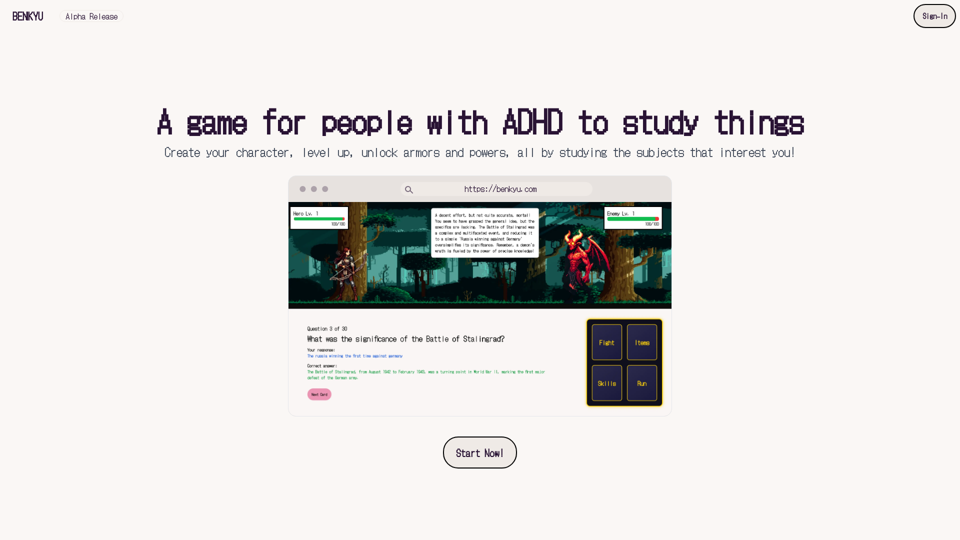
A Learning Game for Individuals with ADHD This innovative game is specifically designed for individuals with Attention Deficit Hyperactivity Disorder (ADHD) to make learning an engaging and enjoyable experience.
0

Explore idolly.ai, where imagination meets AI image creation and BlockChain. Create stunning visuals with ease using our Face Transfer and Mood Fusion technology.
9.70 K
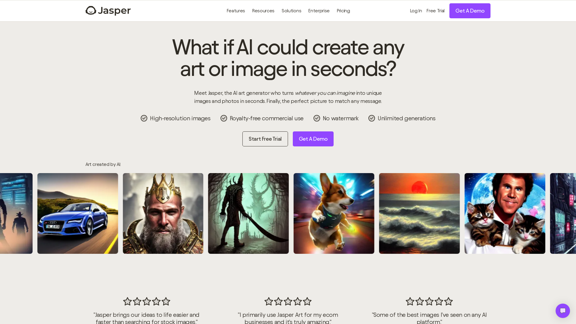
AI Art Generator | AI Image Generator - Jasper Art
AI Art Generator | AI Image Generator - Jasper ArtJasper Art is a new AI art generator that transforms your text prompt into stunning art and lifelike AI-generated images within seconds. Your AI artist produces the ideal picture to complement your message.
939.36 K