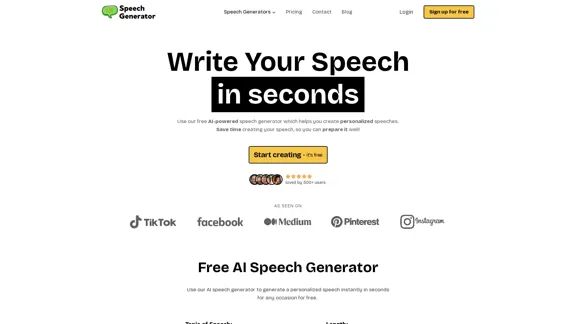
SpeechGeneratorAI is an innovative AI-powered tool designed to simplify speech writing for various occasions. It offers a user-friendly interface that allows users to create personalized speeches in seconds, saving time and effort. The platform caters to a wide range of speech types, from weddings and graduations to business presentations and debates, making it suitable for both personal and professional use.
SpeechGeneratorAI - Write Speeches in Seconds with AI
Need to write a speech instantly? Use our free AI speech writer to create a speech for any occasion in seconds!
Introduction
Feature
AI-Powered Speech Generation
SpeechGeneratorAI utilizes advanced artificial intelligence to create well-structured and engaging speeches based on user input. Users can specify the topic, length, type, and tone of the speech, ensuring a tailored result.
Diverse Speech Types
The platform supports a wide variety of speech types, including:
- Personal: Wedding toasts, eulogies, graduation speeches
- Professional: Business presentations, sales pitches, keynote addresses
- Educational: Training sessions, scientific talks, debates
- Ceremonial: Award acceptance, inaugurals, commemorative speeches
Customizable Options
Users can personalize their speeches by selecting:
- Speech length (short, medium, long)
- Speech type (from a comprehensive list)
- Tone (formal, informal, serious, humorous, etc.)
- Additional details for further customization
Free Plan Available
SpeechGeneratorAI offers a generous free plan, allowing users to experience the tool's capabilities without any cost. This includes a limited number of free generations.
Instant Generation
The AI generates polished, professional speeches in just minutes, allowing users to focus more on delivery rather than drafting.
User-Friendly Interface
The platform features an easy-to-use interface suitable for users of all experience levels, from novice speakers to seasoned professionals.
Secure Transactions
For paid plans, SpeechGeneratorAI ensures secure payments through Stripe, using industry-standard encryption to protect user information.
Customer Support
A dedicated customer support team is available to assist users with any questions or issues they might encounter.
FAQ
What is SpeechGeneratorAI?
SpeechGeneratorAI is an AI-powered tool that helps users create well-structured and engaging speeches for various occasions. It uses advanced artificial intelligence to generate speeches based on user input.
How does SpeechGeneratorAI work?
Users input key points, choose the speech type, tone, and style, and the AI generates a tailored speech in seconds. The process is simple:
- Choose your speech type
- Input your key points
- Generate your speech
Is SpeechGeneratorAI free to use?
Yes, SpeechGeneratorAI offers a free plan that allows users to experience the tool's capabilities. Users can generate a limited number of speeches for free.
What types of speeches can I create with SpeechGeneratorAI?
The platform supports a wide range of speech types, including:
- Wedding toasts
- Business presentations
- Graduation speeches
- Eulogies
- Debates
- Keynote addresses
- And many more
How long does it take to generate a speech?
Typically, it takes just a few seconds to generate a complete speech, depending on the length and complexity of the content provided.
Can I edit the generated speech?
Yes, users can easily copy or download the generated speech and customize it further to meet their exact requirements.
Is my information secure when using SpeechGeneratorAI?
Yes, the platform prioritizes user privacy and security. All input data is encrypted and handled with utmost care.
Related Websites
)
* Create a new notebook
* Install the `transformers` library by running `!pip install transformers`
* Import the `transformers` library and load the ChatGPT model using `from transformers import AutoModelForCausalLM, AutoTokenizer; model = AutoModelForCausalLM.from_pretrained('chatgpt'); tokenizer = AutoTokenizer.from_pretrained('chatgpt')`
* Use the model to generate text using `input_text = "Your input here"; inputs = tokenizer.encode_plus(input_text, return_tensors='pt', max_length=1024, padding='max_length', truncation=True); output = model(inputs['input_ids'], attention_mask=inputs['attention_mask']); print(tokenizer.decode(output.logits[0], skip_special_tokens=True))`
Method 2: Google Apps Script
* Open Google Apps Script ([script.google.com](http://script.google.com))
* Create a new project
* Install the `transformers` library by running `npm install transformers`
* Import the `transformers` library and load the ChatGPT model using `const { AutoModelForCausalLM, AutoTokenizer } = require('transformers'); const model = new AutoModelForCausalLM('chatgpt'); const tokenizer = new AutoTokenizer('chatgpt');`
* Use the model to generate text using `const inputText = "Your input here"; const inputs = tokenizer.encodePlus(inputText, { return_tensors: 'pt', max_length: 1024, padding: 'max_length', truncation: true }); const output = model(inputs.inputIds, inputs.attentionMask); console.log(tokenizer.decode(output.logits[0], { skipSpecialTokens: true }));`
Note: These methods require some technical knowledge and may have limitations compared to the original ChatGPT model.](https://static.right-ai.com/tools/2024/7/3/chromewebstore-google-com-detail-chatgpt-for-google-for-fr-pabeminldebomngnkgffiejipjjaaogi-thumbnail-1720037311.png "Get ChatGPT for Free with Google
You can now access ChatGPT, a powerful language model, for free with Google. Here's how:
Method 1: Google Colab
* Open Google Colab ([colab.research.google.com](http://colab.research.google.com))
* Create a new notebook
* Install the `transformers` library by running `!pip install transformers`
* Import the `transformers` library and load the ChatGPT model using `from transformers import AutoModelForCausalLM, AutoTokenizer; model = AutoModelForCausalLM.from_pretrained('chatgpt'); tokenizer = AutoTokenizer.from_pretrained('chatgpt')`
* Use the model to generate text using `input_text = \"Your input here\"; inputs = tokenizer.encode_plus(input_text, return_tensors='pt', max_length=1024, padding='max_length', truncation=True); output = model(inputs['input_ids'], attention_mask=inputs['attention_mask']); print(tokenizer.decode(output.logits[0], skip_special_tokens=True))`
Method 2: Google Apps Script
* Open Google Apps Script ([script.google.com](http://script.google.com))
* Create a new project
* Install the `transformers` library by running `npm install transformers`
* Import the `transformers` library and load the ChatGPT model using `const { AutoModelForCausalLM, AutoTokenizer } = require('transformers'); const model = new AutoModelForCausalLM('chatgpt'); const tokenizer = new AutoTokenizer('chatgpt');`
* Use the model to generate text using `const inputText = \"Your input here\"; const inputs = tokenizer.encodePlus(inputText, { return_tensors: 'pt', max_length: 1024, padding: 'max_length', truncation: true }); const output = model(inputs.inputIds, inputs.attentionMask); console.log(tokenizer.decode(output.logits[0], { skipSpecialTokens: true }));`
Note: These methods require some technical knowledge and may have limitations compared to the original ChatGPT model.")
Get ChatGPT for Free with Google You can now access ChatGPT, a powerful language model, for free with Google. Here's how: Method 1: Google Colab * Open Google Colab ([colab.research.google.com](http://colab.research.google.com)) * Create a new notebook * Install the `transformers` library by running `!pip install transformers` * Import the `transformers` library and load the ChatGPT model using `from transformers import AutoModelForCausalLM, AutoTokenizer; model = AutoModelForCausalLM.from_pretrained('chatgpt'); tokenizer = AutoTokenizer.from_pretrained('chatgpt')` * Use the model to generate text using `input_text = "Your input here"; inputs = tokenizer.encode_plus(input_text, return_tensors='pt', max_length=1024, padding='max_length', truncation=True); output = model(inputs['input_ids'], attention_mask=inputs['attention_mask']); print(tokenizer.decode(output.logits[0], skip_special_tokens=True))` Method 2: Google Apps Script * Open Google Apps Script ([script.google.com](http://script.google.com)) * Create a new project * Install the `transformers` library by running `npm install transformers` * Import the `transformers` library and load the ChatGPT model using `const { AutoModelForCausalLM, AutoTokenizer } = require('transformers'); const model = new AutoModelForCausalLM('chatgpt'); const tokenizer = new AutoTokenizer('chatgpt');` * Use the model to generate text using `const inputText = "Your input here"; const inputs = tokenizer.encodePlus(inputText, { return_tensors: 'pt', max_length: 1024, padding: 'max_length', truncation: true }); const output = model(inputs.inputIds, inputs.attentionMask); console.log(tokenizer.decode(output.logits[0], { skipSpecialTokens: true }));` Note: These methods require some technical knowledge and may have limitations compared to the original ChatGPT model.
Get ChatGPT for Free with Google You can now access ChatGPT, a powerful language model, for free with Google. Here's how: Method 1: Google Colab * Open Google Colab ([colab.research.google.com](http://colab.research.google.com)) * Create a new notebook * Install the `transformers` library by running `!pip install transformers` * Import the `transformers` library and load the ChatGPT model using `from transformers import AutoModelForCausalLM, AutoTokenizer; model = AutoModelForCausalLM.from_pretrained('chatgpt'); tokenizer = AutoTokenizer.from_pretrained('chatgpt')` * Use the model to generate text using `input_text = "Your input here"; inputs = tokenizer.encode_plus(input_text, return_tensors='pt', max_length=1024, padding='max_length', truncation=True); output = model(inputs['input_ids'], attention_mask=inputs['attention_mask']); print(tokenizer.decode(output.logits[0], skip_special_tokens=True))` Method 2: Google Apps Script * Open Google Apps Script ([script.google.com](http://script.google.com)) * Create a new project * Install the `transformers` library by running `npm install transformers` * Import the `transformers` library and load the ChatGPT model using `const { AutoModelForCausalLM, AutoTokenizer } = require('transformers'); const model = new AutoModelForCausalLM('chatgpt'); const tokenizer = new AutoTokenizer('chatgpt');` * Use the model to generate text using `const inputText = "Your input here"; const inputs = tokenizer.encodePlus(inputText, { return_tensors: 'pt', max_length: 1024, padding: 'max_length', truncation: true }); const output = model(inputs.inputIds, inputs.attentionMask); console.log(tokenizer.decode(output.logits[0], { skipSpecialTokens: true }));` Note: These methods require some technical knowledge and may have limitations compared to the original ChatGPT model.How to Add ChatGPT to All Google Searches ===================================================== Step 1: Create a Custom Search Engine -------------------------------------- * Go to the [Google Custom Search Engine](https://cse.google.com/) website and sign in with your Google account. * Click on the "New Search Engine" button. * Fill in the required information, such as the name and description of your search engine. * Click on the "Create" button. Step 2: Add ChatGPT to the Search Engine ----------------------------------------- * In the "Setup" tab, click on the "Add" button next to "Sites to search". * Enter the following URL: `https://chat.openai.com/` * Click on the "Add" button. Step 3: Configure the Search Engine -------------------------------------- * In the "Setup" tab, click on the "Edit" button next to "Search engine keywords". * Add the following keywords: `ChatGPT` * Click on the "Save" button. Step 4: Get the Search Engine Code ------------------------------------- * In the "Setup" tab, click on the "Get code" button. * Copy the HTML code provided. Step 5: Add the Search Engine to Your Browser ------------------------------------------------ * Open your browser and go to the "Settings" or "Options" page. * Look for the "Search engine" or "Default search engine" option. * Click on the "Add" or "Manage search engines" button. * Paste the HTML code you copied earlier. * Click on the "Add" or "Save" button. You're Done! =============== Now, whenever you search on Google, ChatGPT will be included in the search results. You can also use the custom search engine URL provided by Google to search directly.
193.90 M
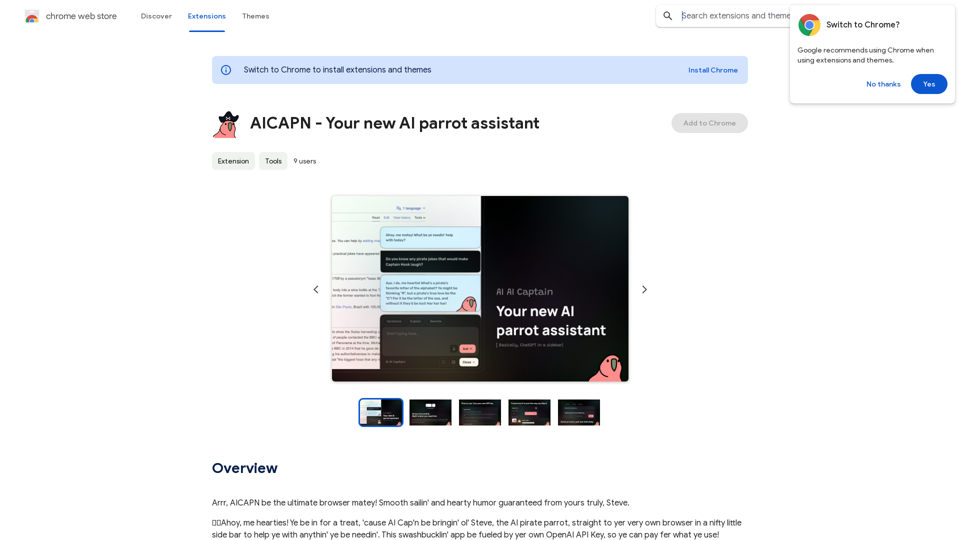
Ahoy, AICAPN is the ultimate browser buddy! Smooth sailing and hearty humor guaranteed from yours truly, Steve.
193.90 M

Automatically Apply to Jobs on LinkedIn, Indeed, Monster, and Auto-Fill on All Websites
Automatically Apply to Jobs on LinkedIn, Indeed, Monster, and Auto-Fill on All WebsitesSave time applying for jobs! Auto-applies job bot. Auto-fills in forms on all websites. Get hired faster! - Apply smarter, not harder.
260
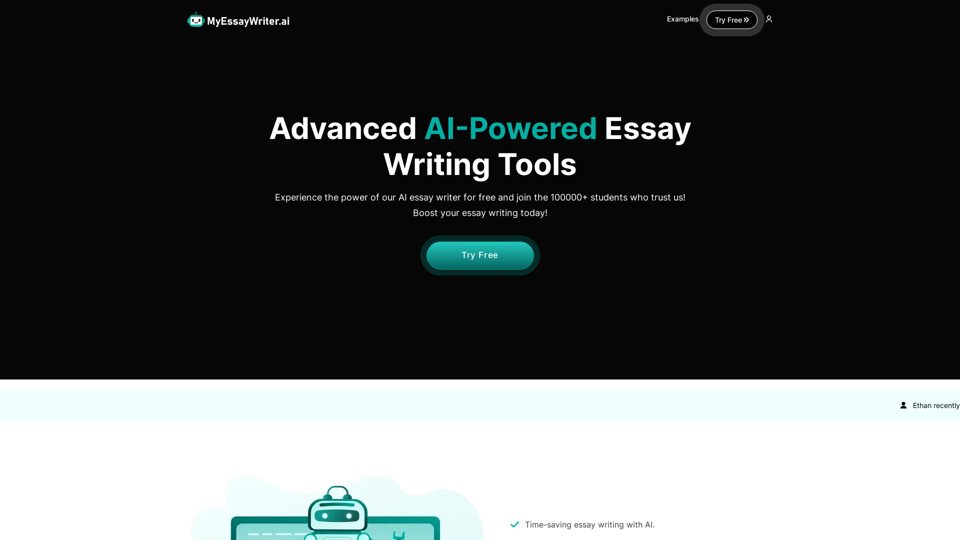
AI Essay Writer & Free AI Writing Tools | Essay Generator
AI Essay Writer & Free AI Writing Tools | Essay GeneratorEnhance your essay writing skills with our AI Essay Writer. Begin creating essays today using our AI Essay Writing Tools | No Registration Needed
121.36 K
A small program that can read aloud any Reddit posts, audiobooks, or webpages using the highest quality text-to-speech technology.
193.90 M
Automatically Apply for Jobs Using AI Imagine a world where you can apply for jobs with just a few clicks, powered by the intelligence of artificial intelligence. That's the promise of AI-powered job application tools. These tools can: * Scan your resume and identify relevant jobs: AI algorithms can analyze your skills and experience to match you with suitable opportunities. * Customize your cover letter for each application: Say goodbye to generic cover letters! AI can tailor your message to highlight the specific requirements of each job description. * Automate the application process: From filling out forms to submitting your documents, AI can handle the tedious tasks, saving you time and effort. * Track your applications and provide insights: Stay informed about the status of your applications and receive valuable feedback on your performance. By leveraging the power of AI, you can streamline your job search, increase your chances of getting noticed, and focus on what matters most: landing your dream job.
193.90 M