YanBi AI is an efficient AI writing tool designed to unleash users' creative potential. It utilizes AI large model technology to support various writing scenarios, including article creation, thesis writing, PPT production, and official document drafting. The tool offers a free trial, is easy to use, and has received high user ratings.
AI Writing Tool - YanbiAI | yanbiai.com | Generate Quality Copy with One Click
YanBi AI (yanbiai.com) is a leading AI writing tool that provides intelligent article creation, continuation, rewriting, and polishing services. Use our AI writing software to quickly generate high-quality content, including papers, presentations, official documents, and more, unleashing your creative potential.

Introduction
Feature
-
AI-driven intelligent writing
- Utilizes advanced AI large model technology
- One-click generation of high-quality content
- Avoids repetitive content, enhances copywriting effectiveness
-
Multi-scenario support
- Article creation
- Thesis writing
- PPT production
- Official document drafting
-
User-friendly
- Free trial
- Simple and easy-to-use interface
- Start AI writing experience in three steps
-
Diverse templates
- Work summary
- Improvement report
- Work plan
- Thesis proposal
- Analysis report
- Short video script
- Social media content
-
Professional writing features
- Event plan design
- Thesis defense preparation
- Monthly summary generation
- Experience sharing writing
- Official document writing assistance
How to Use?
-
Choose a suitable AI writing template to ensure it meets your specific creative needs.
-
Provide detailed topic, keywords, and style information to help AI understand your requirements more accurately.
-
After generating the initial draft, carefully review and make necessary optimizations to ensure the final copy quality meets your standards.
-
Utilize diverse template functions to explore different types of writing tasks and improve creative efficiency.
-
Regularly check for new features and updates to fully utilize the latest features of YanBi AI.
FAQ
Who is YanBi AI suitable for?
YanBi AI is suitable for various users who need to improve writing efficiency, including students, professionals, and content creators. Whether writing papers, preparing work reports, or creating social media content, all can benefit from it.
Is professional writing skills required to use YanBi AI?
No. YanBi AI is designed to be simple and easy to use, even users without professional writing skills can quickly get started. The tool provides various templates and guidance to help users easily generate high-quality content.
Is the content generated by YanBi AI original?
YanBi AI strives to generate original content. However, users still need to review and make appropriate modifications as needed to ensure the uniqueness and applicability of the content.
How to ensure the quality of content generated using YanBi AI?
Although YanBi AI can generate high-quality content, it is recommended that users carefully review the generated copy and make necessary adjustments and optimizations according to specific needs. This ensures that the final content is both efficient from AI and retains personal style.
Evaluation
-
As an AI writing tool, YanBi AI's biggest advantage is its ability to quickly generate various types of copy, greatly improving users' writing efficiency. This is a particularly valuable tool for users who need to produce content frequently.
-
The tool supports multiple writing scenarios, covering everything from academic papers to social media content, demonstrating its versatility. This diversity allows it to meet various writing needs of different users.
-
The free trial option lowers the usage barrier for users, allowing more people to try AI writing technology. This is not only beneficial for promoting the tool but also helps users understand the application of AI in writing.
-
However, despite the efficient content generation provided by AI writing tools, there are still some limitations. For example, the generated content may lack personal style and deep insights, which usually require the creativity and experience of human authors.
-
Moreover, over-reliance on AI writing tools may affect the development of users' own writing skills. Therefore, it is recommended that users view YanBi AI as an auxiliary tool rather than a complete replacement for manual writing.
-
Overall, YanBi AI provides users with a powerful writing assistance tool that can significantly improve work efficiency. However, users still need to maintain critical thinking and make personalized adjustments to AI-generated content when necessary to ensure the quality and uniqueness of the final product.
Related Websites
Create high-quality books faster and more cost-effectively than ever, with the world’s first AI designed exclusively for digital publishers.
5.18 K

Knowyoursnack - Discover What’s Inside Your Snacks
Knowyoursnack - Discover What’s Inside Your SnacksKnowYourSnack is your personal guide to understanding snack ingredients. Simply snap a photo of the ingredients list on any snack package, and our AI-powered app will identify harmful substances, provide detailed information, and help you make healthier choices.
0
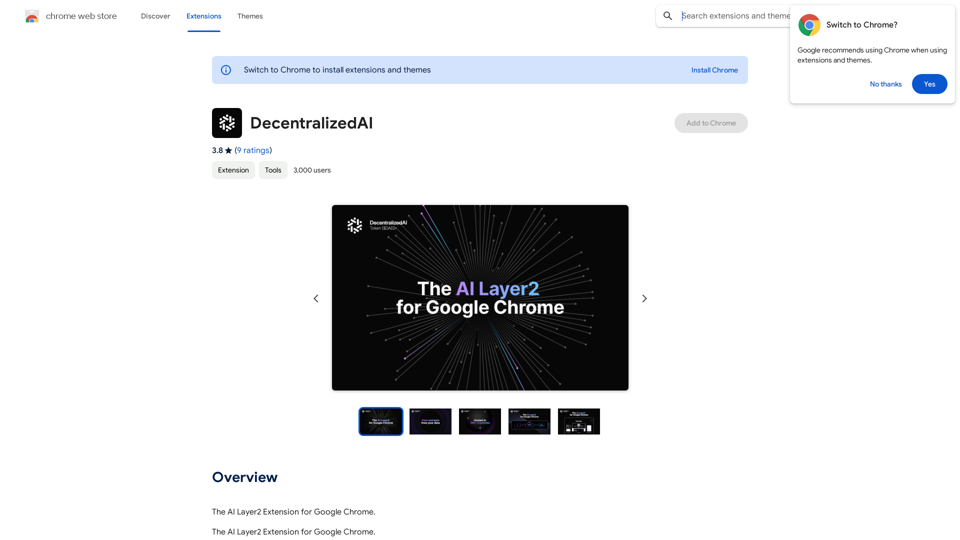
DecentralizedAI This is a general term referring to artificial intelligence (AI) systems that are not controlled by a single, centralized entity. Instead of relying on a large corporation or government to manage and govern AI, decentralized AI aims to distribute these capabilities across a network of independent nodes. Think of it like a blockchain for AI: * Transparency: The decision-making processes of decentralized AI are open and visible to everyone. * Security: Since there's no single point of failure, it's harder for malicious actors to take control or manipulate the system. * Resilience: Even if some nodes go offline, the network can continue to function. * Accessibility: Decentralized AI can make AI technology more accessible to individuals and smaller organizations. There are many potential applications for decentralized AI, including: * Data privacy: Decentralized AI can help protect user data by distributing it across multiple nodes. * Fairness and bias mitigation: By involving a wider range of participants in the training process, decentralized AI can help reduce bias in AI systems. * Autonomous organizations: Decentralized AI can be used to create self-governing organizations that operate without human intervention. Decentralized AI is still a relatively new field, but it has the potential to revolutionize the way we develop and use AI.
DecentralizedAI This is a general term referring to artificial intelligence (AI) systems that are not controlled by a single, centralized entity. Instead of relying on a large corporation or government to manage and govern AI, decentralized AI aims to distribute these capabilities across a network of independent nodes. Think of it like a blockchain for AI: * Transparency: The decision-making processes of decentralized AI are open and visible to everyone. * Security: Since there's no single point of failure, it's harder for malicious actors to take control or manipulate the system. * Resilience: Even if some nodes go offline, the network can continue to function. * Accessibility: Decentralized AI can make AI technology more accessible to individuals and smaller organizations. There are many potential applications for decentralized AI, including: * Data privacy: Decentralized AI can help protect user data by distributing it across multiple nodes. * Fairness and bias mitigation: By involving a wider range of participants in the training process, decentralized AI can help reduce bias in AI systems. * Autonomous organizations: Decentralized AI can be used to create self-governing organizations that operate without human intervention. Decentralized AI is still a relatively new field, but it has the potential to revolutionize the way we develop and use AI.The AI Layer2 Extension for Google Chrome.
193.90 M