RightAI工具目錄
  • 發現AI
  • 提交
  • 启动项目
  • 博客
RightAI工具目錄
發現2025年最佳AI工具,盡在RightAI工具目錄!

友情鏈接

AI Anime GeneratorToolsApp AI

支持

Tap4
隱私政策條款和條件聯繫我們
Loading...
加載中...

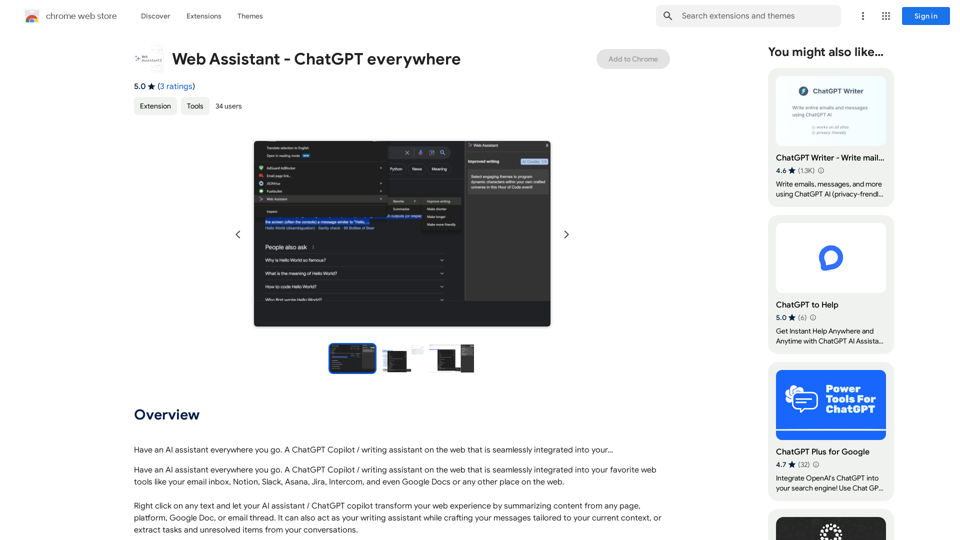
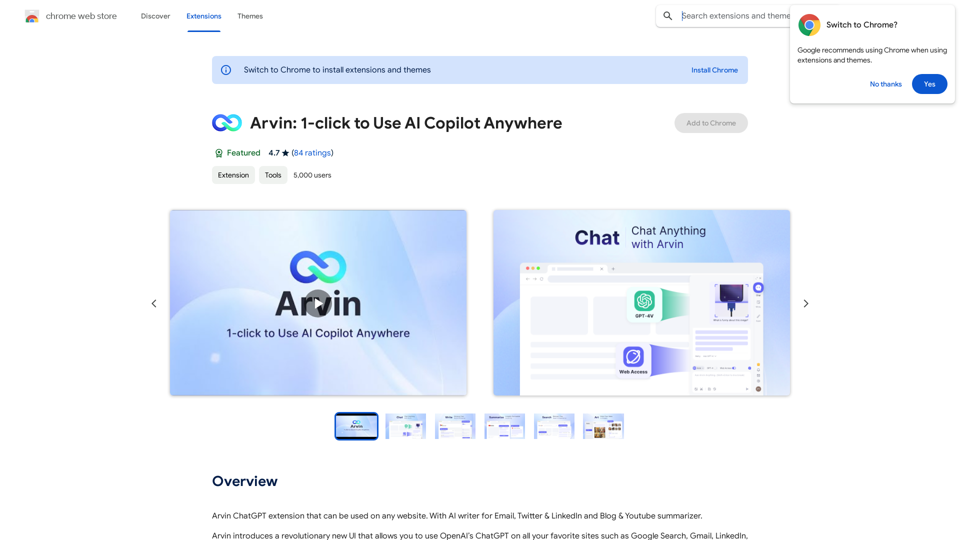
Arvin: Anywhere

Arvin ChatGPT扩展程序,可以在任何网站上使用。具有AI写作功能,适用于电子邮件、Twitter、LinkedIn和博客、YouTube摘要。
訪問網站
Arvin: Anywhere
訪問網站

介紹

Arvin 是一個革命性的 AI 副駕駛擴展程式,將 OpenAI 的 ChatGPT 整合到任何網站中。它提供了一個用戶友好的界面,可以無縫進行在線搜索和寫作。Arvin 引入了一種使用 ChatGPT 的新方法,在利用 AI 功能的同時提高了可訪問性和安全性。

功能

AI 寫作工具

使用 Arvin 的 AI 寫作功能生成專業的電子郵件回覆、摘要和各種內容。

與 Arvin 聊天

與 AI 進行友好的對話,提問、分享想法,或只是聊聊你的一天。

保存和重複使用提示

通過保存和重複使用常用提示來簡化你的內容創作過程。

斜線命令

通過輸入斜線符號 "/" 來訪問服務器內可用提示的菜單,引入了使用 ChatGPT 的新方法。

跨平台兼容性

在任何網站上無縫集成 OpenAI 的 ChatGPT,提升你的在線體驗。

提高生產力

快速高效地生成內容並回答問題,提高整體生產力。

增強準確性

通過 Arvin 的 AI 寫作和聊天功能確保專業和準確的回應。

創造力提升

通過與 AI 進行引人入勝的對話來集思廣益並產生想法。

常見問題

Arvin 的系統要求是什麼?

Arvin 與 Chrome 瀏覽器兼容,並需要至少 7.24MB 的可用空間。穩定的網絡連接對於正常功能是必要的。

Arvin 的定價選項是什麼?

Arvin 提供兩種定價層級:

計劃功能
免費有限功能,包括每天 20 次免費使用 GPT-4o
付費無限次使用 GPT-4o,優先支持,以及額外功能

我如何開始使用 Arvin?

要開始使用 Arvin:

  1. 從 Chrome 網上應用店安裝擴展程式
  2. 按照提示設置你的帳戶
  3. 登錄後,開始使用 Arvin 的功能來生成內容並與 AI 聊天

用戶對 Arvin 有什麼評價?

Arvin 收到了用戶的積極反饋,平均評分為 5 星中的 4.7 星。用戶讚揚其易用性、準確性和增強創造力的功能。

最新流量資訊

  • 月訪問量

    193.90 M

  • 跳出率

    56.27%

  • 每次訪問瀏覽頁數

    2.71

  • 訪問時長(s)

    115.91

  • 全球排名

    -

  • 國家排名

    -

最近訪問量

流量來源

  • 社交媒體:
    0.48%
  • 付費推薦:
    0.55%
  • 郵件:
    0.15%
  • 推薦:
    12.81%
  • 搜索引擎:
    16.21%
  • 直接訪問:
    69.81%
更多資料

相關網站

冬眠:AI 網路夥伴
查看詳情

冬眠:AI 網路夥伴

冬眠:AI 網路夥伴

嗨!我是 Wintermute,你的個人 AI 夥伴。我能夠理解網頁,並可以幫助你解答任何問題。

193.90 M
NovaTexter - Chat GPT Chrome 擴充功能
查看詳情

NovaTexter - Chat GPT Chrome 擴充功能

NovaTexter - Chat GPT Chrome 擴充功能

您的 AI 助手,內建最新 ChatGPT 模型,可在任何文字區域使用!適用於 Twitter、LinkedIn、Gmail、WordPress 和更多平台。

193.90 M
Searchable ChatGPT: GPT
查看詳情

Searchable ChatGPT: GPT

Searchable ChatGPT: GPT

instantly。完全本地和私人。按側邊欄按鈕或熱鍵

193.90 M
GPT-4 視覺截圖
查看詳情

GPT-4 視覺截圖

GPT-4 視覺截圖

✨ 釋放 GPT-4 Vision 截圖的即時知識力量 ✨ 探索 GPT-4 帶來的螢幕搜尋未來...

193.90 M
Linkster.ai
查看詳情

Linkster.ai

Linkster.ai

轉變您的影片體驗:AI 摘要、情緒洞察和熱門亮點,都在一個插件中!

193.90 M
ChatGPT 至 Markdown 加
查看詳情

ChatGPT 至 Markdown 加

ChatGPT 至 Markdown 加

```markdown ChatGPT Chat History You: Export chat history from ChatGPT website to normal format as Markdown, which can be opened via typora exactly. ChatGPT: ```markdown ChatGPT Chat History You: Export chat history from ChatGPT website to normal format as Markdown, which can be opened via typora exactly. ChatGPT: I can help you with that! Unfortunately, there's no direct way to export your chat history from the ChatGPT website in a format that's perfectly compatible with Typora. The website doesn't offer a dedicated download feature for chat logs. However, you can manually copy and paste your conversation into a Markdown file. Here's how: 1. Go to the ChatGPT website and log in to your account. 2. Navigate to the conversation you want to export. 3. Select all the text in the conversation window. 4. Copy the selected text (Ctrl+C or Cmd+C). 5. Open a new Markdown file in Typora. 6. Paste the copied text into the Typora file (Ctrl+V or Cmd+V). Keep in mind that this method might not preserve all formatting elements perfectly, especially if your conversation includes special characters or code blocks. ```

193.90 M
Tá Pronto - 作者工具中心
查看詳情

Tá Pronto - 作者工具中心

Tá Pronto - 作者工具中心

Tá Pronto - 內容創作者工具集是一個為數位內容創作者收集的工具集合。

193.90 M
GPTBLOX - »ChatGPTGPTs
查看詳情

GPTBLOX - »ChatGPTGPTs

GPTBLOX - »ChatGPTGPTs

探索 GPT 商店釋出的 GPTs,儲存 ChatGPT/Bard/Claude/HuggingChat 對話和網站文章,並將其組織成群組。

193.90 M