RightAI工具目錄
  • 發現AI
  • 提交
  • 启动项目
  • 博客
RightAI工具目錄
發現2025年最佳AI工具,盡在RightAI工具目錄!

友情鏈接

AI Anime GeneratorToolsApp AI

支持

Tap4
隱私政策條款和條件聯繫我們
Loading...
加載中...

Flot AI

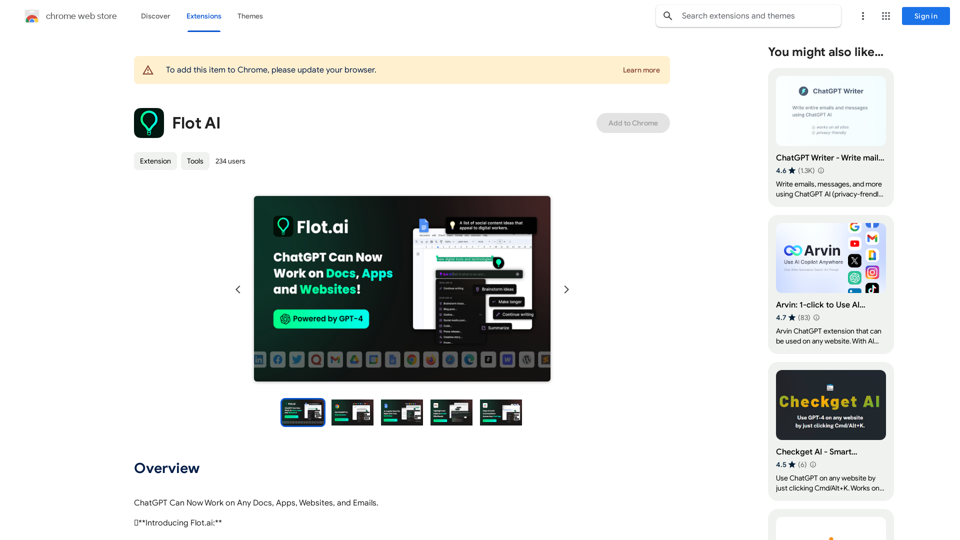
ChatGPT 現在可以處理任何文件、應用程式、網站和電子郵件。
訪問網站
Flot AI
訪問網站

介紹

Flot AI 是一個創新的 AI 驅動擴展程式,可將 ChatGPT 和其他 AI 技術無縫整合到各種應用程式、文件、網站和電子郵件中。這個多功能工具通過提供 AI 輔助寫作、編輯和摘要功能,在多個平台上增強了寫作體驗。

功能

跨多平台運作

Flot AI 可與各種應用程式、文件、網站和電子郵件無縫配合,讓用戶能夠在不同平台上使用 AI 驅動的寫作輔助。

AI 副駕駛可及性

用戶可以通過快捷鍵輕鬆訪問 AI 輔助,使他們能夠隨時隨地根據突出顯示的文本生成內容。

預設提示以增強寫作

Flot AI 提供一系列預設提示以提高寫作質量:

  • 寫作改進
  • 語氣和語調編輯
  • 快速電子郵件回覆
  • 語言翻譯
  • 文本摘要
  • 全面的語法和拼寫檢查
  • 大綱生成

多語言支持

該工具支持超過 200 種語言,使用戶能夠以他們的母語與 AI 互動。

免費和高級計劃

Flot AI 提供有限使用的免費計劃和擴展訪問和功能的高級計劃。

桌面應用程式

用戶可以下載桌面應用程式,以在各種應用程式、文件、網站和電子郵件中使用 Flot AI。

常見問題

是否需要 ChatGPT/OpenAI 帳戶?

不需要,使用此擴展程式不需要 ChatGPT 帳戶。

Flot AI 是否免費使用?

Flot AI 提供有限的免費使用,並提供高級計劃以解鎖額外功能。

Flot 可以在任何網頁上使用嗎?

是的,Flot 設計為可與任何應用程式或網頁無縫集成,無論您在哪裡輸入或突出顯示文本,都能增強您的工作流程。

Flot 是否僅限於網頁使用?

不是,用戶可以下載桌面應用程式,以在各種應用程式、文件、網站和電子郵件中使用 Flot。

Flot 是否支持多種語言?

是的,Flot 支持超過 200 種語言,允許用戶以其母語提問和回答。
最新流量資訊

  • 月訪問量

    193.90 M

  • 跳出率

    56.27%

  • 每次訪問瀏覽頁數

    2.71

  • 訪問時長(s)

    115.91

  • 全球排名

    -

  • 國家排名

    -

最近訪問量

流量來源

  • 社交媒體:
    0.48%
  • 付費推薦:
    0.55%
  • 郵件:
    0.15%
  • 推薦:
    12.81%
  • 搜索引擎:
    16.21%
  • 直接訪問:
    69.81%
更多資料

相關網站

ChatGPT 至 Markdown 加
查看詳情

ChatGPT 至 Markdown 加

ChatGPT 至 Markdown 加

```markdown ChatGPT Chat History You: Export chat history from ChatGPT website to normal format as Markdown, which can be opened via typora exactly. ChatGPT: ```markdown ChatGPT Chat History You: Export chat history from ChatGPT website to normal format as Markdown, which can be opened via typora exactly. ChatGPT: I can help you with that! Unfortunately, there's no direct way to export your chat history from the ChatGPT website in a format that's perfectly compatible with Typora. The website doesn't offer a dedicated download feature for chat logs. However, you can manually copy and paste your conversation into a Markdown file. Here's how: 1. Go to the ChatGPT website and log in to your account. 2. Navigate to the conversation you want to export. 3. Select all the text in the conversation window. 4. Copy the selected text (Ctrl+C or Cmd+C). 5. Open a new Markdown file in Typora. 6. Paste the copied text into the Typora file (Ctrl+V or Cmd+V). Keep in mind that this method might not preserve all formatting elements perfectly, especially if your conversation includes special characters or code blocks. ```

193.90 M
AG智能助手-GPT聊天、繪圖、Vision、聯網
查看詳情

AG智能助手-GPT聊天、繪圖、Vision、聯網

AG智能助手-GPT聊天、繪圖、Vision、聯網

由GPT-4 Turbo/GPT-4 O等模型驱动的私人AI工作助手!支持GPT联网、PDF分析、GPT-4 Vision、SD繪圖、dall·e3繪圖等多種功能為一體,是您最強大的AI工作助手!

193.90 M
Pangeanic
查看詳情

Pangeanic

Pangeanic

超自動化語言服務:具備您的數據和隱私的 AI 助理、自動翻譯並自動後編輯、無幻覺、人性化流暢度

45.58 K
 Julius AI - 分析 Google 表格與 ChatGPT
查看詳情

Julius AI - 分析 Google 表格與 ChatGPT

Julius AI - 分析 Google 表格與 ChatGPT

使用由 ChatGPT 和 Anthropic 驅動的 Julius AI 分析 Google 表格。創建圖表、撰寫報告等等。

193.90 M
Tendi | 您的個人 AI 財務顧問
查看詳情

Tendi | 您的個人 AI 財務顧問

Tendi | 您的個人 AI 財務顧問

Tendi 是一個個人化的 AI 財務顧問,可以幫助您設定財務目標、規劃、預算,並實現它們。

22.20 K
Flashka - AI!
查看詳情

Flashka - AI!

Flashka - AI!

Flashka幫助您學習,自動生成閃卡並輔助您學習過程。

287.56 K
AI 貼圖製作器
查看詳情

AI 貼圖製作器

AI 貼圖製作器

將您的文字轉化為令人驚嘆的貼圖,讓您的朋友、粉絲和客戶為之驚嘆!

193.90 M
彈出視窗
查看詳情

彈出視窗

彈出視窗

一個由 ChatGPT 驅動的助理

193.90 M