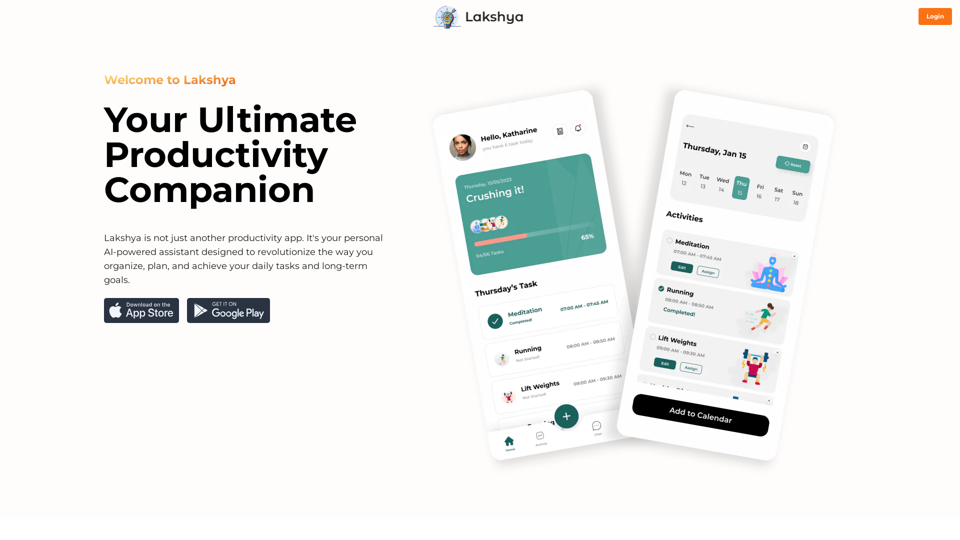
Lakshya 是一款由人工智能驅動的個人助理,旨在革新任務管理和目標實現。它提供智能任務排程、日曆整合、責任夥伴關係、挑戰、任務共享、整合日誌和全面的組織功能。Lakshya 旨在簡化生產力並幫助用戶有效管理日常任務和長期目標。
利用人工智能技術輕鬆安排日常任務,最大化生產力和效率。
將任務與您的日曆同步,以保持最新的日程安排,絕不錯過重要約會或截止日期。
與有相似目標的志同道合者聯繫,培養一個能提升專注力和責任感的支持性社群。
參與令人興奮的挑戰和競賽,與朋友和家人一起培養健康習慣並達成里程碑。
輕鬆與家人或室友分享任務,減少誤解並確保家務順利完成。
通過語音或書面條目記錄想法、創意和反思,追蹤進度並從經驗中學習。
將所有組織需求集中在一處,消除分散的待辦事項清單,促進精簡的生產力。
每位用戶都可以使用 Lakshya 的人工智能驅動功能來提高生產力並實現目標。訂閱該平台可提供額外福利並延長免費使用限制之外的訪問權限。
Lakshya 提供一系列定價方案以滿足各種需求,從免費到高級選項,旨在幫助用戶以可負擔的方式實現目標。
不會,Lakshya 高度重視用戶隱私,您的數據不會被用於任何訓練目的。
是的,您可以隨時刪除您的帳戶,所有您的數據也將被一併刪除。
168
46.19%
1.01
0.00
-
-
```markdown ChatGPT Chat History You: Export chat history from ChatGPT website to normal format as Markdown, which can be opened via typora exactly. ChatGPT: ```markdown ChatGPT Chat History You: Export chat history from ChatGPT website to normal format as Markdown, which can be opened via typora exactly. ChatGPT: I can help you with that! Unfortunately, there's no direct way to export your chat history from the ChatGPT website in a format that's perfectly compatible with Typora. The website doesn't offer a dedicated download feature for chat logs. However, you can manually copy and paste your conversation into a Markdown file. Here's how: 1. Go to the ChatGPT website and log in to your account. 2. Navigate to the conversation you want to export. 3. Select all the text in the conversation window. 4. Copy the selected text (Ctrl+C or Cmd+C). 5. Open a new Markdown file in Typora. 6. Paste the copied text into the Typora file (Ctrl+V or Cmd+V). Keep in mind that this method might not preserve all formatting elements perfectly, especially if your conversation includes special characters or code blocks. ```
TurboLearn AI 立即從您的講義中生成全面的筆記、互動式閃卡和個性化測驗。TurboLearn AI 設計用於增強學習效率和記憶力,並可適應您的獨特學習需求。 立即充分利用您的學習時間!