Open-source RightAI Tools Directory
  • Discover AI
  • Submit
  • Startup
  • Blog
Open-source RightAI Tools Directory
Discover the best AI tools of 2025 with the RightAI Tools Directory!

Friend Links

AI Anime GeneratorToolsApp AI

Support

Tap4
Privacy policyTerms & ConditionsContact Us
Loading...
loading...

No CAPTCHA Solver

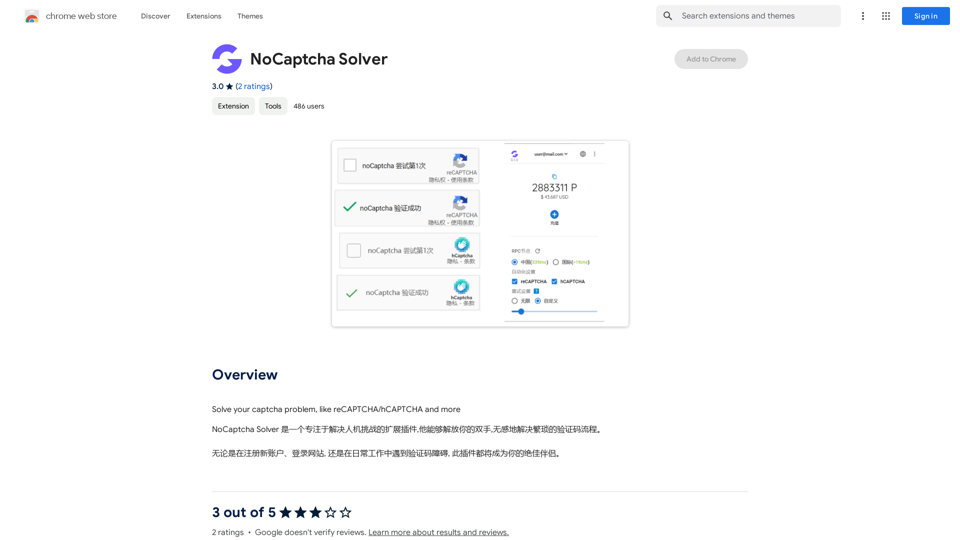
Solve CAPTCHA challenges, such as reCAPTCHA and hCAPTCHA.
Visit Website
No CAPTCHA Solver
Visit Website

Introduction

NoCaptcha Solver is a browser extension designed to automatically solve various types of captchas, including reCAPTCHA and hCAPTCHA. It aims to simplify the often frustrating captcha process, saving users time and effort. The extension is free to use, easy to install, and supports multiple languages, making it accessible to a global audience.

Feature

Easy Installation and Use

NoCaptcha Solver offers a straightforward installation process and an intuitive interface, making it user-friendly for all skill levels.

Multi-Language Support

The extension caters to a global user base by supporting multiple languages, enhancing its accessibility worldwide.

Fast and Accurate Captcha Solving

Designed for efficiency, NoCaptcha Solver quickly and accurately solves captchas, significantly reducing the time and effort required from users.

Free of Charge

NoCaptcha Solver is completely free to use, with no subscription or payment required.

Automatic Captcha Detection

When a captcha is encountered, users can simply click the NoCaptcha Solver icon in their browser toolbar to initiate the automatic solving process.

Regular Updates

The extension is regularly updated to ensure users have access to the latest features and bug fixes, maintaining its effectiveness over time.

FAQ

Is NoCaptcha Solver safe to use?

Yes, NoCaptcha Solver is designed with safety and security in mind. The extension does not collect or use your personal data, ensuring user privacy.

Can I use NoCaptcha Solver on multiple devices?

Yes, you can use NoCaptcha Solver on multiple devices. However, you need to install the extension separately on each device you wish to use it on.

How do I report issues with the extension?

If you encounter any problems while using NoCaptcha Solver, you can report them directly to the developer. This feedback helps improve the extension and resolve any bugs or issues.

Latest Traffic Insights

  • Monthly Visits

    193.90 M

  • Bounce Rate

    56.27%

  • Pages Per Visit

    2.71

  • Time on Site(s)

    115.91

  • Global Rank

    -

  • Country Rank

    -

Recent Visits

Traffic Sources

  • Social Media:
    0.48%
  • Paid Referrals:
    0.55%
  • Email:
    0.15%
  • Referrals:
    12.81%
  • Search Engines:
    16.21%
  • Direct:
    69.81%
More Data

Related Websites

Smart Scholar
View Detail

Smart Scholar

Smart Scholar

Finding relevant articles can be a tedious and time-consuming task. Smart Scholar simplifies your search by personalizing search results based on your interests and preferences.

193.90 M
Grow Your OnlyFans Agency - Supercreator Tools for OnlyFans
View Detail

Grow Your OnlyFans Agency - Supercreator Tools for OnlyFans

Grow Your OnlyFans Agency - Supercreator Tools for OnlyFans

CRM tools and automation bots for OnlyFans management agencies. Improve your chat interactions and promotions, and upsell more pay-per-view (PPV) content with the OnlyFans extension.

248.97 K
Pangeanic
View Detail

Pangeanic

Pangeanic

Hyper-automate linguistic services: AI assistants with your data, privacy, automatic translation with automatic post-editing, no hallucinations, human fluency

45.58 K
Integrito — Analyze Text, Check Plagiarism & AI
View Detail

Integrito — Analyze Text, Check Plagiarism & AI

Integrito — Analyze Text, Check Plagiarism & AI

This extension is a helpful all-in-one tool for education and working with texts.

193.90 M
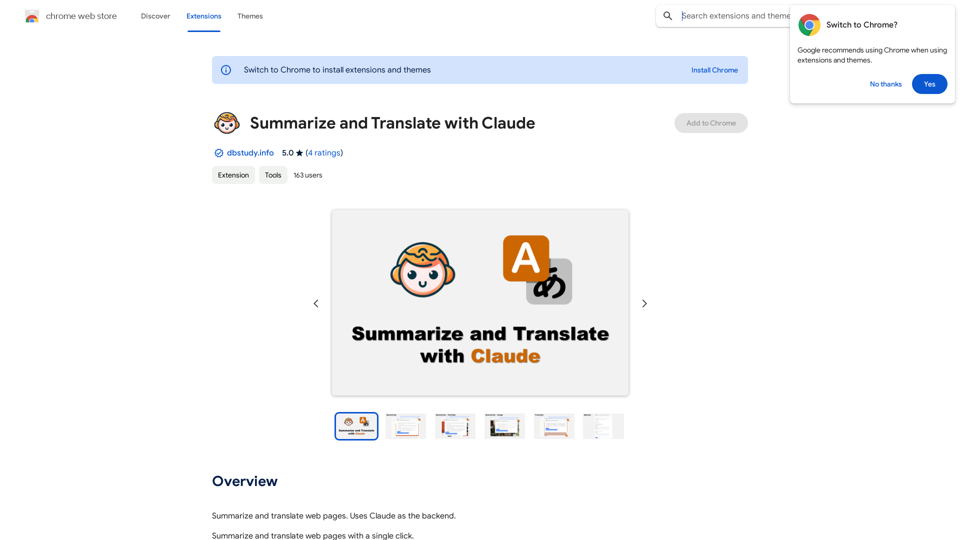
Article Summary with ChatGPT and Take Notes

This is a guide on how to use ChatGPT to summarize articles and take notes effectively. 

Step 1:  Provide ChatGPT with the Article

Copy and paste the full text of the article into the ChatGPT interface. 

Step 2:  Craft Your Prompt

Tell ChatGPT what you want it to do. Here are some examples:

* Summarize: "Please summarize this article in 200 words."
* Key Points: "What are the main points of this article?"
* Bullet Points: "Summarize the key findings of this article in bullet points."
* Notes: "Take notes on this article, focusing on the author's arguments and supporting evidence."

Step 3:  Review and Refine

ChatGPT will generate a summary, key points, bullet points, or notes based on your prompt. 

* Read carefully: Make sure the output accurately reflects the article's content.
* Edit as needed:  You can ask ChatGPT to rephrase sections or provide more detail.
* Add your own insights:  Don't just copy ChatGPT's output. Use it as a starting point and add your own thoughts, questions, and connections.

Tips for Effective Use:

* Be specific: The more specific your prompt, the better the output will be.
* Experiment with different prompts: Try various phrasing to see what works best.
* Use ChatGPT as a tool:  It's a powerful aid, but it's not a replacement for critical reading and thinking.
View Detail

Article Summary with ChatGPT and Take Notes This is a guide on how to use ChatGPT to summarize articles and take notes effectively. Step 1: Provide ChatGPT with the Article Copy and paste the full text of the article into the ChatGPT interface. Step 2: Craft Your Prompt Tell ChatGPT what you want it to do. Here are some examples: * Summarize: "Please summarize this article in 200 words." * Key Points: "What are the main points of this article?" * Bullet Points: "Summarize the key findings of this article in bullet points." * Notes: "Take notes on this article, focusing on the author's arguments and supporting evidence." Step 3: Review and Refine ChatGPT will generate a summary, key points, bullet points, or notes based on your prompt. * Read carefully: Make sure the output accurately reflects the article's content. * Edit as needed: You can ask ChatGPT to rephrase sections or provide more detail. * Add your own insights: Don't just copy ChatGPT's output. Use it as a starting point and add your own thoughts, questions, and connections. Tips for Effective Use: * Be specific: The more specific your prompt, the better the output will be. * Experiment with different prompts: Try various phrasing to see what works best. * Use ChatGPT as a tool: It's a powerful aid, but it's not a replacement for critical reading and thinking.

Article Summary with ChatGPT and Take Notes This is a guide on how to use ChatGPT to summarize articles and take notes effectively. Step 1: Provide ChatGPT with the Article Copy and paste the full text of the article into the ChatGPT interface. Step 2: Craft Your Prompt Tell ChatGPT what you want it to do. Here are some examples: * Summarize: "Please summarize this article in 200 words." * Key Points: "What are the main points of this article?" * Bullet Points: "Summarize the key findings of this article in bullet points." * Notes: "Take notes on this article, focusing on the author's arguments and supporting evidence." Step 3: Review and Refine ChatGPT will generate a summary, key points, bullet points, or notes based on your prompt. * Read carefully: Make sure the output accurately reflects the article's content. * Edit as needed: You can ask ChatGPT to rephrase sections or provide more detail. * Add your own insights: Don't just copy ChatGPT's output. Use it as a starting point and add your own thoughts, questions, and connections. Tips for Effective Use: * Be specific: The more specific your prompt, the better the output will be. * Experiment with different prompts: Try various phrasing to see what works best. * Use ChatGPT as a tool: It's a powerful aid, but it's not a replacement for critical reading and thinking.

I can do that! Please provide me with the URL of the webpage or article you'd like me to summarize. I'll do my best to create a concise and easy-to-understand summary for you.

193.90 M
Gmail Bot
View Detail

Gmail Bot

Gmail Bot

Ask ChatGPT about your Gmail messages

193.90 M
Kuakua - Psychology and AI Tools for Well-Being
View Detail

Kuakua - Psychology and AI Tools for Well-Being

Kuakua - Psychology and AI Tools for Well-Being

Explore psychology, AI tools, mindfulness, lifestyle, and therapy resources. Find happy languages, tasks, websites, and apps to boost your well-being and happiness.

0
DaZhu - TikTok Influencer Invitation Tool
View Detail

DaZhu - TikTok Influencer Invitation Tool

DaZhu - TikTok Influencer Invitation Tool

We specialize in providing comprehensive TikTok store marketing services for overseas businesses. Through influencer invitations and influencer programs, we optimize and promote your store. Our carefully designed promotional scripts will effectively increase your product exposure, ensuring you stand out in the competitive market. Partner with us to achieve wider brand influence and sales growth for your overseas store on the TikTok platform.

193.90 M