Open-source RightAI Tools Directory
  • Discover AI
  • Submit
  • Startup
  • Blog
Open-source RightAI Tools Directory
Discover the best AI tools of 2025 with the RightAI Tools Directory!

Friend Links

AI Anime GeneratorToolsApp AI

Support

Tap4
Privacy policyTerms & ConditionsContact Us
Loading...
loading...

TechLink - Genius Connection

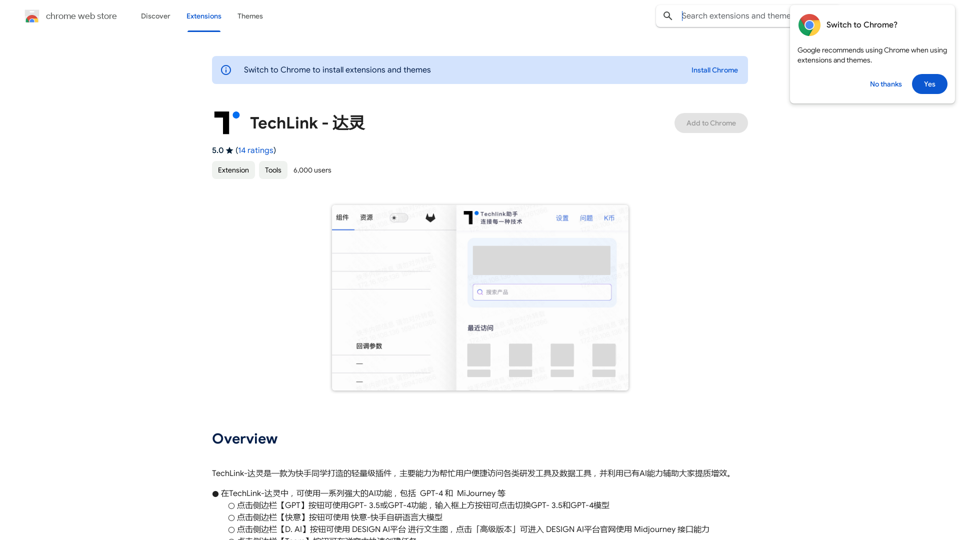
TechLink-Darling is a lightweight plugin designed for Kuaishou colleagues, mainly enabling users to conveniently access various development tools and data tools, and leveraging existing AI capabilities to help everyone improve quality and efficiency.
Visit Website
TechLink - Genius Connection
Visit Website

Introduction

TechLink is a lightweight plugin designed for Kuaishou users, offering convenient access to various development and data tools. It leverages existing AI capabilities to enhance user efficiency, providing a range of powerful features including GPT-4 and MiJourney integration. TechLink aims to streamline the development process for Kuaishou users by offering quick access to essential tools and AI-powered assistance.

Feature

AI-Powered Functionality

TechLink integrates a series of powerful AI functions, including GPT-4 and MiJourney, enabling users to leverage cutting-edge artificial intelligence capabilities for their development needs.

One-Click Access to Development Tools

Users can quickly access a variety of development tools with just one click, significantly reducing time and effort in navigating between different resources.

Side Panel Mode

TechLink offers a Side Panel mode, enhancing compatibility and flexibility for users who prefer a more streamlined interface.

Quick Search Function

The plugin includes a quick search feature for internal development products, allowing users to find the tools they need efficiently.

Customizable Settings

Users can tailor the plugin settings to their specific requirements, ensuring a personalized experience that aligns with their workflow.

Free to Use

TechLink is available for free, with optional subscription plans for users who require extended access to premium features.

FAQ

What is TechLink?

TechLink is a lightweight plugin designed for Kuaishou users, providing convenient access to various development tools and data tools. It utilizes existing AI capabilities to assist users in improving efficiency.

What are the main features of TechLink?

The main features of TechLink include:

  • Utilization of powerful AI functions (GPT-4, MiJourney)
  • One-click access to development tools
  • Side Panel mode for improved compatibility
  • Quick search function for internal development products
  • Customizable plugin settings

How do I use TechLink?

To use TechLink:

  1. Install the plugin
  2. Access the TechLink dashboard
  3. Utilize the various AI functions and development tools
  4. Customize the plugin settings to suit your needs

Is TechLink free to use?

Yes, TechLink is free to use. There are optional subscription plans available for extended access to premium features.

Latest Traffic Insights

  • Monthly Visits

    193.90 M

  • Bounce Rate

    56.27%

  • Pages Per Visit

    2.71

  • Time on Site(s)

    115.91

  • Global Rank

    -

  • Country Rank

    -

Recent Visits

Traffic Sources

  • Social Media:
    0.48%
  • Paid Referrals:
    0.55%
  • Email:
    0.15%
  • Referrals:
    12.81%
  • Search Engines:
    16.21%
  • Direct:
    69.81%
More Data

Related Websites

ChatGPT Learning
View Detail

ChatGPT Learning

ChatGPT Learning

Welcome to join us in learning about ChatGPT!

193.90 M
ChatCraft - ChatGPT Prompts

What is ChatCraft?

ChatCraft is a tool that helps you generate creative and effective prompts for ChatGPT. 

Why Use ChatCraft?

* Unlock ChatGPT's Potential: Get more insightful, engaging, and surprising responses from ChatGPT.
* Save Time and Effort:  Quickly brainstorm and refine prompts without getting stuck.
* Explore New Ideas: Discover unique angles and perspectives for your ChatGPT interactions.

How to Use ChatCraft:

1. Choose a Category: Select from a range of categories like storytelling, code generation, dialogue writing, and more.
2. Provide Input:  Give ChatCraft some context or keywords related to your desired outcome.
3. Generate Prompts: ChatCraft will generate a variety of tailored prompts for you to use with ChatGPT.
4. Experiment and Refine:  Try out different prompts and see what works best for your needs.


Let ChatCraft be your guide to unlocking the full potential of ChatGPT!
View Detail

ChatCraft - ChatGPT Prompts What is ChatCraft? ChatCraft is a tool that helps you generate creative and effective prompts for ChatGPT. Why Use ChatCraft? * Unlock ChatGPT's Potential: Get more insightful, engaging, and surprising responses from ChatGPT. * Save Time and Effort: Quickly brainstorm and refine prompts without getting stuck. * Explore New Ideas: Discover unique angles and perspectives for your ChatGPT interactions. How to Use ChatCraft: 1. Choose a Category: Select from a range of categories like storytelling, code generation, dialogue writing, and more. 2. Provide Input: Give ChatCraft some context or keywords related to your desired outcome. 3. Generate Prompts: ChatCraft will generate a variety of tailored prompts for you to use with ChatGPT. 4. Experiment and Refine: Try out different prompts and see what works best for your needs. Let ChatCraft be your guide to unlocking the full potential of ChatGPT!

ChatCraft - ChatGPT Prompts What is ChatCraft? ChatCraft is a tool that helps you generate creative and effective prompts for ChatGPT. Why Use ChatCraft? * Unlock ChatGPT's Potential: Get more insightful, engaging, and surprising responses from ChatGPT. * Save Time and Effort: Quickly brainstorm and refine prompts without getting stuck. * Explore New Ideas: Discover unique angles and perspectives for your ChatGPT interactions. How to Use ChatCraft: 1. Choose a Category: Select from a range of categories like storytelling, code generation, dialogue writing, and more. 2. Provide Input: Give ChatCraft some context or keywords related to your desired outcome. 3. Generate Prompts: ChatCraft will generate a variety of tailored prompts for you to use with ChatGPT. 4. Experiment and Refine: Try out different prompts and see what works best for your needs. Let ChatCraft be your guide to unlocking the full potential of ChatGPT!

Helping users of generative AI get the most out of ChatGPT by giving them easy-to-use, advanced prompts.

193.90 M
Smart AI Chat for WhatsApp Web
View Detail

Smart AI Chat for WhatsApp Web

Smart AI Chat for WhatsApp Web

Artificial Intelligence for Whatsapp with Chat GPT 4

193.90 M
Rolemantic - NSFW Character AI Chat - NSFW Character AI Chat
View Detail

Rolemantic - NSFW Character AI Chat - NSFW Character AI Chat

Rolemantic - NSFW Character AI Chat - NSFW Character AI Chat

Explore the fantasy realm of Rolemantic. Our unrestricted adult AI chatbot enables you to experience AI-powered flirtatious messaging, explicit conversations, and imaginative roleplaying at no cost.

1.03 K
MagicReply - AI Replies for Twitter
View Detail

MagicReply - AI Replies for Twitter

MagicReply - AI Replies for Twitter

Grow Your Twitter Account by Replying Using AI Are you tired of manually responding to tweets and struggling to grow your Twitter account? Do you want to increase your online presence and engage with your audience more efficiently? Look no further! This article will show you how to grow your Twitter account by replying using AI. What is AI-powered Twitter reply? AI-powered Twitter reply is a technology that uses artificial intelligence to automatically respond to tweets. This innovative tool analyzes the content of incoming tweets and generates a relevant response based on the context. With AI-powered Twitter reply, you can save time and effort while increasing your online engagement. Benefits of using AI-powered Twitter reply 1. Increased efficiency Manually responding to tweets can be time-consuming, especially if you have a large following. AI-powered Twitter reply automates the process, allowing you to focus on other important tasks. 2. Improved engagement AI-powered Twitter reply helps you respond to tweets quickly, which increases the chances of starting a conversation and building relationships with your followers. 3. Personalized responses AI-powered Twitter reply can be customized to fit your brand's voice and tone, ensuring that your responses are personalized and consistent. 4. Scalability As your Twitter account grows, AI-powered Twitter reply can handle a large volume of tweets, ensuring that you never miss a response. How to use AI-powered Twitter reply 1. Choose an AI-powered Twitter reply tool There are several AI-powered Twitter reply tools available, such as [Tool 1], [Tool 2], and [Tool 3]. Research and choose the one that best fits your needs. 2. Set up your AI-powered Twitter reply Once you've chosen a tool, set it up by connecting your Twitter account and customizing your responses. 3. Monitor and adjust Monitor your AI-powered Twitter reply's performance and adjust the settings as needed to ensure that your responses are relevant and engaging. Conclusion Growing your Twitter account requires consistent engagement and timely responses. AI-powered Twitter reply is a game-changer that can help you achieve this goal. By automating your responses, you can increase efficiency, improve engagement, and personalize your interactions. Try AI-powered Twitter reply today and watch your Twitter account thrive!

193.90 M
Omost | Try Omost for Free Online - AI-Powered Image Generation from Code
View Detail

Omost | Try Omost for Free Online - AI-Powered Image Generation from Code

Omost | Try Omost for Free Online - AI-Powered Image Generation from Code

Omost offers large language model (LLM) models that can generate code to create visual images using Omost's virtual Canvas agent.

0
AI Detector for Text and Images - Winston AI
View Detail

AI Detector for Text and Images - Winston AI

AI Detector for Text and Images - Winston AI

Winston AI is the most trusted AI detector to help identify AI-generated content and AI images.

193.90 M
No CAPTCHA Solver
View Detail

No CAPTCHA Solver

No CAPTCHA Solver

Solve CAPTCHA challenges, such as reCAPTCHA and hCAPTCHA.

193.90 M