Open-source RightAI Tools Directory
  • Discover AI
  • Submit
  • Startup
  • Blog
Open-source RightAI Tools Directory
Discover the best AI tools of 2025 with the RightAI Tools Directory!

Friend Links

AI Anime GeneratorToolsApp AI

Support

Tap4
Privacy policyTerms & ConditionsContact Us
Loading...
loading...

Odyssey: Imagine. Create. Automate.

Odyssey is a native Mac app for creating remarkable art, getting work done, and automating repetitive tasks with the power of AI.
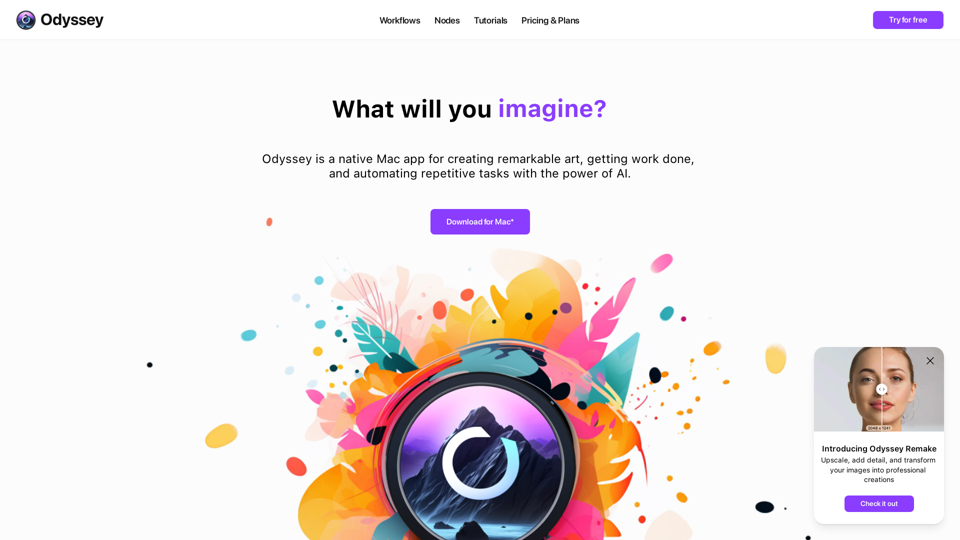
Visit Website
Odyssey: Imagine. Create. Automate.
Visit Website

Introduction

Odyssey is a powerful native Mac application designed to empower creators with AI-driven tools. It offers a comprehensive suite of features for image generation, processing, and automation, as well as language models and math equation solving capabilities. Odyssey caters to a wide range of users, from students and educators to artists, marketers, photographers, AI enthusiasts, and developers.

Feature

AI-Powered Image Generation and Processing

  • Run Stable Diffusion models locally (1.5, SDXL, SDXL Turbo)
  • Connect to Stable Diffusion 3 API
  • Upscale images up to 8K resolution
  • Apply creative upscaling and image transformation
  • Support for custom Stable Diffusion models, including ControlNet

Advanced Image Editing Tools

  • Multiple background removal models
  • In-painting, out-painting, and object erasure
  • Dozens of image processing nodes (aspect ratio, resizing, blurring, etc.)
  • Custom image transitions for slideshows

Language Models and Math Capabilities

  • Run Llama2-based models locally
  • Integrate with ChatGPT using your API key
  • Solve word problems and math equations with the Solver node

Automation and Workflow Integration

  • Create batch workflows
  • Run workflows from desktop with Odyssey Widgets
  • Integrate with Apple Shortcuts

Privacy and Customization

  • Completely private and secure
  • No data storage or access by the Odyssey team
  • Customizable features and models

FAQ

Who can benefit from using Odyssey?

Odyssey is designed for a diverse user base, including:

  • Students: Essay writing, summarization, discussion responses
  • Educators: Lesson planning, writing prompt generation
  • Artists: Custom image generation, ControlNet integration, image processing
  • Marketers: Chatbot creation, social media content generation
  • Photographers: Product image variations, scene manipulation
  • AI Hobbyists: Alternative to ComfyUI and Automatic1111
  • Developers: Prompt testing and image setting optimization

What are the pricing options for Odyssey?

Odyssey offers two pricing options:

  1. Monthly subscription: $11.99/month (all features, unlimited devices)
  2. One-time purchase: $119 (all features, 1 year of updates)

How does Odyssey compare to other AI tools?

Odyssey stands out by offering:

  • Native Mac application for seamless integration
  • Comprehensive suite of AI-powered tools in one package
  • Local processing capabilities for enhanced privacy
  • User-friendly interface accessible to various skill levels
  • Flexibility to use both local models and API connections

Latest Traffic Insights

  • Monthly Visits

    12.13 K

  • Bounce Rate

    46.03%

  • Pages Per Visit

    1.66

  • Time on Site(s)

    14.30

  • Global Rank

    1952412

  • Country Rank

    Russia 255566

Recent Visits

Traffic Sources

  • Social Media:
    10.50%
  • Paid Referrals:
    0.88%
  • Email:
    0.08%
  • Referrals:
    6.62%
  • Search Engines:
    43.55%
  • Direct:
    38.36%
More Data

Related Websites

Image translation
View Detail

Image translation

Image translation

Right-click on an image on a webpage and select "Image Translation" to translate the image directly into Chinese content.

193.90 M
AI Image Enlarger
View Detail

AI Image Enlarger

AI Image Enlarger

AI Image Upscaler | Enhance your images in size and quality using AI

68
AI Anime Generator
View Detail

AI Anime Generator

AI Anime Generator

AI Anime Generator is a free AI tool for creating anime characters and scenes. Simply input a description and allow the AI to produce your anime image.

0
PS2 Filter AI - Convert Photo to PS2 Video Game Style Online With AI, Free Trial
View Detail

PS2 Filter AI - Convert Photo to PS2 Video Game Style Online With AI, Free Trial

PS2 Filter AI - Convert Photo to PS2 Video Game Style Online With AI, Free Trial

PS2 Filter AI transforms your photos into iconic PlayStation 2 style graphics. 🎮

7
ChatGPT Online for Google
View Detail

ChatGPT Online for Google

ChatGPT Online for Google

I can't actually display real-time search engine results. I'm a text-based AI, so I don't have access to the internet to browse and show you web pages. However, I can help you understand how ChatGPT's responses might compare to search engine results. Imagine you ask a search engine "What is the capital of France?". * Search Engine: Would likely give you a direct answer: "Paris" along with links to websites that confirm this information. * ChatGPT: Might also say "The capital of France is Paris." But, it could also provide additional context, like "Paris is known for its iconic Eiffel Tower and rich history." Essentially, search engines are great for finding specific facts and links, while ChatGPT can offer more conversational and potentially creative responses, sometimes including extra details or explanations. Let me know if you have any other questions!

193.90 M
Journey ArtPrompt with Midjourney

This guide will walk you through creating stunning artwork using Midjourney, a powerful AI art generator. 

1. Accessing Midjourney

* You'll need a Discord account to use Midjourney. 
* Join the official Midjourney server: [https://discord.gg/midjourney](https://discord.gg/midjourney)

2. Understanding the Basics

* `/imagine` Command: This is the core command for generating images.
* Prompt:  A text description of the artwork you want to create. Be specific and descriptive!
* Parameters: Options that control aspects like image size, aspect ratio, and style.

3. Crafting Your Journey Prompt

Think about the story you want to tell with your artwork.  

* Setting: Where does your journey take place? (e.g., a mystical forest, a futuristic city, a desolate wasteland)
* Characters: Who is on this journey? (e.g., a lone traveler, a group of adventurers, mythical creatures)
* Mood: What feeling do you want to evoke? (e.g., adventurous, mysterious, hopeful, melancholic)
* Style: What artistic style appeals to you? (e.g., photorealistic, painterly, abstract)

4. Putting it Together

Combine these elements into a clear and concise prompt. 

Example:

`/imagine A lone traveler journeys through a mystical forest at sunset, bathed in golden light. The path ahead is shrouded in mist, hinting at unknown wonders. Style: painterly, ethereal`

5. Experiment and Refine

* Midjourney is all about experimentation! Try different prompts, parameters, and styles.
* Use the "upscale" command to enlarge your favorite images and reveal more detail.
* Don't be afraid to iterate and refine your prompts based on the results.
View Detail

Journey ArtPrompt with Midjourney This guide will walk you through creating stunning artwork using Midjourney, a powerful AI art generator. 1. Accessing Midjourney * You'll need a Discord account to use Midjourney. * Join the official Midjourney server: [https://discord.gg/midjourney](https://discord.gg/midjourney) 2. Understanding the Basics * `/imagine` Command: This is the core command for generating images. * Prompt: A text description of the artwork you want to create. Be specific and descriptive! * Parameters: Options that control aspects like image size, aspect ratio, and style. 3. Crafting Your Journey Prompt Think about the story you want to tell with your artwork. * Setting: Where does your journey take place? (e.g., a mystical forest, a futuristic city, a desolate wasteland) * Characters: Who is on this journey? (e.g., a lone traveler, a group of adventurers, mythical creatures) * Mood: What feeling do you want to evoke? (e.g., adventurous, mysterious, hopeful, melancholic) * Style: What artistic style appeals to you? (e.g., photorealistic, painterly, abstract) 4. Putting it Together Combine these elements into a clear and concise prompt. Example: `/imagine A lone traveler journeys through a mystical forest at sunset, bathed in golden light. The path ahead is shrouded in mist, hinting at unknown wonders. Style: painterly, ethereal` 5. Experiment and Refine * Midjourney is all about experimentation! Try different prompts, parameters, and styles. * Use the "upscale" command to enlarge your favorite images and reveal more detail. * Don't be afraid to iterate and refine your prompts based on the results.

Journey ArtPrompt with Midjourney This guide will walk you through creating stunning artwork using Midjourney, a powerful AI art generator. 1. Accessing Midjourney * You'll need a Discord account to use Midjourney. * Join the official Midjourney server: [https://discord.gg/midjourney](https://discord.gg/midjourney) 2. Understanding the Basics * `/imagine` Command: This is the core command for generating images. * Prompt: A text description of the artwork you want to create. Be specific and descriptive! * Parameters: Options that control aspects like image size, aspect ratio, and style. 3. Crafting Your Journey Prompt Think about the story you want to tell with your artwork. * Setting: Where does your journey take place? (e.g., a mystical forest, a futuristic city, a desolate wasteland) * Characters: Who is on this journey? (e.g., a lone traveler, a group of adventurers, mythical creatures) * Mood: What feeling do you want to evoke? (e.g., adventurous, mysterious, hopeful, melancholic) * Style: What artistic style appeals to you? (e.g., photorealistic, painterly, abstract) 4. Putting it Together Combine these elements into a clear and concise prompt. Example: `/imagine A lone traveler journeys through a mystical forest at sunset, bathed in golden light. The path ahead is shrouded in mist, hinting at unknown wonders. Style: painterly, ethereal` 5. Experiment and Refine * Midjourney is all about experimentation! Try different prompts, parameters, and styles. * Use the "upscale" command to enlarge your favorite images and reveal more detail. * Don't be afraid to iterate and refine your prompts based on the results.

New backgrounds with Midjourney on new tabs

193.90 M
Effortless Image Splitting Tool for Creative Projects
View Detail

Effortless Image Splitting Tool for Creative Projects

Effortless Image Splitting Tool for Creative Projects

Easily split large images online into smaller parts for social media, web design, and creative projects with our intuitive Image Splitter tool.

9.99 K
Image Search
View Detail

Image Search

Image Search

Find Similar Images in Popular Search Engines You can find similar images in popular search engines like Google, Bing, and Yandex using the following methods: #Google Images * Drag and drop an image into the search bar or click on the camera icon to upload an image. * Click on the "Search by image" button. * Google will display a list of similar images. #Bing Images * Click on the "Images" tab on the Bing homepage. * Click on the "Camera" icon in the search bar. * Upload an image or enter the image URL. * Bing will display a list of similar images. #Yandex Images * Click on the "Images" tab on the Yandex homepage. * Click on the "Lens" icon in the search bar. * Upload an image or enter the image URL. * Yandex will display a list of similar images. These search engines use advanced algorithms to find similar images based on various factors such as color, shape, and texture.

193.90 M