Open-source RightAI Tools Directory
  • Discover AI
  • Submit
  • Startup
  • Blog
Open-source RightAI Tools Directory
Discover the best AI tools of 2025 with the RightAI Tools Directory!

Friend Links

AI Anime GeneratorToolsApp AI

Support

Tap4
Privacy policyTerms & ConditionsContact Us
Loading...
loading...

AI Anime Generator

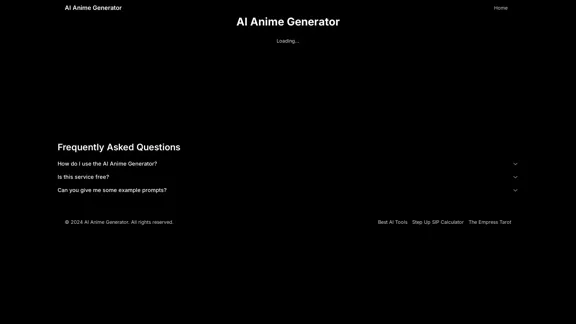
AI Anime Generator is a free AI tool for creating anime characters and scenes. Simply input a description and allow the AI to produce your anime image.
Visit Website
AI Anime Generator
Visit Website

Introduction

AI Anime Generator is a free online tool that utilizes artificial intelligence to create anime-style images based on user descriptions. This innovative platform allows users to easily generate unique anime characters and scenes without requiring artistic skills or specialized software.

Feature

Easy-to-Use Interface

Users can simply enter a description of their desired anime character or scene in a text box, making the image generation process accessible to everyone.

One-Click Generation

After entering the description, users only need to click the "Generate" button to start the AI-powered image creation process.

Free Service

AI Anime Generator is completely free to use, allowing anyone to explore their creativity without financial barriers.

Example Prompts

The tool provides example prompts to help users understand how to craft effective descriptions for better results.

Versatile Image Creation

Users can generate various anime-style images, including characters, scenes, and complex compositions.

Related Tools Integration

AI Anime Generator is part of a suite of related tools, including Best AI Tools and other utilities, enhancing its value within a broader ecosystem.

FAQ

Is AI Anime Generator free to use?

Yes, AI Anime Generator is a free service available to all users.

Can you provide an example prompt for better results?

Here's an example prompt: "1girl, souryuu asuka langley, neon genesis evangelion, plugsuit, pilot suit, red bodysuit, sitting, crossing legs, black eye patch, cat hat, throne, symmetrical, looking down, from bottom, looking at viewer, outdoors"

How can I improve my results with AI Anime Generator?

To improve your results, study and learn from the example prompts provided on the website. These prompts can help you understand how to structure your descriptions for more accurate and detailed image generation.

Latest Traffic Insights

  • Monthly Visits

    0

  • Bounce Rate

    0.00%

  • Pages Per Visit

    0.00

  • Time on Site(s)

    0.00

  • Global Rank

    -

  • Country Rank

    -

Recent Visits

Traffic Sources

  • Social Media:
    0.00%
  • Paid Referrals:
    0.00%
  • Email:
    0.00%
  • Referrals:
    0.00%
  • Search Engines:
    0.00%
  • Direct:
    0.00%
More Data

Related Websites

FluxAI Pro - Advanced Flux Image Generator
View Detail

FluxAI Pro - Advanced Flux Image Generator

FluxAI Pro - Advanced Flux Image Generator

FluxAI Pro: Superior Flux Image Generator with exceptional text rendering. Powered by FLUX.1 Pro, Dev, Schnell and Realism models.

171.41 K
SyntheticEye AI Detector 

This is a tool to detect AI-generated text. 


It analyzes the text for patterns and characteristics commonly found in AI-written content. 


You can use it to identify potentially fake news, spam, or other types of AI-generated text. 


Keep in mind that no AI detection tool is perfect, and some sophisticated AI-generated text may be difficult to detect.
View Detail

SyntheticEye AI Detector This is a tool to detect AI-generated text. It analyzes the text for patterns and characteristics commonly found in AI-written content. You can use it to identify potentially fake news, spam, or other types of AI-generated text. Keep in mind that no AI detection tool is perfect, and some sophisticated AI-generated text may be difficult to detect.

SyntheticEye AI Detector This is a tool to detect AI-generated text. It analyzes the text for patterns and characteristics commonly found in AI-written content. You can use it to identify potentially fake news, spam, or other types of AI-generated text. Keep in mind that no AI detection tool is perfect, and some sophisticated AI-generated text may be difficult to detect.

SyntheticEye provides a tool to detect images that may have been created by artificial intelligence, helping users tell the difference between AI-generated images and real ones.

193.90 M
Image In Words: Unlock Text from Images with Google
View Detail

Image In Words: Unlock Text from Images with Google

Image In Words: Unlock Text from Images with Google

Discover how to use Google to convert images to text effortlessly. Click to learn more and start converting today!

0
Recally - The Best Screenshot Management App for macOS
View Detail

Recally - The Best Screenshot Management App for macOS

Recally - The Best Screenshot Management App for macOS

Recally is the best app to manage your screenshots on macOS. Organize, browse, and search your screenshots with ease. Available on macOS.

0
PicMa Photo Enhancer - One Click AI Photo Quality Enhancer
View Detail

PicMa Photo Enhancer - One Click AI Photo Quality Enhancer

PicMa Photo Enhancer - One Click AI Photo Quality Enhancer

PicMa AI enhances photo resolution and image quality. Unblur, restore old photos, and colorize black and white images instantly. Try our tool for free.

65.77 K
Text to Voice Generator
==========================

A text-to-voice generator, also known as a text-to-speech (TTS) system, is a software that converts written text into a spoken voice output. This technology has been widely used in various applications, including virtual assistants, audiobooks, and language learning platforms.

How it Works
---------------

The process of generating voice from text involves several steps:

1. Text Analysis: The input text is analyzed to identify the language, syntax, and semantics.
2. Phonetic Transcription: The text is converted into a phonetic transcription, which represents the sounds of the spoken language.
3. Prosody Generation: The phonetic transcription is then used to generate the prosody, or rhythm and intonation, of the spoken voice.
4. Waveform Generation: The prosody and phonetic transcription are combined to generate the audio waveform, which is the final spoken voice output.

Types of Text-to-Voice Generators
-----------------------------------

There are two main types of text-to-voice generators:

Rule-Based Systems

These systems use a set of predefined rules to generate the spoken voice output. They are often limited in their ability to produce natural-sounding voices and may sound robotic.

Machine Learning-Based Systems

These systems use machine learning algorithms to learn from large datasets of spoken voices and generate more natural-sounding voices. They are often more advanced and can produce high-quality voice outputs.

Applications of Text-to-Voice Generators
-----------------------------------------

Text-to-voice generators have a wide range of applications, including:

Virtual Assistants

Virtual assistants, such as Siri and Alexa, use text-to-voice generators to respond to user queries.

Audiobooks

Text-to-voice generators can be used to create audiobooks from written texts, making it easier for people to access written content.

Language Learning

Language learning platforms use text-to-voice generators to provide pronunciation guidance and practice exercises for learners.

Accessibility

Text-to-voice generators can be used to assist people with disabilities, such as visual impairments, by providing an auditory interface to written content.
View Detail

Text to Voice Generator ========================== A text-to-voice generator, also known as a text-to-speech (TTS) system, is a software that converts written text into a spoken voice output. This technology has been widely used in various applications, including virtual assistants, audiobooks, and language learning platforms. How it Works --------------- The process of generating voice from text involves several steps: 1. Text Analysis: The input text is analyzed to identify the language, syntax, and semantics. 2. Phonetic Transcription: The text is converted into a phonetic transcription, which represents the sounds of the spoken language. 3. Prosody Generation: The phonetic transcription is then used to generate the prosody, or rhythm and intonation, of the spoken voice. 4. Waveform Generation: The prosody and phonetic transcription are combined to generate the audio waveform, which is the final spoken voice output. Types of Text-to-Voice Generators ----------------------------------- There are two main types of text-to-voice generators: Rule-Based Systems These systems use a set of predefined rules to generate the spoken voice output. They are often limited in their ability to produce natural-sounding voices and may sound robotic. Machine Learning-Based Systems These systems use machine learning algorithms to learn from large datasets of spoken voices and generate more natural-sounding voices. They are often more advanced and can produce high-quality voice outputs. Applications of Text-to-Voice Generators ----------------------------------------- Text-to-voice generators have a wide range of applications, including: Virtual Assistants Virtual assistants, such as Siri and Alexa, use text-to-voice generators to respond to user queries. Audiobooks Text-to-voice generators can be used to create audiobooks from written texts, making it easier for people to access written content. Language Learning Language learning platforms use text-to-voice generators to provide pronunciation guidance and practice exercises for learners. Accessibility Text-to-voice generators can be used to assist people with disabilities, such as visual impairments, by providing an auditory interface to written content.

Text to Voice Generator ========================== A text-to-voice generator, also known as a text-to-speech (TTS) system, is a software that converts written text into a spoken voice output. This technology has been widely used in various applications, including virtual assistants, audiobooks, and language learning platforms. How it Works --------------- The process of generating voice from text involves several steps: 1. Text Analysis: The input text is analyzed to identify the language, syntax, and semantics. 2. Phonetic Transcription: The text is converted into a phonetic transcription, which represents the sounds of the spoken language. 3. Prosody Generation: The phonetic transcription is then used to generate the prosody, or rhythm and intonation, of the spoken voice. 4. Waveform Generation: The prosody and phonetic transcription are combined to generate the audio waveform, which is the final spoken voice output. Types of Text-to-Voice Generators ----------------------------------- There are two main types of text-to-voice generators: Rule-Based Systems These systems use a set of predefined rules to generate the spoken voice output. They are often limited in their ability to produce natural-sounding voices and may sound robotic. Machine Learning-Based Systems These systems use machine learning algorithms to learn from large datasets of spoken voices and generate more natural-sounding voices. They are often more advanced and can produce high-quality voice outputs. Applications of Text-to-Voice Generators ----------------------------------------- Text-to-voice generators have a wide range of applications, including: Virtual Assistants Virtual assistants, such as Siri and Alexa, use text-to-voice generators to respond to user queries. Audiobooks Text-to-voice generators can be used to create audiobooks from written texts, making it easier for people to access written content. Language Learning Language learning platforms use text-to-voice generators to provide pronunciation guidance and practice exercises for learners. Accessibility Text-to-voice generators can be used to assist people with disabilities, such as visual impairments, by providing an auditory interface to written content.

Generate Voice from Text on Any Web Page With the advancement of technology, it is now possible to generate voice from text on any web page. This feature is particularly useful for people who prefer listening to content rather than reading it. Here's how you can do it: #Method 1: Using Browser Extension You can use a browser extension like Read Aloud or SpeakIt! to generate voice from text on any web page. These extensions are available for both Google Chrome and Mozilla Firefox browsers. #Method 2: Using Online Tools There are several online tools available that can convert text to speech. Some popular tools include NaturalReader, Voice Dream Reader, and Google Text-to-Speech. You can copy and paste the text from any web page into these tools to generate voice. #Method 3: Using Screen Reader If you are using a Windows operating system, you can use the built-in Narrator screen reader to generate voice from text on any web page. For Mac users, you can use VoiceOver. By using any of these methods, you can easily generate voice from text on any web page and enjoy a more convenient and accessible reading experience.

193.90 M
AI Image Tools for Free Online | PicPicAI
View Detail

AI Image Tools for Free Online | PicPicAI

AI Image Tools for Free Online | PicPicAI

- Remove Background - Photo Enhancer - Photo Upscaler - Change Background Color - Restore Old Photos - Colorize Photos - Compress Photos - Photo Retouch

15.66 K

Flux AI: Image Generator With Flux.1
View Detail

Flux AI: Image Generator With Flux.1

Flux AI: Image Generator With Flux.1

Discover Flux AI's powerful image generator with Flux.1

128