Open-source RightAI Tools Directory
  • Discover AI
  • Submit
  • Startup
  • Blog
Open-source RightAI Tools Directory
Discover the best AI tools of 2025 with the RightAI Tools Directory!

Friend Links

AI Anime GeneratorToolsApp AI

Support

Tap4
Privacy policyTerms & ConditionsContact Us
Loading...
loading...

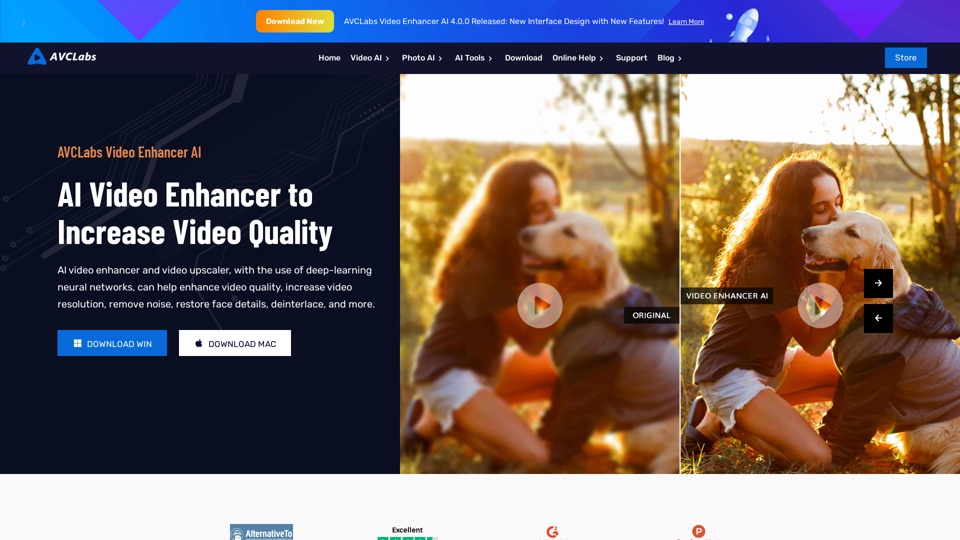
AVCLabs AI: Enhance Your Video and Photo Quality with AI

AVCLabs is an AI products provider, which is dedicated to serving customers with products including Video Enhancer, Photo Editor, Photo Enhancer, and Video Blur AI.
Visit Website
AVCLabs AI: Enhance Your Video and Photo Quality with AI
Visit Website

Introduction

AVCLabs AI is an advanced platform that leverages artificial intelligence to enhance video and photo quality. It offers a suite of AI-powered tools designed to upscale, denoise, and refine visual content, making it ideal for both personal and professional use. The platform's user-friendly interface and diverse feature set cater to beginners and experienced users alike, providing easy-to-use solutions for improving visual media.

Feature

Video Enhancer AI

  • Upscales low-resolution videos to high-definition formats (480p to 720p, 1080p, or 4K)
  • Enhances video quality through noise removal, deinterlacing, sharpening, and stabilization
  • Utilizes AI face detection and recognition to recover and refine facial details

Photo Enhancer AI

  • Increases photo quality to HD and 4K resolutions
  • Offers face restoration, colorization, and color calibration features
  • Provides automatic AI-powered photo editing capabilities

Video Blur AI

  • Automatically applies blur effects to moving faces, video backgrounds, objects, and license plates
  • Employs AI for automatic detection, tracking, and blurring of license plates

AI Photo Editor

  • Enables instant AI-powered photo editing
  • Features quick and automatic selection tools along with multiple AI tools
  • Simplifies complex photo editing processes for users of all skill levels

FAQ

How user-friendly is AVCLabs AI?

AVCLabs AI boasts a user-friendly interface that simplifies the process of uploading videos or photos and applying AI-powered enhancements. Users can easily adjust settings to customize the output according to their preferences.

What pricing options are available for AVCLabs AI?

AVCLabs AI offers a range of pricing options to suit different needs:

  • Free trials for testing the software
  • Subscription-based plans for access to advanced features and support
  • Option to download and try the software at no cost before committing to a paid plan

What are some helpful tips for using AVCLabs AI?

  • Utilize AVCLabs AI for enhancing both personal and professional visual content
  • Experiment with various AI-powered tools to find the most suitable options for your needs
  • Take advantage of free trials and demos to familiarize yourself with the software before purchasing a paid plan

Related Websites
ArtiverseHub - AI Art Generator
View Detail

ArtiverseHub - AI Art Generator

ArtiverseHub - AI Art Generator

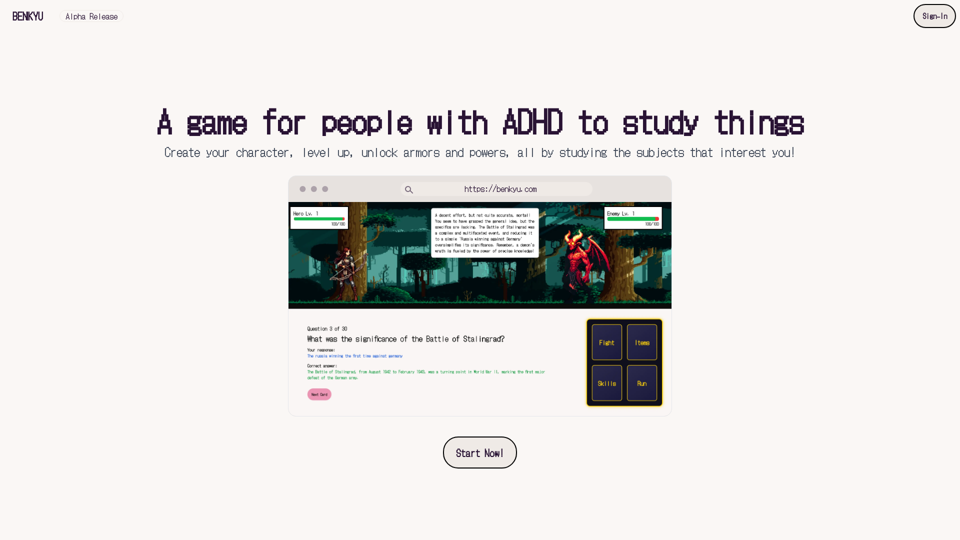
Unleash your creativity with ArtiverseHub's online AI art generator. Enjoy support for multiple platforms including DALL-E (ChatGPT), Leonardo.ai, Stability.ai, and several others.

823
Text Summarizer
View Detail

Text Summarizer

Text Summarizer

Summarizing texts is an application that creates short text from much longer text files.

193.90 M
Transform Text into Studio Ghibli Art
View Detail

Transform Text into Studio Ghibli Art

Transform Text into Studio Ghibli Art

Create stunning Studio Ghibli style artwork using AI. Our text-to-image generator brings your imagination to life with the magical aesthetic of Ghibli animation.

0
Eureka AI - The Ultimate Search Companion
View Detail

Eureka AI - The Ultimate Search Companion

Eureka AI - The Ultimate Search Companion

Eurekaa is an all-in-one AI & Search Assistant, with Bing, ChatGPT, Bard, & more! ⚡

193.90 M
Image Describer - AI Describe Image or Picture Online

With the advancement of Artificial Intelligence (AI), it is now possible to describe images or pictures online using an Image Describer. This innovative tool uses computer vision and machine learning algorithms to analyze and identify the contents of an image, generating a descriptive text of what it sees.

How it Works

The process is quite simple:

1. Upload an Image: You can upload an image or enter the URL of an online image to the Image Describer tool.
2. AI Analysis: The AI algorithm analyzes the image, detecting objects, people, animals, and other elements within the picture.
3. Generate Description: The AI generates a descriptive text based on the analysis, providing a clear and concise description of the image.

Applications of Image Describer

The Image Describer has numerous applications, including:

* Accessibility: Helping visually impaired individuals to understand the content of an image.
* E-commerce: Providing product descriptions for online shopping platforms.
* Search Engine Optimization (SEO): Generating alt tags and descriptions for images to improve search engine rankings.
* Content Creation: Assisting writers and content creators with image descriptions.

Benefits of Image Describer

The Image Describer offers several benefits, including:

* Time-Saving: Automating the process of image description, saving time and effort.
* Accuracy: Providing accurate and objective descriptions of images.
* Efficiency: Enabling individuals to focus on other tasks while the AI handles image description.

Try it Out

Experience the power of AI-driven image description today! Upload an image or enter a URL to see the Image Describer in action.
View Detail

Image Describer - AI Describe Image or Picture Online With the advancement of Artificial Intelligence (AI), it is now possible to describe images or pictures online using an Image Describer. This innovative tool uses computer vision and machine learning algorithms to analyze and identify the contents of an image, generating a descriptive text of what it sees. How it Works The process is quite simple: 1. Upload an Image: You can upload an image or enter the URL of an online image to the Image Describer tool. 2. AI Analysis: The AI algorithm analyzes the image, detecting objects, people, animals, and other elements within the picture. 3. Generate Description: The AI generates a descriptive text based on the analysis, providing a clear and concise description of the image. Applications of Image Describer The Image Describer has numerous applications, including: * Accessibility: Helping visually impaired individuals to understand the content of an image. * E-commerce: Providing product descriptions for online shopping platforms. * Search Engine Optimization (SEO): Generating alt tags and descriptions for images to improve search engine rankings. * Content Creation: Assisting writers and content creators with image descriptions. Benefits of Image Describer The Image Describer offers several benefits, including: * Time-Saving: Automating the process of image description, saving time and effort. * Accuracy: Providing accurate and objective descriptions of images. * Efficiency: Enabling individuals to focus on other tasks while the AI handles image description. Try it Out Experience the power of AI-driven image description today! Upload an image or enter a URL to see the Image Describer in action.

Image Describer - AI Describe Image or Picture Online With the advancement of Artificial Intelligence (AI), it is now possible to describe images or pictures online using an Image Describer. This innovative tool uses computer vision and machine learning algorithms to analyze and identify the contents of an image, generating a descriptive text of what it sees. How it Works The process is quite simple: 1. Upload an Image: You can upload an image or enter the URL of an online image to the Image Describer tool. 2. AI Analysis: The AI algorithm analyzes the image, detecting objects, people, animals, and other elements within the picture. 3. Generate Description: The AI generates a descriptive text based on the analysis, providing a clear and concise description of the image. Applications of Image Describer The Image Describer has numerous applications, including: * Accessibility: Helping visually impaired individuals to understand the content of an image. * E-commerce: Providing product descriptions for online shopping platforms. * Search Engine Optimization (SEO): Generating alt tags and descriptions for images to improve search engine rankings. * Content Creation: Assisting writers and content creators with image descriptions. Benefits of Image Describer The Image Describer offers several benefits, including: * Time-Saving: Automating the process of image description, saving time and effort. * Accuracy: Providing accurate and objective descriptions of images. * Efficiency: Enabling individuals to focus on other tasks while the AI handles image description. Try it Out Experience the power of AI-driven image description today! Upload an image or enter a URL to see the Image Describer in action.

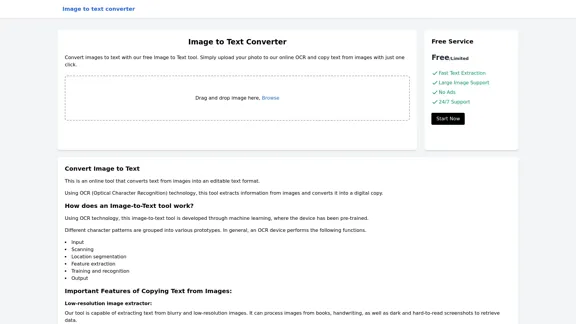
AI Image Describer is a tool to describe images or pictures online. It can be used as an image description and caption generator. Additionally, it supports image-to-prompt and text extraction from photos.

5.16 K
AI & AR Business Solutions for Skin, Beauty & Fashion
View Detail

AI & AR Business Solutions for Skin, Beauty & Fashion

AI & AR Business Solutions for Skin, Beauty & Fashion

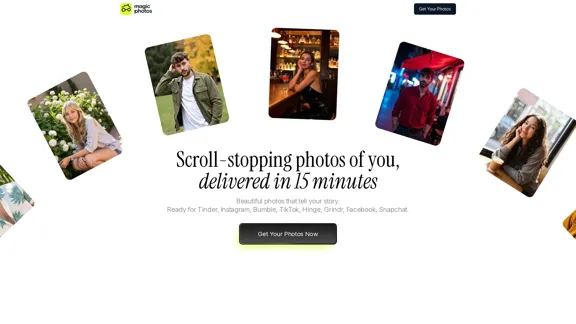
Reimagine AI with YouCam: Elevate Your Brand by Cropping Complete Beauty Tech & Fashion Tech Solutions. Digitally transform your business with AI & AR ecommerce experiences.

7.10 M
Text to Voice Generator
==========================

A text-to-voice generator, also known as a text-to-speech (TTS) system, is a software that converts written text into a spoken voice output. This technology has been widely used in various applications, including virtual assistants, audiobooks, and language learning platforms.

How it Works
---------------

The process of generating voice from text involves several steps:

1. Text Analysis: The input text is analyzed to identify the language, syntax, and semantics.
2. Phonetic Transcription: The text is converted into a phonetic transcription, which represents the sounds of the spoken language.
3. Prosody Generation: The phonetic transcription is then used to generate the prosody, or rhythm and intonation, of the spoken voice.
4. Waveform Generation: The prosody and phonetic transcription are combined to generate the audio waveform, which is the final spoken voice output.

Types of Text-to-Voice Generators
-----------------------------------

There are two main types of text-to-voice generators:

Rule-Based Systems

These systems use a set of predefined rules to generate the spoken voice output. They are often limited in their ability to produce natural-sounding voices and may sound robotic.

Machine Learning-Based Systems

These systems use machine learning algorithms to learn from large datasets of spoken voices and generate more natural-sounding voices. They are often more advanced and can produce high-quality voice outputs.

Applications of Text-to-Voice Generators
-----------------------------------------

Text-to-voice generators have a wide range of applications, including:

Virtual Assistants

Virtual assistants, such as Siri and Alexa, use text-to-voice generators to respond to user queries.

Audiobooks

Text-to-voice generators can be used to create audiobooks from written texts, making it easier for people to access written content.

Language Learning

Language learning platforms use text-to-voice generators to provide pronunciation guidance and practice exercises for learners.

Accessibility

Text-to-voice generators can be used to assist people with disabilities, such as visual impairments, by providing an auditory interface to written content.
View Detail

Text to Voice Generator ========================== A text-to-voice generator, also known as a text-to-speech (TTS) system, is a software that converts written text into a spoken voice output. This technology has been widely used in various applications, including virtual assistants, audiobooks, and language learning platforms. How it Works --------------- The process of generating voice from text involves several steps: 1. Text Analysis: The input text is analyzed to identify the language, syntax, and semantics. 2. Phonetic Transcription: The text is converted into a phonetic transcription, which represents the sounds of the spoken language. 3. Prosody Generation: The phonetic transcription is then used to generate the prosody, or rhythm and intonation, of the spoken voice. 4. Waveform Generation: The prosody and phonetic transcription are combined to generate the audio waveform, which is the final spoken voice output. Types of Text-to-Voice Generators ----------------------------------- There are two main types of text-to-voice generators: Rule-Based Systems These systems use a set of predefined rules to generate the spoken voice output. They are often limited in their ability to produce natural-sounding voices and may sound robotic. Machine Learning-Based Systems These systems use machine learning algorithms to learn from large datasets of spoken voices and generate more natural-sounding voices. They are often more advanced and can produce high-quality voice outputs. Applications of Text-to-Voice Generators ----------------------------------------- Text-to-voice generators have a wide range of applications, including: Virtual Assistants Virtual assistants, such as Siri and Alexa, use text-to-voice generators to respond to user queries. Audiobooks Text-to-voice generators can be used to create audiobooks from written texts, making it easier for people to access written content. Language Learning Language learning platforms use text-to-voice generators to provide pronunciation guidance and practice exercises for learners. Accessibility Text-to-voice generators can be used to assist people with disabilities, such as visual impairments, by providing an auditory interface to written content.

Text to Voice Generator ========================== A text-to-voice generator, also known as a text-to-speech (TTS) system, is a software that converts written text into a spoken voice output. This technology has been widely used in various applications, including virtual assistants, audiobooks, and language learning platforms. How it Works --------------- The process of generating voice from text involves several steps: 1. Text Analysis: The input text is analyzed to identify the language, syntax, and semantics. 2. Phonetic Transcription: The text is converted into a phonetic transcription, which represents the sounds of the spoken language. 3. Prosody Generation: The phonetic transcription is then used to generate the prosody, or rhythm and intonation, of the spoken voice. 4. Waveform Generation: The prosody and phonetic transcription are combined to generate the audio waveform, which is the final spoken voice output. Types of Text-to-Voice Generators ----------------------------------- There are two main types of text-to-voice generators: Rule-Based Systems These systems use a set of predefined rules to generate the spoken voice output. They are often limited in their ability to produce natural-sounding voices and may sound robotic. Machine Learning-Based Systems These systems use machine learning algorithms to learn from large datasets of spoken voices and generate more natural-sounding voices. They are often more advanced and can produce high-quality voice outputs. Applications of Text-to-Voice Generators ----------------------------------------- Text-to-voice generators have a wide range of applications, including: Virtual Assistants Virtual assistants, such as Siri and Alexa, use text-to-voice generators to respond to user queries. Audiobooks Text-to-voice generators can be used to create audiobooks from written texts, making it easier for people to access written content. Language Learning Language learning platforms use text-to-voice generators to provide pronunciation guidance and practice exercises for learners. Accessibility Text-to-voice generators can be used to assist people with disabilities, such as visual impairments, by providing an auditory interface to written content.

Generate Voice from Text on Any Web Page With the advancement of technology, it is now possible to generate voice from text on any web page. This feature is particularly useful for people who prefer listening to content rather than reading it. Here's how you can do it: #Method 1: Using Browser Extension You can use a browser extension like Read Aloud or SpeakIt! to generate voice from text on any web page. These extensions are available for both Google Chrome and Mozilla Firefox browsers. #Method 2: Using Online Tools There are several online tools available that can convert text to speech. Some popular tools include NaturalReader, Voice Dream Reader, and Google Text-to-Speech. You can copy and paste the text from any web page into these tools to generate voice. #Method 3: Using Screen Reader If you are using a Windows operating system, you can use the built-in Narrator screen reader to generate voice from text on any web page. For Mac users, you can use VoiceOver. By using any of these methods, you can easily generate voice from text on any web page and enjoy a more convenient and accessible reading experience.

193.90 M
Image Describer - Free AI to Describe Images Online (No Login Required)
View Detail

Image Describer - Free AI to Describe Images Online (No Login Required)

Image Describer - Free AI to Describe Images Online (No Login Required)

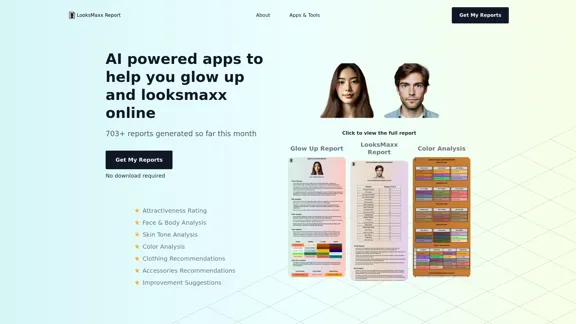
Discover AI-Powered Image Descriptions with Image Describer. Gain Instant Insights and Unlock New Perspectives and Efficiency for Your Work and Creations. Join Us Today!

25.53 K