Open-source RightAI Tools Directory
  • Discover AI
  • Submit
  • Startup
  • Blog
Open-source RightAI Tools Directory
Discover the best AI tools of 2025 with the RightAI Tools Directory!

Friend Links

AI Anime GeneratorToolsApp AI

Support

Tap4
Privacy policyTerms & ConditionsContact Us
Loading...
loading...

Beyz AI | AI Interview Assistant

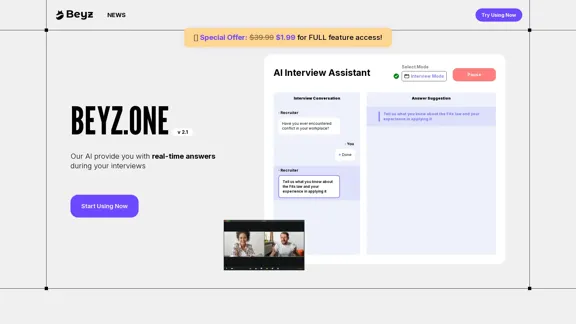
Beyz AI listens to interviewer questions and delivers concise, accurate answers tailored to your background in real-time, boosting your interview success.
Visit Website
Beyz AI | AI Interview Assistant
Visit Website

Introduction

Beyz AI Interview Assistant is an innovative tool designed to provide real-time support during job interviews. This AI-powered assistant aims to help candidates showcase their skills effectively, offering instant answers and translations to ensure interview success. With customizable modes and universal meeting compatibility, Beyz AI seeks to revolutionize the interview preparation process.

Feature

  1. Real-time Answer Suggestions

    • Provides instant, tailored responses during live interviews
    • Helps candidates articulate their skills and experiences effectively
  2. Auto Translate

    • Captures interview conversations in real-time
    • Offers immediate translation, breaking language barriers
  3. Customizable AI Experience

    • Three dynamic modes to suit different preparation styles
    • Ensures users are in control and ready to impress
  4. Universal Meeting Compatibility

    • Integrates seamlessly with any online meeting platform
    • Supports candidates regardless of the interview platform
  5. Quick-Access Guide

    • Offers a streamlined, 3-step setup process
    • Provides a user-friendly interface for efficient preparation
  6. Diverse Question Database

    • Sources from 100+ companies
    • Covers a wide range of potential interview scenarios
  7. Continuous Learning

    • Improves performance with each use
    • Adapts to user preferences and interview trends

How to Use?

  1. Familiarize yourself with the three dynamic modes before your interview.
  2. Practice with the AI assistant to get comfortable with its suggestions.
  3. Use the auto-translate feature to prepare for interviews in different languages.
  4. Customize the AI experience to match your interview style and industry.
  5. Take advantage of the 7-day trial to explore all features before committing.
  6. Review the FAQ section to understand the tool's capabilities fully.
  7. Utilize the unlimited AI assistant and cheat sheet features for comprehensive preparation.

FAQ

How does Beyz Interview Assistant work?

Beyz Interview Assistant uses AI to provide real-time answers and support during interviews. It captures the conversation, analyzes the context, and offers tailored suggestions to help candidates respond effectively.

What makes AI Interview Assistant different from other interview prep tools?

Unlike traditional prep tools, Beyz offers real-time assistance during live interviews, customizable AI modes, and universal meeting compatibility. It also provides auto-translation and adapts to individual user needs.

Is my data safe with AI Interview Assistant?

While specific details aren't provided, reputable AI tools typically employ robust security measures. It's advisable to review their privacy policy for detailed information on data handling and protection.

Will the AI Interview Assistant help me with real-time interview scenarios?

Yes, the core functionality of Beyz is to provide real-time support during actual interviews, offering instant answer suggestions and translations as needed.

How accurate is the feedback provided by AI Interview Assistant?

The accuracy of AI-generated content can vary. Beyz likely improves its accuracy through continuous learning and by sourcing from 100+ companies, but users should always review and adapt suggestions to their personal experience.

Can I use AI Interview Assistant for any type of interview?

Given its universal meeting compatibility and diverse question database, Beyz appears suitable for various interview types. However, it's best to confirm with their support team for specific interview scenarios.

Price

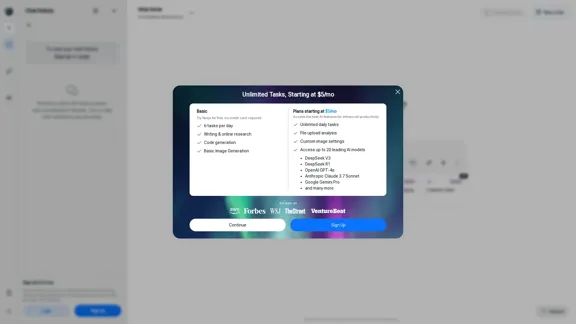
PlanPriceQuestion LimitAI AssistantCheat Sheet
Trial$1.99 (7 days)60 per assistantUnlimitedUnlimited
Standard$39.99/month60 per assistantUnlimitedUnlimited
God Mode$29.99/month200 per assistantUnlimitedUnlimited
The price is for reference only, please refer to the latest official data for actual information.

Evaluation

Beyz AI Interview Assistant presents an innovative approach to interview preparation and support. Its real-time assistance and customizable features offer significant advantages for job seekers.

Strengths:

  1. Real-time support during live interviews is a standout feature.
  2. Auto-translate functionality breaks down language barriers.
  3. Customizable modes cater to different user preferences.
  4. Universal meeting compatibility ensures broad applicability.

Areas for improvement:

  1. The ethical implications of using AI assistance during interviews may need addressing.
  2. The accuracy and relevance of AI-generated responses could be a concern.
  3. Over-reliance on the tool might hinder genuine personal expression.
  4. The pricing structure, particularly the "God Mode" being cheaper than the Standard plan, seems confusing.

Overall, while Beyz AI Interview Assistant offers promising features, users should balance its use with authentic personal preparation to ensure the best interview outcomes.

Latest Traffic Insights

  • Monthly Visits

    0

  • Bounce Rate

    0.00%

  • Pages Per Visit

    0.00

  • Time on Site(s)

    0.00

  • Global Rank

    -

  • Country Rank

    -

Recent Visits

Traffic Sources

  • Social Media:
    0.00%
  • Paid Referrals:
    0.00%
  • Email:
    0.00%
  • Referrals:
    0.00%
  • Search Engines:
    0.00%
  • Direct:
    0.00%
More Data

Related Websites

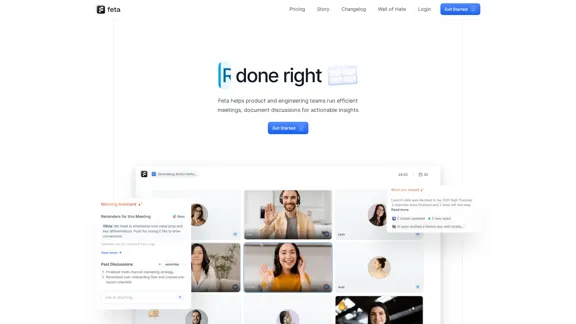
Snapdeck
View Detail

Snapdeck

Snapdeck

Build a winning deck in a snap. Create professional presentations effortlessly with AI-powered slide generation.

7.96 K
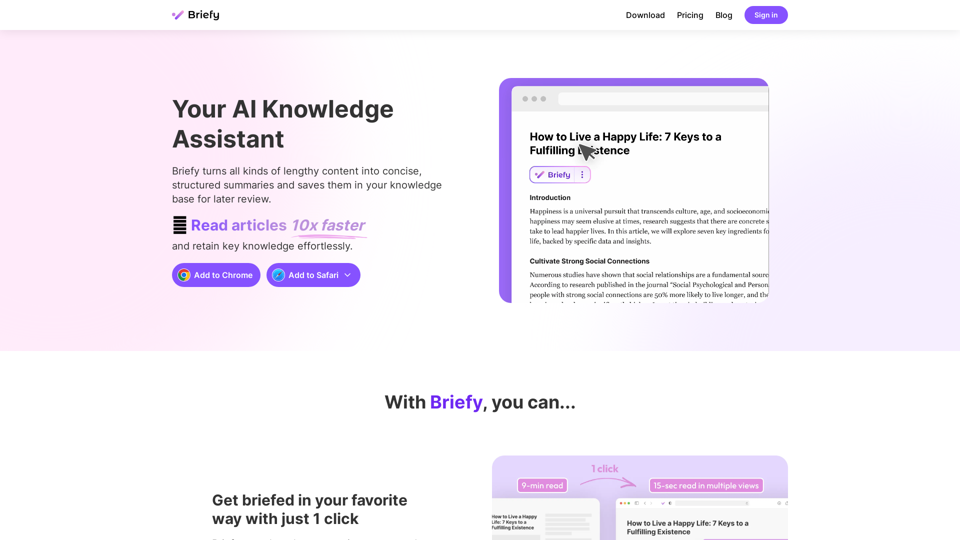
AI for Email Security & Sustainability | mxHERO Inc.
View Detail

AI for Email Security & Sustainability | mxHERO Inc.

AI for Email Security & Sustainability | mxHERO Inc.

mxHERO AI combines the power of LLM AI with your email in a single dashboard. It offers robust email security, governance, and environmental sustainability features.

20.76 K
Kudra β€’ AI-Powered Data Extraction in one click - Kudra
View Detail

Kudra β€’ AI-Powered Data Extraction in one click - Kudra

Kudra β€’ AI-Powered Data Extraction in one click - Kudra

Solutions Dedicated Solutions Unlock unparalleled performance and reliability with our dedicated solutions. Finance Financial statements, 10K, reports Human Resources Resume, Employment Contracts Logistics Commercial invoices, Bill of lading Legal Contracts, litigation documents Blog Resources Tutorials Videos and Step-by-step guides White Papers AI document processing resources Affiliate Marketing Invite your community and profit Docs Pricing Login

1.60 K
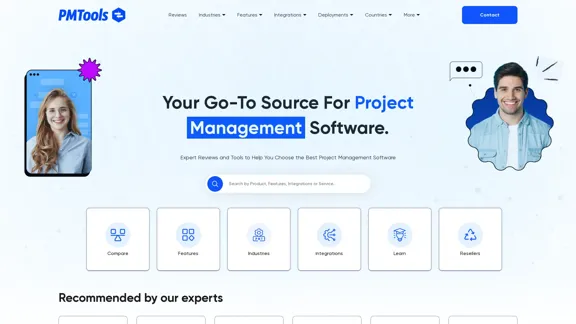
Jestor - Build apps for operations without code
View Detail

Jestor - Build apps for operations without code

Jestor - Build apps for operations without code

Build scalable Apps, automations, and workflows for your entire company without any coding required. Do it yourself.

36.60 K
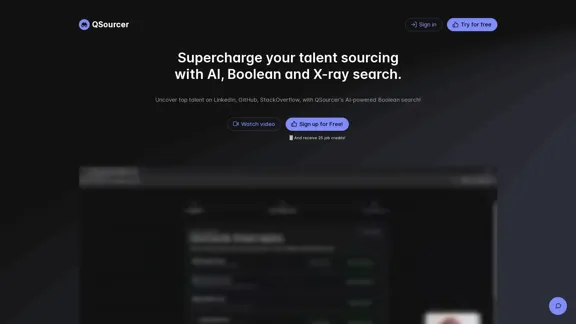
Workflow – The simplest way to manage creative work
View Detail

Workflow – The simplest way to manage creative work

Workflow – The simplest way to manage creative work

A minimalist collaboration platform for creative teams. Manage tasks, get AI reviews, and share work, all in one place.

5.88 K
The AI Cloud for Banks, Insurers and Financial Services
View Detail

The AI Cloud for Banks, Insurers and Financial Services

The AI Cloud for Banks, Insurers and Financial Services

Arya.ai is the 'AI Cloud' for Banks, Insurers and Financial Services to expedite the adoption of AI that is responsible, accurate and auditable.

108.58 K
BlacktoothAI - All-in-One AI Assistant
View Detail

BlacktoothAI - All-in-One AI Assistant

BlacktoothAI - All-in-One AI Assistant

Blacktooth is a powerful AI platform for generating text, images, and more. Access ChatGPT, Claude, Gemini, Stable Diffusion, Flux PRO, ElevenLabs, and more.

191
Copilot for Microsoft 365 – Microsoft Adoption

Copilot for Microsoft 365 is a powerful AI assistant that helps you work smarter and faster across Microsoft 365 apps and services. It combines the power of large language models (LLMs) with your organization's data in the Microsoft Graph and Microsoft 365 apps to turn your words into the most powerful productivity tool on the planet.

Copilot is designed to help you:

β€’ Unleash creativity
β€’ Unlock productivity
β€’ Uplevel skills

Copilot is built on Microsoft's comprehensive approach to security, compliance, and privacy. Copilot in Microsoft 365 apps and services:

β€’ Does not use your data to train the underlying LLM
β€’ Does not replace human ingenuity and judgment
β€’ Is designed to keep humans in the loop

Copilot is currently available in Word, Excel, PowerPoint, Outlook, Teams, and more.

Getting Started with Copilot

To get started with Copilot, follow these steps:

1. Check availability: Ensure your organization has access to Copilot.
2. Learn the basics: Familiarize yourself with Copilot's capabilities and how to use it effectively.
3. Explore use cases: Discover how Copilot can help you in your specific role and tasks.
4. Practice and refine: Use Copilot regularly and refine your prompts for better results.
5. Share and collaborate: Collaborate with colleagues using Copilot and share best practices.

Best Practices for Using Copilot

1. Be specific in your prompts
2. Provide context for better results
3. Review and edit Copilot's output
4. Use Copilot as a starting point, not a final product
5. Experiment with different approaches
6. Stay informed about new features and updates

Copilot in Different Microsoft 365 Apps

β€’ Word: Draft, edit, summarize, and rewrite content
β€’ Excel: Analyze data, create formulas, and generate insights
β€’ PowerPoint: Create presentations, design slides, and generate content
β€’ Outlook: Compose emails, summarize threads, and manage your inbox
β€’ Teams: Summarize meetings, generate action items, and create meeting notes

Responsible AI and Copilot

Microsoft is committed to developing AI systems responsibly. When using Copilot, keep in mind:

β€’ AI-generated content may contain biases or inaccuracies
β€’ Always review and verify Copilot's output
β€’ Use your judgment and expertise alongside Copilot's suggestions
β€’ Be aware of your organization's policies regarding AI use

Conclusion

Copilot for Microsoft 365 is a powerful tool that can significantly enhance your productivity and creativity. By understanding its capabilities, following best practices, and using it responsibly, you can make the most of this AI assistant in your daily work.
View Detail

Copilot for Microsoft 365 – Microsoft Adoption Copilot for Microsoft 365 is a powerful AI assistant that helps you work smarter and faster across Microsoft 365 apps and services. It combines the power of large language models (LLMs) with your organization's data in the Microsoft Graph and Microsoft 365 apps to turn your words into the most powerful productivity tool on the planet. Copilot is designed to help you: β€’ Unleash creativity β€’ Unlock productivity β€’ Uplevel skills Copilot is built on Microsoft's comprehensive approach to security, compliance, and privacy. Copilot in Microsoft 365 apps and services: β€’ Does not use your data to train the underlying LLM β€’ Does not replace human ingenuity and judgment β€’ Is designed to keep humans in the loop Copilot is currently available in Word, Excel, PowerPoint, Outlook, Teams, and more. Getting Started with Copilot To get started with Copilot, follow these steps: 1. Check availability: Ensure your organization has access to Copilot. 2. Learn the basics: Familiarize yourself with Copilot's capabilities and how to use it effectively. 3. Explore use cases: Discover how Copilot can help you in your specific role and tasks. 4. Practice and refine: Use Copilot regularly and refine your prompts for better results. 5. Share and collaborate: Collaborate with colleagues using Copilot and share best practices. Best Practices for Using Copilot 1. Be specific in your prompts 2. Provide context for better results 3. Review and edit Copilot's output 4. Use Copilot as a starting point, not a final product 5. Experiment with different approaches 6. Stay informed about new features and updates Copilot in Different Microsoft 365 Apps β€’ Word: Draft, edit, summarize, and rewrite content β€’ Excel: Analyze data, create formulas, and generate insights β€’ PowerPoint: Create presentations, design slides, and generate content β€’ Outlook: Compose emails, summarize threads, and manage your inbox β€’ Teams: Summarize meetings, generate action items, and create meeting notes Responsible AI and Copilot Microsoft is committed to developing AI systems responsibly. When using Copilot, keep in mind: β€’ AI-generated content may contain biases or inaccuracies β€’ Always review and verify Copilot's output β€’ Use your judgment and expertise alongside Copilot's suggestions β€’ Be aware of your organization's policies regarding AI use Conclusion Copilot for Microsoft 365 is a powerful tool that can significantly enhance your productivity and creativity. By understanding its capabilities, following best practices, and using it responsibly, you can make the most of this AI assistant in your daily work.

Copilot for Microsoft 365 – Microsoft Adoption Copilot for Microsoft 365 is a powerful AI assistant that helps you work smarter and faster across Microsoft 365 apps and services. It combines the power of large language models (LLMs) with your organization's data in the Microsoft Graph and Microsoft 365 apps to turn your words into the most powerful productivity tool on the planet. Copilot is designed to help you: β€’ Unleash creativity β€’ Unlock productivity β€’ Uplevel skills Copilot is built on Microsoft's comprehensive approach to security, compliance, and privacy. Copilot in Microsoft 365 apps and services: β€’ Does not use your data to train the underlying LLM β€’ Does not replace human ingenuity and judgment β€’ Is designed to keep humans in the loop Copilot is currently available in Word, Excel, PowerPoint, Outlook, Teams, and more. Getting Started with Copilot To get started with Copilot, follow these steps: 1. Check availability: Ensure your organization has access to Copilot. 2. Learn the basics: Familiarize yourself with Copilot's capabilities and how to use it effectively. 3. Explore use cases: Discover how Copilot can help you in your specific role and tasks. 4. Practice and refine: Use Copilot regularly and refine your prompts for better results. 5. Share and collaborate: Collaborate with colleagues using Copilot and share best practices. Best Practices for Using Copilot 1. Be specific in your prompts 2. Provide context for better results 3. Review and edit Copilot's output 4. Use Copilot as a starting point, not a final product 5. Experiment with different approaches 6. Stay informed about new features and updates Copilot in Different Microsoft 365 Apps β€’ Word: Draft, edit, summarize, and rewrite content β€’ Excel: Analyze data, create formulas, and generate insights β€’ PowerPoint: Create presentations, design slides, and generate content β€’ Outlook: Compose emails, summarize threads, and manage your inbox β€’ Teams: Summarize meetings, generate action items, and create meeting notes Responsible AI and Copilot Microsoft is committed to developing AI systems responsibly. When using Copilot, keep in mind: β€’ AI-generated content may contain biases or inaccuracies β€’ Always review and verify Copilot's output β€’ Use your judgment and expertise alongside Copilot's suggestions β€’ Be aware of your organization's policies regarding AI use Conclusion Copilot for Microsoft 365 is a powerful tool that can significantly enhance your productivity and creativity. By understanding its capabilities, following best practices, and using it responsibly, you can make the most of this AI assistant in your daily work.

Microsoft Copilot combines the power of large language models (LLMs) with your organization's data to turn your words into one of the most powerful productivity tools on the planet.

608.60 K