Open-source RightAI Tools Directory
  • Discover AI
  • Submit
  • Startup
  • Blog
Open-source RightAI Tools Directory
Discover the best AI tools of 2025 with the RightAI Tools Directory!

Friend Links

AI Anime GeneratorToolsApp AI

Support

Tap4
Privacy policyTerms & ConditionsContact Us
Loading...
loading...

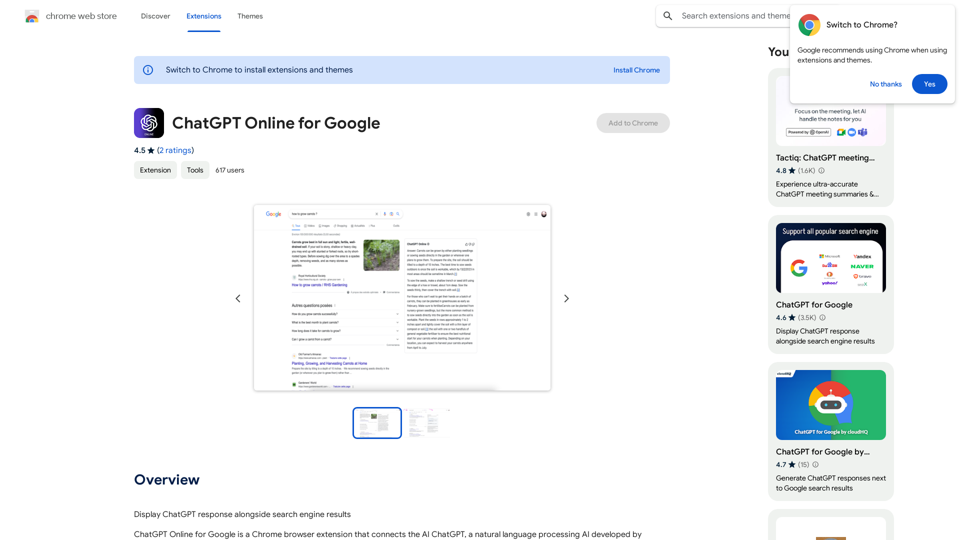
ChatGPT Online for Google

I can't actually display real-time search engine results. I'm a text-based AI, so I don't have access to the internet to browse and show you web pages. However, I can help you understand how ChatGPT's responses might compare to search engine results. Imagine you ask a search engine "What is the capital of France?". * Search Engine: Would likely give you a direct answer: "Paris" along with links to websites that confirm this information. * ChatGPT: Might also say "The capital of France is Paris." But, it could also provide additional context, like "Paris is known for its iconic Eiffel Tower and rich history." Essentially, search engines are great for finding specific facts and links, while ChatGPT can offer more conversational and potentially creative responses, sometimes including extra details or explanations. Let me know if you have any other questions!
Visit Website
ChatGPT Online for Google
Visit Website

Introduction

ChatGPT Online for Google is a Chrome browser extension that integrates OpenAI's ChatGPT with Google search results. It adds a sidebar to display ChatGPT's answers in real-time as users type their queries. The extension offers seamless integration, personalized responses, and support for various search engines, making AI-powered assistance easily accessible during web searches.

Feature

Seamless Integration

The extension integrates smoothly with Google Chrome's interface, requiring no complex setup or additional settings.

Real-time Answer Display

ChatGPT's answers appear in a sidebar as users type their search queries into Google.

Personalized Answers

Utilizes natural language processing to provide context-aware, personalized responses to user queries.

Support for Multiple Search Engines

Compatible with various popular search engines, expanding its utility beyond Google.

Official OpenAI API Support

Leverages the full capabilities of ChatGPT's AI through integration with the Official OpenAI API.

ChatGPT Plus Compatibility

Supports the more advanced ChatGPT Plus version for enhanced accuracy and detail in responses.

Markdown Rendering and Code Highlighting

Enables formatted text and colored code display for improved readability.

Dark Mode

Offers a dark mode option to reduce eye strain in low-light environments.

User Feedback System

Allows users to provide comments to improve ChatGPT and address issues.

Copy to Clipboard Function

Enables easy transfer of ChatGPT's answers to other applications.

Custom Trigger Mode

Supports user-defined keyboard shortcuts or voice commands to activate ChatGPT.

Language Switching

Offers the ability to select the preferred language for ChatGPT's responses.

FAQ

Is ChatGPT Online for Google free to use?

Yes, the extension is free to use, with optional paid upgrades available for additional features and support.

Does it support all popular search engines?

Yes, the extension is compatible with various popular search engines, not limited to Google.

Can I use it with ChatGPT Plus?

Yes, the extension supports ChatGPT Plus, offering access to its more advanced capabilities.

What are some useful tips for using this extension?

  • Utilize the real-time answer display for instant responses
  • Take advantage of personalized answers for more relevant results
  • Use Markdown rendering and code highlighting for better formatting
  • Experiment with custom trigger modes for efficient activation

Related Websites
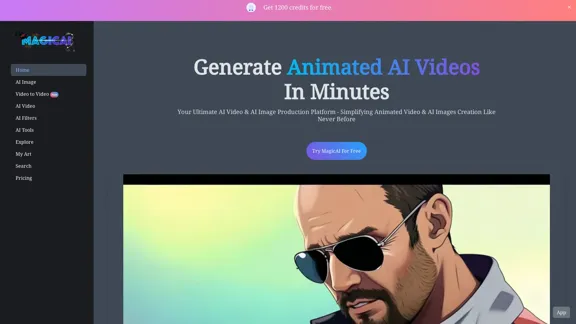
Based AI Image & Video Creator
View Detail

Based AI Image & Video Creator

Based AI Image & Video Creator

BasedLabs is your go-to source for AI video and tools. Join our community of thousands of AI enthusiasts and creators.

771.42 K
CreMind GPT Free
View Detail

CreMind GPT Free

CreMind GPT Free

Unlocking the Potential of AI GPT Technology: Empowering Productivity with this Feature-Packed Extension

193.90 M
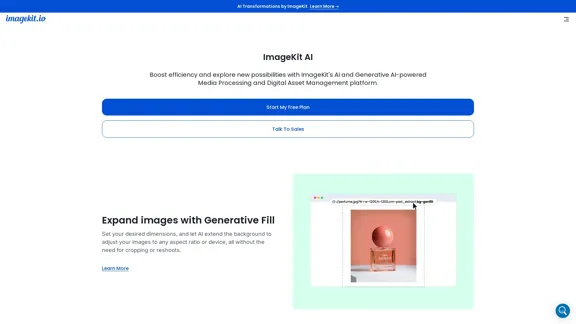
Prospecting and Lead Generation Tool
View Detail

Prospecting and Lead Generation Tool

Prospecting and Lead Generation Tool

All-in-one Website Technologies and Prospecting Tool

193.90 M
Simplified Chrome Extension

This is a basic Chrome extension designed to be easy to understand and modify. 

Manifest File (manifest.json):

```json
{
  "manifest_version": 3,
  "name": "Simplified Extension",
  "version": "1.0",
  "description": "A simple Chrome extension example.",
  "permissions": [
    "activeTab"
  ],
  "action": {
    "default_popup": "popup.html"
  }
}
```

Popup HTML (popup.html):

```html
<!DOCTYPE html>
<html>
<head>
  <title>Simplified Extension</title>
</head>
<body>
  <h1>Hello from the extension!</h1>
  <p>This is a simple popup.</p>
</body>
</html>
```

Explanation:

* manifest.json: This file tells Chrome what your extension does.
    * `manifest_version`: Specifies the version of the manifest file format.
    * `name`: The name of your extension.
    * `version`: The current version of your extension.
    * `description`: A brief description of your extension.
    * `permissions`: Lists the permissions your extension needs to function. Here, it needs access to the active tab.
    * `action`: Defines the popup that appears when the extension icon is clicked.

* popup.html: This file contains the HTML code for the popup window.

How it works:

1. When you install the extension, Chrome reads the `manifest.json` file.
2. When you click the extension icon, Chrome opens the `popup.html` file in a new window.
3. The popup displays the "Hello from the extension!" message.
View Detail

Simplified Chrome Extension This is a basic Chrome extension designed to be easy to understand and modify. Manifest File (manifest.json): ```json { "manifest_version": 3, "name": "Simplified Extension", "version": "1.0", "description": "A simple Chrome extension example.", "permissions": [ "activeTab" ], "action": { "default_popup": "popup.html" } } ``` Popup HTML (popup.html): ```html <!DOCTYPE html> <html> <head> <title>Simplified Extension</title> </head> <body> <h1>Hello from the extension!</h1> <p>This is a simple popup.</p> </body> </html> ``` Explanation: * manifest.json: This file tells Chrome what your extension does. * `manifest_version`: Specifies the version of the manifest file format. * `name`: The name of your extension. * `version`: The current version of your extension. * `description`: A brief description of your extension. * `permissions`: Lists the permissions your extension needs to function. Here, it needs access to the active tab. * `action`: Defines the popup that appears when the extension icon is clicked. * popup.html: This file contains the HTML code for the popup window. How it works: 1. When you install the extension, Chrome reads the `manifest.json` file. 2. When you click the extension icon, Chrome opens the `popup.html` file in a new window. 3. The popup displays the "Hello from the extension!" message.

Simplified Chrome Extension This is a basic Chrome extension designed to be easy to understand and modify. Manifest File (manifest.json): ```json { "manifest_version": 3, "name": "Simplified Extension", "version": "1.0", "description": "A simple Chrome extension example.", "permissions": [ "activeTab" ], "action": { "default_popup": "popup.html" } } ``` Popup HTML (popup.html): ```html <!DOCTYPE html> <html> <head> <title>Simplified Extension</title> </head> <body> <h1>Hello from the extension!</h1> <p>This is a simple popup.</p> </body> </html> ``` Explanation: * manifest.json: This file tells Chrome what your extension does. * `manifest_version`: Specifies the version of the manifest file format. * `name`: The name of your extension. * `version`: The current version of your extension. * `description`: A brief description of your extension. * `permissions`: Lists the permissions your extension needs to function. Here, it needs access to the active tab. * `action`: Defines the popup that appears when the extension icon is clicked. * popup.html: This file contains the HTML code for the popup window. How it works: 1. When you install the extension, Chrome reads the `manifest.json` file. 2. When you click the extension icon, Chrome opens the `popup.html` file in a new window. 3. The popup displays the "Hello from the extension!" message.

Design & Collaborate Marketing made easy #Simplified

193.90 M
AI Character Generator (free, no sign-up, unlimited)―Perchance AI
View Detail

AI Character Generator (free, no sign-up, unlimited)―Perchance AI

AI Character Generator (free, no sign-up, unlimited)―Perchance AI

AI text to image generator. Generate AI art from text, completely free, online, no login or sign-up, no daily credit limits/restrictions/gimmicks, and it's fast. Other AI art generators often have annoying daily credit limits and require sign-up, or are slow - this one doesn't. Use this AI to generate high quality art, photos, cartoons, drawings, anime, thumbnails, profile pictures, and more. Create original characters, anime characters, AI villains, fanfiction artwork, and pretty much anything else. It's an AI-based image generator that uses the Stable Diffusion text-to-image model. No watermark, no signup/login, unlimited images. Type words, make pics.

199
Image Describer - AI Describe Image or Picture Online

With the advancement of Artificial Intelligence (AI), it is now possible to describe images or pictures online using an Image Describer. This innovative tool uses computer vision and machine learning algorithms to analyze and identify the contents of an image, generating a descriptive text of what it sees.

How it Works

The process is quite simple:

1. Upload an Image: You can upload an image or enter the URL of an online image to the Image Describer tool.
2. AI Analysis: The AI algorithm analyzes the image, detecting objects, people, animals, and other elements within the picture.
3. Generate Description: The AI generates a descriptive text based on the analysis, providing a clear and concise description of the image.

Applications of Image Describer

The Image Describer has numerous applications, including:

* Accessibility: Helping visually impaired individuals to understand the content of an image.
* E-commerce: Providing product descriptions for online shopping platforms.
* Search Engine Optimization (SEO): Generating alt tags and descriptions for images to improve search engine rankings.
* Content Creation: Assisting writers and content creators with image descriptions.

Benefits of Image Describer

The Image Describer offers several benefits, including:

* Time-Saving: Automating the process of image description, saving time and effort.
* Accuracy: Providing accurate and objective descriptions of images.
* Efficiency: Enabling individuals to focus on other tasks while the AI handles image description.

Try it Out

Experience the power of AI-driven image description today! Upload an image or enter a URL to see the Image Describer in action.
View Detail

Image Describer - AI Describe Image or Picture Online With the advancement of Artificial Intelligence (AI), it is now possible to describe images or pictures online using an Image Describer. This innovative tool uses computer vision and machine learning algorithms to analyze and identify the contents of an image, generating a descriptive text of what it sees. How it Works The process is quite simple: 1. Upload an Image: You can upload an image or enter the URL of an online image to the Image Describer tool. 2. AI Analysis: The AI algorithm analyzes the image, detecting objects, people, animals, and other elements within the picture. 3. Generate Description: The AI generates a descriptive text based on the analysis, providing a clear and concise description of the image. Applications of Image Describer The Image Describer has numerous applications, including: * Accessibility: Helping visually impaired individuals to understand the content of an image. * E-commerce: Providing product descriptions for online shopping platforms. * Search Engine Optimization (SEO): Generating alt tags and descriptions for images to improve search engine rankings. * Content Creation: Assisting writers and content creators with image descriptions. Benefits of Image Describer The Image Describer offers several benefits, including: * Time-Saving: Automating the process of image description, saving time and effort. * Accuracy: Providing accurate and objective descriptions of images. * Efficiency: Enabling individuals to focus on other tasks while the AI handles image description. Try it Out Experience the power of AI-driven image description today! Upload an image or enter a URL to see the Image Describer in action.

Image Describer - AI Describe Image or Picture Online With the advancement of Artificial Intelligence (AI), it is now possible to describe images or pictures online using an Image Describer. This innovative tool uses computer vision and machine learning algorithms to analyze and identify the contents of an image, generating a descriptive text of what it sees. How it Works The process is quite simple: 1. Upload an Image: You can upload an image or enter the URL of an online image to the Image Describer tool. 2. AI Analysis: The AI algorithm analyzes the image, detecting objects, people, animals, and other elements within the picture. 3. Generate Description: The AI generates a descriptive text based on the analysis, providing a clear and concise description of the image. Applications of Image Describer The Image Describer has numerous applications, including: * Accessibility: Helping visually impaired individuals to understand the content of an image. * E-commerce: Providing product descriptions for online shopping platforms. * Search Engine Optimization (SEO): Generating alt tags and descriptions for images to improve search engine rankings. * Content Creation: Assisting writers and content creators with image descriptions. Benefits of Image Describer The Image Describer offers several benefits, including: * Time-Saving: Automating the process of image description, saving time and effort. * Accuracy: Providing accurate and objective descriptions of images. * Efficiency: Enabling individuals to focus on other tasks while the AI handles image description. Try it Out Experience the power of AI-driven image description today! Upload an image or enter a URL to see the Image Describer in action.

AI Image Describer is a tool to describe images or pictures online. It can be used as an image description and caption generator. Additionally, it supports image-to-prompt and text extraction from photos.

5.16 K
Midjourney
View Detail

Midjourney

Midjourney

An independent research laboratory investigating novel modes of thinking and enhancing the creative capabilities of humanity.

17.37 M
Cloudbooklet AI Tools, AI News & More
View Detail

Cloudbooklet AI Tools, AI News & More

Cloudbooklet AI Tools, AI News & More

Cloudbooklet AI is the free and most popular source to find and use all the artificial intelligence tools and AI news. Follow us to stay updated in AI.

167.63 K