Open-source RightAI Tools Directory
  • Discover AI
  • Submit
  • Startup
  • Blog
Open-source RightAI Tools Directory
Discover the best AI tools of 2025 with the RightAI Tools Directory!

Friend Links

AI Anime GeneratorToolsApp AI

Support

Tap4
Privacy policyTerms & ConditionsContact Us
Loading...
loading...

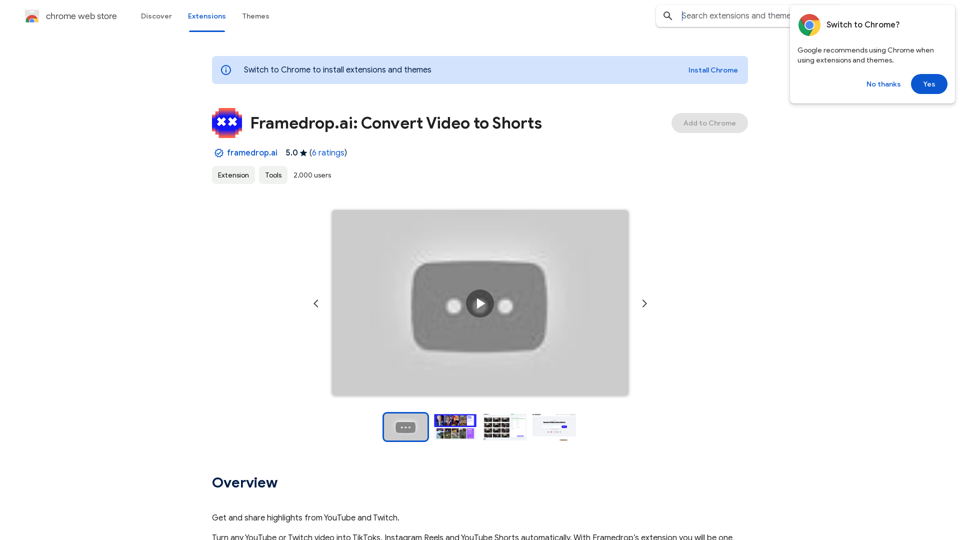
Framedrop.ai: Convert Video to Shorts

Get and share highlights from YouTube and Twitch.
Visit Website
Framedrop.ai: Convert Video to Shorts
Visit Website

Introduction

Framedrop.ai is a Chrome extension that revolutionizes content repurposing. It allows users to effortlessly convert YouTube and Twitch videos into short-form content suitable for platforms like TikTok, Instagram Reels, and YouTube Shorts. Utilizing AI technology, Framedrop.ai automatically detects video highlights and streamlines the content creation process, making it an invaluable tool for content creators and social media enthusiasts.

Feature

AI-Powered Highlight Detection

Framedrop.ai employs advanced AI technology to automatically identify highlights in various types of content, including talking segments, funny moments, and gaming plays.

Automatic Clip Labeling

The extension provides automatic labeling for clips, enabling users to quickly identify and categorize their content.

Versatile Layout Templates

Framedrop.ai offers a range of layout templates to ensure content fits seamlessly across different platforms.

Precision Trimming Tool

Users can fine-tune their clips with a powerful trimming tool, allowing for precise selection of start and end times.

Compilation Creation

The extension enables users to select multiple clips and combine them into engaging compilations.

Multilingual AI-Generated Subtitles

Framedrop.ai generates perfectly timed subtitles in over 25 languages using AI technology.

Editable Transcriptions

Users can easily edit subtitles by modifying the transcribed scripts of their clips.

Seamless Export Process

Content can be quickly shared across various social media platforms using a simple QR code scan.

Wide Game and Platform Support

Framedrop.ai supports popular games like Apex Legends, Call of Duty: Warzone, Fortnite, League of Legends, Rocket League, and Valorant, as well as major platforms such as YouTube and Twitch.

FAQ

What are the key benefits of using Framedrop.ai?

Framedrop.ai offers several advantages:

  • Time efficiency: Reduces content repurposing time by 90%
  • User-friendly interface: Provides a seamless experience with automatic highlight detection and clip labeling
  • Versatility: Supports a wide range of games and platforms
  • Cost-effectiveness: Offers affordable subscription options

How can I maximize my use of Framedrop.ai?

To get the most out of Framedrop.ai, take advantage of the daily free uses of GPT-4o document reading and Dalle's image generation. This allows you to explore a wide range of AI-powered tools for various tasks.

Is my data used for training purposes?

No, Framedrop.ai prioritizes user privacy and does not use user data for training. Users can delete their accounts at any time, and all associated data will be removed.

When should I consider a Framedrop.ai subscription?

If the 20 free GPT-4o conversations per day are insufficient for your needs and you heavily rely on GPT-4o, you may want to consider subscribing to Framedrop.ai's affordable products.

What are the system requirements for Framedrop.ai?

Framedrop.ai is a browser extension that can be used on any device with a Chrome browser, without any specific system requirements.

How do I get started with Framedrop.ai?

To begin using Framedrop.ai:

  1. Install the Chrome extension
  2. Follow the prompts to set up your account
  3. Start converting your YouTube and Twitch videos into short-form content for various platforms

Latest Traffic Insights

  • Monthly Visits

    193.90 M

  • Bounce Rate

    56.27%

  • Pages Per Visit

    2.71

  • Time on Site(s)

    115.91

  • Global Rank

    -

  • Country Rank

    -

Recent Visits

Traffic Sources

  • Social Media:
    0.48%
  • Paid Referrals:
    0.55%
  • Email:
    0.15%
  • Referrals:
    12.81%
  • Search Engines:
    16.21%
  • Direct:
    69.81%
More Data

Related Websites

Course Decode
View Detail

Course Decode

Course Decode

Here is the translation into English: See which degrees are actually used by their graduates. Based on analysis of 349,996 LinkedIn profiles.

0
Simplified Chrome Extension

This is a basic Chrome extension designed to be easy to understand and modify. 

Manifest File (manifest.json):

```json
{
  "manifest_version": 3,
  "name": "Simplified Extension",
  "version": "1.0",
  "description": "A simple Chrome extension example.",
  "permissions": [
    "activeTab"
  ],
  "action": {
    "default_popup": "popup.html"
  }
}
```

Popup HTML (popup.html):

```html
<!DOCTYPE html>
<html>
<head>
  <title>Simplified Extension</title>
</head>
<body>
  <h1>Hello from the extension!</h1>
  <p>This is a simple popup.</p>
</body>
</html>
```

Explanation:

* manifest.json: This file tells Chrome what your extension does.
    * `manifest_version`: Specifies the version of the manifest file format.
    * `name`: The name of your extension.
    * `version`: The current version of your extension.
    * `description`: A brief description of your extension.
    * `permissions`: Lists the permissions your extension needs to function. Here, it needs access to the active tab.
    * `action`: Defines the popup that appears when the extension icon is clicked.

* popup.html: This file contains the HTML code for the popup window.

How it works:

1. When you install the extension, Chrome reads the `manifest.json` file.
2. When you click the extension icon, Chrome opens the `popup.html` file in a new window.
3. The popup displays the "Hello from the extension!" message.
View Detail

Simplified Chrome Extension This is a basic Chrome extension designed to be easy to understand and modify. Manifest File (manifest.json): ```json { "manifest_version": 3, "name": "Simplified Extension", "version": "1.0", "description": "A simple Chrome extension example.", "permissions": [ "activeTab" ], "action": { "default_popup": "popup.html" } } ``` Popup HTML (popup.html): ```html <!DOCTYPE html> <html> <head> <title>Simplified Extension</title> </head> <body> <h1>Hello from the extension!</h1> <p>This is a simple popup.</p> </body> </html> ``` Explanation: * manifest.json: This file tells Chrome what your extension does. * `manifest_version`: Specifies the version of the manifest file format. * `name`: The name of your extension. * `version`: The current version of your extension. * `description`: A brief description of your extension. * `permissions`: Lists the permissions your extension needs to function. Here, it needs access to the active tab. * `action`: Defines the popup that appears when the extension icon is clicked. * popup.html: This file contains the HTML code for the popup window. How it works: 1. When you install the extension, Chrome reads the `manifest.json` file. 2. When you click the extension icon, Chrome opens the `popup.html` file in a new window. 3. The popup displays the "Hello from the extension!" message.

Simplified Chrome Extension This is a basic Chrome extension designed to be easy to understand and modify. Manifest File (manifest.json): ```json { "manifest_version": 3, "name": "Simplified Extension", "version": "1.0", "description": "A simple Chrome extension example.", "permissions": [ "activeTab" ], "action": { "default_popup": "popup.html" } } ``` Popup HTML (popup.html): ```html <!DOCTYPE html> <html> <head> <title>Simplified Extension</title> </head> <body> <h1>Hello from the extension!</h1> <p>This is a simple popup.</p> </body> </html> ``` Explanation: * manifest.json: This file tells Chrome what your extension does. * `manifest_version`: Specifies the version of the manifest file format. * `name`: The name of your extension. * `version`: The current version of your extension. * `description`: A brief description of your extension. * `permissions`: Lists the permissions your extension needs to function. Here, it needs access to the active tab. * `action`: Defines the popup that appears when the extension icon is clicked. * popup.html: This file contains the HTML code for the popup window. How it works: 1. When you install the extension, Chrome reads the `manifest.json` file. 2. When you click the extension icon, Chrome opens the `popup.html` file in a new window. 3. The popup displays the "Hello from the extension!" message.

Design & Collaborate Marketing made easy #Simplified

193.90 M
Image In Words: Unlock Text from Images with Google
View Detail

Image In Words: Unlock Text from Images with Google

Image In Words: Unlock Text from Images with Google

Discover how to use Google to convert images to text effortlessly. Click to learn more and start converting today!

0
Rock and Search
View Detail

Rock and Search

Rock and Search

Install Rock and Search - a custom New Tab with beautiful wallpapers and backgrounds to brighten your day!

193.90 M
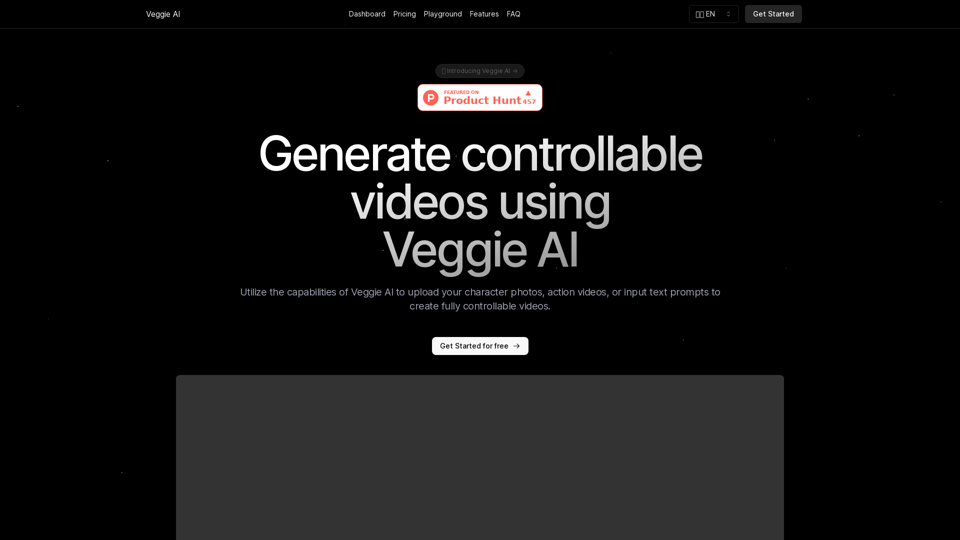
Veggie AI: Generate Controllable Videos Using AI
View Detail

Veggie AI: Generate Controllable Videos Using AI

Veggie AI: Generate Controllable Videos Using AI

Create fully controllable videos using Veggie AI by simply uploading your character photos, action videos, or inputting text prompts.

7.03 K
NotionAI Plus
View Detail

NotionAI Plus

NotionAI Plus

NotionAI Plus is a browser extension that brings the power of NotionAI to any website you visit.

193.90 M
Free AI Image Generator | Prompt Generator and AI Image Creator
View Detail

Free AI Image Generator | Prompt Generator and AI Image Creator

Free AI Image Generator | Prompt Generator and AI Image Creator

Picture AI is an amazing AI image generator and image editor. It generates prompts for you and then creates images that meet your needs with AI.

100
ICLight Studio - Free and Easy AI Photo Relighting
View Detail

ICLight Studio - Free and Easy AI Photo Relighting

ICLight Studio - Free and Easy AI Photo Relighting

Transform your photos with ICLight's free AI-powered relighting technology. Create professional studio lighting effects with simple text prompts.

0