Open-source RightAI Tools Directory
  • Discover AI
  • Submit
  • Startup
  • Blog
Open-source RightAI Tools Directory
Discover the best AI tools of 2025 with the RightAI Tools Directory!

Friend Links

AI Anime GeneratorToolsApp AI

Support

Tap4
Privacy policyTerms & ConditionsContact Us
Loading...
loading...

ChatsNow: ChatGPT, Claude SideBar (GPT-4, Web)

ChatsNow is an AI assistant that uses OpenAI's GPT-4 and GPT-3.5, as well as Claude2, to provide various services, such as chat, translation, and Vision.
Visit Website
ChatsNow: ChatGPT, Claude SideBar (GPT-4, Web)
Visit Website

Introduction

ChatsNow is an advanced AI assistant leveraging OpenAI's GPT-4, GPT-3.5, and Claude2 technologies to offer a wide range of services including chat, translation, and vision capabilities. It supports multiple AI models and assists users with various tasks such as writing, AI-generated drawings, enhancing search engine results, and answering diverse questions. ChatsNow integrates seamlessly into browsers, providing a powerful sidebar with customizable prompts and numerous preset templates to optimize user experience across various activities.

Feature

Multiple AI Model Support

ChatsNow supports GPT-3.5, GPT-4, Claude3 Opus, and Gemini Pro, offering users access to cutting-edge AI technologies for diverse applications.

Powerful Browser Integration

  • Integrates a customizable sidebar in the browser
  • Supports various functions: ChatGPT translator, text rewriting, programming assistance, grammar checking, paper writing, summarizing, and chatting

Writing and Reading Assistant

  • Optimizes writing and enhances reading comprehension
  • Acts as a personal assistant for reading and writing tasks

Customizable Prompts

Users can ask questions on any webpage using customizable prompts, tailoring the AI assistance to their specific needs.

Enhanced Search Engine Results

Combines online content with AI responses to provide higher quality answers, improving search engine results.

Preset Templates

  • Over 100+ built-in suggestion templates
  • Optimized for writing, marketing, coding, translation, and other activities
  • Users can add and activate custom templates with one click

Multiple Modes

Offers various modes including Ask, Chat, Write, and Draw to cater to different user needs.

Free GPT-4 Access

Provides free GPT-4 conversations (20 per day) with the option to subscribe for increased access.

FAQ

What is the pricing structure for ChatsNow?

ChatsNow offers a free tier with 20 GPT-4 conversations per day. For users requiring more extensive GPT-4 access, affordable subscription options are available.

How do I start using ChatsNow?

To use ChatsNow:

  1. Click the "Add" button in the upper right corner
  2. Choose from Ask, Chat, Write, or Draw modes
  3. Enter text or select webpage content
  4. Select a template or customize your question
  5. Submit and generate results
  6. Copy the generated content as needed

Can I use ChatsNow for specific tasks like coding or translation?

Yes, ChatsNow includes preset templates optimized for various tasks including coding, translation, marketing, and writing. You can also create custom templates for your specific needs.

Is ChatsNow compatible with different browsers?

While not explicitly stated, ChatsNow is described as a browser extension, suggesting compatibility with major web browsers. However, it's advisable to check the official website or documentation for specific browser support information.

How does ChatsNow enhance search engine results?

ChatsNow combines online content with AI-generated responses to provide higher quality answers, effectively enhancing the results you get from search engines like Google and Bing.

Related Websites
Homes Like This
View Detail

Homes Like This

Homes Like This

Find Homes Visually

193.90 M
Midjourney SREF Codes Library for Style Reference

What are SREF Codes?

SREF codes are special text strings used in Midjourney to quickly and easily apply specific artistic styles to your image generations. 

How to Use SREF Codes:

Simply add an SREF code to your Midjourney prompt. For example:

`/imagine a majestic dragon, SREF:cyberpunk`

SREF Code Library:

This library contains a collection of SREF codes categorized by style. 

* Art Styles:
    * `photorealistic`: Creates images with high levels of realism.
    * `impressionistic`:  Captures the essence of a scene with loose brushstrokes and vibrant colors.
    * `cubist`:  Breaks down objects into geometric shapes.
    * `surrealist`:  Creates dreamlike and fantastical images.
    * `abstract`:  Focuses on form, color, and composition rather than representational imagery.

* Visual Effects:
    * `cinematic`:  Gives images a cinematic look and feel.
    * `HDR`:  Creates images with high dynamic range, resulting in greater detail and contrast.
    * `neon`:  Adds vibrant neon lights to the image.
    * `pixel art`:  Generates images in a retro pixel art style.

* Other Styles:
    * `anime`:  Creates images in the style of Japanese animation.
    * `manga`:  Similar to anime, but with a more comic book aesthetic.
    * `sketch`:  Generates images that resemble pencil sketches.
    * `watercolor`:  Creates images with the look and feel of watercolor paintings.

Note: This is just a small sample of the many SREF codes available. 

Explore and Experiment:

The best way to learn about SREF codes is to experiment with them! Try combining different codes to create unique and interesting styles.
View Detail

Midjourney SREF Codes Library for Style Reference What are SREF Codes? SREF codes are special text strings used in Midjourney to quickly and easily apply specific artistic styles to your image generations. How to Use SREF Codes: Simply add an SREF code to your Midjourney prompt. For example: `/imagine a majestic dragon, SREF:cyberpunk` SREF Code Library: This library contains a collection of SREF codes categorized by style. * Art Styles: * `photorealistic`: Creates images with high levels of realism. * `impressionistic`: Captures the essence of a scene with loose brushstrokes and vibrant colors. * `cubist`: Breaks down objects into geometric shapes. * `surrealist`: Creates dreamlike and fantastical images. * `abstract`: Focuses on form, color, and composition rather than representational imagery. * Visual Effects: * `cinematic`: Gives images a cinematic look and feel. * `HDR`: Creates images with high dynamic range, resulting in greater detail and contrast. * `neon`: Adds vibrant neon lights to the image. * `pixel art`: Generates images in a retro pixel art style. * Other Styles: * `anime`: Creates images in the style of Japanese animation. * `manga`: Similar to anime, but with a more comic book aesthetic. * `sketch`: Generates images that resemble pencil sketches. * `watercolor`: Creates images with the look and feel of watercolor paintings. Note: This is just a small sample of the many SREF codes available. Explore and Experiment: The best way to learn about SREF codes is to experiment with them! Try combining different codes to create unique and interesting styles.

Midjourney SREF Codes Library for Style Reference What are SREF Codes? SREF codes are special text strings used in Midjourney to quickly and easily apply specific artistic styles to your image generations. How to Use SREF Codes: Simply add an SREF code to your Midjourney prompt. For example: `/imagine a majestic dragon, SREF:cyberpunk` SREF Code Library: This library contains a collection of SREF codes categorized by style. * Art Styles: * `photorealistic`: Creates images with high levels of realism. * `impressionistic`: Captures the essence of a scene with loose brushstrokes and vibrant colors. * `cubist`: Breaks down objects into geometric shapes. * `surrealist`: Creates dreamlike and fantastical images. * `abstract`: Focuses on form, color, and composition rather than representational imagery. * Visual Effects: * `cinematic`: Gives images a cinematic look and feel. * `HDR`: Creates images with high dynamic range, resulting in greater detail and contrast. * `neon`: Adds vibrant neon lights to the image. * `pixel art`: Generates images in a retro pixel art style. * Other Styles: * `anime`: Creates images in the style of Japanese animation. * `manga`: Similar to anime, but with a more comic book aesthetic. * `sketch`: Generates images that resemble pencil sketches. * `watercolor`: Creates images with the look and feel of watercolor paintings. Note: This is just a small sample of the many SREF codes available. Explore and Experiment: The best way to learn about SREF codes is to experiment with them! Try combining different codes to create unique and interesting styles.

Explore a list of 177 unique Midjourney sref codes and style references to find your perfect Midjourney sref code effect.

149.96 K
Copysense AI

Copysense AI is an innovative artificial intelligence technology designed to detect and prevent copyright infringement.
View Detail

Copysense AI Copysense AI is an innovative artificial intelligence technology designed to detect and prevent copyright infringement.

Copysense AI Copysense AI is an innovative artificial intelligence technology designed to detect and prevent copyright infringement.

Copysense AI is the Generative AI platform for crafting factually accurate, on-brand content with real-time data, generating images, voiceovers, and content from YouTube and URLs.

0
The Free Alternative to ChatGPT Powered by 4o | AIChatOnline.org
View Detail

The Free Alternative to ChatGPT Powered by 4o | AIChatOnline.org

The Free Alternative to ChatGPT Powered by 4o | AIChatOnline.org

Discover AIChatOnline.org, your ultimate platform for free online access to ChatGPT. Enjoy ChatGPT 3.5 online for free and ChatGPT 4 online for free, with no registration required. Take advantage of OpenAI's free online ChatGPT for advanced AI capabilities, including ChatGPT memory and ChatGPT API integration.

70.11 K
super memory
View Detail

super memory

super memory

An extension for https://supermemory.ai - an AI hub for all your bookmarks.

193.90 M
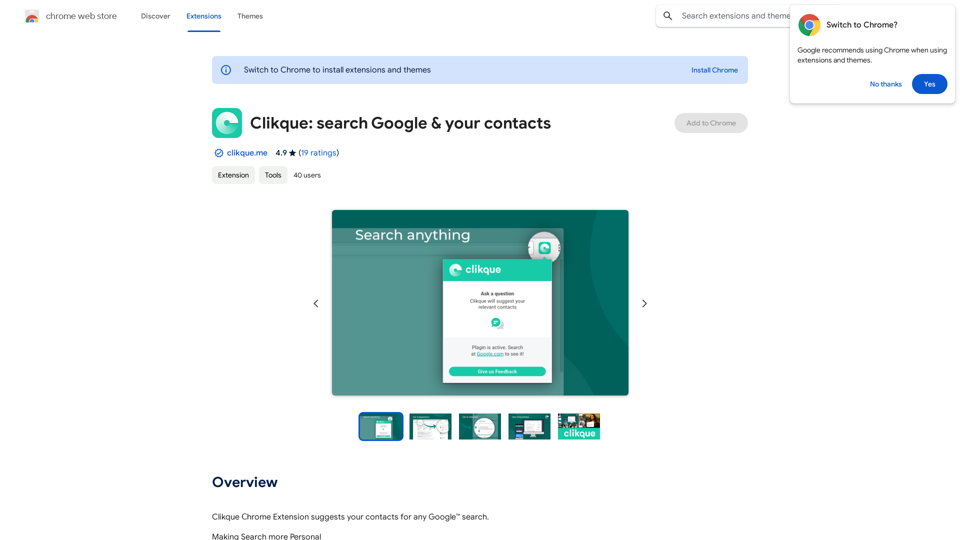
Clickque: search Google & your contacts
View Detail

Clickque: search Google & your contacts

Clickque: search Google & your contacts

Clickque Chrome Extension suggests your contacts for any Google™ search.

193.90 M
ChatGPT History Search
View Detail

ChatGPT History Search

ChatGPT History Search

ChatGPT conversation history management, including: - Downloading historical data - Searching historical data - Collecting historical data

193.90 M
QuickReadAI
View Detail

QuickReadAI

QuickReadAI

Please provide me with the text you'd like me to summarize. 😊

193.90 M