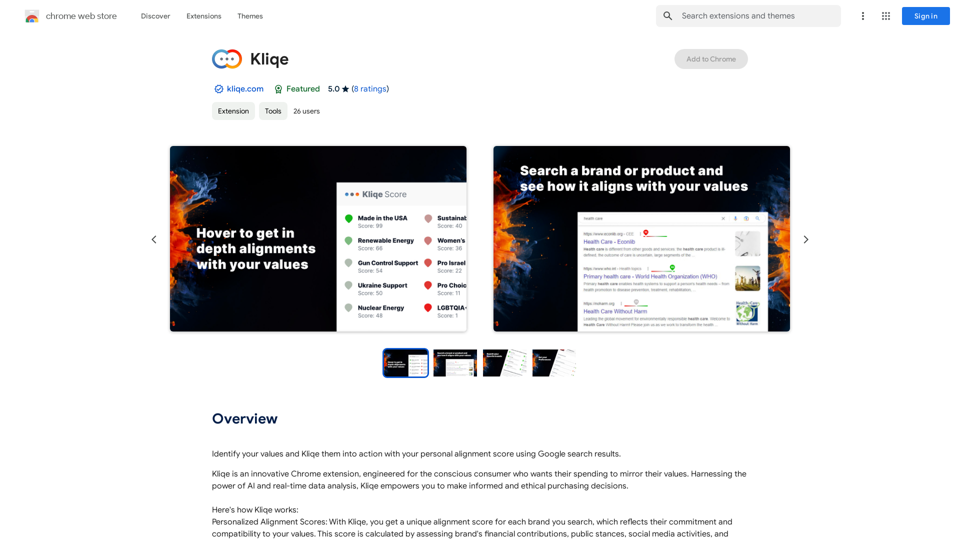
Kliqe is a Chrome extension designed for conscious consumers. It provides personalized alignment scores for brands, helping users make informed and ethical purchasing decisions. Using AI and real-time data analysis, Kliqe reflects a brand's commitment to a user's values, integrating seamlessly into Google search results.
Click
Discover your core beliefs and put them into practice with your unique alignment score, powered by Google search data.
Introduction
Feature
Personalized Alignment Scores
Kliqe calculates unique alignment scores for each brand searched, based on:
- Financial contributions
- Public stances
- Social media activities
- User's set values
Real-Time Updates
- Scores evolve with real-time changes in brand commitments
- Provides up-to-date information for purchasing decisions
Seamless Integration
- Integrates into Google search results
- Allows quick evaluation of brand compatibility
Data Collection and Analysis
- Collects data from various sources:
- Press releases
- Brand statements
- Social media activities
- Calculates alignment scores using AI
Subscription Options
- Free version with limited features
- Paid subscription with additional benefits
FAQ
How can I maximize my use of Kliqe?
- Set your values and preferences for accurate alignment scores
- Use real-time updates to stay informed about brand changes
- Take advantage of seamless integration for quick evaluations
- Amplify your ability to promote sustainable progress through consumer choices
What are the benefits of using Kliqe?
- Make informed and ethical purchasing decisions
- Support companies aligning with your values
- Promote long-term, sustainable progress
- Amplify your ability to drive positive change through purchasing power
How does Kliqe ensure data accuracy and user privacy?
- Collects data from various reliable sources
- Calculates scores using AI and user-set values
- Respects user privacy and keeps personal information secure
Can I cancel my subscription?
Yes, you can cancel your subscription at any time.
How do I contact Kliqe?
You can contact Kliqe through their website or email [email protected].
Related Websites
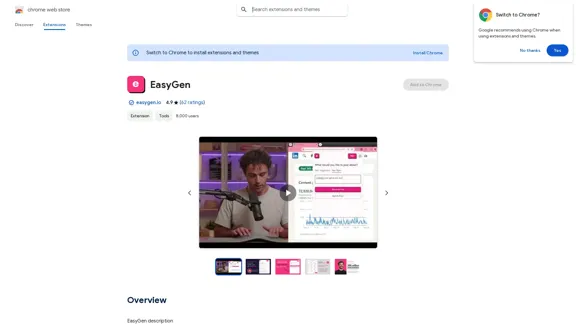
EasyGen is a powerful and user-friendly text generation tool that leverages advanced language models to create high-quality content across various domains. It offers a seamless interface for users to input prompts and generate coherent, contextually relevant text for a wide range of applications, including creative writing, content marketing, and academic research. Key features of EasyGen include: 1. Multiple language model options 2. Customizable generation parameters 3. Fine-tuning capabilities for specific use cases 4. Integration with popular writing and productivity tools 5. Real-time collaboration features EasyGen aims to streamline the content creation process, helping users save time and effort while maintaining high standards of quality and creativity. Whether you're a professional writer, marketer, or researcher, EasyGen provides the tools and flexibility needed to enhance your productivity and unlock new possibilities in text generation.
193.90 M
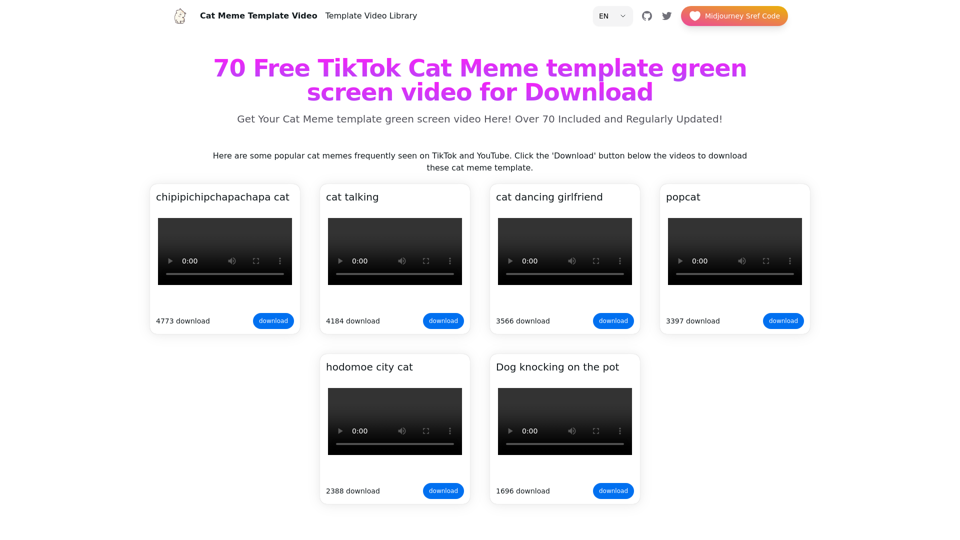
Top 70 TikTok Cat Meme Template Videos for Download
Top 70 TikTok Cat Meme Template Videos for DownloadYou can download the latest and most popular green screen cat meme template video featured on TikTok and YouTube. These materials are free.
11.93 K
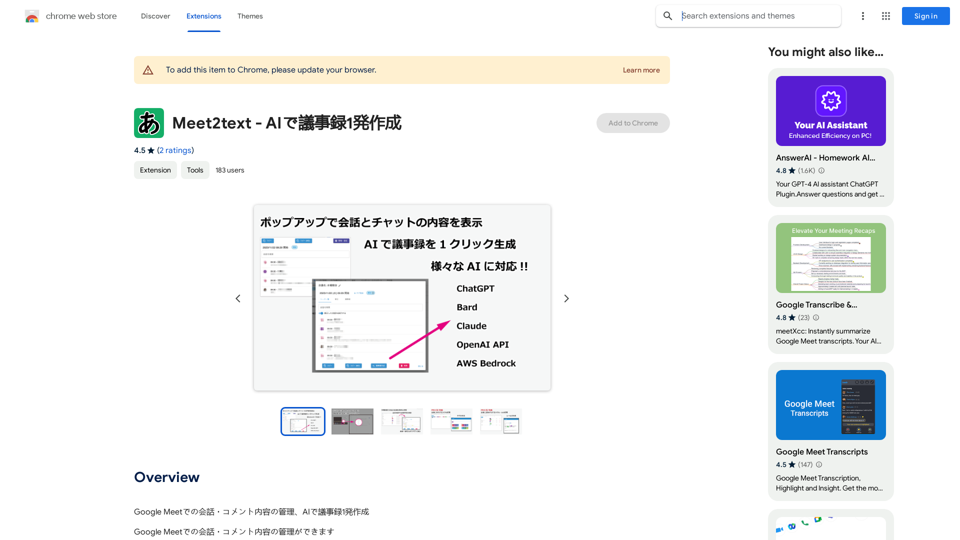
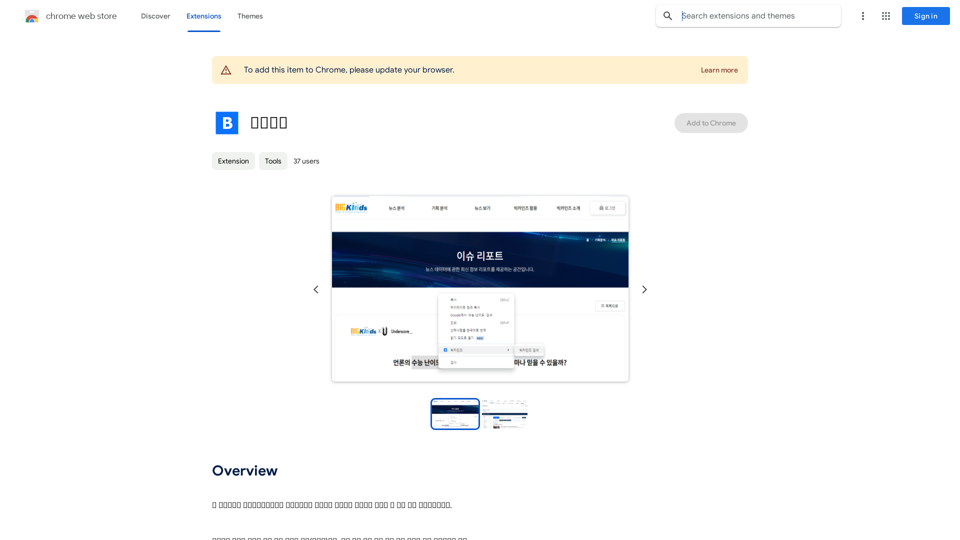
This program is an extension program that allows you to easily use the services provided by the Korea Press Foundation's Bigkinds. Select (drag) a sentence or paragraph that appears in your browser, and through a pop-up window, you can search for the corresponding word or sentence on Bigkinds,...
193.90 M
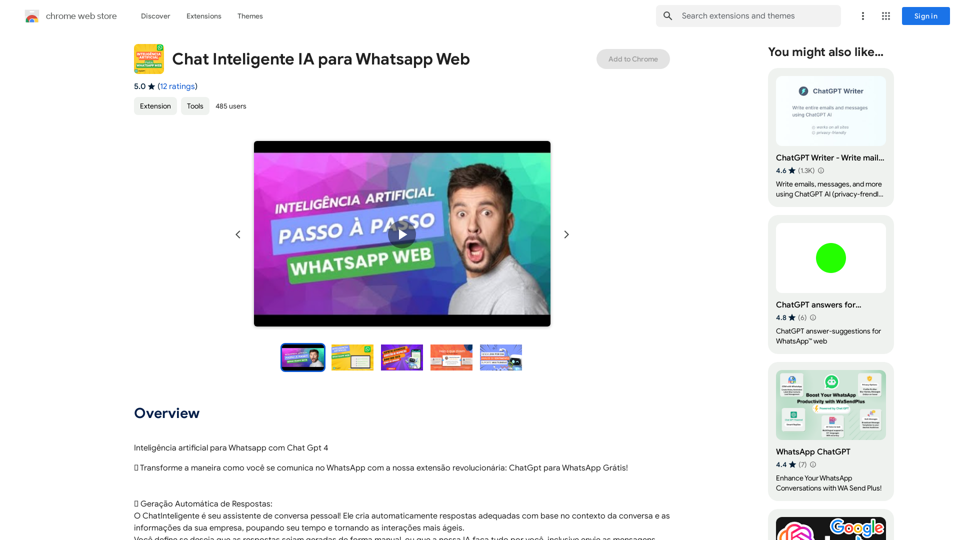
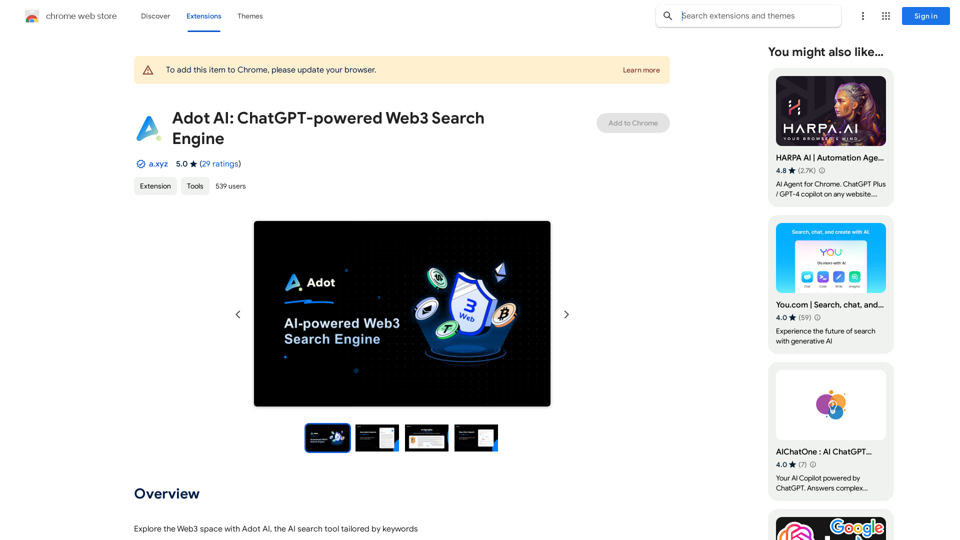
)
* Create a new notebook
* Install the `transformers` library by running `!pip install transformers`
* Import the `transformers` library and load the ChatGPT model using `from transformers import AutoModelForCausalLM, AutoTokenizer; model = AutoModelForCausalLM.from_pretrained('chatgpt'); tokenizer = AutoTokenizer.from_pretrained('chatgpt')`
* Use the model to generate text using `input_text = "Your input here"; inputs = tokenizer.encode_plus(input_text, return_tensors='pt', max_length=1024, padding='max_length', truncation=True); output = model(inputs['input_ids'], attention_mask=inputs['attention_mask']); print(tokenizer.decode(output.logits[0], skip_special_tokens=True))`
Method 2: Google Apps Script
* Open Google Apps Script ([script.google.com](http://script.google.com))
* Create a new project
* Install the `transformers` library by running `npm install transformers`
* Import the `transformers` library and load the ChatGPT model using `const { AutoModelForCausalLM, AutoTokenizer } = require('transformers'); const model = new AutoModelForCausalLM('chatgpt'); const tokenizer = new AutoTokenizer('chatgpt');`
* Use the model to generate text using `const inputText = "Your input here"; const inputs = tokenizer.encodePlus(inputText, { return_tensors: 'pt', max_length: 1024, padding: 'max_length', truncation: true }); const output = model(inputs.inputIds, inputs.attentionMask); console.log(tokenizer.decode(output.logits[0], { skipSpecialTokens: true }));`
Note: These methods require some technical knowledge and may have limitations compared to the original ChatGPT model.](https://static.right-ai.com/tools/2024/7/3/chromewebstore-google-com-detail-chatgpt-for-google-for-fr-pabeminldebomngnkgffiejipjjaaogi-thumbnail-1720037311.png "Get ChatGPT for Free with Google
You can now access ChatGPT, a powerful language model, for free with Google. Here's how:
Method 1: Google Colab
* Open Google Colab ([colab.research.google.com](http://colab.research.google.com))
* Create a new notebook
* Install the `transformers` library by running `!pip install transformers`
* Import the `transformers` library and load the ChatGPT model using `from transformers import AutoModelForCausalLM, AutoTokenizer; model = AutoModelForCausalLM.from_pretrained('chatgpt'); tokenizer = AutoTokenizer.from_pretrained('chatgpt')`
* Use the model to generate text using `input_text = \"Your input here\"; inputs = tokenizer.encode_plus(input_text, return_tensors='pt', max_length=1024, padding='max_length', truncation=True); output = model(inputs['input_ids'], attention_mask=inputs['attention_mask']); print(tokenizer.decode(output.logits[0], skip_special_tokens=True))`
Method 2: Google Apps Script
* Open Google Apps Script ([script.google.com](http://script.google.com))
* Create a new project
* Install the `transformers` library by running `npm install transformers`
* Import the `transformers` library and load the ChatGPT model using `const { AutoModelForCausalLM, AutoTokenizer } = require('transformers'); const model = new AutoModelForCausalLM('chatgpt'); const tokenizer = new AutoTokenizer('chatgpt');`
* Use the model to generate text using `const inputText = \"Your input here\"; const inputs = tokenizer.encodePlus(inputText, { return_tensors: 'pt', max_length: 1024, padding: 'max_length', truncation: true }); const output = model(inputs.inputIds, inputs.attentionMask); console.log(tokenizer.decode(output.logits[0], { skipSpecialTokens: true }));`
Note: These methods require some technical knowledge and may have limitations compared to the original ChatGPT model.")
Get ChatGPT for Free with Google You can now access ChatGPT, a powerful language model, for free with Google. Here's how: Method 1: Google Colab * Open Google Colab ([colab.research.google.com](http://colab.research.google.com)) * Create a new notebook * Install the `transformers` library by running `!pip install transformers` * Import the `transformers` library and load the ChatGPT model using `from transformers import AutoModelForCausalLM, AutoTokenizer; model = AutoModelForCausalLM.from_pretrained('chatgpt'); tokenizer = AutoTokenizer.from_pretrained('chatgpt')` * Use the model to generate text using `input_text = "Your input here"; inputs = tokenizer.encode_plus(input_text, return_tensors='pt', max_length=1024, padding='max_length', truncation=True); output = model(inputs['input_ids'], attention_mask=inputs['attention_mask']); print(tokenizer.decode(output.logits[0], skip_special_tokens=True))` Method 2: Google Apps Script * Open Google Apps Script ([script.google.com](http://script.google.com)) * Create a new project * Install the `transformers` library by running `npm install transformers` * Import the `transformers` library and load the ChatGPT model using `const { AutoModelForCausalLM, AutoTokenizer } = require('transformers'); const model = new AutoModelForCausalLM('chatgpt'); const tokenizer = new AutoTokenizer('chatgpt');` * Use the model to generate text using `const inputText = "Your input here"; const inputs = tokenizer.encodePlus(inputText, { return_tensors: 'pt', max_length: 1024, padding: 'max_length', truncation: true }); const output = model(inputs.inputIds, inputs.attentionMask); console.log(tokenizer.decode(output.logits[0], { skipSpecialTokens: true }));` Note: These methods require some technical knowledge and may have limitations compared to the original ChatGPT model.
Get ChatGPT for Free with Google You can now access ChatGPT, a powerful language model, for free with Google. Here's how: Method 1: Google Colab * Open Google Colab ([colab.research.google.com](http://colab.research.google.com)) * Create a new notebook * Install the `transformers` library by running `!pip install transformers` * Import the `transformers` library and load the ChatGPT model using `from transformers import AutoModelForCausalLM, AutoTokenizer; model = AutoModelForCausalLM.from_pretrained('chatgpt'); tokenizer = AutoTokenizer.from_pretrained('chatgpt')` * Use the model to generate text using `input_text = "Your input here"; inputs = tokenizer.encode_plus(input_text, return_tensors='pt', max_length=1024, padding='max_length', truncation=True); output = model(inputs['input_ids'], attention_mask=inputs['attention_mask']); print(tokenizer.decode(output.logits[0], skip_special_tokens=True))` Method 2: Google Apps Script * Open Google Apps Script ([script.google.com](http://script.google.com)) * Create a new project * Install the `transformers` library by running `npm install transformers` * Import the `transformers` library and load the ChatGPT model using `const { AutoModelForCausalLM, AutoTokenizer } = require('transformers'); const model = new AutoModelForCausalLM('chatgpt'); const tokenizer = new AutoTokenizer('chatgpt');` * Use the model to generate text using `const inputText = "Your input here"; const inputs = tokenizer.encodePlus(inputText, { return_tensors: 'pt', max_length: 1024, padding: 'max_length', truncation: true }); const output = model(inputs.inputIds, inputs.attentionMask); console.log(tokenizer.decode(output.logits[0], { skipSpecialTokens: true }));` Note: These methods require some technical knowledge and may have limitations compared to the original ChatGPT model.How to Add ChatGPT to All Google Searches ===================================================== Step 1: Create a Custom Search Engine -------------------------------------- * Go to the [Google Custom Search Engine](https://cse.google.com/) website and sign in with your Google account. * Click on the "New Search Engine" button. * Fill in the required information, such as the name and description of your search engine. * Click on the "Create" button. Step 2: Add ChatGPT to the Search Engine ----------------------------------------- * In the "Setup" tab, click on the "Add" button next to "Sites to search". * Enter the following URL: `https://chat.openai.com/` * Click on the "Add" button. Step 3: Configure the Search Engine -------------------------------------- * In the "Setup" tab, click on the "Edit" button next to "Search engine keywords". * Add the following keywords: `ChatGPT` * Click on the "Save" button. Step 4: Get the Search Engine Code ------------------------------------- * In the "Setup" tab, click on the "Get code" button. * Copy the HTML code provided. Step 5: Add the Search Engine to Your Browser ------------------------------------------------ * Open your browser and go to the "Settings" or "Options" page. * Look for the "Search engine" or "Default search engine" option. * Click on the "Add" or "Manage search engines" button. * Paste the HTML code you copied earlier. * Click on the "Add" or "Save" button. You're Done! =============== Now, whenever you search on Google, ChatGPT will be included in the search results. You can also use the custom search engine URL provided by Google to search directly.
193.90 M
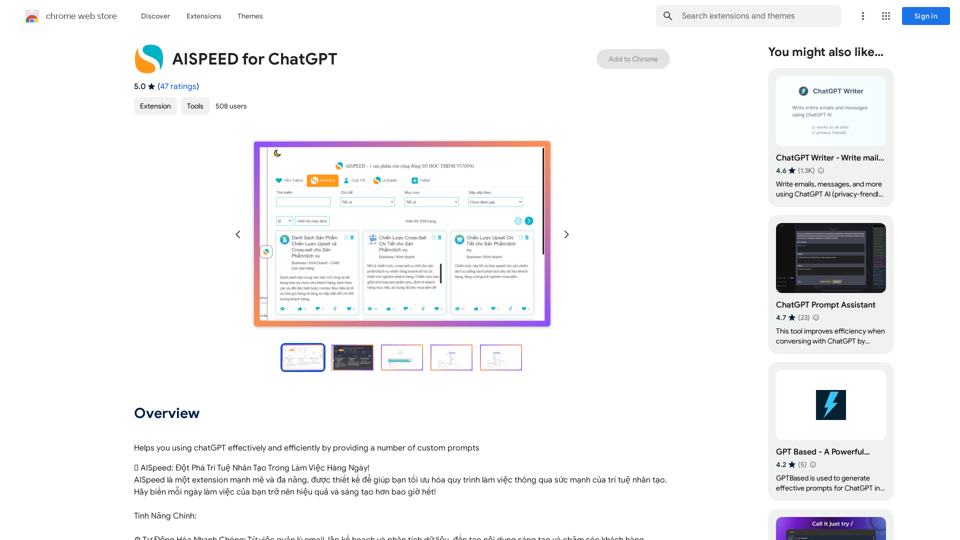
AISPEED for ChatGPT What is AISPEED? AISPEED is a powerful AI assistant designed to enhance your ChatGPT experience. Key Features: * Faster Response Times: Experience significantly reduced wait times for ChatGPT responses. * Improved Accuracy: Benefit from enhanced accuracy and fluency in ChatGPT's generated text. * Personalized Settings: Customize your ChatGPT experience with tailored settings to suit your needs. * Multi-Modal Support: Interact with ChatGPT using text, voice, and even images. * Seamless Integration: AISPEED integrates seamlessly with various platforms and applications. How AISPEED Works: AISPEED leverages advanced AI algorithms and techniques to optimize ChatGPT's performance. It accelerates response generation, refines text quality, and enables new interaction modes. Benefits: * Increased Productivity: Get faster answers and complete tasks more efficiently. * Enhanced Creativity: Explore new ideas and generate more creative content. * Improved Communication: Engage in more natural and meaningful conversations. * Expanded Capabilities: Unlock the full potential of ChatGPT with advanced features.
AISPEED for ChatGPT What is AISPEED? AISPEED is a powerful AI assistant designed to enhance your ChatGPT experience. Key Features: * Faster Response Times: Experience significantly reduced wait times for ChatGPT responses. * Improved Accuracy: Benefit from enhanced accuracy and fluency in ChatGPT's generated text. * Personalized Settings: Customize your ChatGPT experience with tailored settings to suit your needs. * Multi-Modal Support: Interact with ChatGPT using text, voice, and even images. * Seamless Integration: AISPEED integrates seamlessly with various platforms and applications. How AISPEED Works: AISPEED leverages advanced AI algorithms and techniques to optimize ChatGPT's performance. It accelerates response generation, refines text quality, and enables new interaction modes. Benefits: * Increased Productivity: Get faster answers and complete tasks more efficiently. * Enhanced Creativity: Explore new ideas and generate more creative content. * Improved Communication: Engage in more natural and meaningful conversations. * Expanded Capabilities: Unlock the full potential of ChatGPT with advanced features.Provides a number of custom prompts to help you use ChatGPT effectively and efficiently.
193.90 M