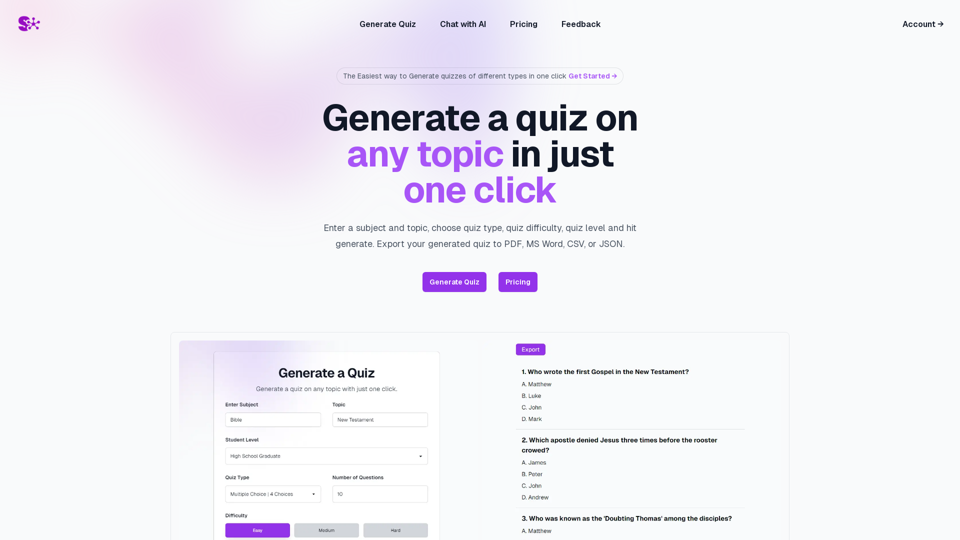
Semaj AI is a cutting-edge platform designed to simplify quiz creation. It offers users the ability to generate diverse quizzes instantly with a single click. The platform boasts a user-friendly interface, allowing for the creation of quizzes on any topic, with customizable types and difficulty levels. Semaj AI also provides the flexibility to export quizzes in various formats, including PDF, MS Word, CSV, and JSON, catering to different user needs.
Semaj AI
Quiz Generation Made Easy!
=============================
With just one click, you can generate a quiz on any topic you want! Whether you're a teacher, student, or just a curious learner, this feature is perfect for you.
How it Works
---------------
1. Choose Your Topic: Select the topic you want to generate a quiz on. It can be anything from history to science, literature to music, or even pop culture!
2. Click the Button: Simply click the "Generate Quiz" button, and our AI-powered algorithm will do the rest.
3. Get Your Quiz: In an instant, you'll receive a comprehensive quiz with multiple-choice questions, true/false questions, and short-answer questions.
Features
------------
* Customizable: You can adjust the difficulty level, question type, and even add your own questions to make the quiz more personalized.
* Instant Feedback: Get instant feedback on your answers, so you can track your progress and identify areas for improvement.
* Shareable: Share your quiz with friends, classmates, or even on social media to spark a fun competition!
Try it Out!
--------------
Click the "Generate Quiz" button below to get started!
[Generate Quiz Button]
Happy quizzing!
Introduction
Feature
One-Click Quiz Generation
Generate quizzes on any topic instantly by simply entering the subject, selecting the quiz type, and setting the difficulty level.
Multi-Model Access
Access a range of advanced language models:
- OpenAI: GPT 3.5 Turbo, GPT 4o
- Google: Gemini 1.0 Pro, Gemini 1.5 Pro
- Anthropic: Haiku, Sonnet, Opus
This feature allows users to compare and obtain optimal results across different AI models.
Master Prompt
Utilize the Master Prompt feature to access all available models with a single prompt, streamlining the quiz creation process.
Customizable Quiz Parameters
Tailor quizzes to specific needs by choosing:
- Quiz type
- Difficulty level
- Export format (PDF, MS Word, CSV, JSON)
User-Friendly Interface
Navigate the platform with ease, making quiz generation and model access straightforward for all users.
FAQ
What types of quizzes can I create with Semaj AI?
Semaj AI allows you to create quizzes on any topic of your choice. The platform is versatile and can accommodate a wide range of subjects and quiz types.
How does the Multi-Model Access feature work?
The Multi-Model Access feature provides users with the ability to utilize various language models from different providers (OpenAI, Google, Anthropic). This allows for comparison and selection of the best responses across multiple AI models.
Can I export my quizzes in different formats?
Yes, Semaj AI offers the flexibility to export your generated quizzes in multiple formats, including PDF, MS Word, CSV, and JSON, catering to various use cases and preferences.
What is the Master Prompt feature?
The Master Prompt is a unique feature that allows users to access all available language models with a single prompt. This streamlines the process of generating quizzes and comparing outputs across different AI models.
Is Semaj AI suitable for educational purposes?
Absolutely. Semaj AI can be an excellent tool for educators to create engaging quizzes for students. Its customizable difficulty levels and diverse quiz types make it adaptable to various educational settings and subjects.
Related Websites

LessonShip is an AI-powered LMS that allows teachers to quickly generate classroom instructional materials with our easy-to-use forms.
0
Midjourney SREF Codes Library for Style Reference What are SREF Codes? SREF codes are special text strings used in Midjourney to quickly and easily apply specific artistic styles to your image generations. How to Use SREF Codes: Simply add an SREF code to your Midjourney prompt. For example: `/imagine a majestic dragon, SREF:cyberpunk` SREF Code Library: This library contains a collection of SREF codes categorized by style. * Art Styles: * `photorealistic`: Creates images with high levels of realism. * `impressionistic`: Captures the essence of a scene with loose brushstrokes and vibrant colors. * `cubist`: Breaks down objects into geometric shapes. * `surrealist`: Creates dreamlike and fantastical images. * `abstract`: Focuses on form, color, and composition rather than representational imagery. * Visual Effects: * `cinematic`: Gives images a cinematic look and feel. * `HDR`: Creates images with high dynamic range, resulting in greater detail and contrast. * `neon`: Adds vibrant neon lights to the image. * `pixel art`: Generates images in a retro pixel art style. * Other Styles: * `anime`: Creates images in the style of Japanese animation. * `manga`: Similar to anime, but with a more comic book aesthetic. * `sketch`: Generates images that resemble pencil sketches. * `watercolor`: Creates images with the look and feel of watercolor paintings. Note: This is just a small sample of the many SREF codes available. Explore and Experiment: The best way to learn about SREF codes is to experiment with them! Try combining different codes to create unique and interesting styles.
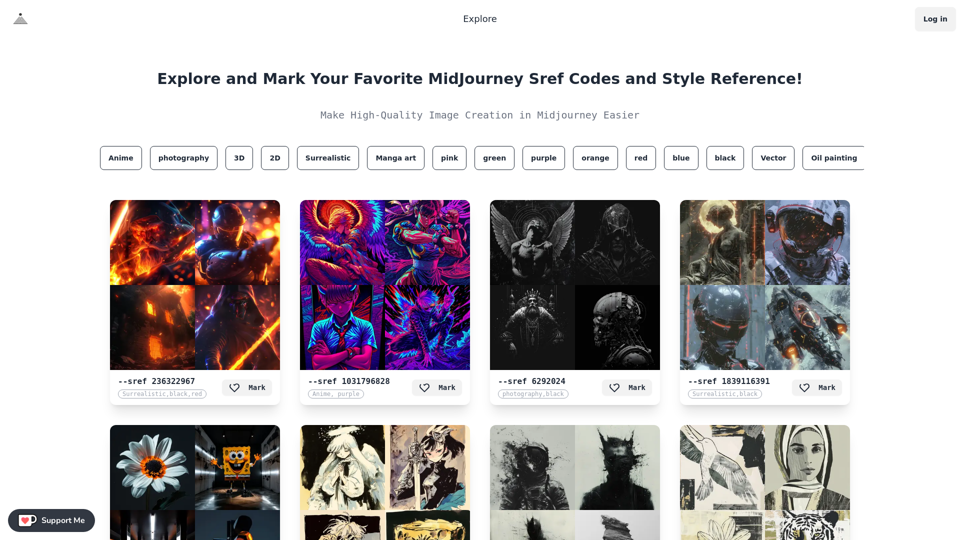
Midjourney SREF Codes Library for Style Reference What are SREF Codes? SREF codes are special text strings used in Midjourney to quickly and easily apply specific artistic styles to your image generations. How to Use SREF Codes: Simply add an SREF code to your Midjourney prompt. For example: `/imagine a majestic dragon, SREF:cyberpunk` SREF Code Library: This library contains a collection of SREF codes categorized by style. * Art Styles: * `photorealistic`: Creates images with high levels of realism. * `impressionistic`: Captures the essence of a scene with loose brushstrokes and vibrant colors. * `cubist`: Breaks down objects into geometric shapes. * `surrealist`: Creates dreamlike and fantastical images. * `abstract`: Focuses on form, color, and composition rather than representational imagery. * Visual Effects: * `cinematic`: Gives images a cinematic look and feel. * `HDR`: Creates images with high dynamic range, resulting in greater detail and contrast. * `neon`: Adds vibrant neon lights to the image. * `pixel art`: Generates images in a retro pixel art style. * Other Styles: * `anime`: Creates images in the style of Japanese animation. * `manga`: Similar to anime, but with a more comic book aesthetic. * `sketch`: Generates images that resemble pencil sketches. * `watercolor`: Creates images with the look and feel of watercolor paintings. Note: This is just a small sample of the many SREF codes available. Explore and Experiment: The best way to learn about SREF codes is to experiment with them! Try combining different codes to create unique and interesting styles.Explore a list of 177 unique Midjourney sref codes and style references to find your perfect Midjourney sref code effect.
149.96 K
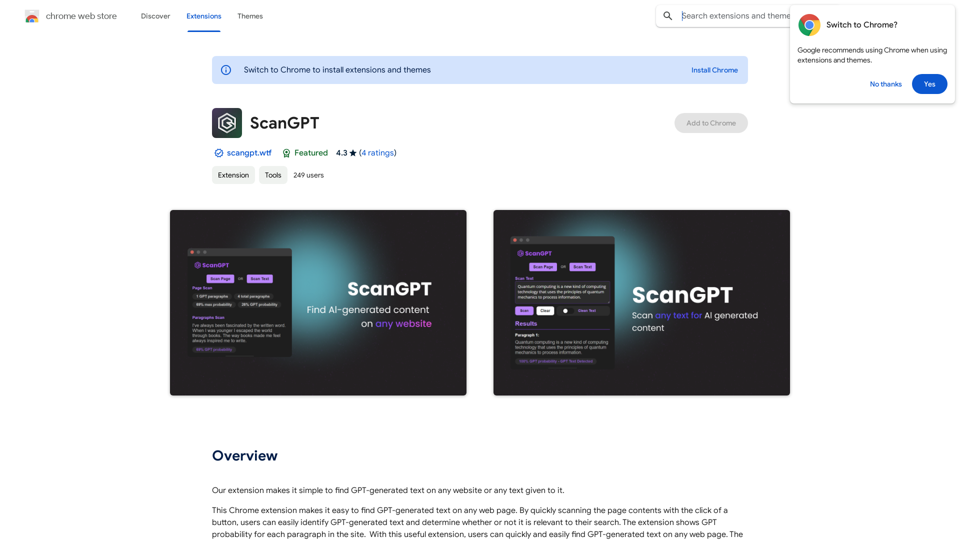
Our extension makes it simple to find GPT-generated text on any website or any text given to it.
193.90 M
ChatGPT Context Companion The ChatGPT Context Companion is an innovative tool designed to enhance the conversational experience with ChatGPT, a cutting-edge language model. This companion tool provides users with a more comprehensive and engaging interaction by offering real-time suggestions, relevant information, and personalized responses. Key Features * Real-time Suggestions: The Context Companion provides users with relevant suggestions based on the conversation, enabling them to explore new topics, ask follow-up questions, or delve deeper into a subject. * Relevant Information: The tool offers users access to a vast knowledge base, providing them with accurate and up-to-date information on a wide range of topics, from science and history to entertainment and culture. * Personalized Responses: By analyzing the conversation context, the Context Companion generates personalized responses that cater to the user's interests, preferences, and communication style. Benefits * Enhanced Engagement: The ChatGPT Context Companion fosters a more engaging and interactive conversation, encouraging users to explore new ideas, ask questions, and learn from the conversation. * Improved Understanding: By providing users with relevant information and suggestions, the tool helps to clarify complex topics, resolve misunderstandings, and promote a deeper understanding of the subject matter. * Increased Productivity: The Context Companion saves users time and effort by offering quick access to relevant information, enabling them to focus on the conversation and achieve their goals more efficiently. Applications * Education: The ChatGPT Context Companion is an invaluable resource for students, teachers, and researchers, providing them with a wealth of information, suggestions, and insights to support their learning and research endeavors. * Business: The tool is an excellent communication aid for professionals, enabling them to access relevant information, generate ideas, and respond to customer inquiries more effectively. * Entertainment: The Context Companion adds a new dimension to online conversations, making them more engaging, informative, and enjoyable for users.
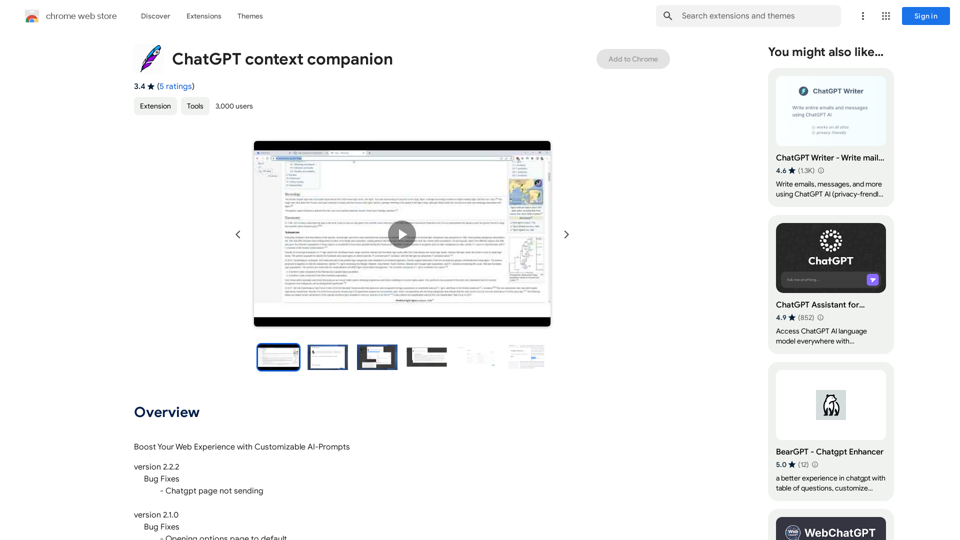
ChatGPT Context Companion The ChatGPT Context Companion is an innovative tool designed to enhance the conversational experience with ChatGPT, a cutting-edge language model. This companion tool provides users with a more comprehensive and engaging interaction by offering real-time suggestions, relevant information, and personalized responses. Key Features * Real-time Suggestions: The Context Companion provides users with relevant suggestions based on the conversation, enabling them to explore new topics, ask follow-up questions, or delve deeper into a subject. * Relevant Information: The tool offers users access to a vast knowledge base, providing them with accurate and up-to-date information on a wide range of topics, from science and history to entertainment and culture. * Personalized Responses: By analyzing the conversation context, the Context Companion generates personalized responses that cater to the user's interests, preferences, and communication style. Benefits * Enhanced Engagement: The ChatGPT Context Companion fosters a more engaging and interactive conversation, encouraging users to explore new ideas, ask questions, and learn from the conversation. * Improved Understanding: By providing users with relevant information and suggestions, the tool helps to clarify complex topics, resolve misunderstandings, and promote a deeper understanding of the subject matter. * Increased Productivity: The Context Companion saves users time and effort by offering quick access to relevant information, enabling them to focus on the conversation and achieve their goals more efficiently. Applications * Education: The ChatGPT Context Companion is an invaluable resource for students, teachers, and researchers, providing them with a wealth of information, suggestions, and insights to support their learning and research endeavors. * Business: The tool is an excellent communication aid for professionals, enabling them to access relevant information, generate ideas, and respond to customer inquiries more effectively. * Entertainment: The Context Companion adds a new dimension to online conversations, making them more engaging, informative, and enjoyable for users.Boost Your Web Experience with Customizable AI-Prompts
193.90 M