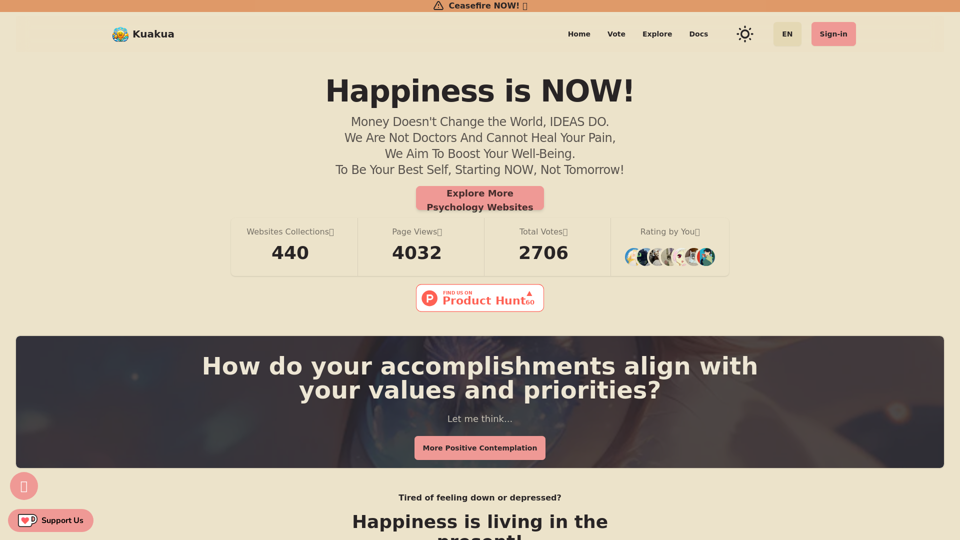
Kuakua 是一個創新平台,結合心理學和人工智能工具來提升幸福感和快樂感。它提供全面的資源,包括正念練習、生活方式建議和治療資源,所有這些都旨在提升心理健康和整體幸福感。該平台利用人工智能驅動的工具提供個性化建議和見解,幫助個人實現特定的幸福目標。
Kuakua -
探索心理學、AI 工具、mindfulness、生活方式、治療資源。找到快樂的語言、任務、網站和應用程式,以提高您的幸福感和幸福。
介紹
功能
人工智能驅動的個性化
Kuakua 利用人工智能提供量身定制的建議和見解,確保每個用戶都能獲得與其幸福目標相符的個性化體驗。
全面的幸福資源
該平台提供多樣化的工具和資源:
- 正念練習和冥想技巧
- 涵蓋營養、運動和睡眠習慣的生活方式建議
- 獲取治療資源,包括在線諮詢和支持小組
- 積極的肯定語和「快樂語言」以培養積極的心態
目標導向方法
用戶通過以下步驟開始他們的旅程:
- 創建帳戶
- 進行測驗以確定幸福目標
- 根據測驗結果獲得個性化建議
社區連接
Kuakua 通過以下方式促進用戶之間的連接:
- 在線支持小組
- 分享經驗和建議的論壇
靈活的定價選項
該平台提供:
- 免費試用期
- 各種訂閱計劃以滿足不同需求和預算
常見問題
如何開始使用 Kuakua?
要開始使用 Kuakua:
- 在平台上註冊帳戶
- 進行初始測驗以確定您的幸福目標
- 探索提供的個性化建議和資源
Kuakua 提供哪些類型的資源?
Kuakua 提供廣泛的資源,包括:
- 正念練習
- 生活方式建議
- 治療資源
- 人工智能驅動的個性化建議
- 積極的肯定語和「快樂語言」
Kuakua 是免費使用的嗎?
Kuakua 提供免費試用期。試用期後,用戶需要訂閱才能訪問全範圍的資源和工具。有各種定價選項可滿足不同需求。
我可以取消 Kuakua 訂閱嗎?
是的,您可以隨時取消訂閱。
有什麼建議可以充分利用 Kuakua?
為了最大化您的 Kuakua 體驗:
- 設定明確具體的幸福目標
- 持續使用平台以獲得最佳效果
- 嘗試不同的資源,找出最適合您的方法
- 與其他用戶聯繫以獲得動力和靈感