Open-source RightAI Tools Directory
  • Discover AI
  • Submit
  • Startup
  • Blog
Open-source RightAI Tools Directory
Discover the best AI tools of 2025 with the RightAI Tools Directory!

Friend Links

AI Anime GeneratorToolsApp AI

Support

Tap4
Privacy policyTerms & ConditionsContact Us
Loading...
loading...

Dating Photo AI

Meet Dating Photo AI - the only tool that helps you increase your dating profile matches by making you look like the best version of yourself. By applying the latest AI techniques, we make you get the matches that you deserve.
Visit Website
Dating Photo AI
Visit Website

Introduction

Dating Photo AI is an innovative service designed to enhance your online dating experience by providing AI-generated photos that look just like you. This tool aims to help singles across various dating platforms increase their matches by presenting high-quality, attractive images that showcase their best selves.

Feature

  1. AI-Enhanced Photos

    • Generates photos that look 100% like you
    • Uses proprietary algorithm to learn your unique features
    • Creates images in various styles (hobbies, travel, party, professional)
  2. Easy Setup Process

    StepDescription
    1Upload 10-20 photos of yourself
    2AI processes and generates new photos
    3Select your favorite images
  3. Customization Options

    • Multiple backgrounds (5-10+ depending on plan)
    • Various outfits (5 to unlimited depending on plan)
    • Option to customize existing photos
  4. Quick Turnaround

    • Photos available in minutes (1-hour wait for Starter plan)
  5. Versatile Usage

    • Compatible with all dating platforms
    • Showcases different aspects of your personality
  6. Satisfaction Guarantee

    • 100% satisfaction guarantee
    • Money-back guarantee if you don't get more matches

How to Use?

  1. Upload a variety of photos to give the AI a comprehensive understanding of your appearance.
  2. Include images from different angles and in various lighting conditions for best results.
  3. Consider showcasing different aspects of your personality through the AI-generated photos (e.g., hobbies, travel, professional).
  4. Use a mix of AI-generated and authentic photos on your dating profile for a balanced presentation.
  5. Regularly update your photos to keep your profile fresh and engaging.

FAQ

Do I need a professional photographer to take the photos?

No, you don't need a professional photographer. You can simply upload 10-20 photos of yourself, and the AI will generate high-quality images based on these.

Will these photos actually get me matches?

While results may vary, Dating Photo AI claims that 85% of singles are not getting the matches they deserve due to subpar photos. The service aims to improve your chances of getting matches by presenting you in the best light.

Are these photos allowed on dating platforms?

The website doesn't explicitly address this, but it's important to check the terms of service of your chosen dating platform regarding the use of AI-generated images.

What resolution are the photos?

The specific resolution is not mentioned, but the service promises high-quality photos that look professional.

Is my data safe?

While the website doesn't provide detailed information about data security, it's advisable to review their privacy policy for more information on how your data is handled and protected.

Price

PlanPriceFeatures
Starter$3920 photos, 1-hour wait, 5 backgrounds, 5 outfits
Dater$7950 photos, Customize existing photos, 10 backgrounds
Casanova$199Unlimited photos, outfits, backgrounds, and edits
The price is for reference only, please refer to the latest official data for actual information.

Evaluation

  1. Dating Photo AI offers an innovative solution to a common problem in online dating - subpar profile photos. The AI-generated images could potentially level the playing field for those who struggle with self-presentation.

  2. The service's claim of doubling matches is bold and may set unrealistic expectations. While better photos can certainly improve one's chances, success in online dating depends on various factors.

  3. The pricing structure is reasonable compared to professional photoshoots, offering a cost-effective alternative for those seeking to improve their dating profiles.

  4. The 100% satisfaction guarantee and money-back offer demonstrate confidence in their product, which is reassuring for potential customers.

  5. However, there are ethical considerations regarding the use of AI-generated photos on dating platforms. Users should be aware of potential platform policies and the implications of using such images.

  6. More transparency regarding data handling and privacy would be beneficial, given the sensitive nature of the photos being uploaded and generated.

  7. While the service offers an interesting solution, it's important for users to remember that authenticity is key in building genuine connections. Balancing AI-enhanced photos with authentic representations is crucial for long-term dating success.

Latest Traffic Insights

  • Monthly Visits

    831

  • Bounce Rate

    50.37%

  • Pages Per Visit

    1.03

  • Time on Site(s)

    0.00

  • Global Rank

    13280512

  • Country Rank

    -

Recent Visits

Traffic Sources

  • Social Media:
    9.80%
  • Paid Referrals:
    1.51%
  • Email:
    0.20%
  • Referrals:
    12.75%
  • Search Engines:
    33.18%
  • Direct:
    41.71%
More Data

Related Websites

Midjourney API - Automate Midjourney AI Image Generation 

This document outlines how to use the Midjourney API to automate the generation of AI images. 

What is the Midjourney API?

The Midjourney API allows developers to programmatically interact with the powerful Midjourney AI model. This means you can generate images, control various parameters, and integrate Midjourney into your own applications and workflows.

Why Use the Midjourney API?

* Automation: Automate the creation of images for various purposes, such as marketing materials, website content, or research projects.
* Customization: Fine-tune image generation by controlling parameters like aspect ratio, style, and seed values.
* Integration: Seamlessly integrate Midjourney's capabilities into your existing tools and platforms.

Getting Started

1. Sign Up for a Midjourney Account: You'll need a Midjourney account to access the API.

2. Obtain an API Key: Once you have an account, you can generate an API key from your account settings.

3. Choose a Programming Language: The Midjourney API supports various programming languages, including Python, JavaScript, and Go.

4. Install the API Client: Install the appropriate API client library for your chosen language.

5. Start Generating Images: Use the API client to send image generation requests to the Midjourney server.

Example (Python):

```python
import midjourney

Replace with your actual API key
api_key = "YOUR_API_KEY"

Create a Midjourney client
client = midjourney.Client(api_key=api_key)

Generate an image
response = client.create_image(prompt="A cat wearing a hat", num_images=1)

Print the image URL
print(response.images[0].url)
```

Documentation and Resources

For detailed information about the Midjourney API, including available endpoints, parameters, and examples, please refer to the official documentation: [https://docs.midjourney.com/](https://docs.midjourney.com/)
View Detail

Midjourney API - Automate Midjourney AI Image Generation This document outlines how to use the Midjourney API to automate the generation of AI images. What is the Midjourney API? The Midjourney API allows developers to programmatically interact with the powerful Midjourney AI model. This means you can generate images, control various parameters, and integrate Midjourney into your own applications and workflows. Why Use the Midjourney API? * Automation: Automate the creation of images for various purposes, such as marketing materials, website content, or research projects. * Customization: Fine-tune image generation by controlling parameters like aspect ratio, style, and seed values. * Integration: Seamlessly integrate Midjourney's capabilities into your existing tools and platforms. Getting Started 1. Sign Up for a Midjourney Account: You'll need a Midjourney account to access the API. 2. Obtain an API Key: Once you have an account, you can generate an API key from your account settings. 3. Choose a Programming Language: The Midjourney API supports various programming languages, including Python, JavaScript, and Go. 4. Install the API Client: Install the appropriate API client library for your chosen language. 5. Start Generating Images: Use the API client to send image generation requests to the Midjourney server. Example (Python): ```python import midjourney Replace with your actual API key api_key = "YOUR_API_KEY" Create a Midjourney client client = midjourney.Client(api_key=api_key) Generate an image response = client.create_image(prompt="A cat wearing a hat", num_images=1) Print the image URL print(response.images[0].url) ``` Documentation and Resources For detailed information about the Midjourney API, including available endpoints, parameters, and examples, please refer to the official documentation: [https://docs.midjourney.com/](https://docs.midjourney.com/)

Midjourney API - Automate Midjourney AI Image Generation This document outlines how to use the Midjourney API to automate the generation of AI images. What is the Midjourney API? The Midjourney API allows developers to programmatically interact with the powerful Midjourney AI model. This means you can generate images, control various parameters, and integrate Midjourney into your own applications and workflows. Why Use the Midjourney API? * Automation: Automate the creation of images for various purposes, such as marketing materials, website content, or research projects. * Customization: Fine-tune image generation by controlling parameters like aspect ratio, style, and seed values. * Integration: Seamlessly integrate Midjourney's capabilities into your existing tools and platforms. Getting Started 1. Sign Up for a Midjourney Account: You'll need a Midjourney account to access the API. 2. Obtain an API Key: Once you have an account, you can generate an API key from your account settings. 3. Choose a Programming Language: The Midjourney API supports various programming languages, including Python, JavaScript, and Go. 4. Install the API Client: Install the appropriate API client library for your chosen language. 5. Start Generating Images: Use the API client to send image generation requests to the Midjourney server. Example (Python): ```python import midjourney Replace with your actual API key api_key = "YOUR_API_KEY" Create a Midjourney client client = midjourney.Client(api_key=api_key) Generate an image response = client.create_image(prompt="A cat wearing a hat", num_images=1) Print the image URL print(response.images[0].url) ``` Documentation and Resources For detailed information about the Midjourney API, including available endpoints, parameters, and examples, please refer to the official documentation: [https://docs.midjourney.com/](https://docs.midjourney.com/)

Easily integrate Midjourney AI into your apps using the Midjourney API. Start creating AI images automatically today!

0
Here is the translation:

Create Perfect Circles in Minecraft with Minecraft Circle Generator | minecraftcirclegenerate.cc
View Detail

Here is the translation: Create Perfect Circles in Minecraft with Minecraft Circle Generator | minecraftcirclegenerate.cc

Here is the translation: Create Perfect Circles in Minecraft with Minecraft Circle Generator | minecraftcirclegenerate.cc

Create perfect circles and ovals in Minecraft with our easy-to-use generator. Customize size and style, then download your designs!

0
Arbi - Amazon FBA Analyser. ChatGPT Built-In
View Detail

Arbi - Amazon FBA Analyser. ChatGPT Built-In

Arbi - Amazon FBA Analyser. ChatGPT Built-In

Analyze Amazon products with the help of a powerful AI assistant. Features include a profit calculator, Keepa charts, and more.

193.90 M
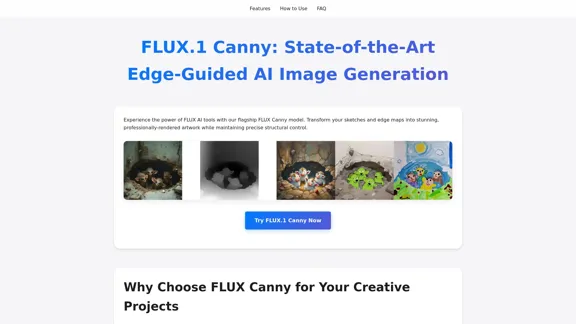
FLUX Canny - Advanced AI Tool for Image Generation with Edge Guidance
View Detail

FLUX Canny - Advanced AI Tool for Image Generation with Edge Guidance

FLUX Canny - Advanced AI Tool for Image Generation with Edge Guidance

FLUX Canny - A professional edge-guided AI image generation tool. Transform sketches into stunning artwork with precise structural control.

0
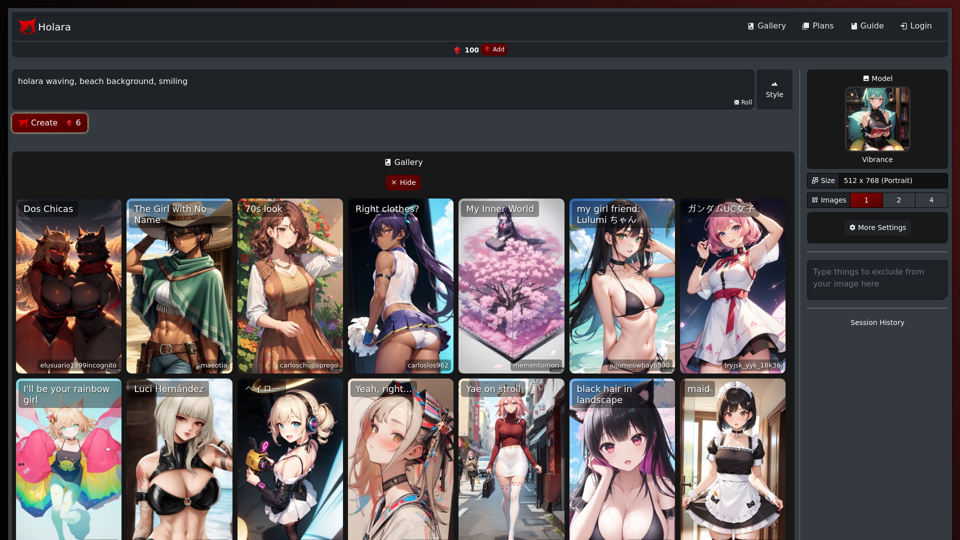
Undress AI App - Create Deepnude Images for FREE | Undresser.AI Undress
View Detail

Undress AI App - Create Deepnude Images for FREE | Undresser.AI Undress

Undress AI App - Create Deepnude Images for FREE | Undresser.AI Undress

Introducing Undresser.AI undress, the ultimate AI-powered app for creating stunning nude photos in seconds. With our advanced deepnude AI technology, you can easily turn any image into a realistic nude. Experience the best in photo nudification with Undresser.AI, where AI meets artistry.

31.13 K
Mapify: Transform Anything to Mind Maps by AI, formerly Chatmind
View Detail

Mapify: Transform Anything to Mind Maps by AI, formerly Chatmind

Mapify: Transform Anything to Mind Maps by AI, formerly Chatmind

Mapify, upgraded from Chatmind by the Xmind Team, is a free online mind mapping and brainstorming tool powered by AI. It can summarize PDF, Word, PowerPoint, YouTube, long text, and images into mind maps in just a few minutes.

1.15 M
Specific – Capture User Feedback
View Detail

Specific – Capture User Feedback

Specific – Capture User Feedback

The easiest way to capture feedback. Just highlight the text and categorize it right away.

193.90 M
GPT Chinese Station - Experience the Official Chinese Website of ChatGPT, GPT-4, Midjourney AI Painting, AI Programming, AI Translation, and AI Creation.
View Detail

GPT Chinese Station - Experience the Official Chinese Website of ChatGPT, GPT-4, Midjourney AI Painting, AI Programming, AI Translation, and AI Creation.

GPT Chinese Station - Experience the Official Chinese Website of ChatGPT, GPT-4, Midjourney AI Painting, AI Programming, AI Translation, and AI Creation.

Experience the Chinese official website of ChatGPT, GPT-4, Midjourney AI painting, AI programming, AI translation, and AI creation.

1.25 K