Chat AI is an AI-driven platform providing access to a wide range of AI technologies for various needs. It offers tools like ChatGPT, GPT-4o for text generation and image understanding, and Dalle3 for image creation. The platform is designed to be user-friendly, with both free and subscription-based options available.
Universal Chat AI - Chat GPT 4 Turbo Accessible Across All Websites With the advent of advanced language models, we are proud to introduce the Chat AI - Chat GPT 4 Turbo, a revolutionary AI-powered chatbot designed to provide seamless and intelligent conversations across all websites. This innovative technology enables users to engage with a highly advanced language model, offering unparalleled conversational experiences. Key Features: * Omnipresent Accessibility: Chat GPT 4 Turbo is accessible across all websites, allowing users to interact with the AI chatbot from anywhere, at any time. * Enhanced Conversational Capabilities: Powered by cutting-edge language models, Chat GPT 4 Turbo understands and responds to user queries with unprecedented accuracy and context. * Seamless Integration: Effortlessly integrate Chat GPT 4 Turbo into any website, ensuring a unified and engaging user experience. Unlock the Power of Conversational AI: Experience the future of chatbots today with Chat AI - Chat GPT 4 Turbo. Discover how this groundbreaking technology can transform the way you interact with websites, providing unparalleled convenience, efficiency, and personalized experiences.
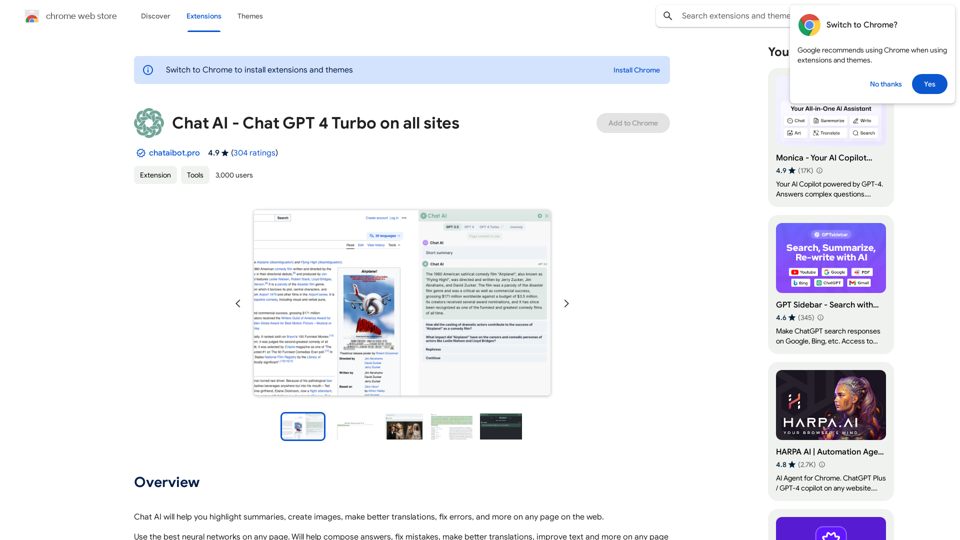
Chat AI will help you highlight summaries, create images, make better translations, fix errors, and more on any page on the web.
Introduction
Feature
Access to Multiple AI Tools
Chat AI offers a comprehensive suite of AI tools, including:
- ChatGPT
- GPT-4o
- Dalle3
These tools cater to diverse needs such as text generation, image understanding, and image creation.
User-Friendly Discovery
The platform is designed for easy navigation, allowing users to quickly find the right AI tool for their specific requirements.
Community-Driven Platform
Chat AI encourages user participation by allowing free submission of AI tools, fostering a collaborative environment.
Free Daily Usage
Users can access GPT-4o for free up to 20 times a day, providing ample opportunity to explore the platform's capabilities.
Image Generation
Dalle3's text-to-image generation feature enables users to create images, sharing credits with GPT-4o for a seamless creative experience.
Extensive GPT Model Library
Chat AI boasts nearly 200,000 GPT models, covering a wide range of applications for work, study, and daily life.
Privacy Protection
Chat AI prioritizes user privacy, ensuring that user data is not used for training purposes. Users have the option to delete their account and remove all associated data at any time.
Subscription Options
For users requiring extended access beyond the free daily limit, Chat AI offers affordable subscription plans.
FAQ
What is Chat AI?
Chat AI is an AI-driven platform that provides access to a vast array of AI technologies for various needs, including ChatGPT, GPT-4o for text generation and image understanding, and Dalle3 for image creation.
How do I use Chat AI?
Chat AI is designed for ease of use. Users can utilize GPT-4o for free up to 20 times a day. Subscribing to the platform grants additional benefits and extended access beyond the free usage limits.
Can I generate images using Chat AI?
Yes, Chat AI includes Dalle3's text-to-image generation capability, allowing users to create images. This feature shares credits with GPT-4o for a seamless creative experience.
How many GPT models are available on Chat AI?
Chat AI offers nearly 200,000 GPT models, covering a wide variety of applications in work, study, and everyday life.
Will my information be used for training data?
No, Chat AI highly values user privacy. Your data will not be used for any training purposes. If needed, you can delete your account at any time, and all your data will be removed as well.
When would I need a Chat AI subscription?
If the 20 free GPT-4o conversations per day do not meet your needs and you heavily rely on GPT-4o, subscribing to Chat AI's affordable products would be beneficial.
Related Websites
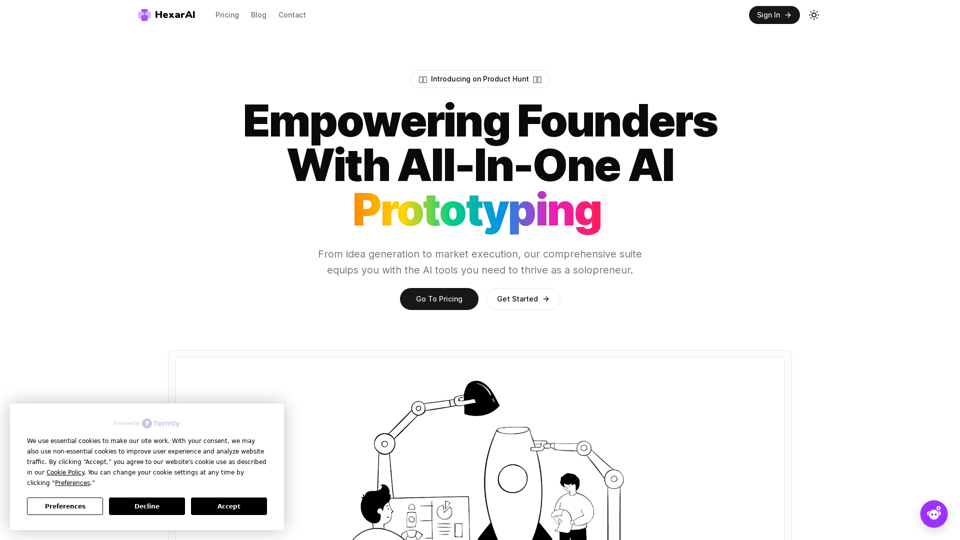
Unlock your business's full potential with HexarAI, the all-in-one AI platform. Seamlessly integrate marketing, tech development, accounting, design, and business management for unparalleled efficiency and success.
0
![CrackerJack Resume
Objective: To obtain a challenging and rewarding position in a fast-paced environment where I can utilize my skills and experience to contribute to the success of a dynamic team.
Summary of Qualifications:
* Highly motivated and results-oriented individual with a proven track record of success in [mention your field].
* Excellent communication, interpersonal, and problem-solving skills.
* Strong analytical and critical thinking abilities.
* Proficient in [list your relevant skills].
* Adaptable and eager to learn new technologies and processes.
Experience:
* [Job Title], [Company Name], [City, State] - [Dates of Employment]
* [List your responsibilities and achievements using action verbs]
* [Job Title], [Company Name], [City, State] - [Dates of Employment]
* [List your responsibilities and achievements using action verbs]
Education:
* [Degree Name], [Major], [University Name], [City, State] - [Year of Graduation]
* [List any relevant coursework, honors, or awards]
Skills:
* [List your hard and soft skills]
Projects:
* [List any relevant projects you have worked on, including a brief description and your role]
Awards and Recognition:
* [List any awards or recognition you have received]
Volunteer Experience:
* [List any volunteer experience you have]
References:
* Available upon request.](https://static.right-ai.com/tools/2024/7/4/chromewebstore-google-com-detail-crackerjack-resume-fgbdkdeofkmfocghddgppkdelglifokg-thumbnail-1720061173.png "CrackerJack Resume
Objective: To obtain a challenging and rewarding position in a fast-paced environment where I can utilize my skills and experience to contribute to the success of a dynamic team.
Summary of Qualifications:
* Highly motivated and results-oriented individual with a proven track record of success in [mention your field].
* Excellent communication, interpersonal, and problem-solving skills.
* Strong analytical and critical thinking abilities.
* Proficient in [list your relevant skills].
* Adaptable and eager to learn new technologies and processes.
Experience:
* [Job Title], [Company Name], [City, State] - [Dates of Employment]
* [List your responsibilities and achievements using action verbs]
* [Job Title], [Company Name], [City, State] - [Dates of Employment]
* [List your responsibilities and achievements using action verbs]
Education:
* [Degree Name], [Major], [University Name], [City, State] - [Year of Graduation]
* [List any relevant coursework, honors, or awards]
Skills:
* [List your hard and soft skills]
Projects:
* [List any relevant projects you have worked on, including a brief description and your role]
Awards and Recognition:
* [List any awards or recognition you have received]
Volunteer Experience:
* [List any volunteer experience you have]
References:
* Available upon request.")
CrackerJack Resume Objective: To obtain a challenging and rewarding position in a fast-paced environment where I can utilize my skills and experience to contribute to the success of a dynamic team. Summary of Qualifications: * Highly motivated and results-oriented individual with a proven track record of success in [mention your field]. * Excellent communication, interpersonal, and problem-solving skills. * Strong analytical and critical thinking abilities. * Proficient in [list your relevant skills]. * Adaptable and eager to learn new technologies and processes. Experience: * [Job Title], [Company Name], [City, State] - [Dates of Employment] * [List your responsibilities and achievements using action verbs] * [Job Title], [Company Name], [City, State] - [Dates of Employment] * [List your responsibilities and achievements using action verbs] Education: * [Degree Name], [Major], [University Name], [City, State] - [Year of Graduation] * [List any relevant coursework, honors, or awards] Skills: * [List your hard and soft skills] Projects: * [List any relevant projects you have worked on, including a brief description and your role] Awards and Recognition: * [List any awards or recognition you have received] Volunteer Experience: * [List any volunteer experience you have] References: * Available upon request.
CrackerJack Resume Objective: To obtain a challenging and rewarding position in a fast-paced environment where I can utilize my skills and experience to contribute to the success of a dynamic team. Summary of Qualifications: * Highly motivated and results-oriented individual with a proven track record of success in [mention your field]. * Excellent communication, interpersonal, and problem-solving skills. * Strong analytical and critical thinking abilities. * Proficient in [list your relevant skills]. * Adaptable and eager to learn new technologies and processes. Experience: * [Job Title], [Company Name], [City, State] - [Dates of Employment] * [List your responsibilities and achievements using action verbs] * [Job Title], [Company Name], [City, State] - [Dates of Employment] * [List your responsibilities and achievements using action verbs] Education: * [Degree Name], [Major], [University Name], [City, State] - [Year of Graduation] * [List any relevant coursework, honors, or awards] Skills: * [List your hard and soft skills] Projects: * [List any relevant projects you have worked on, including a brief description and your role] Awards and Recognition: * [List any awards or recognition you have received] Volunteer Experience: * [List any volunteer experience you have] References: * Available upon request.Are you frustrated by the lack of response to your job applications? The secret may lie within your resume. Stop getting rejected…
193.90 M
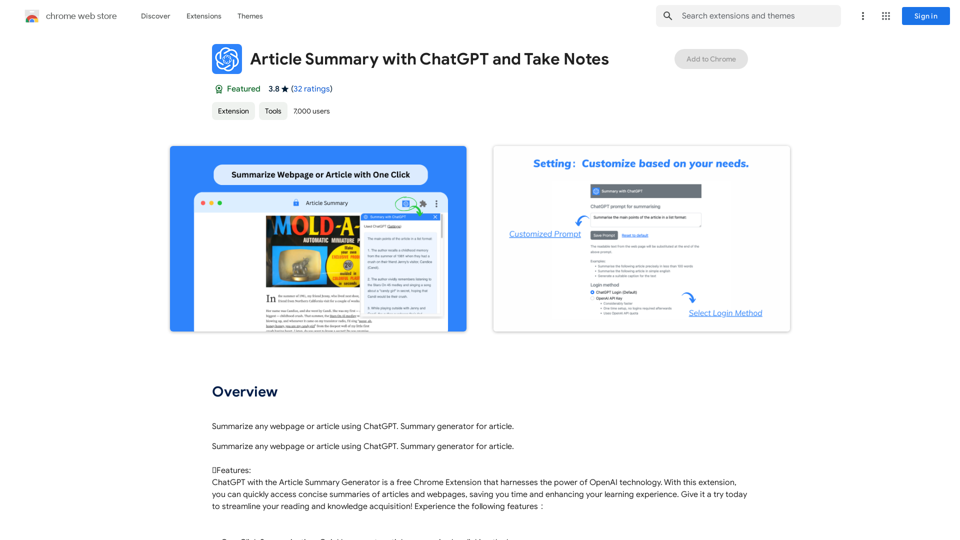
Article Summary with ChatGPT and Take Notes This is a guide on how to use ChatGPT to summarize articles and take notes effectively. Step 1: Provide ChatGPT with the Article Copy and paste the full text of the article into the ChatGPT interface. Step 2: Craft Your Prompt Tell ChatGPT what you want it to do. Here are some examples: * Summarize: "Please summarize this article in 200 words." * Key Points: "What are the main points of this article?" * Bullet Points: "Summarize the key findings of this article in bullet points." * Notes: "Take notes on this article, focusing on the author's arguments and supporting evidence." Step 3: Review and Refine ChatGPT will generate a summary, key points, bullet points, or notes based on your prompt. * Read carefully: Make sure the output accurately reflects the article's content. * Edit as needed: You can ask ChatGPT to rephrase sections or provide more detail. * Add your own insights: Don't just copy ChatGPT's output. Use it as a starting point and add your own thoughts, questions, and connections. Tips for Effective Use: * Be specific: The more specific your prompt, the better the output will be. * Experiment with different prompts: Try various phrasing to see what works best. * Use ChatGPT as a tool: It's a powerful aid, but it's not a replacement for critical reading and thinking.
Article Summary with ChatGPT and Take Notes This is a guide on how to use ChatGPT to summarize articles and take notes effectively. Step 1: Provide ChatGPT with the Article Copy and paste the full text of the article into the ChatGPT interface. Step 2: Craft Your Prompt Tell ChatGPT what you want it to do. Here are some examples: * Summarize: "Please summarize this article in 200 words." * Key Points: "What are the main points of this article?" * Bullet Points: "Summarize the key findings of this article in bullet points." * Notes: "Take notes on this article, focusing on the author's arguments and supporting evidence." Step 3: Review and Refine ChatGPT will generate a summary, key points, bullet points, or notes based on your prompt. * Read carefully: Make sure the output accurately reflects the article's content. * Edit as needed: You can ask ChatGPT to rephrase sections or provide more detail. * Add your own insights: Don't just copy ChatGPT's output. Use it as a starting point and add your own thoughts, questions, and connections. Tips for Effective Use: * Be specific: The more specific your prompt, the better the output will be. * Experiment with different prompts: Try various phrasing to see what works best. * Use ChatGPT as a tool: It's a powerful aid, but it's not a replacement for critical reading and thinking.I can do that! Please provide me with the URL of the webpage or article you'd like me to summarize. I'll do my best to create a concise and easy-to-understand summary for you.
193.90 M