Open-source RightAI Tools Directory
  • Discover AI
  • Submit
  • Startup
  • Blog
Open-source RightAI Tools Directory
Discover the best AI tools of 2025 with the RightAI Tools Directory!

Friend Links

AI Anime GeneratorToolsApp AI

Support

Tap4
Privacy policyTerms & ConditionsContact Us
Loading...
loading...

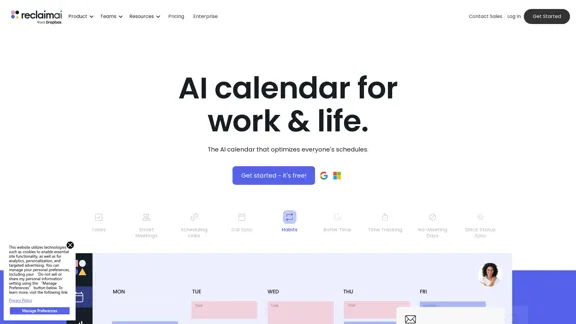
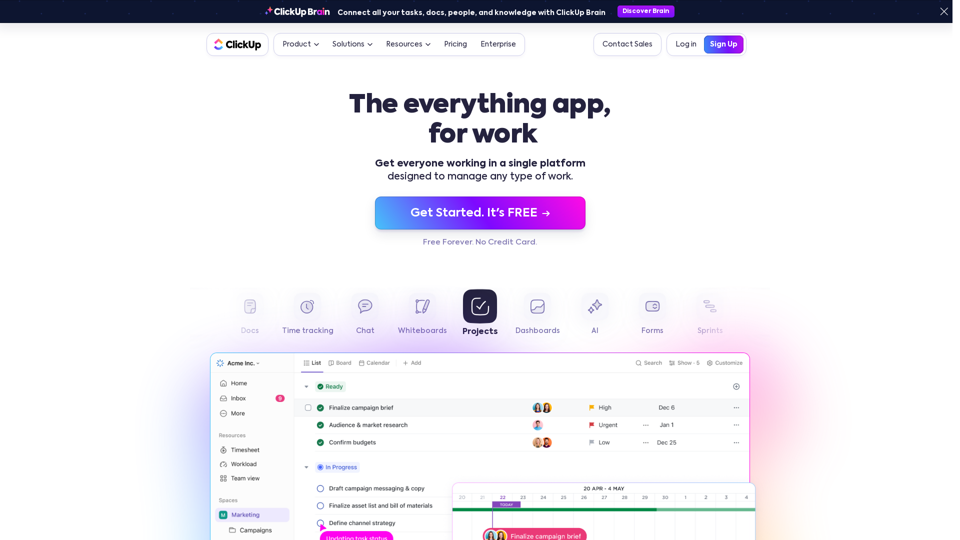
ClickUp™ | One app to replace them all

Our mission is to make the world more productive. To achieve this, we created a single app to replace all others - incorporating Tasks, Docs, Goals, and Chat.
Visit Website
ClickUp™ | One app to replace them all
Visit Website

Introduction

ClickUp is a comprehensive productivity platform designed to manage various types of work. It aims to replace multiple apps and tools, streamlining work processes for teams and individuals across different industries. ClickUp offers a wide range of features including task management, project planning, document collaboration, time tracking, and AI-powered productivity tools.

Feature

All-in-One Productivity Solution

ClickUp provides a centralized workspace that eliminates the need for multiple apps, improving collaboration and enhancing team communication and productivity.

Customizable Workspace

Users can adapt ClickUp to various work styles and industries through customizable views (List, Board, Gantt, etc.), workflows, and processes.

AI-Powered Productivity

ClickUp integrates AI technology to boost efficiency and streamline task completion, setting it apart from traditional project management tools.

Extensive Feature Set

Task Management

Project Planning

Document Collaboration

Time Tracking

Automation

Integrations

Whiteboards

Dashboards and Reporting

Flexible Pricing Options

ClickUp offers various pricing tiers to accommodate different needs and budgets:

PlanPriceKey Features
Free Forever$0100MB storage, Unlimited tasks, Unlimited members
Unlimited$5/member/monthUnlimited storage, Integrations, Dashboards
Business$12/member/monthGoogle SSO, Custom Exporting, Advanced Automations
Business Plus$19/member/monthTeam Sharing, Subtasks in multiple lists, Custom Role Creation
EnterpriseCustom pricingWhite Labeling, Enterprise API, Dedicated Success Manager

Mobile Accessibility

ClickUp offers mobile apps for both iOS and Android devices, allowing users to stay productive on the go.

Security Features

ClickUp prioritizes user security with features like two-factor authentication, SSO, and compliance with various security standards.

FAQ

Is ClickUp suitable for small businesses?

Yes, ClickUp's flexible pricing and scalable features make it suitable for businesses of all sizes, from small startups to large enterprises.

Can ClickUp replace project management tools like Asana or Trello?

Yes, ClickUp offers comparable and often more extensive features than many popular project management tools, making it a viable replacement for platforms like Asana or Trello.

Does ClickUp offer integrations with other software?

ClickUp provides numerous integrations with popular tools and has an API for custom integrations, allowing users to connect their existing software ecosystem with ClickUp.

Related Websites

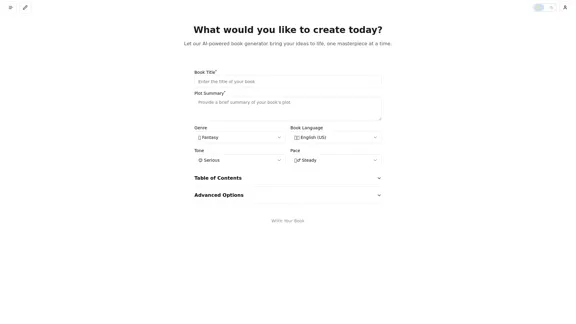
ChatPRD | An AI Copilot for Product Work
View Detail

ChatPRD | An AI Copilot for Product Work

ChatPRD | An AI Copilot for Product Work

An on-demand Chief Product Officer who creates and enhances your Product Requirements Documents (PRDs), while mentoring you to become a top-tier Product Manager.

162.60 K
Sully.ai - The #1 all-in-one AI solution for saving doctors' time
View Detail

Sully.ai - The #1 all-in-one AI solution for saving doctors' time

Sully.ai - The #1 all-in-one AI solution for saving doctors' time

Sully.ai is an all-in-one AI Medical Assistant designed to save doctors' time by helping them with time-consuming tasks performed before, during, and after patient visits.

42.63 K
Create a Stack on Splice: AI-Powered Songwriting Inspiration | Splice
View Detail

Create a Stack on Splice: AI-Powered Songwriting Inspiration | Splice

Create a Stack on Splice: AI-Powered Songwriting Inspiration | Splice

Choose a style. Splice AI will present you with millions of unique musical combinations never heard before, showcasing sounds created by the industry's leading producers.

3.79 M
BestAiApp
View Detail

BestAiApp

BestAiApp

All in one AI super app,get the benefits of all the best AI products in one place, for one price

0
Copilot for Microsoft 365 – Microsoft Adoption

Copilot for Microsoft 365 is a powerful AI assistant that helps you work smarter and faster across Microsoft 365 apps and services. It combines the power of large language models (LLMs) with your organization's data in the Microsoft Graph and Microsoft 365 apps to turn your words into the most powerful productivity tool on the planet.

Copilot is designed to help you:

• Unleash creativity
• Unlock productivity
• Uplevel skills

Copilot is built on Microsoft's comprehensive approach to security, compliance, and privacy. Copilot in Microsoft 365 apps and services:

• Does not use your data to train the underlying LLM
• Does not replace human ingenuity and judgment
• Is designed to keep humans in the loop

Copilot is currently available in Word, Excel, PowerPoint, Outlook, Teams, and more.

Getting Started with Copilot

To get started with Copilot, follow these steps:

1. Check availability: Ensure your organization has access to Copilot.
2. Learn the basics: Familiarize yourself with Copilot's capabilities and how to use it effectively.
3. Explore use cases: Discover how Copilot can help you in your specific role and tasks.
4. Practice and refine: Use Copilot regularly and refine your prompts for better results.
5. Share and collaborate: Collaborate with colleagues using Copilot and share best practices.

Best Practices for Using Copilot

1. Be specific in your prompts
2. Provide context for better results
3. Review and edit Copilot's output
4. Use Copilot as a starting point, not a final product
5. Experiment with different approaches
6. Stay informed about new features and updates

Copilot in Different Microsoft 365 Apps

• Word: Draft, edit, summarize, and rewrite content
• Excel: Analyze data, create formulas, and generate insights
• PowerPoint: Create presentations, design slides, and generate content
• Outlook: Compose emails, summarize threads, and manage your inbox
• Teams: Summarize meetings, generate action items, and create meeting notes

Responsible AI and Copilot

Microsoft is committed to developing AI systems responsibly. When using Copilot, keep in mind:

• AI-generated content may contain biases or inaccuracies
• Always review and verify Copilot's output
• Use your judgment and expertise alongside Copilot's suggestions
• Be aware of your organization's policies regarding AI use

Conclusion

Copilot for Microsoft 365 is a powerful tool that can significantly enhance your productivity and creativity. By understanding its capabilities, following best practices, and using it responsibly, you can make the most of this AI assistant in your daily work.
View Detail

Copilot for Microsoft 365 – Microsoft Adoption Copilot for Microsoft 365 is a powerful AI assistant that helps you work smarter and faster across Microsoft 365 apps and services. It combines the power of large language models (LLMs) with your organization's data in the Microsoft Graph and Microsoft 365 apps to turn your words into the most powerful productivity tool on the planet. Copilot is designed to help you: • Unleash creativity • Unlock productivity • Uplevel skills Copilot is built on Microsoft's comprehensive approach to security, compliance, and privacy. Copilot in Microsoft 365 apps and services: • Does not use your data to train the underlying LLM • Does not replace human ingenuity and judgment • Is designed to keep humans in the loop Copilot is currently available in Word, Excel, PowerPoint, Outlook, Teams, and more. Getting Started with Copilot To get started with Copilot, follow these steps: 1. Check availability: Ensure your organization has access to Copilot. 2. Learn the basics: Familiarize yourself with Copilot's capabilities and how to use it effectively. 3. Explore use cases: Discover how Copilot can help you in your specific role and tasks. 4. Practice and refine: Use Copilot regularly and refine your prompts for better results. 5. Share and collaborate: Collaborate with colleagues using Copilot and share best practices. Best Practices for Using Copilot 1. Be specific in your prompts 2. Provide context for better results 3. Review and edit Copilot's output 4. Use Copilot as a starting point, not a final product 5. Experiment with different approaches 6. Stay informed about new features and updates Copilot in Different Microsoft 365 Apps • Word: Draft, edit, summarize, and rewrite content • Excel: Analyze data, create formulas, and generate insights • PowerPoint: Create presentations, design slides, and generate content • Outlook: Compose emails, summarize threads, and manage your inbox • Teams: Summarize meetings, generate action items, and create meeting notes Responsible AI and Copilot Microsoft is committed to developing AI systems responsibly. When using Copilot, keep in mind: • AI-generated content may contain biases or inaccuracies • Always review and verify Copilot's output • Use your judgment and expertise alongside Copilot's suggestions • Be aware of your organization's policies regarding AI use Conclusion Copilot for Microsoft 365 is a powerful tool that can significantly enhance your productivity and creativity. By understanding its capabilities, following best practices, and using it responsibly, you can make the most of this AI assistant in your daily work.

Copilot for Microsoft 365 – Microsoft Adoption Copilot for Microsoft 365 is a powerful AI assistant that helps you work smarter and faster across Microsoft 365 apps and services. It combines the power of large language models (LLMs) with your organization's data in the Microsoft Graph and Microsoft 365 apps to turn your words into the most powerful productivity tool on the planet. Copilot is designed to help you: • Unleash creativity • Unlock productivity • Uplevel skills Copilot is built on Microsoft's comprehensive approach to security, compliance, and privacy. Copilot in Microsoft 365 apps and services: • Does not use your data to train the underlying LLM • Does not replace human ingenuity and judgment • Is designed to keep humans in the loop Copilot is currently available in Word, Excel, PowerPoint, Outlook, Teams, and more. Getting Started with Copilot To get started with Copilot, follow these steps: 1. Check availability: Ensure your organization has access to Copilot. 2. Learn the basics: Familiarize yourself with Copilot's capabilities and how to use it effectively. 3. Explore use cases: Discover how Copilot can help you in your specific role and tasks. 4. Practice and refine: Use Copilot regularly and refine your prompts for better results. 5. Share and collaborate: Collaborate with colleagues using Copilot and share best practices. Best Practices for Using Copilot 1. Be specific in your prompts 2. Provide context for better results 3. Review and edit Copilot's output 4. Use Copilot as a starting point, not a final product 5. Experiment with different approaches 6. Stay informed about new features and updates Copilot in Different Microsoft 365 Apps • Word: Draft, edit, summarize, and rewrite content • Excel: Analyze data, create formulas, and generate insights • PowerPoint: Create presentations, design slides, and generate content • Outlook: Compose emails, summarize threads, and manage your inbox • Teams: Summarize meetings, generate action items, and create meeting notes Responsible AI and Copilot Microsoft is committed to developing AI systems responsibly. When using Copilot, keep in mind: • AI-generated content may contain biases or inaccuracies • Always review and verify Copilot's output • Use your judgment and expertise alongside Copilot's suggestions • Be aware of your organization's policies regarding AI use Conclusion Copilot for Microsoft 365 is a powerful tool that can significantly enhance your productivity and creativity. By understanding its capabilities, following best practices, and using it responsibly, you can make the most of this AI assistant in your daily work.

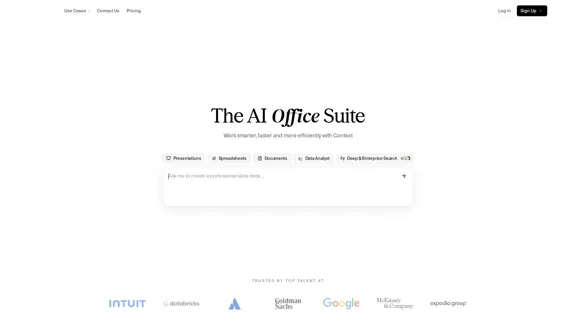
Microsoft Copilot combines the power of large language models (LLMs) with your organization's data to turn your words into one of the most powerful productivity tools on the planet.

608.60 K
PodExtra AI—Unleash the power of podcast
View Detail

PodExtra AI—Unleash the power of podcast

PodExtra AI—Unleash the power of podcast

PodExtra is an innovative AI-powered podcast tool that provides transcripts, summaries, mind maps, outlines, highlights, and takeaways for your favorite podcasts. It allows you to quickly browse through the content, saving time and improving efficiency.

1.70 K
Open Multiple URLs
View Detail

Open Multiple URLs

Open Multiple URLs

Multiple URL Opener is a free online tool to open multiple URLs simultaneously.

0
Web Scraping Tool & Free Web Crawlers | Octoparse
View Detail

Web Scraping Tool & Free Web Crawlers | Octoparse

Web Scraping Tool & Free Web Crawlers | Octoparse

Web scraping simplified. Gather information from any website in minutes using our code-free web crawler. Obtain the essential data to propel your business forward. Begin at no cost today!

309.69 K