Open-source RightAI Tools Directory
  • Discover AI
  • Submit
  • Startup
  • Blog
Open-source RightAI Tools Directory
Discover the best AI tools of 2025 with the RightAI Tools Directory!

Friend Links

AI Anime GeneratorToolsApp AI

Support

Tap4
Privacy policyTerms & ConditionsContact Us
Loading...
loading...

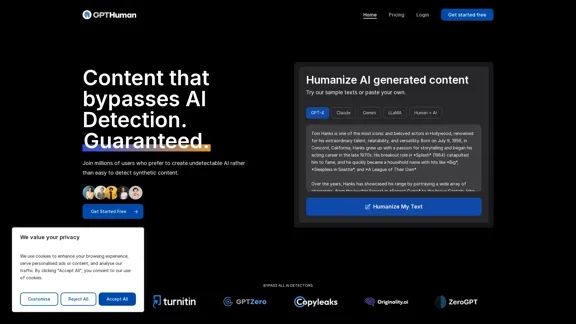
Humanize AI. Create AI Content That Can't Be Detected.

The leading AI humanizer that converts machine-generated text into genuine, human-like content. It bypasses all AI detectors, guaranteed.
Visit Website
Humanize AI. Create AI Content That Can't Be Detected.
Visit Website

Introduction

Humanize AI is an advanced platform designed to generate undetectable AI content. It allows users to create human-like writing that bypasses AI detection tools, making it suitable for various applications, including academic writing, content creation, and SEO. The platform emphasizes privacy, originality, and the ability to adapt writing styles to meet user needs.

Feature

  1. Guaranteed Undetectable AI

    The platform guarantees that content generated will bypass leading AI detection tools like GPTZero and Turnitin. If any content is detected, they offer a free rewrite.

  2. Multi-Tone Voice Adaptation

    Users can customize their AI writing to match different tones, whether professional, casual, academic, or creative, with high precision.

  3. Multi-Language Human Writing

    GPT Human can generate content in 80 languages, ensuring authentic and natural writing across a global audience.

  4. Plagiarism-Free and Original Content

    The platform employs advanced algorithms to ensure that all generated content is 100% original, with no duplicate text found online.

  5. AI Detector

    An integrated AI detector assesses the content for authenticity, providing users with confidence in their writing.

  6. Generate Human Content from Scratch

    Users can start their content journey directly on GPT Human, bypassing the need for other AI tools like ChatGPT.

How to Use?

  1. Sign up for a free account on the GPT Human website.
  2. Enter your prompt in the designated area to generate content.
  3. Choose your preferred tone and language for the output.
  4. Use the AI detector to check the authenticity of your generated content.
  5. If needed, request a rewrite for any content that fails detection.

FAQ

What is GPT Human?

GPT Human is an AI writing platform that generates human-like content that is undetectable by AI detection tools.

How does the AI detection bypass work?

The platform uses advanced linguistic algorithms to rewrite AI-generated text, ensuring a high success rate in passing AI detection.

In how many languages can GPT Human generate content?

It can generate content in 80 languages, including major languages like English, Chinese, Spanish, French, and German.

Can I customize the writing style?

Yes, users can select from various voice profiles to match their preferred writing style.

What makes GPT Human different from other AI writing tools?

GPT Human focuses on creating genuinely human-sounding content that bypasses detection while maintaining authenticity and adaptability.

Price

  • Free Plan: $0/month
  • Basic Plan: $9.99/month
  • Standard Plan: $19.99/month
  • Professional Plan: $49.99/month
The price is for reference only, please refer to the latest official data for actual information.

Evaluation

  1. GPT Human effectively generates content that feels authentic and human-like, making it a valuable tool for students, writers, and SEO specialists.
  2. The platform's ability to bypass AI detection tools is a significant advantage, ensuring that users can produce content without the risk of being flagged.
  3. However, the reliance on advanced algorithms may lead to occasional inconsistencies in tone or style, requiring users to review and refine the output.
  4. While the service is robust, it may not fully replace the need for human oversight in content creation, particularly for nuanced or complex topics.

Related Websites
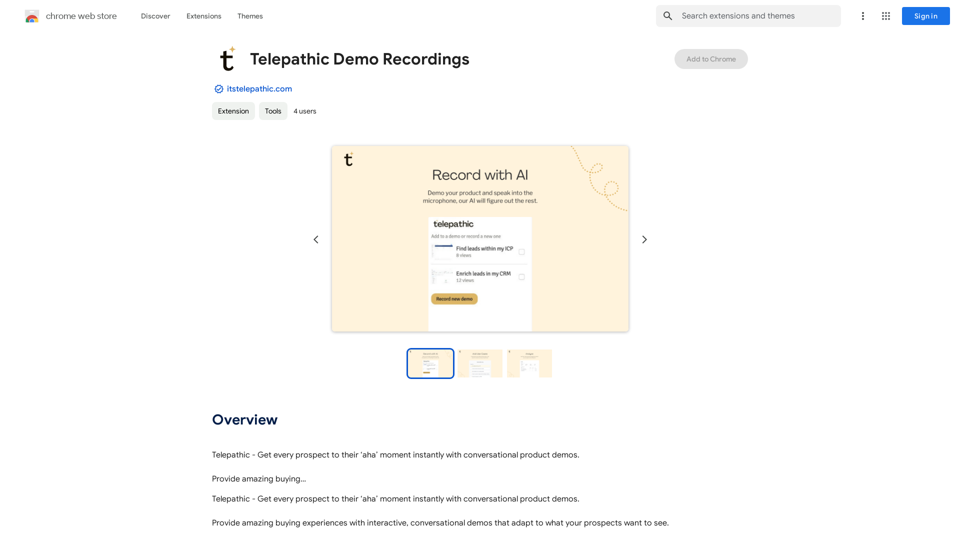
Subtitle Wizard - Real-time Speech Recognition, AI Subtitle Translation
View Detail

Subtitle Wizard - Real-time Speech Recognition, AI Subtitle Translation

Subtitle Wizard - Real-time Speech Recognition, AI Subtitle Translation

Watch foreign TV series and learn without mistakes, the new subtitle translation elf is here to assist, a browser-based subtitle translation artifact.

193.90 M
Typogram
View Detail

Typogram

Typogram

Use Typogram to generate text, translate languages, and write code on any website.

193.90 M
Gening AI - Chat with AI Characters Online
View Detail

Gening AI - Chat with AI Characters Online

Gening AI - Chat with AI Characters Online

Gening AI - Chat with AI Characters Online

327.68 K
AnkAI
View Detail

AnkAI

AnkAI

AnkAI is the best tool for easily turning PDFs into Anki flash cards, making your studying process faster and simpler.

0
Get ChatGPT for Free with Google

You can now access ChatGPT, a powerful language model, for free with Google. Here's how:

Method 1: Google Colab

* Open Google Colab ([colab.research.google.com](http://colab.research.google.com))
* Create a new notebook
* Install the `transformers` library by running `!pip install transformers`
* Import the `transformers` library and load the ChatGPT model using `from transformers import AutoModelForCausalLM, AutoTokenizer; model = AutoModelForCausalLM.from_pretrained('chatgpt'); tokenizer = AutoTokenizer.from_pretrained('chatgpt')`
* Use the model to generate text using `input_text = "Your input here"; inputs = tokenizer.encode_plus(input_text, return_tensors='pt', max_length=1024, padding='max_length', truncation=True); output = model(inputs['input_ids'], attention_mask=inputs['attention_mask']); print(tokenizer.decode(output.logits[0], skip_special_tokens=True))`

Method 2: Google Apps Script

* Open Google Apps Script ([script.google.com](http://script.google.com))
* Create a new project
* Install the `transformers` library by running `npm install transformers`
* Import the `transformers` library and load the ChatGPT model using `const { AutoModelForCausalLM, AutoTokenizer } = require('transformers'); const model = new AutoModelForCausalLM('chatgpt'); const tokenizer = new AutoTokenizer('chatgpt');`
* Use the model to generate text using `const inputText = "Your input here"; const inputs = tokenizer.encodePlus(inputText, { return_tensors: 'pt', max_length: 1024, padding: 'max_length', truncation: true }); const output = model(inputs.inputIds, inputs.attentionMask); console.log(tokenizer.decode(output.logits[0], { skipSpecialTokens: true }));`

Note: These methods require some technical knowledge and may have limitations compared to the original ChatGPT model.
View Detail

Get ChatGPT for Free with Google You can now access ChatGPT, a powerful language model, for free with Google. Here's how: Method 1: Google Colab * Open Google Colab ([colab.research.google.com](http://colab.research.google.com)) * Create a new notebook * Install the `transformers` library by running `!pip install transformers` * Import the `transformers` library and load the ChatGPT model using `from transformers import AutoModelForCausalLM, AutoTokenizer; model = AutoModelForCausalLM.from_pretrained('chatgpt'); tokenizer = AutoTokenizer.from_pretrained('chatgpt')` * Use the model to generate text using `input_text = "Your input here"; inputs = tokenizer.encode_plus(input_text, return_tensors='pt', max_length=1024, padding='max_length', truncation=True); output = model(inputs['input_ids'], attention_mask=inputs['attention_mask']); print(tokenizer.decode(output.logits[0], skip_special_tokens=True))` Method 2: Google Apps Script * Open Google Apps Script ([script.google.com](http://script.google.com)) * Create a new project * Install the `transformers` library by running `npm install transformers` * Import the `transformers` library and load the ChatGPT model using `const { AutoModelForCausalLM, AutoTokenizer } = require('transformers'); const model = new AutoModelForCausalLM('chatgpt'); const tokenizer = new AutoTokenizer('chatgpt');` * Use the model to generate text using `const inputText = "Your input here"; const inputs = tokenizer.encodePlus(inputText, { return_tensors: 'pt', max_length: 1024, padding: 'max_length', truncation: true }); const output = model(inputs.inputIds, inputs.attentionMask); console.log(tokenizer.decode(output.logits[0], { skipSpecialTokens: true }));` Note: These methods require some technical knowledge and may have limitations compared to the original ChatGPT model.

Get ChatGPT for Free with Google You can now access ChatGPT, a powerful language model, for free with Google. Here's how: Method 1: Google Colab * Open Google Colab ([colab.research.google.com](http://colab.research.google.com)) * Create a new notebook * Install the `transformers` library by running `!pip install transformers` * Import the `transformers` library and load the ChatGPT model using `from transformers import AutoModelForCausalLM, AutoTokenizer; model = AutoModelForCausalLM.from_pretrained('chatgpt'); tokenizer = AutoTokenizer.from_pretrained('chatgpt')` * Use the model to generate text using `input_text = "Your input here"; inputs = tokenizer.encode_plus(input_text, return_tensors='pt', max_length=1024, padding='max_length', truncation=True); output = model(inputs['input_ids'], attention_mask=inputs['attention_mask']); print(tokenizer.decode(output.logits[0], skip_special_tokens=True))` Method 2: Google Apps Script * Open Google Apps Script ([script.google.com](http://script.google.com)) * Create a new project * Install the `transformers` library by running `npm install transformers` * Import the `transformers` library and load the ChatGPT model using `const { AutoModelForCausalLM, AutoTokenizer } = require('transformers'); const model = new AutoModelForCausalLM('chatgpt'); const tokenizer = new AutoTokenizer('chatgpt');` * Use the model to generate text using `const inputText = "Your input here"; const inputs = tokenizer.encodePlus(inputText, { return_tensors: 'pt', max_length: 1024, padding: 'max_length', truncation: true }); const output = model(inputs.inputIds, inputs.attentionMask); console.log(tokenizer.decode(output.logits[0], { skipSpecialTokens: true }));` Note: These methods require some technical knowledge and may have limitations compared to the original ChatGPT model.

How to Add ChatGPT to All Google Searches ===================================================== Step 1: Create a Custom Search Engine -------------------------------------- * Go to the [Google Custom Search Engine](https://cse.google.com/) website and sign in with your Google account. * Click on the "New Search Engine" button. * Fill in the required information, such as the name and description of your search engine. * Click on the "Create" button. Step 2: Add ChatGPT to the Search Engine ----------------------------------------- * In the "Setup" tab, click on the "Add" button next to "Sites to search". * Enter the following URL: `https://chat.openai.com/` * Click on the "Add" button. Step 3: Configure the Search Engine -------------------------------------- * In the "Setup" tab, click on the "Edit" button next to "Search engine keywords". * Add the following keywords: `ChatGPT` * Click on the "Save" button. Step 4: Get the Search Engine Code ------------------------------------- * In the "Setup" tab, click on the "Get code" button. * Copy the HTML code provided. Step 5: Add the Search Engine to Your Browser ------------------------------------------------ * Open your browser and go to the "Settings" or "Options" page. * Look for the "Search engine" or "Default search engine" option. * Click on the "Add" or "Manage search engines" button. * Paste the HTML code you copied earlier. * Click on the "Add" or "Save" button. You're Done! =============== Now, whenever you search on Google, ChatGPT will be included in the search results. You can also use the custom search engine URL provided by Google to search directly.

193.90 M
Surveys, Forms & Quizzes with AI by Responsly
View Detail

Surveys, Forms & Quizzes with AI by Responsly

Surveys, Forms & Quizzes with AI by Responsly

Powerful survey and form maker powered by AI. Generate what you want in seconds.

193.90 M
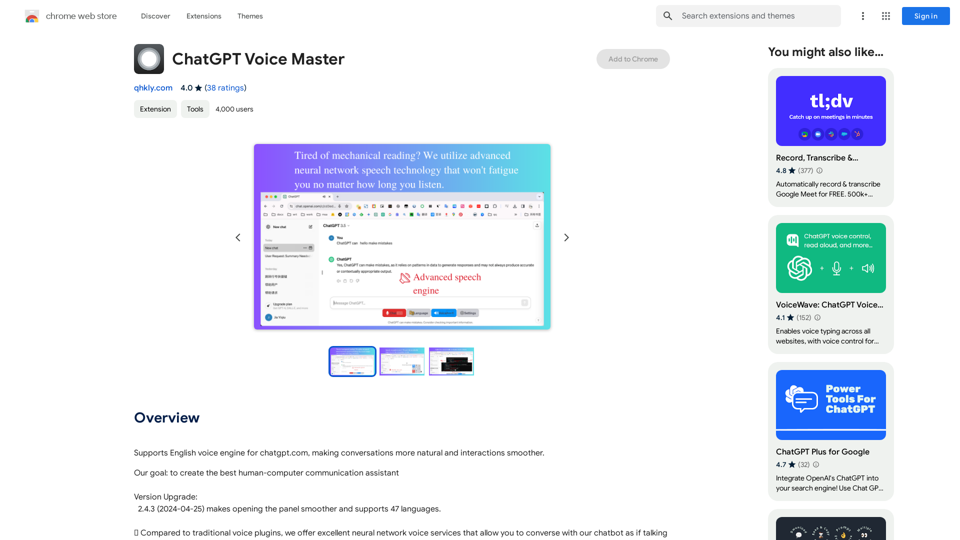
Carol - ChatGPT for Chrome
View Detail

Carol - ChatGPT for Chrome

Carol - ChatGPT for Chrome

ChatGPT for Chrome

193.90 M
ChatGPT Snippet Saver

This is a simple tool to save snippets from your ChatGPT conversations. 

How to Use:

1.  Copy the text snippet you want to save from your ChatGPT conversation.
2.  Paste the text into the input box below.
3.  Click the "Save Snippet" button.

Your snippet will be saved to your local storage. You can access your saved snippets later by clicking the "View Saved Snippets" button.
View Detail

ChatGPT Snippet Saver This is a simple tool to save snippets from your ChatGPT conversations. How to Use: 1. Copy the text snippet you want to save from your ChatGPT conversation. 2. Paste the text into the input box below. 3. Click the "Save Snippet" button. Your snippet will be saved to your local storage. You can access your saved snippets later by clicking the "View Saved Snippets" button.

ChatGPT Snippet Saver This is a simple tool to save snippets from your ChatGPT conversations. How to Use: 1. Copy the text snippet you want to save from your ChatGPT conversation. 2. Paste the text into the input box below. 3. Click the "Save Snippet" button. Your snippet will be saved to your local storage. You can access your saved snippets later by clicking the "View Saved Snippets" button.

GPT Snippet Saver - Save Your Favorite ChatGPT Conversations Revolutionize how you gather and organize information from ChatGPT! - Effortlessly capture and store your most valuable ChatGPT interactions. - Organize your saved conversations by topic, date, or any custom tag. - Easily search and retrieve specific snippets from your saved history. - Share your favorite ChatGPT insights with others. - Never lose track of a brilliant idea or helpful response again.

193.90 M