Open-source RightAI Tools Directory
  • Discover AI
  • Submit
  • Startup
  • Blog
Open-source RightAI Tools Directory
Discover the best AI tools of 2025 with the RightAI Tools Directory!

Friend Links

AI Anime GeneratorToolsApp AI

Support

Tap4
Privacy policyTerms & ConditionsContact Us
Loading...
loading...

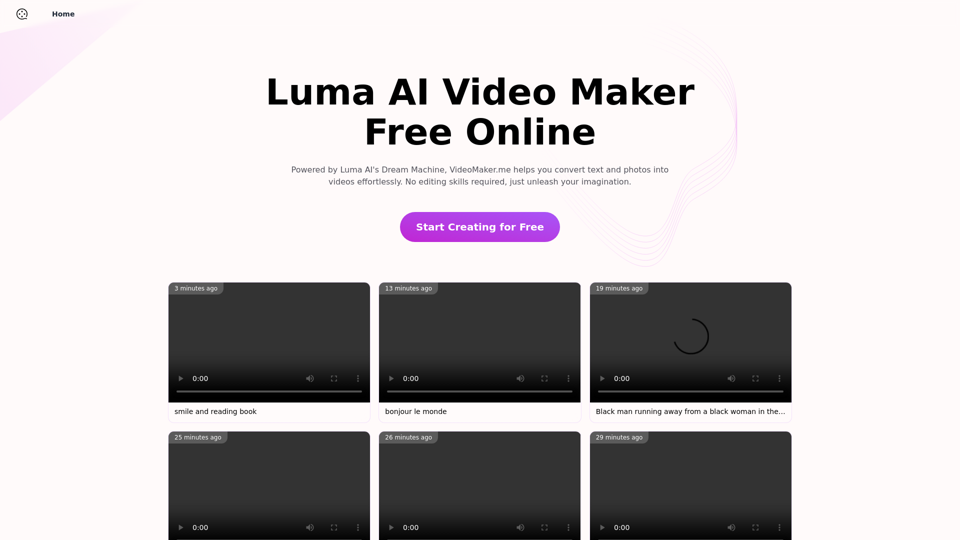
Luma AI Video Generator Free Online - Convert Text and Photos to Video at VideoMaker.me

Discover the power of Luma AI's Dream Machine, an advanced video generator that transforms text and images into high-quality, dynamic videos. Ideal for creators, marketers, and innovators, videomaker.me brings your visual ideas to life with stunning realism and versatility.
Visit Website
Luma AI Video Generator Free Online - Convert Text and Photos to Video at VideoMaker.me
Visit Website

Introduction

VideoMaker.me is an AI-powered platform that revolutionizes video creation. It offers text-to-video and image-to-video capabilities, making high-quality video production accessible to everyone. With free online tools and a user-friendly interface, it eliminates the need for advanced editing skills. The platform incorporates Luma AI's Dream Machine, an innovative AI video generator known for producing dynamic, realistic videos from text and image inputs.

Feature

Accessibility and Scalability

  • Free and publicly accessible online video maker
  • Highly scalable with more GPUs for improved performance

Versatile Video Creation

  • Supports both text-to-video and image-to-video conversion
  • Produces dynamic, action-packed videos with realistic motion

User-Friendly Interface

  • Simple and intuitive design for easy navigation
  • Extensive library of templates and materials

Multi-language Support

  • Accessible to users globally with multiple language options

Data Security

  • Prioritizes user data protection and content safety

AI-Powered Video Generation

  • Text-to-video: Creates videos from textual descriptions
  • Image-to-video: Generates video sequences from static images

Customization Options

  • Personalization tools for adding transitions, music, and effects
  • Variety of use cases: Animation, Birthday, YouTube, Corporate Training, and Presentation videos

FAQ

How does the text-to-video feature work?

The text-to-video AI model generates video content based on textual descriptions provided by the user. It interprets the text and creates corresponding visual elements to form a cohesive video.

What are some tips for creating effective video prompts?

For text-to-video:

  • Be specific in your descriptions
  • Include context for better understanding
  • Use action verbs to convey motion
  • Describe characters and objects in detail
  • Specify scene composition

For image-to-video:

  • Use high-quality images as input
  • Describe desired actions clearly
  • Specify background and environment details
  • Detail movements for dynamic results
  • Suggest additional elements to enhance the video

Are there any editing skills required to use VideoMaker.me?

No, VideoMaker.me is designed to be user-friendly and doesn't require advanced editing skills. The AI-powered tools and intuitive interface make it easy for anyone to create professional-looking videos.

Can I use VideoMaker.me for commercial purposes?

While the platform offers free tools, it's best to check the specific terms of service regarding commercial use. Many AI video generators allow personal and commercial use, but it's important to verify the licensing terms for your intended purpose.

Related Websites

ilikeimg - AI-Powered Image Tools | Free Online Photo Editor
View Detail

ilikeimg - AI-Powered Image Tools | Free Online Photo Editor

ilikeimg - AI-Powered Image Tools | Free Online Photo Editor

Free online tools to convert, crop, compress, resize, and enhance your images. No registration required for basic features.

0
YT Hacks
View Detail

YT Hacks

YT Hacks

Artificial Intelligence for Generating YouTube Content Ideas from Subtitles.

193.90 M
Flux Tools: Comprehensive Guide to AI Image Creation and Editing
View Detail

Flux Tools: Comprehensive Guide to AI Image Creation and Editing

Flux Tools: Comprehensive Guide to AI Image Creation and Editing

Discover how Flux Tools transforms image generation and editing. Expert guide with hands-on experience, use cases, and best practices for creators.

0
AI Video Editor - Text to Video By Viggle
View Detail

AI Video Editor - Text to Video By Viggle

AI Video Editor - Text to Video By Viggle

Generate videos from text prompts with our Text-to-Video tool based on OpenAI Viggle.

193.90 M
AI Hug | AI-powered Photo Embrace & Text-to-Video Creator
View Detail

AI Hug | AI-powered Photo Embrace & Text-to-Video Creator

AI Hug | AI-powered Photo Embrace & Text-to-Video Creator

AI Hug brings people closer through AI. Create heartwarming embraces from photos and transform your words into captivating videos.

0
Image Background Remover API
View Detail

Image Background Remover API

Image Background Remover API

Remove image backgrounds automatically with our powerful API. High-quality cutouts with affordable credit-based pricing. Start with 50 free credits today.

18.26 K
Text to Voice Generator
==========================

A text-to-voice generator, also known as a text-to-speech (TTS) system, is a software that converts written text into a spoken voice output. This technology has been widely used in various applications, including virtual assistants, audiobooks, and language learning platforms.

How it Works
---------------

The process of generating voice from text involves several steps:

1. Text Analysis: The input text is analyzed to identify the language, syntax, and semantics.
2. Phonetic Transcription: The text is converted into a phonetic transcription, which represents the sounds of the spoken language.
3. Prosody Generation: The phonetic transcription is then used to generate the prosody, or rhythm and intonation, of the spoken voice.
4. Waveform Generation: The prosody and phonetic transcription are combined to generate the audio waveform, which is the final spoken voice output.

Types of Text-to-Voice Generators
-----------------------------------

There are two main types of text-to-voice generators:

Rule-Based Systems

These systems use a set of predefined rules to generate the spoken voice output. They are often limited in their ability to produce natural-sounding voices and may sound robotic.

Machine Learning-Based Systems

These systems use machine learning algorithms to learn from large datasets of spoken voices and generate more natural-sounding voices. They are often more advanced and can produce high-quality voice outputs.

Applications of Text-to-Voice Generators
-----------------------------------------

Text-to-voice generators have a wide range of applications, including:

Virtual Assistants

Virtual assistants, such as Siri and Alexa, use text-to-voice generators to respond to user queries.

Audiobooks

Text-to-voice generators can be used to create audiobooks from written texts, making it easier for people to access written content.

Language Learning

Language learning platforms use text-to-voice generators to provide pronunciation guidance and practice exercises for learners.

Accessibility

Text-to-voice generators can be used to assist people with disabilities, such as visual impairments, by providing an auditory interface to written content.
View Detail

Text to Voice Generator ========================== A text-to-voice generator, also known as a text-to-speech (TTS) system, is a software that converts written text into a spoken voice output. This technology has been widely used in various applications, including virtual assistants, audiobooks, and language learning platforms. How it Works --------------- The process of generating voice from text involves several steps: 1. Text Analysis: The input text is analyzed to identify the language, syntax, and semantics. 2. Phonetic Transcription: The text is converted into a phonetic transcription, which represents the sounds of the spoken language. 3. Prosody Generation: The phonetic transcription is then used to generate the prosody, or rhythm and intonation, of the spoken voice. 4. Waveform Generation: The prosody and phonetic transcription are combined to generate the audio waveform, which is the final spoken voice output. Types of Text-to-Voice Generators ----------------------------------- There are two main types of text-to-voice generators: Rule-Based Systems These systems use a set of predefined rules to generate the spoken voice output. They are often limited in their ability to produce natural-sounding voices and may sound robotic. Machine Learning-Based Systems These systems use machine learning algorithms to learn from large datasets of spoken voices and generate more natural-sounding voices. They are often more advanced and can produce high-quality voice outputs. Applications of Text-to-Voice Generators ----------------------------------------- Text-to-voice generators have a wide range of applications, including: Virtual Assistants Virtual assistants, such as Siri and Alexa, use text-to-voice generators to respond to user queries. Audiobooks Text-to-voice generators can be used to create audiobooks from written texts, making it easier for people to access written content. Language Learning Language learning platforms use text-to-voice generators to provide pronunciation guidance and practice exercises for learners. Accessibility Text-to-voice generators can be used to assist people with disabilities, such as visual impairments, by providing an auditory interface to written content.

Text to Voice Generator ========================== A text-to-voice generator, also known as a text-to-speech (TTS) system, is a software that converts written text into a spoken voice output. This technology has been widely used in various applications, including virtual assistants, audiobooks, and language learning platforms. How it Works --------------- The process of generating voice from text involves several steps: 1. Text Analysis: The input text is analyzed to identify the language, syntax, and semantics. 2. Phonetic Transcription: The text is converted into a phonetic transcription, which represents the sounds of the spoken language. 3. Prosody Generation: The phonetic transcription is then used to generate the prosody, or rhythm and intonation, of the spoken voice. 4. Waveform Generation: The prosody and phonetic transcription are combined to generate the audio waveform, which is the final spoken voice output. Types of Text-to-Voice Generators ----------------------------------- There are two main types of text-to-voice generators: Rule-Based Systems These systems use a set of predefined rules to generate the spoken voice output. They are often limited in their ability to produce natural-sounding voices and may sound robotic. Machine Learning-Based Systems These systems use machine learning algorithms to learn from large datasets of spoken voices and generate more natural-sounding voices. They are often more advanced and can produce high-quality voice outputs. Applications of Text-to-Voice Generators ----------------------------------------- Text-to-voice generators have a wide range of applications, including: Virtual Assistants Virtual assistants, such as Siri and Alexa, use text-to-voice generators to respond to user queries. Audiobooks Text-to-voice generators can be used to create audiobooks from written texts, making it easier for people to access written content. Language Learning Language learning platforms use text-to-voice generators to provide pronunciation guidance and practice exercises for learners. Accessibility Text-to-voice generators can be used to assist people with disabilities, such as visual impairments, by providing an auditory interface to written content.

Generate Voice from Text on Any Web Page With the advancement of technology, it is now possible to generate voice from text on any web page. This feature is particularly useful for people who prefer listening to content rather than reading it. Here's how you can do it: #Method 1: Using Browser Extension You can use a browser extension like Read Aloud or SpeakIt! to generate voice from text on any web page. These extensions are available for both Google Chrome and Mozilla Firefox browsers. #Method 2: Using Online Tools There are several online tools available that can convert text to speech. Some popular tools include NaturalReader, Voice Dream Reader, and Google Text-to-Speech. You can copy and paste the text from any web page into these tools to generate voice. #Method 3: Using Screen Reader If you are using a Windows operating system, you can use the built-in Narrator screen reader to generate voice from text on any web page. For Mac users, you can use VoiceOver. By using any of these methods, you can easily generate voice from text on any web page and enjoy a more convenient and accessible reading experience.

193.90 M
Home - Marketing Automation
View Detail

Home - Marketing Automation

Home - Marketing Automation

AI-Based Revenue Optimization Embark on a Revenue Journey: AI Leading the Way! Revmore helps you to grow the in-app purchase (IAP) and in-app advertising (IAA) revenue of your apps and games with AI-based optimizations and improvements. Book A Demo! Elevate your revenue with our AI magic. Explore our diverse optimization solutions, meticulously crafted to meet unique demands. In-app Purchase (IAP)

0