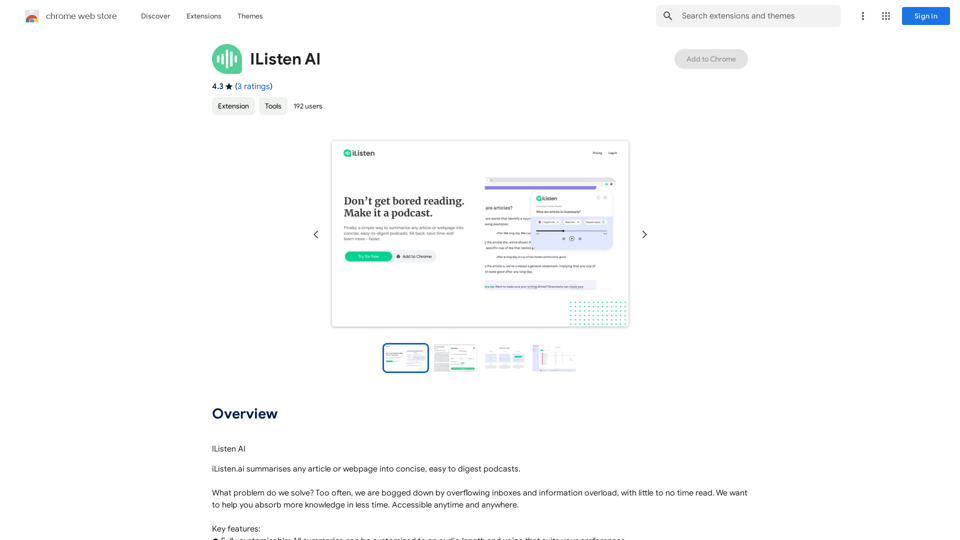
iListen AI 是一個創新的 Chrome 擴展程式,可將文章和網頁轉換為簡潔易懂的播客。這個由 AI 驅動的平台旨在幫助用戶在更短的時間內有效吸收更多信息,是那些面臨信息超載和收件箱爆滿的人的理想解決方案。通過將文本內容轉換為可自定義的音頻摘要,iListen AI 提供了一種獨特的方式來消費數字內容。
我聆聽AI
我聽 AI
介紹
功能
網頁轉播客功能
iListen AI 的主要功能是將任何網頁摘要為播客。用戶只需在 Chrome 擴展程式中點擊"摘要"按鈕,就可以輕鬆生成文章或網頁內容的音頻摘要。
可自定義的音頻輸出
用戶可以通過調整音頻長度和選擇喜歡的聲音來定制他們的聆聽體驗。這種自定義確保了內容以最適合個人喜好的格式呈現。
個人化播客庫
iListen AI 提供了一個專用的播客庫,所有生成的音頻摘要都存儲在這裡。這個功能允許用戶方便地組織和訪問他們的摘要,使他們能夠隨時直接從應用程序中收聽內容。
Chrome 擴展程式整合
該平台通過其擴展程式與 Google Chrome 無縫整合。這使用戶能夠在不離開瀏覽器的情況下快速摘要網頁內容,提高生產力和易用性。
注重隱私的方法
iListen AI 優先考慮用戶隱私,根據其隱私政策處理數據。該平台確保用戶信息不會被出售給第三方或用於與其核心功能無關的目的。
常見問題
如何開始使用 iListen AI?
要開始使用 iListen AI:
- 安裝 Chrome 擴展程式
- 導航到任何你想要摘要的網頁
- 點擊擴展程式中的"摘要"按鈕
- 如果需要,自定義你的音頻偏好
- 收聽生成的播客摘要
iListen AI 能生成圖像嗎?
不能,iListen AI 專門設計用於將文本內容轉換為音頻摘要。它沒有圖像生成功能。
iListen AI 的免費使用有限制嗎?
雖然沒有提供具體的使用限制詳情,但 iListen AI 暗示可能存在免費使用限制。需要更廣泛使用 AI 服務的用戶可能需要考慮訂閱。
我如何訪問我的播客摘要?
你的播客摘要存儲在 iListen AI 平台內的個人化播客庫中。這個庫可以從任何地方訪問,讓你可以在方便的時候收聽你的摘要。
我的數據在 iListen AI 中安全嗎?
是的,iListen AI 強調數據安全和隱私。該平台遵守其隱私政策,確保:
- 用戶數據不會被出售給第三方
- 信息不會用於與平台核心功能無關的目的
- 數據不會用於確定信用度或貸款目的